
JETBeam MINI ONE SE
JETBEAM MINI ONE SE Keychain Flashlight User Manual
Model: MINI ONE SE
Marque : JETBeam
Introduction
The JETBEAM MINI ONE SE is a compact and versatile keychain flashlight designed for everyday carry. It features a powerful CREE XP-G3 LED for main illumination, along with auxiliary RGB and UV lights for various applications, including fluorescent whitening agent detection. Its durable plastic construction, USB Type-C rechargeable battery, and IPX8 waterproof rating make it a reliable tool for diverse needs.
Caractéristiques
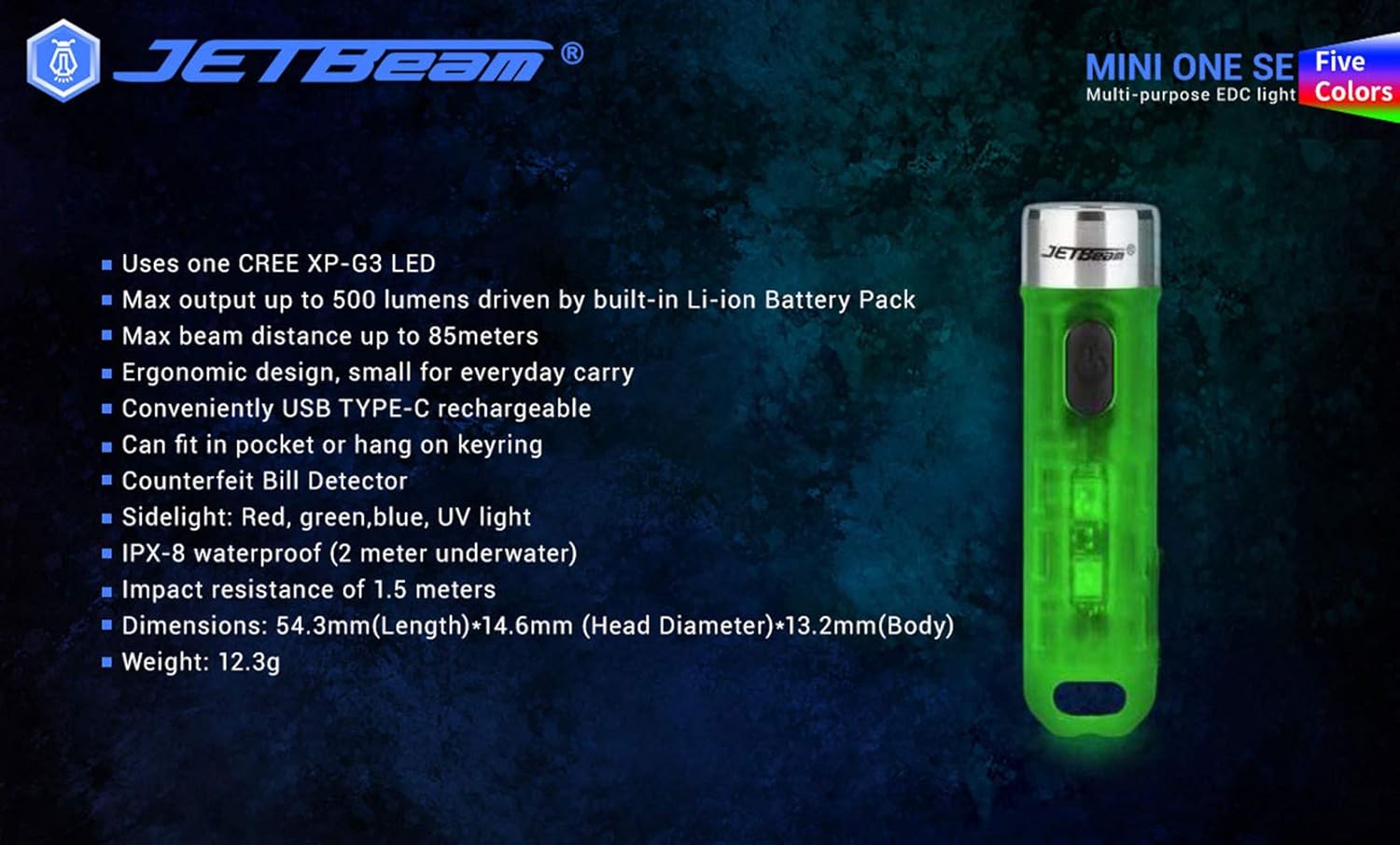
- Utilizes one CREE XP-G3 LED for main light.
- Equipped with auxiliary RGB LED and 365nm UV light for fluorescent whitening agent detection.
- Maximum output of 500 Lumens, powered by a built-in Li-ion battery pack.
- Achieves a maximum beam distance of up to 85 meters.
- Ergonomic design for comfortable everyday carry.
- Conveniently rechargeable via USB Type-C.
- Compact size allows it to fit easily in a pocket or attach to a keyring.
- Fabriqué en matériau plastique durable.
- Sidelight functions include Red, Green, Blue, and UV light.
- IPX8 waterproof rating (submersible up to 2 meters underwater).
- Impact resistance of 1.5 meters.
- Features various light modes for diverse applications, including identifying counterfeits.
- Conception légère, poids approximatif de 29 g.
- All light modes include a memory function.
Contenu du colis
Veuillez vérifier le contenu du colis lors du déballage pour vous assurer que tous les éléments sont présents :
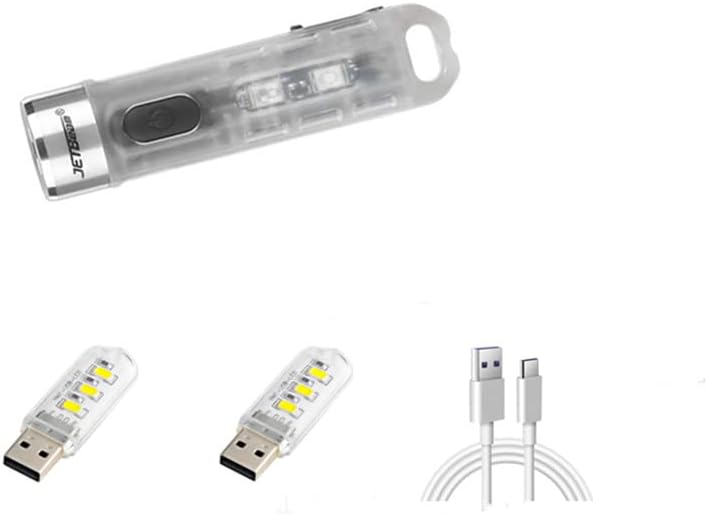
- 1 x JETBEAM MINI ONE SE Flashlight
- 1 x Câble de chargement USB de type C
Installation
Charger l'appareil
The JETBEAM MINI ONE SE features a built-in Li-ion battery and is conveniently USB Type-C rechargeable. Before first use, it is recommended to fully charge the device.
- Repérez le port de chargement USB Type-C sur le côté de la lampe torche.
- Connect the provided Type-C charging cable to the flashlight's port.
- Plug the other end of the USB Type-C charging cable into a compatible USB power source (e.g., computer USB port, wall adapter, power bank).
- The charging indicator light will illuminate to show the charging status. (Specific indicator behavior, e.g., red for charging, green for full, may vary slightly but generally indicates progress).
- Once fully charged, disconnect the charging cable and ensure the port cover (if any) is securely closed to maintain water resistance.

Mode d'emploi
The JETBEAM MINI ONE SE features a single side switch for all operations. All modes have a memory function, meaning the flashlight will turn on in the last used mode.
Main Light (White Light) Operation
- Allume / éteint: Appuyez brièvement sur le bouton d'alimentation.
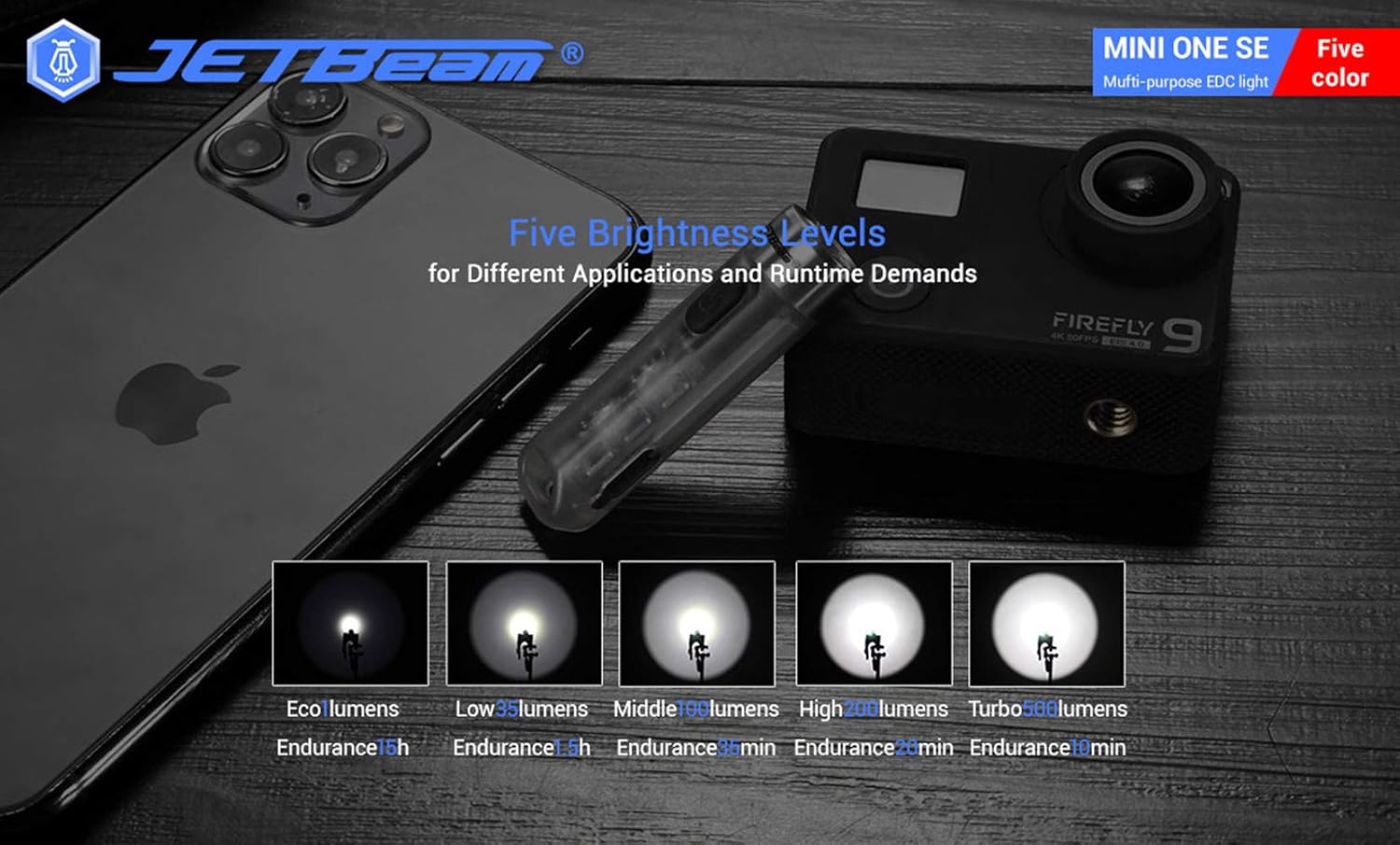
- Modifier la luminosité : When the main light is ON, a long press of the power button will cycle through the brightness modes: Eco → Low → Middle → High. Release the button at your desired brightness.
- Access Turbo Mode (from OFF): When the main light is OFF, press and hold the power button to instantly access Turbo mode. Release the button to turn it off. (Note: Turbo mode automatically shuts down after approximately 30 seconds to prevent overheating).

Fonctionnement des feux latéraux
- Allume / éteint: Double press the power button to turn the side lights ON. Press the power button again to turn them OFF.
- Changer les couleurs/modes : When the side light is ON, a long press of the power button will cycle through the side light colors and modes: Red → Green → Blue → Red Flash → Flowing Light → Beacon. Release the button at your desired mode.
Fonctionnement à la lumière UV
- Allume / éteint: Triple press the power button to turn the UV light ON. Press the power button again to turn it OFF.

Entretien
To ensure optimal performance and longevity of your JETBEAM MINI ONE SE, follow these maintenance guidelines:
- Nettoyage: Essuyez le corps de la lampe de poche avec un chiffon doux et sec.amp Chiffon. N’utilisez pas de nettoyants abrasifs ni de solvants. Maintenez la lentille propre pour une luminosité optimale.
- Stockage: Store the flashlight in a cool, dry place away from direct sunlight and extreme temperatures. If storing for extended periods, ensure the battery is partially charged (around 50%) to preserve battery health.
- Entretien de la batterie: The built-in Li-ion battery does not require removal. Recharge the device regularly, especially if it has not been used for a long time, to prevent deep discharge.
- Résistance à l'eau : While the device is IPX8 waterproof, ensure the USB port cover is securely closed before exposing it to water.
Dépannage
If you encounter issues with your JETBEAM MINI ONE SE, please refer to the following common problems and solutions:
- La lampe torche ne s'allume pas :
- Ensure the battery is charged. Connect the flashlight to a USB Type-C charger and check the charging indicator.
- Verify that the power button is being pressed correctly (short press for main light, double press for side lights, triple press for UV light).
- L'éclairage est faible :
- La batterie est peut-être faible. Rechargez la lampe torche.
- The lens might be dirty. Clean the lens gently with a soft cloth.
- Side lights or UV light not working:
- Ensure you are using the correct button press sequence (double press for side lights, triple press for UV light).
- Problème de charge :
- Check if the USB Type-C cable is properly connected to both the flashlight and the power source.
- Essayez un autre port USB ou un autre adaptateur secteur.
- Assurez-vous que le port de chargement est exempt de débris.
Si le problème persiste après avoir suivi ces étapes, veuillez contacter le service client.
Caractéristiques
| Fonctionnalité | Spécification |
|---|---|
| Marque | JETBeam |
| Modèle | MINI ONE SE |
| Source de lumière | 1*CREE XP-G3 LED (Main), RGB LED, 365nm UV LED (Auxiliary) |
| Puissance de sortie maximale | 500 lumens |
| Distance maximale du faisceau | 85 mètres |
| Source d'énergie | Built-in Li-ion battery pack |
| Chargement | USB Type-C |
| Matériel | Plastique |
| Résistance à l'eau | IPX8 (2 meters underwater) |
| Résistance aux chocs | 1.5 mètres |
| Dimensions (L x Head D x Body D) | 54.3 mm x 14.6 mm x 13.2 mm (2.14 x 0.57 x 0.52 pouces) |
| Poids | 29 g (1.06 onces) |
| Composants inclus | Câble de chargement |
| Code UPC | 644925520009 |
| Date de première disponibilité | 3 décembre 2020 |
Informations sur la garantie
Warranty information for the JETBEAM MINI ONE SE is not provided in this manual. Please refer to the product packaging or the manufacturer's official webConsultez le site pour plus de détails concernant la couverture et les conditions de la garantie.
Soutien
For further assistance, technical support, or inquiries regarding your JETBEAM MINI ONE SE, please visit the official JETBeam website or contact their customer service department. Contact details may also be found on the product packaging or purchase receipt.
Ask a question about this manual
Ask about setup, troubleshooting, compatibility, parts, safety, or missing instructions. Manuals+ will review the question and use this page’s manual context to help answer it.