
1. Introduction
This manual provides detailed instructions for the installation, operation, and maintenance of your Kenwood DMX5020DABS Car Stereo Receiver. The DMX5020DABS is a high-resolution dual DIN WVGA monitor featuring a glossy capacitive touch screen, designed for an intuitive user experience.
Les principales caractéristiques comprennent :
- 17.3 cm (6.8") high-resolution WVGA monitor with capacitive touch screen
- Responsive controls and clear user interface with multi-language display
- Integrated FM RDS tuner with 24 memory stations
- Compatibility with Apple CarPlay and Android Auto via USB
- Compact design (75mm depth) without a CD/DVD player
2. Contenu du colis
Veuillez vérifier que tous les éléments sont présents dans l'emballage avant de procéder à l'installation :
- Kenwood DMX5020DABS Car Stereo Receiver Unit
- Cadre de montage
- Panneau avant
- Hands-free Microphone with 3m Cable
- Necessary Installation Tools (if included by manufacturer)
3. Produit terminéview
Familiarize yourself with the main components and controls of your DMX5020DABS unit.
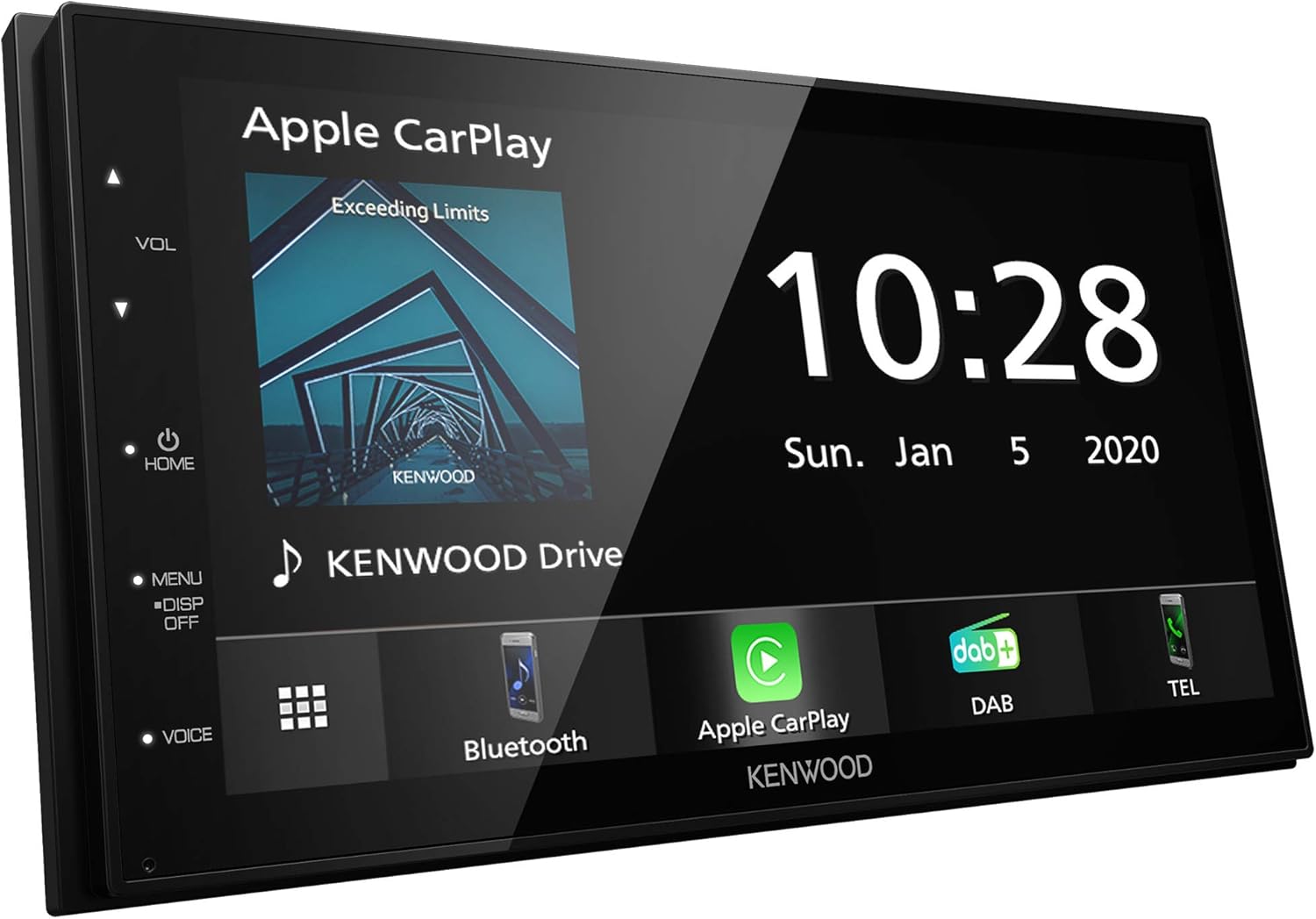
Figure 3.1 : Face avant view of the Kenwood DMX5020DABS unit displaying the Apple CarPlay interface. The unit features a large touchscreen, with physical buttons for volume, home, menu, display off, and voice control on the left bezel.

Figure 3.2 : Face avant view of the Kenwood DMX5020DABS unit displaying the Android Auto interface. This image highlights the unit's sleek design and the clear display of the Android Auto system.
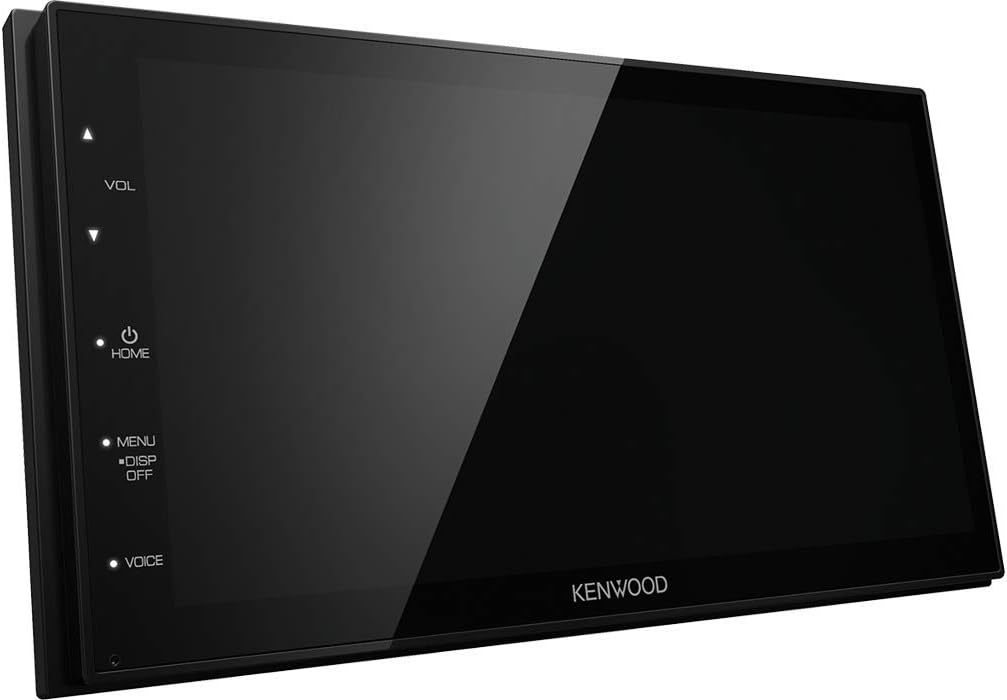
Figure 3.3 : Côté view of the Kenwood DMX5020DABS unit with a blank screen, illustrating its compact depth and the placement of the physical control buttons on the left side.
3.1. Commandes du panneau avant
- VOL ▲/▼ (Volume Up/Down): Ajuste le niveau de sortie audio.
- ACCUEIL: Retour à l'écran du menu principal.
- M E N U: Accesses system settings and various function menus.
- DÉSACTIVATION : Turns the display off for reduced distraction during night driving.
- VOIX: Activates voice control features (e.g., Siri, Google Assistant) when connected to a compatible smartphone.
4. Installation
4.1. Installation
Installation of the Kenwood DMX5020DABS requires technical knowledge and should ideally be performed by a qualified professional. Incorrect installation can lead to damage to the unit or vehicle's electrical system.
- Câblage : Connect the power, ground, speaker, and accessory wires according to the wiring diagram provided in the separate installation guide. Ensure all connections are secure and properly insulated.
- Montage: Use the supplied mounting frame to secure the unit in your vehicle's dashboard. Ensure the unit is firmly seated to prevent vibration.
- Emplacement du microphone : Install the hands-free microphone in a location that allows for clear voice pickup, typically on the sun visor or near the rearview miroir.
4.2. Mise sous tension initiale et paramètres de base
After installation, turn on your vehicle's ignition to power the unit. The first time you power on, you may be prompted to set basic configurations.
- Sélection de la langue : Choose your preferred display language from the available options.
- Date et heure : Réglez la date et l'heure actuelles.
- Paramètres régionaux : Configure radio frequency steps and other region-specific settings.
5. Mode d'emploi
5.1. Fonctionnement de base
- Marche/Arrêt : The unit typically powers on with the vehicle's ignition. To turn off the display or put the unit in standby, press and hold the HOME button or use the DISP OFF button.
- Contrôle du volume : Use the VOL ▲/▼ buttons on the left bezel or the on-screen volume slider.
- Navigation dans les menus : Tap the MENU button or the on-screen menu icon to access various functions and settings. Swipe left/right on the touchscreen to navigate through pages.
5.2. Radio Function (FM RDS Tuner)
The DMX5020DABS features an FM RDS tuner for clear radio reception.
- From the main menu, select the "Radio" or "Tuner" icon.
- Utilisez les commandes à l'écran pour rechercher des stations, effectuer un réglage manuel ou sélectionner une station parmi les préréglages.
- To save a station, tune to the desired frequency and press and hold one of the preset buttons on the screen.
5.3. Intégration smartphone (Apple CarPlay et Android Auto)
The unit supports seamless integration with Apple CarPlay and Android Auto for enhanced smartphone functionality.
5.3.1. Apple CarPlay
Connect your iPhone to the unit's USB port using a certified USB cable. CarPlay will automatically launch, mirroring your iPhone's compatible apps on the receiver's screen.

Figure 5.1 : Example of the Apple CarPlay interface displayed on the Kenwood DMX5020DABS, showing various compatible applications.
- Access navigation, music, messages, and more directly from the receiver's screen.
- Use Siri voice commands by pressing the VOICE button on the unit or saying "Hey Siri" (if enabled on your iPhone).
5.3.2. Android Auto
Connect your Android smartphone to the unit's USB port. Ensure Android Auto is installed on your phone. The system will automatically launch, providing access to navigation, communication, and entertainment apps.

Figure 5.2 : Example of the Android Auto interface displayed on the Kenwood DMX5020DABS, showcasing various compatible applications like Maps, Spotify, and Phone.
- Utilize Google Assistant for voice commands by pressing the VOICE button or saying "Hey Google".
- Access Google Maps, Spotify, WhatsApp, and other compatible apps.
5.4. Connectivité Bluetooth
L'appareil prend en charge le Bluetooth pour les appels mains libres et la diffusion audio.
- Activez Bluetooth sur votre smartphone et rendez-le détectable.
- On the DMX5020DABS, navigate to the Bluetooth settings menu.
- Rechercher available devices and select "Kenwood DMX5020DABS" (or similar name) from the list.
- Confirmez le code d'appairage sur les deux appareils si vous y êtes invité.
5.5. Lecture USB
Connect a USB storage device (e.g., USB flash drive) to the unit's USB port to play audio or video files.
- Ensure the USB device is formatted correctly (FAT32 recommended).
- Navigate to the "USB" or "Media" source on the unit to browse and play files.
6. Entretien
Un entretien régulier garantit la longévité et les performances optimales de votre appareil.
- Nettoyage de l'écran : Utilisez un chiffon doux non pelucheux spécialement conçu pour les écrans électroniques. N’utilisez pas de nettoyants abrasifs ni de solvants. Essuyez délicatement l’écran pour enlever la poussière et les traces de doigts.
- Nettoyage général : Essuyez l'extérieur de l'appareil avec un chiffon doux et sec. Évitez de vaporiser des liquides directement sur l'appareil.
- Mises à jour du micrologiciel : Consultez régulièrement le support Kenwood. website for firmware updates to ensure your unit has the latest features and bug fixes.
7. Dépannage
If you encounter issues with your DMX5020DABS, refer to the following common problems and solutions:
| Problème | Cause possible | Solution |
|---|---|---|
| Pas de courant | Câblage incorrect ; fusible grillé ; contact du véhicule coupé. | Check wiring connections; Inspect and replace fuses; Ensure vehicle ignition is on. |
| Pas de son | Volume trop faible ; mode muet activé ; problème de câblage des haut-parleurs. | Augmenter le volume ; désactiver la fonction muet ; vérifier les connexions des haut-parleurs. |
| Apple CarPlay/Android Auto ne se lance pas | Faulty USB cable; Phone not compatible; Software issue on phone. | Use a certified USB cable; Ensure phone OS is up-to-date; Restart phone and unit. |
| Échec du couplage Bluetooth | Bluetooth non activé sur le téléphone/l'appareil ; procédure d'appairage incorrecte. | Ensure Bluetooth is on and discoverable; Follow pairing steps carefully; Restart both devices. |
| L'écran tactile ne répond pas | Problème logiciel temporaire ; écran sale. | Restart the unit (turn vehicle ignition off/on); Clean the screen. |
Si le problème persiste après avoir essayé ces solutions, veuillez contacter le service client de Kenwood ou un technicien de maintenance qualifié.
8. Spécifications
Detailed technical specifications for the Kenwood DMX5020DABS.
| Modèle | DMX5020DABS |
| Fabricant | JVCKenwood |
| Taille de l'écran | 17.3 cm (6.8") |
| Type d'affichage | WVGA Capacitive Touch Screen |
| Dimensions (L x H x P) | 7.17 x 4.41 x 2.95 pouces (environ 18.2 x 11.2 x 7.5 cm) |
| Poids de l'article | 4.03 livre (environ 1.83 kg) |
| Quoitage | 50 watts |
| Technologie de connectivité | Bluetooth, USB |
| Caractéristiques spéciales | Android Auto, Apple CarPlay |
| Mode de sortie audio | Stéréo |
| Configuration des canaux de son surround | 4 |
| Couleur | Noir |
9. Garantie et assistance
Your Kenwood DMX5020DABS Car Stereo Receiver is covered by a manufacturer's warranty. Please refer to the warranty card included with your product for specific terms and conditions, including warranty period and coverage details.
For technical support, product registration, or to find authorized service centers, please visit the official Kenwood support website:
You may also find helpful resources and FAQs on the Kenwood brand store page on Amazon: Boutique Kenwood sur Amazon.