
Introduction
This manual provides detailed instructions for the proper setup, operation, and maintenance of your Gosky 20-60x80 Dual Focusing Spotting Scope. Please read this manual thoroughly before using the product to ensure optimal performance and longevity.

Image: The Gosky 20-60x80 Dual Focusing Spotting Scope, showcasing its angled design and green/black finish.
Composants du produit
Your Gosky 20-60x80 Spotting Scope package includes the following items:
- Gosky 20-60x80 Spotting Scope
- Trépied
- Sac de transport
- Adaptateur pour smartphone
- Eyepiece and Objective Lens Protection Covers
- Chiffon de nettoyage

Image: All components included with the Gosky 20-60x80 Spotting Scope: the scope itself, a tripod, a carrying bag, and a smartphone adapter.
Instructions d'installation
- Fixez le trépied : Extend the legs of the included tripod and secure the spotting scope to the tripod mount collar. Ensure the scope is stable.
- Retirer les caches d'objectif : Carefully remove the protective covers from both the eyepiece and the objective lens.
- Adjust Sunshade: The objective lens features a retractable sunshade. Extend it by pulling it forward to reduce glare and protect the lens from rain or dust.
- Eyepiece Rotation: Loosen the small knob near the eyepiece to rotate the eyepiece housing. This allows for comfortable viewing from various angles. Tighten the knob once the desired position is achieved.

Image: Labeled diagram of the spotting scope, indicating the objective lens, retractable sunshade, focus knobs, magnification wheel, and eyepiece.
Mode d'emploi
1. Réglage du grossissement
Rotate the magnification zoom wheel on the eyepiece to adjust the magnification from 20x to 60x. Start with lower magnification (20x) to locate your target, then increase as needed for more detail.

Image: The eyepiece with the magnification ring, allowing adjustment between 20x and 60x zoom.
2. Mise au point
The scope features a dual-speed focus system:
- Fast Focus Knob: Use the larger knob for quick adjustments to bring the image into approximate focus.
- Fine Focus Knob: Use the smaller knob for precise, sharp focusing.

Image: The dual focus knobs, designed for both rapid and precise focusing.
3. Utilisation de l'adaptateur pour smartphone
To capture photos or videos through the spotting scope, attach your smartphone using the provided adapter:
- Securely mount your smartphone into the adapter.
- Align your phone's camera lens with the eyepiece of the spotting scope.
- Adjust the adapter to ensure the camera is centered and stable over the eyepiece.
- Use your phone's camera app to view and capture images or videos.

Image: The spotting scope with a smartphone mounted via the adapter, demonstrating its digiscoping capability.

Image : Comparaison de views at 20x, 40x, and 60x magnification, illustrating the detail visible at different zoom levels.
Applications
The Gosky 20-60x80 Spotting Scope is suitable for a variety of outdoor activities:
- Tir à la cible
- Chasse
- Observation des oiseaux
- Wildlife Observation
- Paysage Viewing
- Moon Observation

Image : Examples of the spotting scope's versatility, including bird watching, hunting, landscape observation, and lunar viewing.
Entretien et maintenance
- Nettoyage des lentilles : Use the provided cleaning cloth or a soft, lint-free cloth to gently wipe the lenses. Avoid using abrasive materials or excessive force. For stubborn spots, a small amount of lens cleaning fluid designed for optics can be applied to the cloth, not directly to the lens.
- Étanche et antibuée : The spotting scope is nitrogen purged and O-ring sealed, making it waterproof and fog-proof. This protects against moisture, dust, and debris. However, avoid submerging the scope in water.
- Stockage: When not in use, store the spotting scope in its carrying bag with all lens covers in place to protect it from dust and physical damage. Store in a cool, dry place.
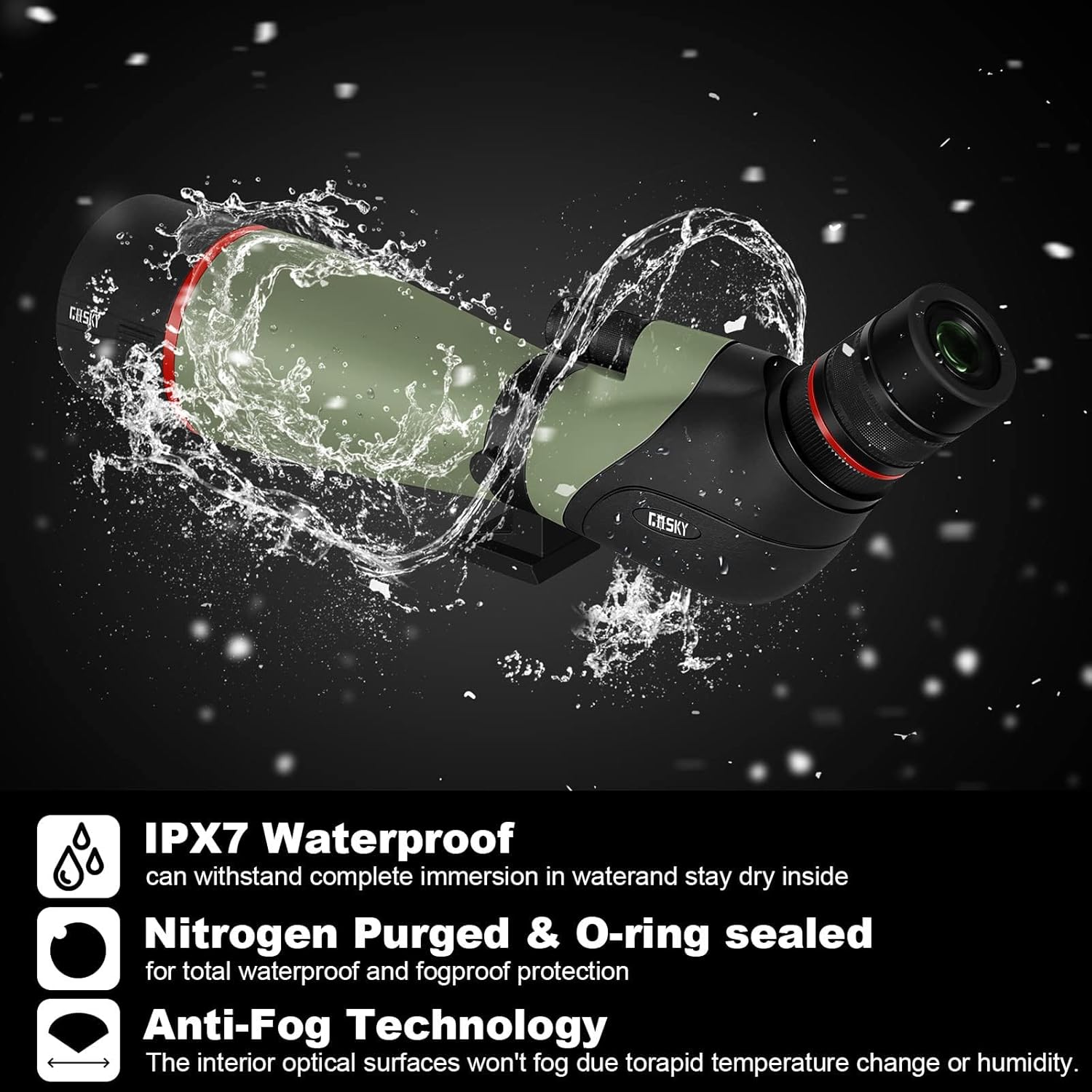
Image: The spotting scope demonstrating its waterproof capabilities, highlighting its durability in various weather conditions.
Dépannage
| Problème | Cause possible | Solution |
|---|---|---|
| L'image est floue ou hors focus. | Réglage de la mise au point incorrect. | Adjust the fast focus knob for approximate focus, then use the fine focus knob for sharp clarity. Ensure the magnification is set appropriately. |
| Dark edges or vignetting when using smartphone adapter. | Smartphone camera not perfectly aligned with the eyepiece. | Re-align the smartphone camera precisely over the center of the eyepiece. Adjust the adapter's position until the dark edges disappear or are minimized. |
| L'image apparaît sombre. | Low light conditions or high magnification. | Use the scope in brighter conditions if possible. Lower the magnification, as higher magnification reduces brightness. Ensure lenses are clean. |
| Difficulty adjusting magnification. | Stiff magnification ring. | Gently rotate the magnification ring. If it remains stiff, ensure no debris is obstructing it. Avoid forcing the mechanism. |
Caractéristiques
| Fonctionnalité | Détail |
|---|---|
| Marque | Gosky |
| Nom du modèle | 20-60x80 |
| Longueur du tube optique | 50 millimètres |
| Description de la lentille oculaire | Kellner or Erflle |
| Diamètre de l'objectif | 80 millimètres |
| Description de la monture du télescope | Mont azimutal |
| Dimensions du produit | 17.5"P x 4.7"L x 6.6"H |
| Type de mise au point | Mise au point manuelle |
| Source d'énergie | Manuel |
| Portée Finder | Réflexe |
| Monter | Mont azimutal |
| Appareils compatibles | Smartphone |
| Revêtement | Multicouche |
| Description de la distance focale | 20-60 millimètres |
| Domaine de View | 0.48 degrés |
| Rapport de zoom | 20-60 |
| Fonctionnalités supplémentaires | Smartphone adapter for digiscoping |
| Poids de l'article | 1.1 kilogrammes |
| Diamètre de la pupille de sortie | 1.33 millimètres |
| Code UPC | 711102627513 |
| Numéro de modèle | QHSP033 |
Garantie et assistance
The Gosky 20-60x80 Dual Focusing Spotting Scope comes with a Garantie de 1 ans from the manufacturer. For warranty claims, technical support, or any inquiries regarding your product, please contact Gosky customer service through their official channels.
Veuillez conserver votre preuve d'achat pour la validation de la garantie.