
1. Produit terminéview
The CHACON 54661 Set provides a convenient solution for wirelessly controlling your electrical appliances and lighting. This set includes two remote-controlled sockets and one remote control, allowing you to switch devices on or off from a distance within your home.
- Contrôle sans fil : Operate devices without direct access to the wall socket.
- Installation facile : Installation simple et rapide.
- Large compatibilité : Suitable for various household appliances.
- Fréquence de fonctionnement : 433.92 MHz.
- Puissance maximale : 2000 watts.
- Portée de transmission : Jusqu'à 25 mètres en terrain dégagé.

Image: CHACON remote control and a socket in a typical home environment, demonstrating wireless control.
2. Consignes de sécurité
Veuillez lire et comprendre toutes les consignes de sécurité avant d'utiliser ce produit. Le non-respect de ces consignes peut entraîner un choc électrique, un incendie ou des blessures graves.
- Utilisation en intérieur uniquement : This product is designed for indoor use in dry locations. Do not expose to rain or moisture.
- Charge maximale : Do not exceed the maximum load of 2000 Watts. Overloading can cause overheating and fire.
- Ventilation: Ensure adequate ventilation around the sockets. Do not cover them.
- Enfants et animaux domestiques : Tenir hors de portée des enfants et des animaux domestiques.
- Démontage: N’essayez pas d’ouvrir, de modifier ou de réparer l’appareil. Confiez toute intervention à un personnel qualifié.
- Nettoyage: Débranchez l'appareil avant de le nettoyer. Utilisez un chiffon doux et sec. N'utilisez pas de nettoyants liquides.
- Élimination: Mettez au rebut les piles et le produit conformément à la réglementation locale.
3. Contenu du colis
Vérifiez que tous les éléments sont présents dans le colis :
- 2 x CHACON Remote Controlled Sockets
- 1 x CHACON Remote Control
- 1 x Lithium-ion Battery (pre-installed in remote or supplied separately)
- 1 x Manuel d'utilisation (ce document)
4. Installation
4.1. Installation de la batterie de la télécommande
The remote control requires one Lithium-ion battery. If not pre-installed, follow these steps:
- Localisez le compartiment à piles à l'arrière de la télécommande.
- Ouvrez le couvercle du compartiment à piles.
- Insert the Lithium-ion battery, ensuring correct polarity (+ and -).
- Fermez soigneusement le couvercle du compartiment à piles.

Image : Gros plan view of the CHACON remote control, showing the ON/OFF buttons and channel selectors (1, 2, 3, 4).
4.2. Pairing Sockets with Remote Control
Each socket needs to be paired with the remote control to establish communication. The remote control has four channels (1, 2, 3, 4) which can be used to control individual sockets or groups of sockets.
- Plug one CHACON remote controlled socket into a standard wall outlet. The LED indicator on the socket may flash.
- Within 5 seconds of plugging in the socket, press and hold the small pairing button located on the side or front of the socket until the LED indicator starts flashing rapidly.
- While the socket's LED is flashing, press the desired "ON" button (e.g., "1 ON") on the remote control.
- The socket's LED indicator will stop flashing and remain solid for a moment, then turn off, indicating successful pairing.
- Repeat this process for the second socket, assigning it to a different channel (e.g., "2 ON") or the same channel if you wish to control both simultaneously.
- To unpair a socket, plug it in, then press and hold the pairing button until the LED flashes rapidly. Then, press the corresponding "OFF" button on the remote control.

Image: A CHACON remote controlled socket plugged into a wall outlet, ready for pairing.
5. Mode d'emploi
Once your sockets are paired, you can easily control your connected devices.
- Plug the appliance you wish to control into the CHACON remote controlled socket.
- Ensure the appliance's own power switch is in the "ON" position (if applicable).
- To turn the appliance ON, press the corresponding "ON" button (1, 2, 3, or 4) on your remote control.
- To turn the appliance OFF, press the corresponding "OFF" button (1, 2, 3, or 4) on your remote control.
You can control devices individually or, if multiple sockets are paired to the same channel, control them simultaneously.
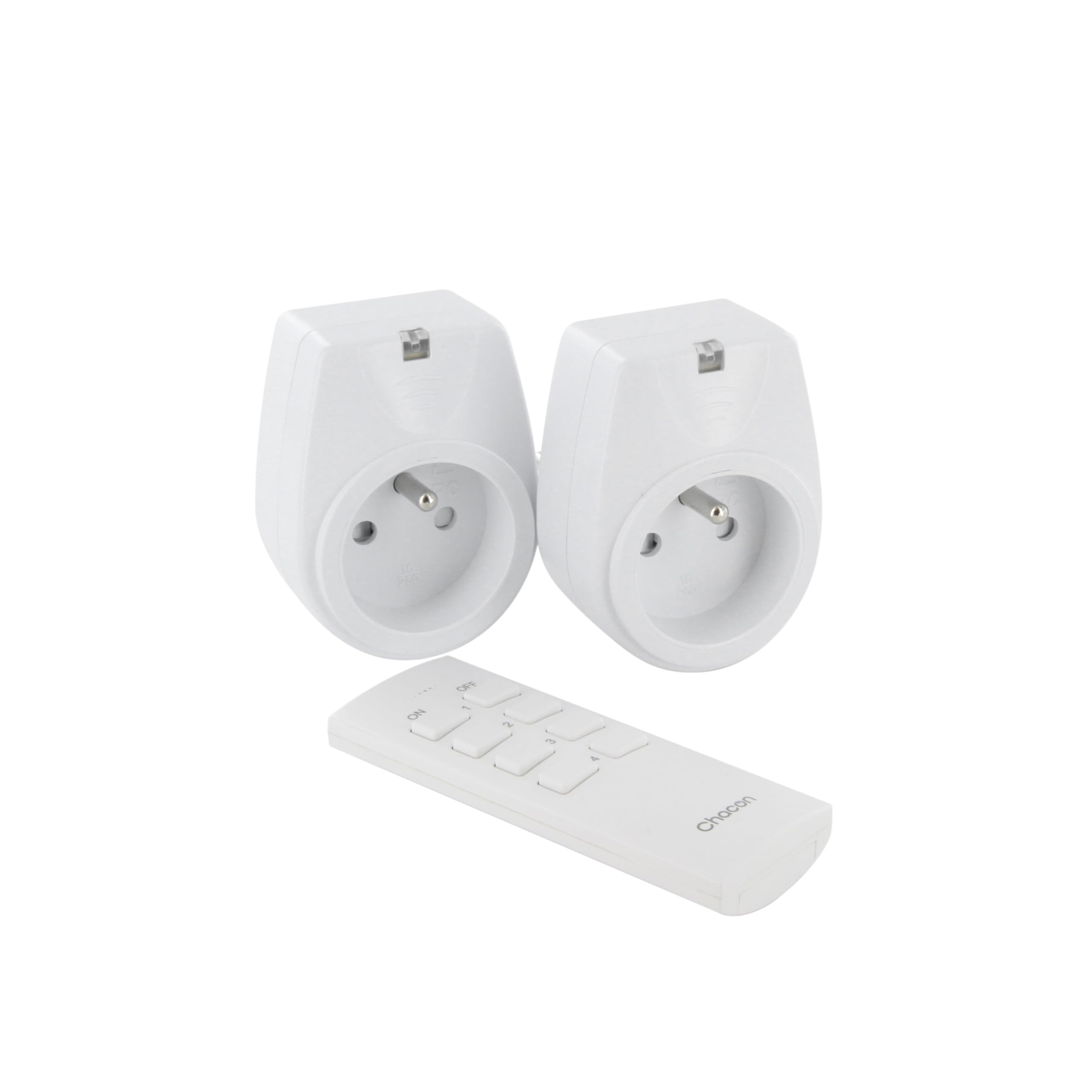
Image: A hand holding the CHACON remote control, demonstrating its use to switch on a lamp.
6. Entretien
6.1. Nettoyage
To clean the sockets and remote control, ensure they are disconnected from power. Use a soft, dry cloth. Do not use abrasive cleaners, solvents, or immerse in water.
6.2. Remplacement de la pile de la télécommande
If the remote control's range decreases or it stops responding, the battery may need replacement. Follow the steps in Section 4.1 to replace the Lithium-ion battery with a new one of the same type.
7. Dépannage
| Problème | Cause possible | Solution |
|---|---|---|
| Socket does not respond to remote control. |
|
|
| Connected appliance does not turn on/off. |
|
|
| Reduced transmission range. |
|
|
8. Spécifications
| Marque | CHACON |
| Numéro de modèle | 54661 |
| Couleur | Blanc |
| Caractéristiques spéciales | Sans fil |
| Appareils compatibles | Air conditioner, Game console, Iron, Speaker, Lamp, DVD player, MP3 player, E-reader, Coffee machine, Modem, Laptop, Heater, Router, Refrigerator, Set-top box, Smartphone, Smartwatch, Audio system, Hair dryer, Tablet, Television |
| Type de batterie à distance | Lithium-ion (1 inclus) |
| Puissance maximale | 2000 watts |
| Distance de transmission | 25 m (terrain découvert) |
| Fréquence | 433.92 MHz |
| Voltage | 230V |
| Nombre de prises | 2 |
| Type de prise | FR (Type E/F) |
| Matériel | Chlorure de polyvinyle (PVC) |
| Pays d'origine | Chine |
9. Garantie
This CHACON product is covered by a Garantie de 2 ans À compter de la date d'achat, cette garantie couvre les défauts de fabrication et les vices de matériaux dans des conditions normales d'utilisation. Elle ne couvre pas les dommages causés par une mauvaise utilisation, un accident, une modification non autorisée ou une installation incorrecte.
Veuillez conserver votre preuve d'achat pour les réclamations au titre de la garantie.
10. Assistance
For technical assistance, troubleshooting not covered in this manual, or warranty inquiries, please contact CHACON customer support.
Visit the official CHACON website contenant les informations d'assistance et les coordonnées les plus récentes.
Note: Specific contact information may vary by region.