
Carte XHDATA D-808
XHDATA D-808 Portable FM Radio
Manuel d'instructions de l'utilisateur
Introduction
The XHDATA D-808 is a versatile portable multi-band radio designed for enthusiasts and casual listeners alike. Featuring DSP technology, it offers reception across FM, AM (MW), Shortwave (SW), Longwave (LW), and Air Band frequencies, along with Single Side Band (SSB) and RDS functionality. Its compact design and rechargeable battery make it ideal for home use, outdoor activities, and travel. This manual provides detailed instructions for setting up, operating, and maintaining your D-808 radio to ensure optimal performance.

The XHDATA D-808 is a portable digital radio suitable for various environments, including home, camping et voyager.
Consignes de sécurité
- N’exposez pas la radio à des températures extrêmes, à la lumière directe du soleil ou à une forte humidité.
- Évitez de laisser tomber la radio ou de la soumettre à des impacts violents.
- Tenez la radio éloignée des champs magnétiques puissants.
- Ne tentez pas de démonter ou de modifier la radio. Cela annulera la garantie et pourrait l'endommager.
- Use only the specified rechargeable battery and charging cable provided or recommended by the manufacturer.
- Éliminez les piles conformément aux réglementations locales.
Contenu du colis
Veuillez vérifier le contenu du colis à l'ouverture afin de vous assurer que tous les articles sont présents :
- 1 x XHDATA D-808 Radio
- 1 x Specific Carrying Bag
- 1 x Antenne externe
- 1 câble de charge USB (Type-C)
- 1 x Batterie rechargeable (type 18650)
- 1 x Manuel d'utilisation en anglais
- 1 x Dragonne

The image displays the XHDATA D-808 radio along with its complete set of accessories, including the carrying bag, external antenna, USB charging cable, rechargeable battery, user manual, and wrist strap.
Produit terminéview
The XHDATA D-808 features a clear LCD display, a large tuning knob, and a comprehensive keypad for easy operation. It includes a telescopic antenna for FM/SW/Air band reception and an internal ferrite antenna for AM/LW. The radio is equipped with a built-in speaker and a 3.5mm earphone jack for private listening.

The XHDATA D-808 radio, featuring its extended telescopic antenna, LCD display, and control interface.
Installation
1. Installation de la batterie
- Localisez le compartiment à piles à l'arrière de la radio.
- Ouvrez le couvercle du compartiment.
- Insérez la batterie rechargeable 18650 fournie, en veillant à respecter la polarité (+/-).
- Fermez soigneusement le couvercle du compartiment à piles.
2. Chargement de la batterie
Avant la première utilisation, chargez complètement la batterie.
- Connect the supplied USB Type-C charging cable to the DC-IN 5V port on the side of the radio.
- Connectez l'autre extrémité du câble USB à un adaptateur secteur USB compatible (non inclus) ou à un port USB d'ordinateur.
- The charging indicator on the display will show charging status. Charging is complete when the indicator shows full.

The XHDATA D-808 radio supports USB-C charging and uses a detachable 2000mAh rechargeable battery.
Mode d'emploi
1. Marche/Arrêt
Appuyez sur le POUVOIR button (orange button) to turn the radio on or off.
2. Sélection du groupe
Appuyez sur le FM, LW/MW/SW, ou AIR buttons to switch between frequency bands. For LW, MW, and SW, repeatedly press the LW/MW/SW bouton pour les faire défiler.

The XHDATA D-808 is a multi-band radio capable of receiving FM, AM, SW, LW, Air Band, and SSB signals.
3. Méthodes de réglage
- Réglage manuel: Faites pivoter le grand RÉGLAGE knob on the right side to manually adjust the frequency. Use the AFFINER knob for precise adjustments, especially for SSB.
- Saisie directe de la fréquence : Use the numeric keypad (0-9) to enter a desired frequency directly, then press FRÉQUENCE.
- Auto Scan Tuning (ATS): Appuyez et maintenez enfoncé le FM/AM/SW/AIR AUTO PRESET bouton (souvent étiqueté ATS or similar) to automatically scan and store available stations.
4. Stations de mémoire
The radio can store up to 500 stations. To save a station:
- Syntonisez la station souhaitée.
- Appuyez sur le MEMO bouton.
- Utilisez le pavé numérique ou le bouton de réglage pour sélectionner un emplacement mémoire.
- Presse MEMO encore une fois pour confirmer.
Pour rappeler une station mémorisée, appuyez sur la PAGE button and then use the numeric keypad or tuning knob to select the memory page/number.
5. Réveil et minuterie de sommeil
The D-808 includes an alarm clock and a sleep timer function.
- Réveil: Appuyez sur le ALARME button to set the alarm time. The radio can wake you up with a buzzer or a radio station.
- Minuterie de veille: Appuyez sur le DORMIR button to set a timer for the radio to automatically turn off after a set period (e.g., 10, 20, 30, 60, 90 minutes).
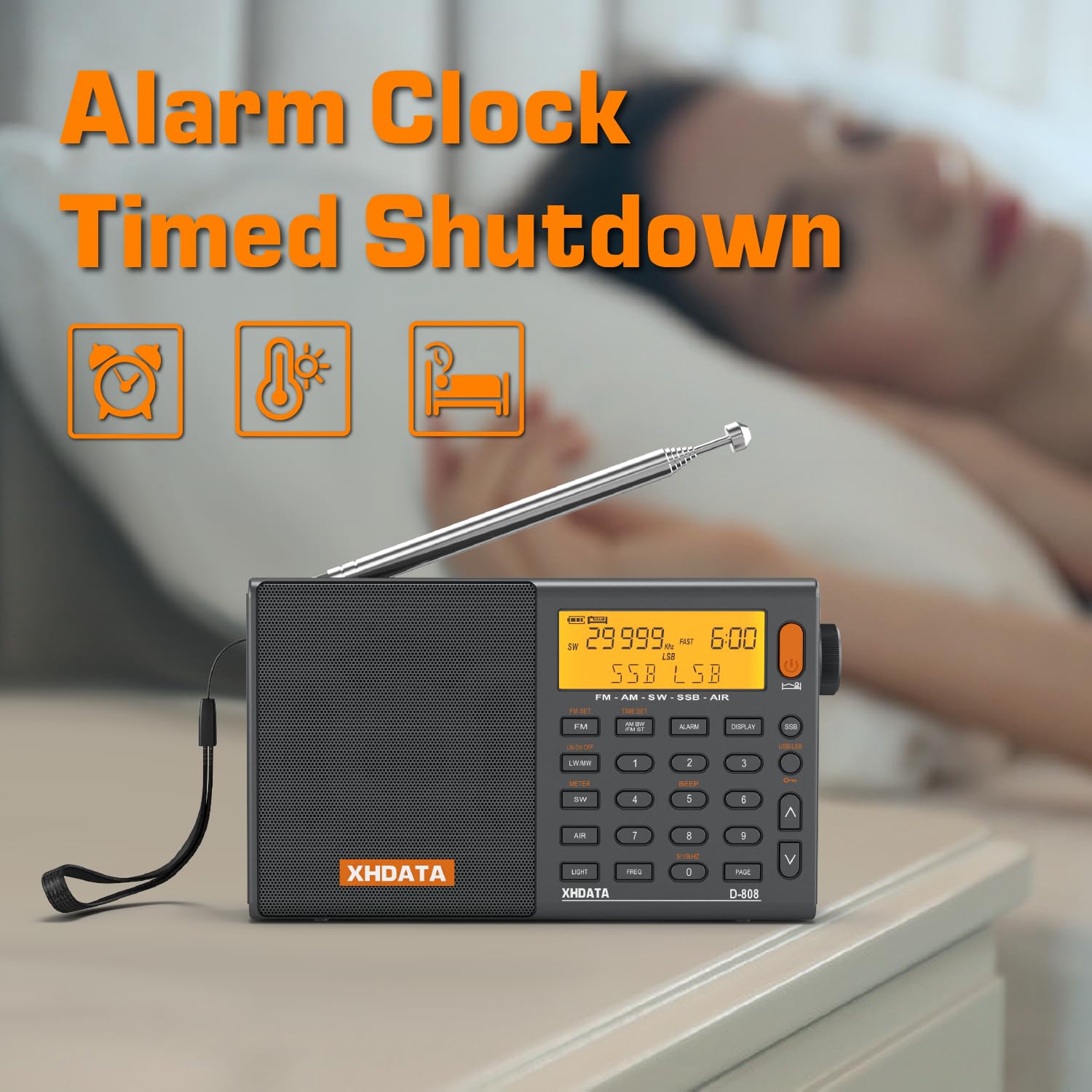
The XHDATA D-808 features an alarm clock and timed shutdown functions.
6. SSB (Single Side Band) Operation
The D-808 supports SSB reception (USB/LSB) for listening to amateur radio, utility stations, and other non-broadcast signals.
- Tune to a Shortwave frequency where SSB signals are expected.
- Appuyez sur le SSB button to activate SSB mode. Repeatedly press to switch between USB (Upper Side Band) and LSB (Lower Side Band).
- Utilisez le AFFINER knob to precisely adjust the frequency for clear voice reception.

The SSB feature on the XHDATA D-808 allows for reception of various signals, including maritime, meteorological, and HAM radio communications.
7. RDS Functionality (FM only)
When tuned to an FM station broadcasting RDS (Radio Data System) information, the display may show station name, program type, and other data. This also allows for automatic time calibration.
8. External Antenna Use
For improved reception, especially on SW and Air bands, connect the provided external wire antenna to the FOURMI jack on the side of the radio. Extend the antenna fully and position it for best signal.
9. Contrôle du volume
Faites pivoter le VOLUME knob (integrated with the TUNING knob) to adjust the audio output level.
Entretien
- Nettoyage: Utilisez un chiffon doux et sec pour nettoyer l'extérieur de la radio. N'utilisez pas de produits nettoyants abrasifs ni de solvants.
- Stockage: Lorsque vous n'utilisez pas la radio pendant une période prolongée, retirez la batterie et rangez-la dans un endroit frais et sec.
- Entretien de l'antenne : Manipulez l'antenne télescopique avec précaution pour éviter de la plier ou de la casser.
Dépannage
| Problème | Cause possible | Solution |
|---|---|---|
| La radio ne s'allume pas. | La batterie est faible ou n'est pas installée correctement. | Rechargez la batterie ou réinstallez-la en respectant la polarité. |
| Mauvaise réception/parasites. | Signal faible, interférences ou antenne non déployée. | Extend the telescopic antenna fully. Use the external antenna. Move to an open area away from electronic devices. Adjust bandwidth. |
| Aucun son provenant du haut-parleur. | Le volume est trop faible ou des écouteurs sont connectés. | Increase volume. Disconnect headphones if not in use. |
| SSB signal is distorted. | Le réglage fin n'est pas précis. | Use the FINE TUNE knob for precise adjustment until the voice is clear. |
| L'écran est sombre ou vide. | Batterie faible ou réglage du rétroéclairage. | Charge the battery. Check backlight settings (if applicable). |
Caractéristiques
| Fonctionnalité | Détail |
|---|---|
| Marque | XHDATA |
| Modèle | D-808 |
| Gamme de fréquences radio | FM: 64-108 MHz (Global), AM (MW): 520-1710 KHz, SW: 1711-29999 KHz, LW: 150-450 KHz, AIR: 118-137 MHz |
| Puissance de sortie du haut-parleur | 5 watts |
| Technologie d'affichage | Écran LCD |
| Source d'énergie | Battery Powered, Corded Electric (USB-C 5V) |
| Type de batterie | 1 x 18650 Lithium Ion (Rechargeable) |
| Dimensions du produit (L x l x H) | 15 x 5 x 8.5 cm |
| Poids de l'article | 470 g |
| Connectivité | 3.5mm Audio Jack, USB Type-C |
Garantie et assistance
The XHDATA D-808 Portable FM Radio comes with a standard manufacturer's warranty. Please refer to the warranty card included in your package for specific terms and conditions. For technical support, troubleshooting assistance, or warranty claims, please contact XHDATA customer service through their official webConsultez le site web ou le détaillant auprès duquel vous avez acheté le produit. Conservez votre reçu d'achat comme preuve d'achat pour la garantie.
Ask a question about this manual
Ask about setup, troubleshooting, compatibility, parts, safety, or missing instructions. Manuals+ will review the question and use this page’s manual context to help answer it.