
NEEWER NW-81
Neewer NW-81 Microphone Kit Instruction Manual
Modèle : NW-81 | Marque : NEEWER
1. Introduction et plusview
The Neewer NW-81 Microphone Kit is a comprehensive audio solution designed for various recording applications, particularly with cameras and camcorders. This uni-directional condenser shotgun microphone system is engineered to capture clear audio from a specific direction, minimizing ambient noise. The kit includes essential accessories such as a furry windscreen muff and connection cables, providing versatility and improved sound quality in diverse environments.
This manual provides detailed instructions for the setup, operation, and maintenance of your NW-81 Microphone Kit to ensure optimal performance and longevity.
2. Contenu du colis
Veuillez vérifier que tous les éléments énumérés ci-dessous sont inclus dans votre colis :
- 1 x Gun Microphone (14.17 inches / 36 cm long, metal body)
- 1 x Anti-wind Foam Cap
- 1 x Microphone Furry Windscreen Muff (NW-MIC-121)
- 2 x Microphone Stands (mounts)
- 1 x Stereo Jack Adaptor (0.25 inch / 6.35mm jack to mini 0.14 inch / 3.5mm)
- 1 x Cable (XLR to 3.5mm/6.35mm)

Image: All components included in the Neewer NW-81 Microphone Kit, showing the shotgun microphone, foam cap, furry windscreen, stands, and cables.
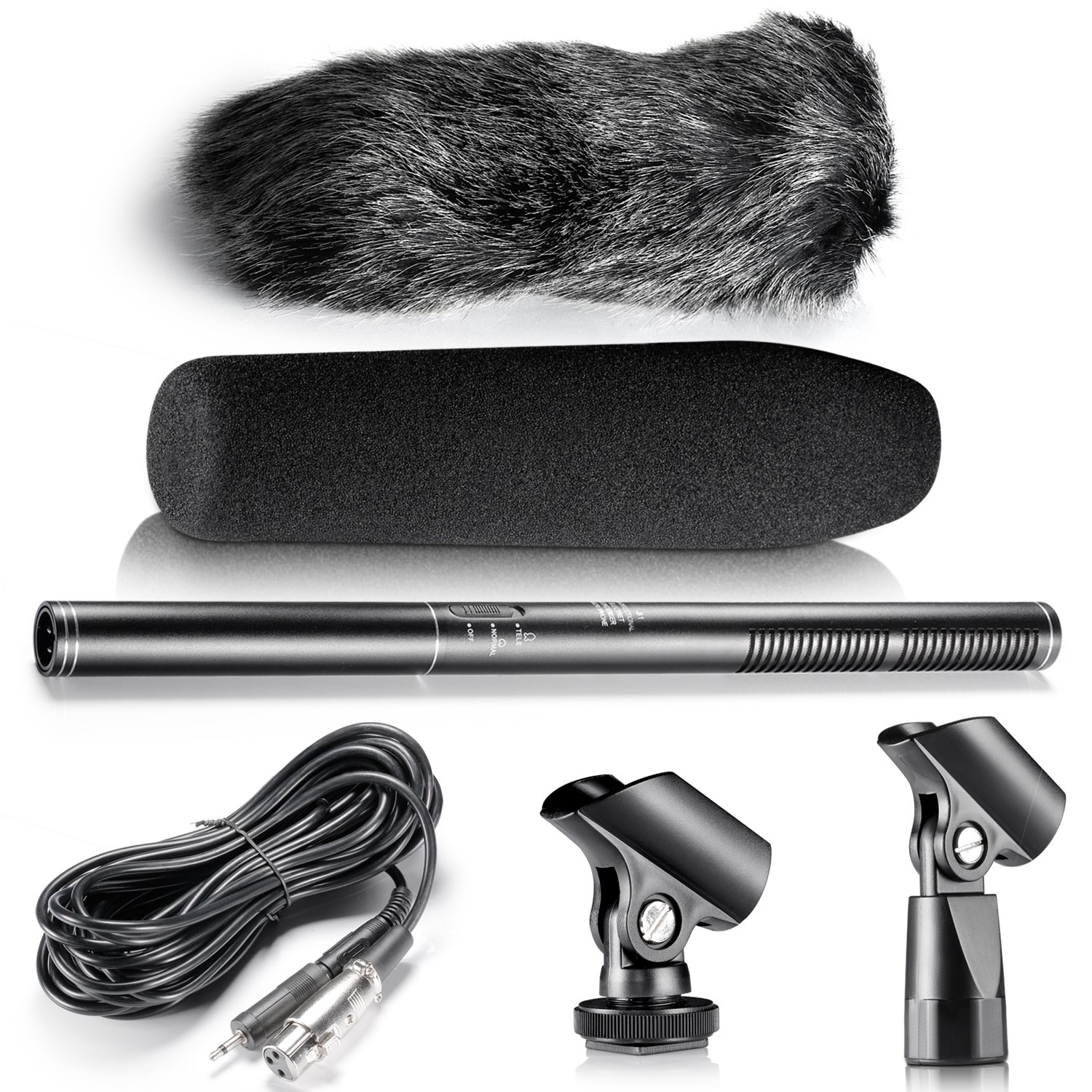
Image : Vue aérienne view of the Neewer NW-81 Microphone Kit, displaying the microphone, foam windscreen, furry windscreen, connection cable, and two microphone stands.
3. Caractéristiques
- Uni-directional Pickup: Designed to capture sound primarily from the direction it is pointed, reducing side and rear noise.
- Capsule de condensateur : Provides high sensitivity and a wide frequency response for clear audio capture.
- Modes doubles : Features "Normal" and "Tele" modes for voice pick-ups at different distances.
- Anti-wind Foam Cap: Helps to eliminate wind noise during recording.
- Furry Windscreen Muff (NW-MIC-121): Minimizes wind noise and other environmental interference, especially effective outdoors.
- Connectivité polyvalente : Includes a 0.25in (6.35mm) stereo jack to mini 0.14in (3.5mm) jack adaptor for broad compatibility.
- Alimenté par batterie : Operates on DC1.5V (one NO. 5 battery, not included) with approximately 26 hours of working time.
4. Guide de configuration
4.1 Installation de la batterie
- Unscrew the rear cap of the microphone body.
- Insert one NO. 5 (AA) battery into the battery compartment, ensuring correct polarity (+/-).
- Screw the rear cap back on securely.
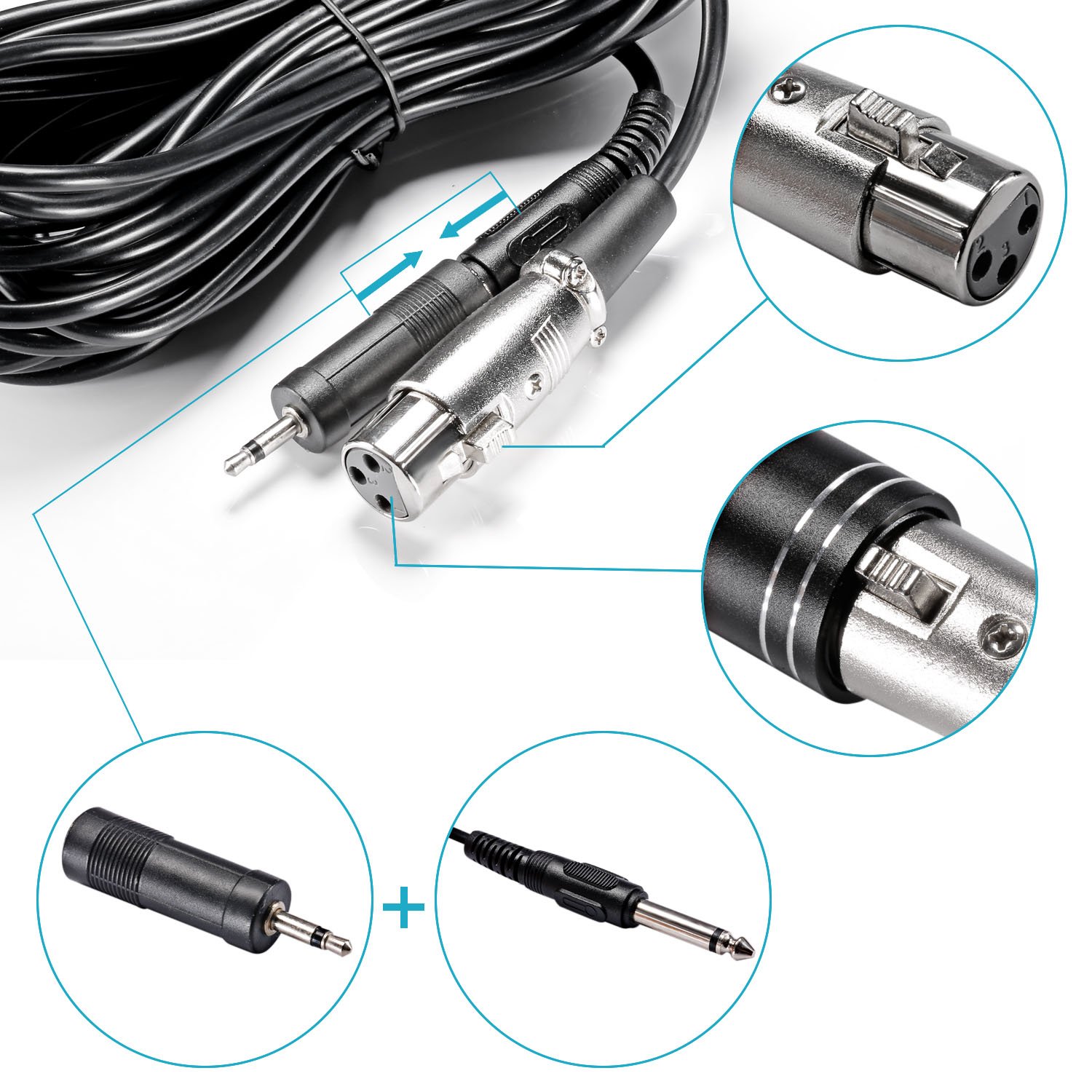
Image: Illustration showing how to unscrew the microphone's end cap and insert the battery for power.
4.2 Montage du microphone
Attach the microphone to one of the provided microphone stands (mounts). These stands can then be mounted onto a camera's hot shoe or a standard tripod/light stand with a 1/4-inch screw.
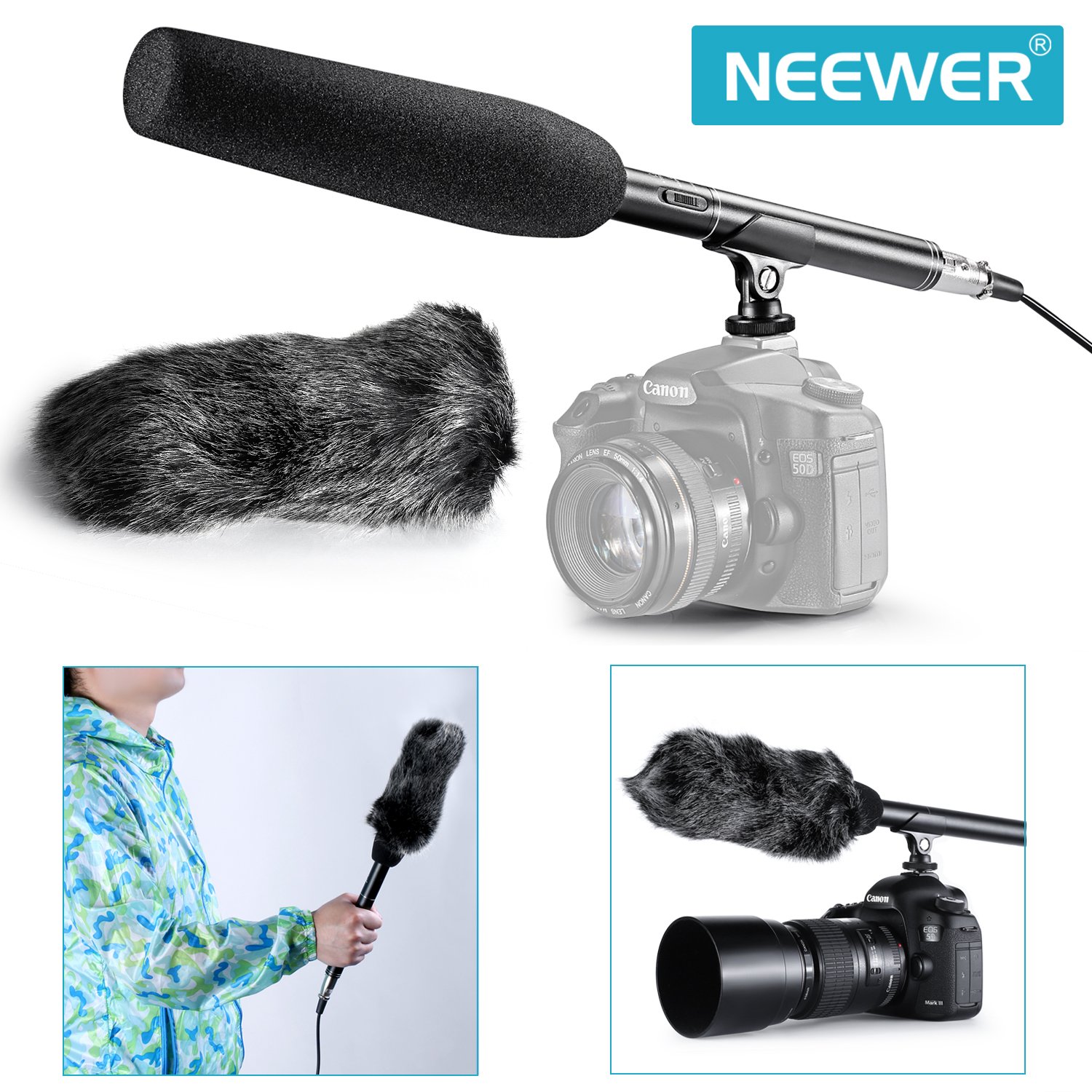
Image: The Neewer NW-81 microphone mounted on a DSLR camera, demonstrating its typical usage setup.
4.3 Connexion à votre appareil
- Connect the XLR end of the provided cable to the microphone's output port.
- Connect the 3.5mm jack end of the cable to your camera's or camcorder's microphone input port.
- If your device requires a 6.35mm input, use the included 0.25in (6.35mm) stereo jack to mini 0.14in (3.5mm) jack adaptor.
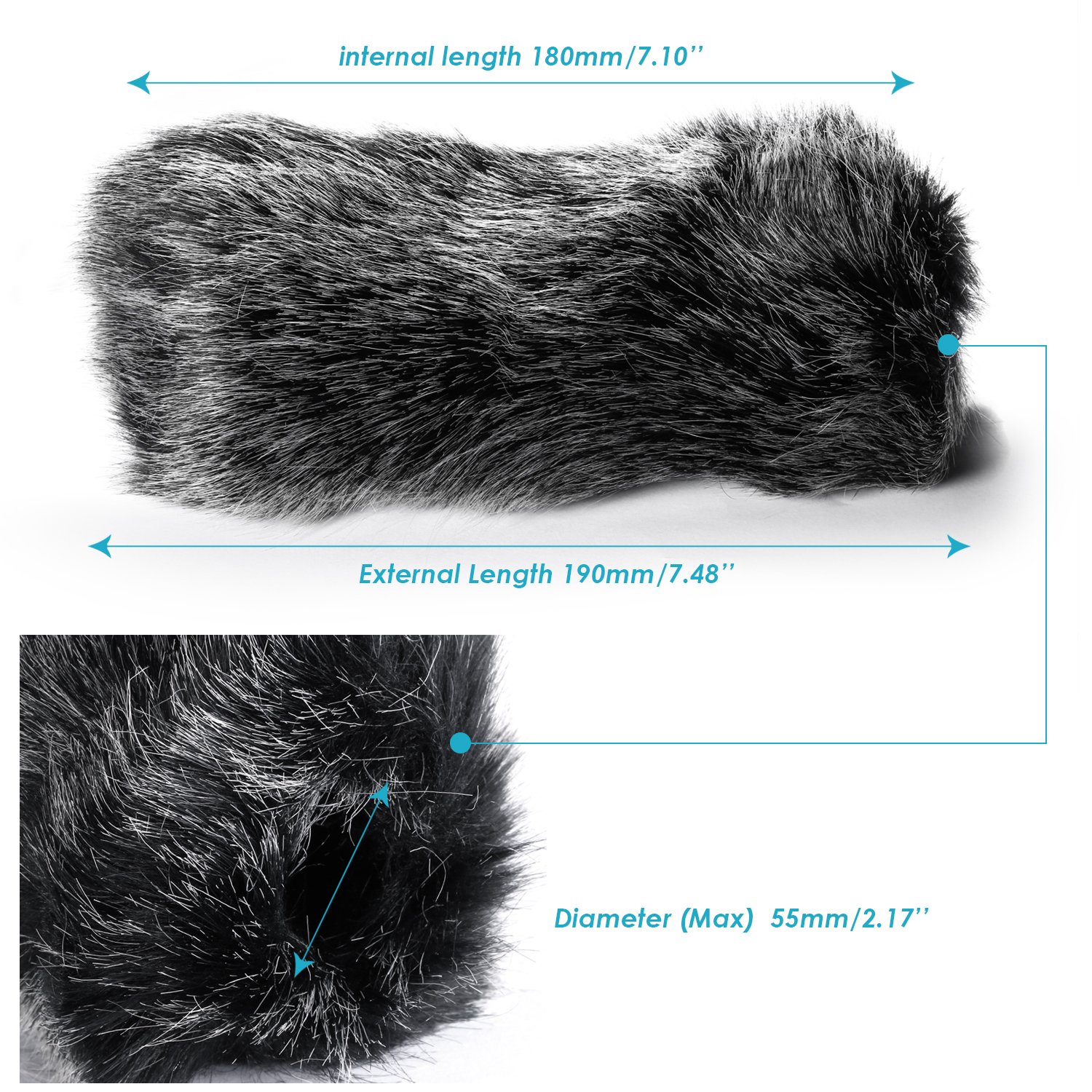
Image : détaillée view of the microphone's XLR output and the various cable connectors, including the 3.5mm jack and the 6.35mm adapter.
5. Mode d'emploi
5.1 Mise sous tension/hors tension et sélection du mode
Locate the switch on the microphone body. This switch controls the power and operating mode:
- OFF: Powers off the microphone.
- NORMALE: Standard operating mode for close to medium distance audio capture.
- TÉLÉ: Tele-condenser mode for long-distance audio capture, increasing sensitivity for distant sounds.
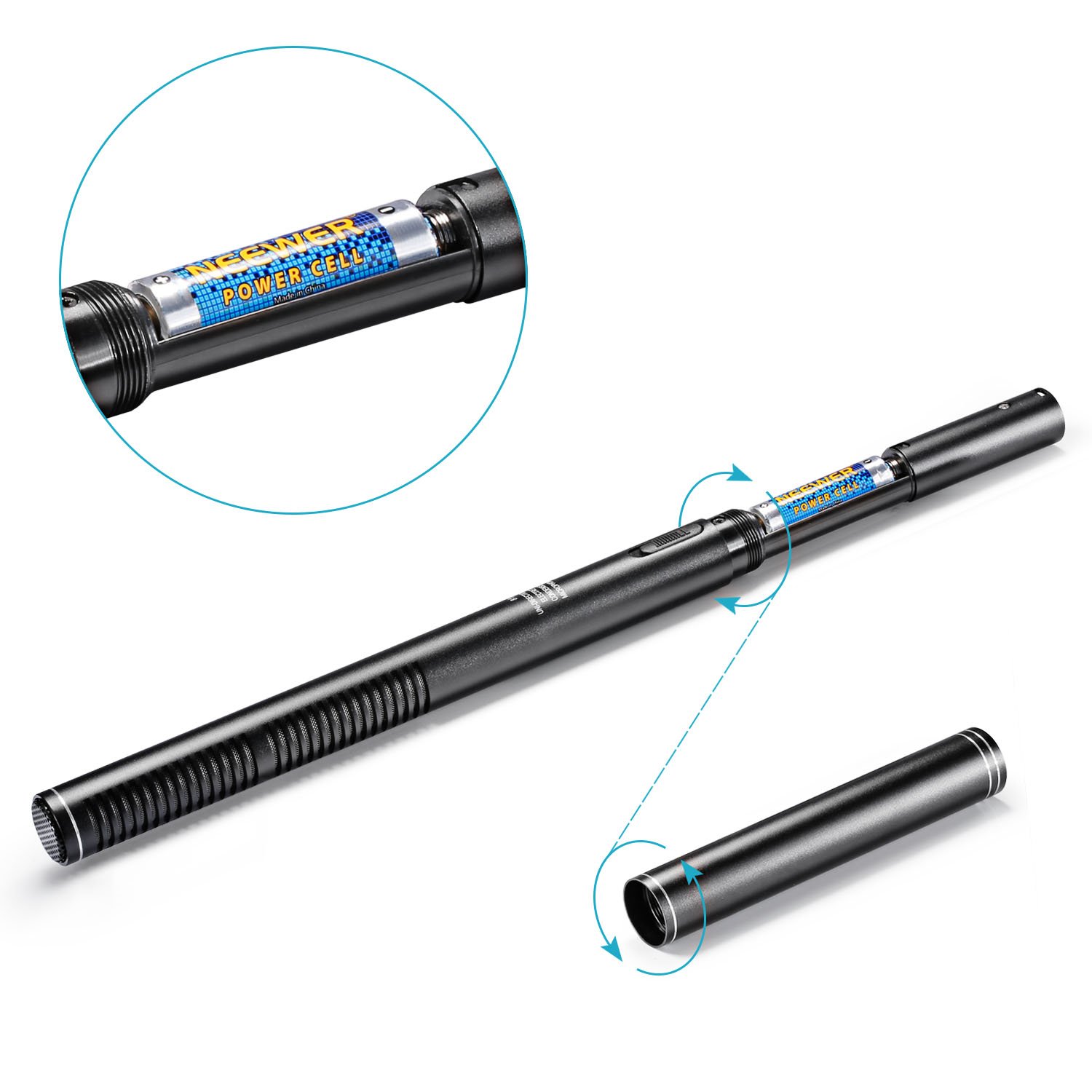
Image: Close-up of the Neewer NW-81 microphone's body, highlighting the switch for OFF, NORMAL, and TELE modes.
5.2 Utilisation du pare-brise
- Foam Cap: Slide the foam cap over the microphone head to reduce light wind noise and plosives during indoor or light outdoor use.
- Furry Windscreen Muff: For significant wind noise reduction, especially in outdoor environments, slide the furry windscreen muff over the foam cap. Ensure it covers the microphone head completely.
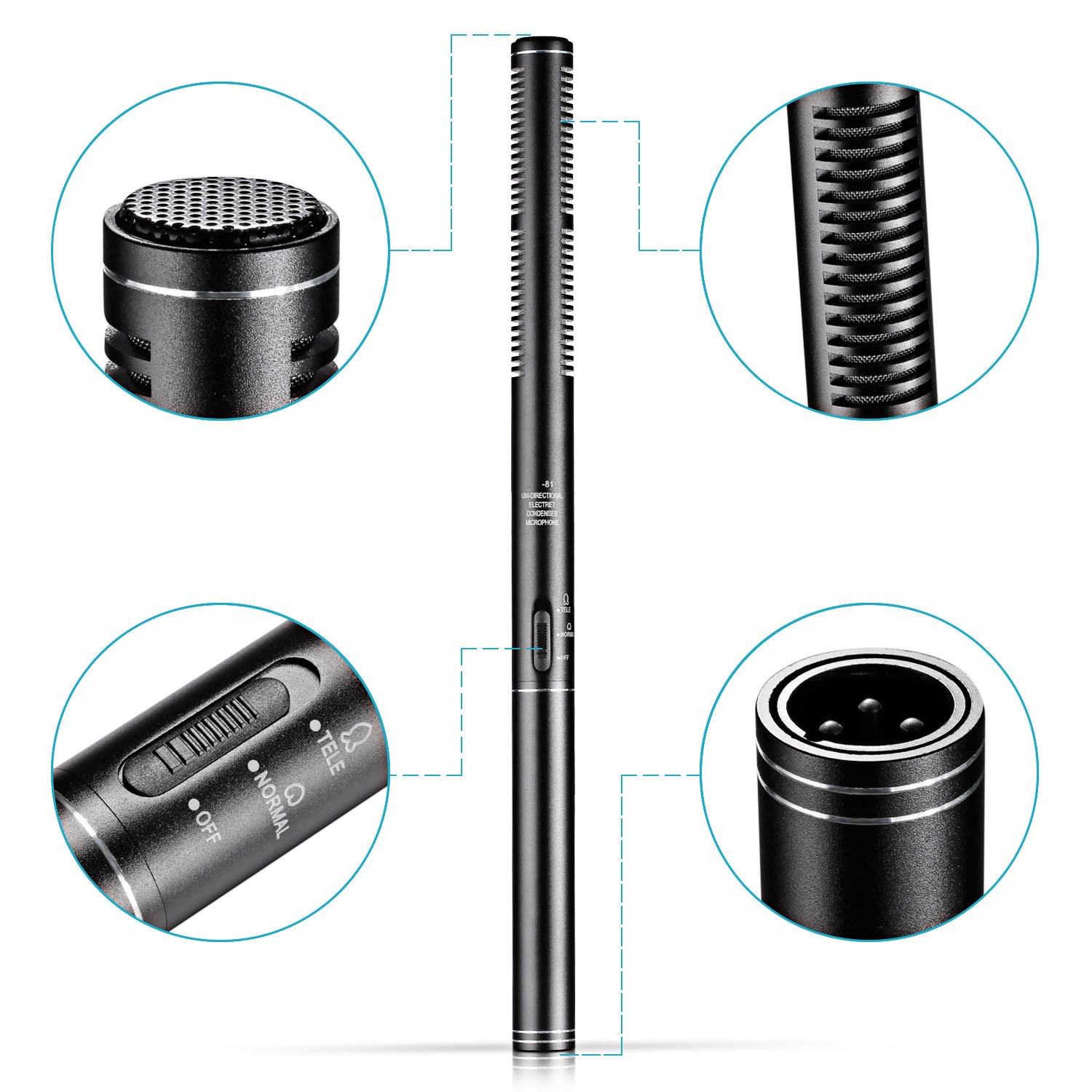
Image: The Neewer NW-81 microphone with the furry windscreen muff installed, demonstrating its appearance when ready for use in windy conditions.
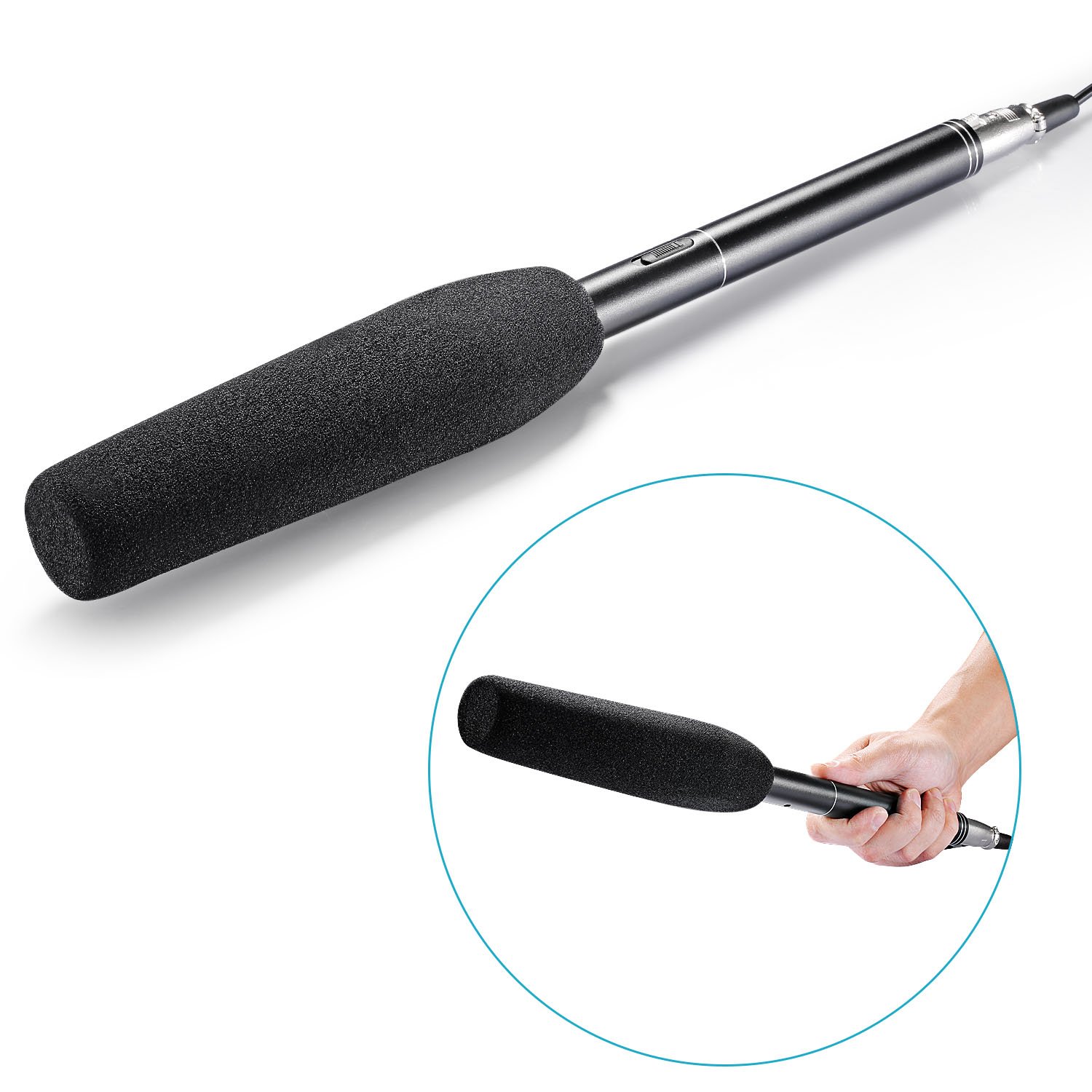
Image: Diagram showing the internal and external dimensions of the furry windscreen muff, indicating its compatibility with the microphone.
6. Entretien
- Nettoyage: Utilisez un chiffon doux et sec pour nettoyer le corps du microphone. N’utilisez pas de nettoyants liquides ni de solvants.
- Stockage: Store the microphone and accessories in a dry, cool place, away from direct sunlight and extreme temperatures.
- Batterie: Retirez la pile si le microphone n'est pas utilisé pendant une période prolongée afin d'éviter les fuites.
- Entretien du pare-brise : The foam cap and furry windscreen can be gently cleaned with a damp cloth and allowed to air dry completely before re-use or storage.
7. Dépannage
| Problème | Cause possible | Solution |
|---|---|---|
| Pas de son ou volume faible |
|
|
| Excessive background noise/wind noise |
|
|
| Son déformé |
|
|
8. Spécifications
| Fonctionnalité | Détail |
|---|---|
| Type de microphone | Condenseur |
| Motif directionnel | Unidirectionnel |
| Normal Impedance | 2.3 Kiloohms (Short distance) |
| Effective Pickup Range | 9.8 pi / 3 m |
| Alimentation électrique | DC1.5V (1 x NO. 5 battery) |
| Autonomie de la batterie | Environ 26 heures |
| Rapport signal/bruit | 75 dB |
| Longueur du microphone | 14.17 pouces / 36 cm |
| Furry Windscreen Internal Length | 180 mm / 7.1 pouces |
| Furry Windscreen External Length | 190 mm / 7.48 pouces |
| Furry Windscreen Max Diameter | 55 mm / 2.17 pouces |
| Technologie de connectivité | Auxiliaire, XLR |
| Type de connecteur | 6.35 mm Jack, 3.5 mm Jack, XLR |
| Appareils compatibles | Caméra |
9. Garantie et assistance
For warranty information and technical support, please refer to the documentation provided with your purchase or visit the official NEEWER webConsultez le site. Conservez votre preuve d'achat pour toute réclamation au titre de la garantie.
For further assistance, you may contact NEEWER customer service through their official channels.
Ask a question about this manual
Ask about setup, troubleshooting, compatibility, parts, safety, or missing instructions. Manuals+ will review the question and use this page’s manual context to help answer it.