
1. Introduction
The CHERRY KC 1000 is a reliable wired keyboard designed for professional office use and everyday computing. It features a full-size Italian QWERTY layout, a flat design, and quiet keystrokes for comfortable and efficient typing. This manual provides essential information for setting up, operating, maintaining, and troubleshooting your keyboard.
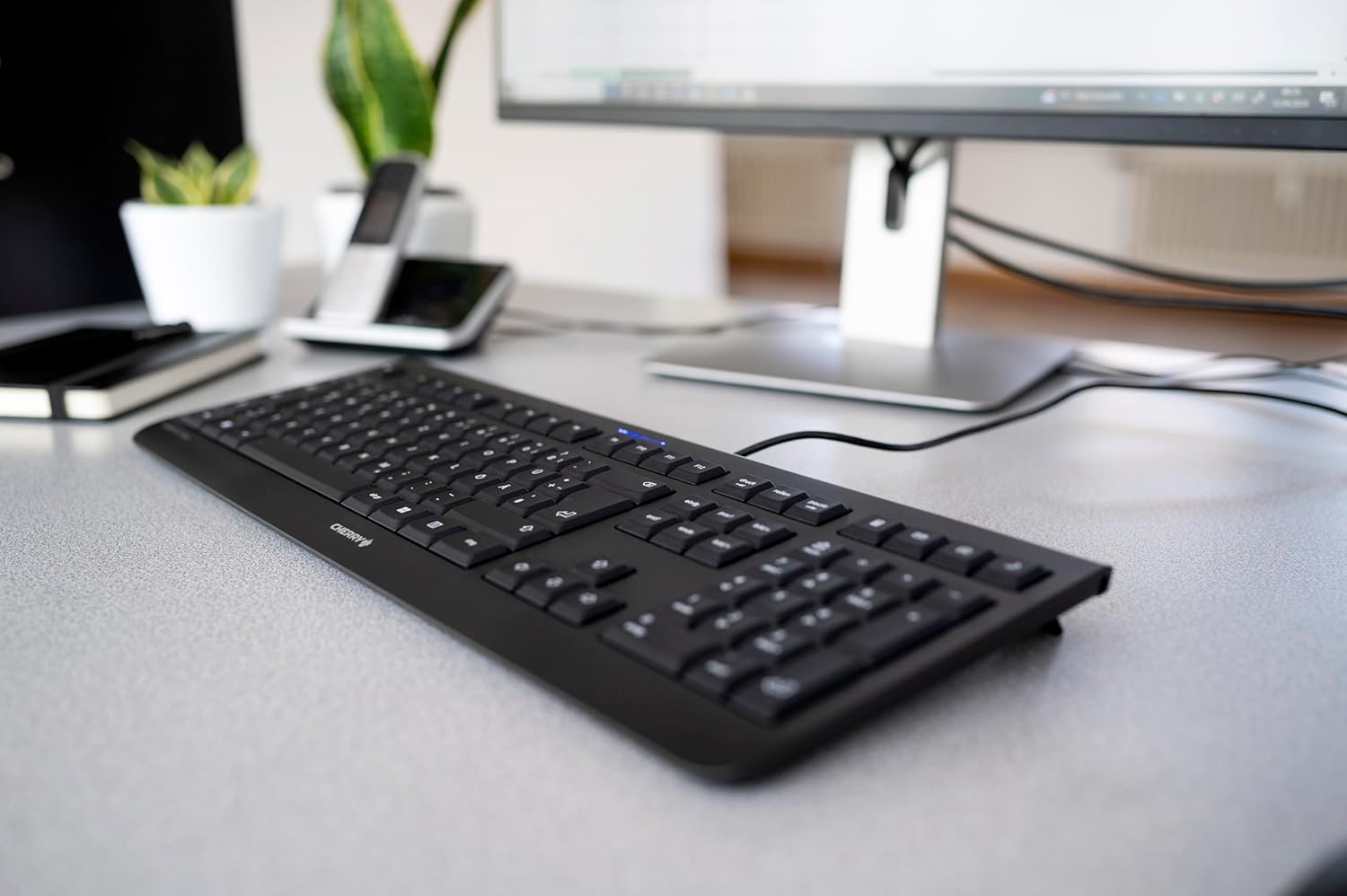
Image 1.1: The CHERRY KC 1000 keyboard in a typical office setup.
2. Installation
The CHERRY KC 1000 keyboard is designed for simple Plug & Play installation. No additional drivers are required for most operating systems.
2.1 Connexion du clavier
- Locate an available USB-A port on your computer (desktop PC, laptop, or compatible device).
- Insert the USB connector of the CHERRY KC 1000 keyboard into the USB-A port.
- Votre système d'exploitation détectera et installera automatiquement les pilotes nécessaires. Ce processus prend généralement quelques secondes.
- Le clavier est maintenant prêt à être utilisé.
The keyboard features a 180 cm (approximately 5.9 feet) long cable, providing ample flexibility for desk arrangements.

Image 2.1: The USB cable connection of the CHERRY KC 1000 keyboard.
3. Utilisation du clavier
The CHERRY KC 1000 offers a standard Italian QWERTY layout with additional function keys for enhanced productivity.
3.1 Disposition des touches et fonctions
The keyboard includes a full-size layout with a dedicated numeric keypad and cursor keys. The Italian QWERTY layout supports specific characters and symbols commonly used in the Italian language.

Image 3.1 : Terminéview of the CHERRY KC 1000 Italian QWERTY key layout.
3.2 Touches de fonction spéciales
The keyboard features 4 additional keys located above the numeric keypad for quick access to common functions:
- Calculatrice: Ouvre l'application calculatrice par défaut.
- E-mail: Lance votre client de messagerie par défaut.
- Navigateur: Ouvre votre défaut web navigateur.
- Mode veille: Met votre ordinateur en mode veille.
3.3 LED d'état
Three blue status LEDs are located above the function keys to indicate the status of:
- VERROUILLAGE DES MAJUSCULES: S'illumine lorsque la touche Verr. Maj. est activée.
- NUM: S'illumine lorsque le verrouillage numérique est activé.
- FAIRE DÉFILER: Illuminates when Scroll Lock is active.

Image 3.2: User interacting with the CHERRY KC 1000 keyboard.
4. Entretien
Proper care and maintenance will ensure the longevity and optimal performance of your CHERRY KC 1000 keyboard.
4.1 Nettoyage du clavier
- Débranchez le clavier de votre ordinateur avant de le nettoyer.
- Utilisez un chiffon doux et non pelucheux légèrement dampened with water or a mild cleaning solution (e.g., isopropyl alcohol) to wipe the keycaps and keyboard surface.
- Avoid using abrasive cleaners, solvents, or harsh chemicals, as these can damage the keyboard's finish or key legends.
- Pour enlever la poussière et les débris entre les touches, utilisez de l'air comprimé ou une petite brosse.
- Assurez-vous que le clavier soit parfaitement sec avant de le reconnecter à votre ordinateur.
4.2 Entretien général
- Évitez de renverser des liquides sur le clavier.
- N’exposez pas le clavier à des températures extrêmes ou à la lumière directe du soleil pendant des périodes prolongées.
- Ne tentez pas de démonter le clavier, car cela pourrait annuler la garantie.
5. Dépannage
If you encounter issues with your CHERRY KC 1000 keyboard, refer to the following common troubleshooting steps.
5.1 Clavier ne répondant pas
- Vérifiez la connexion USB : Vérifiez que le câble USB est bien branché à la fois au clavier et au port USB de l'ordinateur. Essayez un autre port USB.
- Redémarrer l'ordinateur: Parfois, un simple redémarrage de l'ordinateur peut résoudre les problèmes de connectivité.
- Test sur un autre ordinateur : If possible, connect the keyboard to another computer to determine if the issue is with the keyboard or the original computer.
- Réinstallation du pilote : Although Plug & Play, sometimes reinstalling drivers can help. Disconnect the keyboard, restart the computer, and then reconnect the keyboard.
5.2 Touches ne fonctionnant pas correctement
- Clés propres : Dust or debris under the keycaps can cause keys to stick or not register. Refer to the cleaning instructions in Section 4.1.
- Conflits logiciels : Ensure no other software or keyboard utilities are interfering with the keyboard's operation.
5.3 Status LEDs Not Working
- Verify that the corresponding lock function (Caps Lock, Num Lock, Scroll Lock) is activated.
- If the keyboard is otherwise functional, a minor software glitch might be preventing the LED from lighting up. A computer restart may resolve this.
6. Spécifications
Below are the technical specifications for the CHERRY KC 1000 Wired Keyboard.
| Fonctionnalité | Détail |
|---|---|
| Nom du modèle | CERISE KC 1000 |
| Numéro de modèle | JK-0800IT-2 |
| Connectivité | USB-A filaire |
| Disposition du clavier | QWERTY italien |
| Nombre de clés | 109 |
| Technologie clé | Membrane or Rubber Dome |
| Caractéristiques spéciales | Whisper-quiet keystroke, 4 additional function keys (Calculator, Email, Browser, Sleep Mode), 3 blue status LEDs |
| Longueur du câble | 1.8 mètres (5.9 pieds) |
| Matériel | Plastique |
| Couleur | Noir |
| Poids | 530 gramme |
| Appareils compatibles | Ordinateur portable, PC |
| Certifications | c-tick, cULus, CE, FCC, BSMI, TÜV/GS, Blue Angel eco-label |
7. Garantie et assistance
CHERRY products are manufactured to high-quality standards. For information regarding warranty coverage, please refer to the warranty card included with your product or visit the official CHERRY website. For technical support or further assistance, please contact CHERRY customer service through their official channels.
The product package includes: 1 CHERRY KC 1000 keyboard and a printed instruction manual.