
1. Introduction
Welcome to the Futaba 10J 10-channel air radio system. This manual provides essential information for the proper setup, operation, and maintenance of your T10J transmitter and R3008SB receiver. The 10J system utilizes both T-FHSS and S-FHSS transmission systems, offering reliable control and integrated telemetry capabilities for various aircraft models.
2. Contenu du kit
Veuillez vérifier que tous les éléments énumérés ci-dessous sont inclus dans votre colis :
- Futaba T10J Transmitter (Mode 1)
- Récepteur Futaba R3008SB
- 2800 mAh LIPO Battery for Transmitter
- LIPO Charger
- 1 câble de commutation
- Manuel de l'utilisateur (ce document)
3. T10J Transmitter Overview
The T10J transmitter is designed for ergonomic comfort and precise control. It features high-precision control sticks for sensitive piloting and a large, backlit display (65 x 34 mm) for clear readability in various lighting conditions. Navigation through menus is intuitive with a 4-position pad. The system supports multiple languages, including German, English, French, Italian, Spanish, Japanese, and Dutch, and offers multi-mode operation (Modes 1, 2, 3, 4).
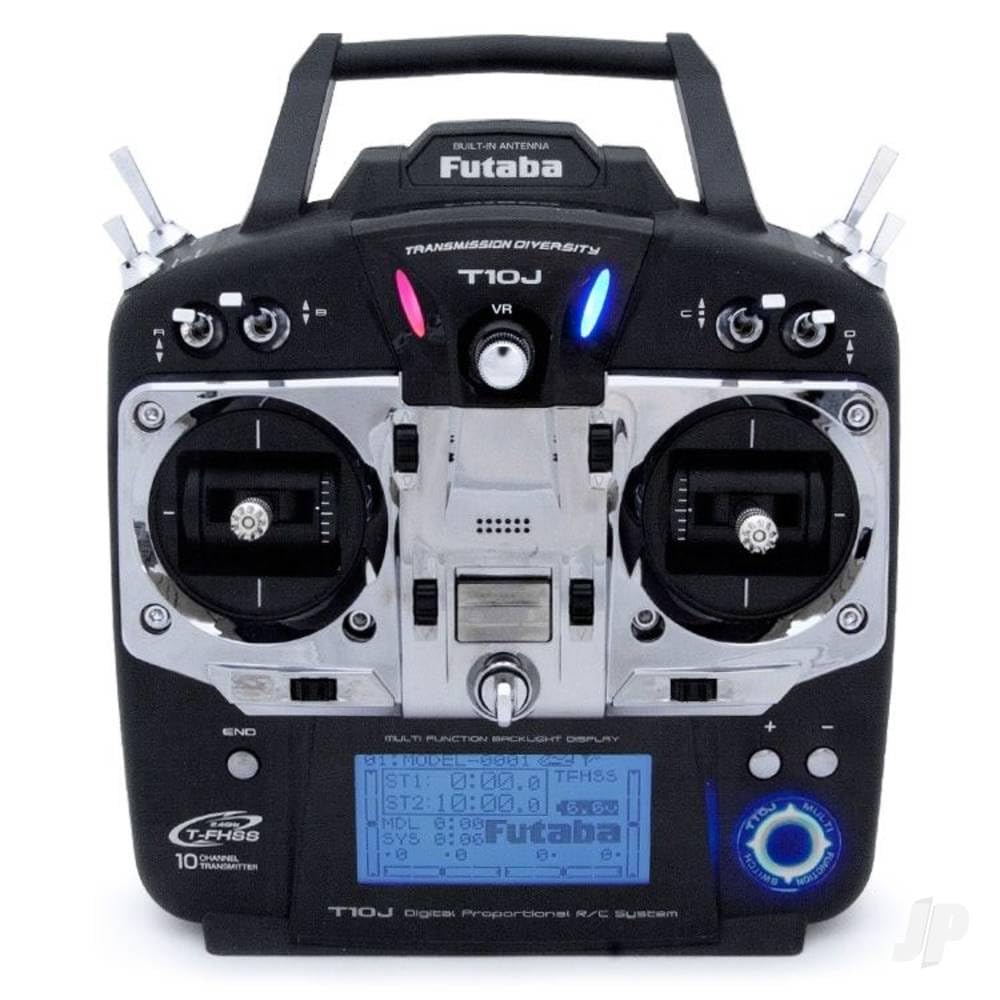
Figure 1 : Futaba T10J 10-channel transmitter. This image shows the front view of the T10J transmitter, highlighting its backlit display, dual control sticks, and various buttons and switches for operation.
4. R3008SB Receiver Overview
The R3008SB is an 8-channel receiver compatible with the T-FHSS and S-FHSS transmission systems. It features SBUS2 technology, allowing for the connection of multiple servos and telemetry sensors via a single cable. The receiver is designed for reliable signal reception with its patch antenna.
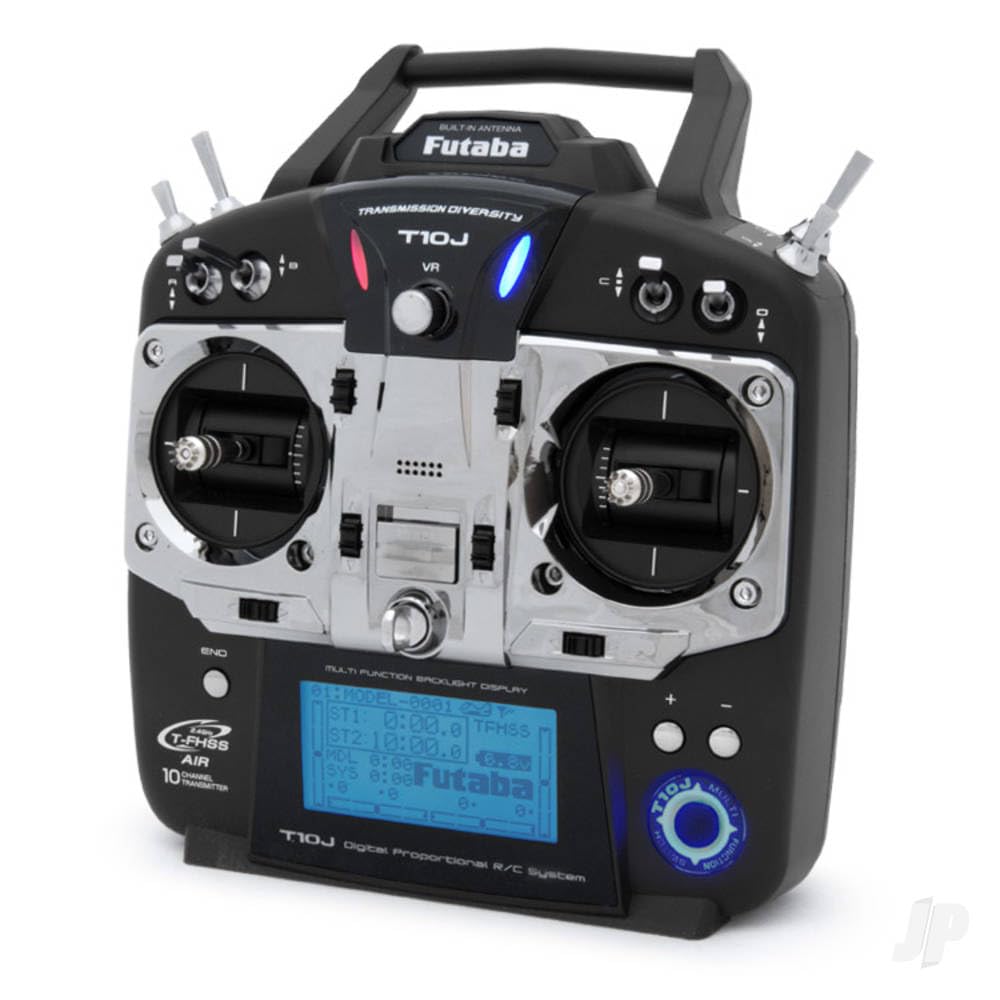
Figure 2 : Futaba R3008SB 8-channel receiver. This image displays the compact R3008SB receiver, showing its antenna wires, SBUS2 port, and channel outputs.
5. Installation
5.1. Charging the Transmitter Battery
Before initial use, fully charge the included 2800 mAh LIPO battery using the provided LIPO charger. Refer to the charger's instructions for safe charging procedures.
5.2. Lier le récepteur
To establish communication between the T10J transmitter and R3008SB receiver, a binding process is required. Consult the detailed instructions in the full user manual for the specific steps to bind your receiver to the transmitter's selected transmission mode (T-FHSS or S-FHSS).
5.3. Configuration initiale
Upon powering on the transmitter, you may need to select your preferred operating mode (Mode 1, 2, 3, or 4) and language. Use the 4-position pad to navigate the initial setup menus on the backlit display.
6. Fonctionnement
6.1. Fonctions de télémétrie
The 10J system features integrated telemetry with a range of up to 1000 meters. Real-time telemetry data can be viewed directly on the transmitter's display. Audio alerts are available via an internal beeper or optional 3.5mm jack headphones. The system also provides vibration alerts and a low voltage warning for receiver monitoring. Telemetry characteristics can be configured via screen, sound, language, and vibration settings. The system is compatible with all Futaba telemetry sensors.
6.2. Basic Programming Features
- Mémoires du modèle : Enregistrez les paramètres de jusqu'à 30 modèles différents.
- Alarmes: Customizable alarms for various parameters.
- Mélange: Configure custom mixing functions.
- Sub-trim: Fine-tune servo neutral positions.
- Minuteries : Utilize integrated timers for flight duration or other purposes.
- Copie du modèle : Duplicate model settings for new models or training.
- Throttle Inversion: Reverse throttle channel operation if needed.
- Mode portée : A reduced power mode for range checking.
- SBUS Programming: Configure SBUS channels directly from the T10J.
7. Entretien
To ensure the longevity and optimal performance of your Futaba 10J system, follow these maintenance guidelines:
- Veillez à ce que l'émetteur et le récepteur restent propres et exempts de poussière et de débris. Utilisez un chiffon doux et sec pour les nettoyer.
- Conservez le système dans un endroit frais et sec, à l'abri de la lumière directe du soleil et des températures extrêmes.
- Inspectez régulièrement tous les câbles et connecteurs afin de déceler tout signe d'usure ou de dommage.
- Ensure the transmitter battery is charged appropriately and not left discharged for extended periods.
8. Dépannage
If you encounter issues with your Futaba 10J system, consider the following common troubleshooting steps:
- Pas d'alimentation : Check the transmitter battery charge level and ensure it is properly connected.
- Aucun contrôle : Verify that the receiver is correctly bound to the transmitter. Check all servo connections.
- Intermittent Control/Reduced Range: Ensure the transmitter antenna is properly oriented. Check for potential sources of interference in your operating environment.
- Données de télémétrie manquantes : Confirm that telemetry sensors are correctly connected and configured.
For more detailed troubleshooting, refer to the comprehensive user manual or contact Futaba support.
9. Spécifications
| Fonctionnalité | Spécification |
|---|---|
| Chaînes | 10 (T-FHSS), 8 (S-FHSS) |
| Système de transmission | T-FHSS, S-FHSS |
| Récepteur | R3008SB (8-channel, SBUS2) |
| Telemetry Range | Jusqu'à 1000 m |
| Afficher | Backlit LCD (65 x 34 mm) |
| Model Memories | 30 |
| Langues prises en charge | German, English, French, Italian, Spanish, Japanese, Dutch |
| Batterie de l'émetteur | 2800 mAh LIPO |
| Poids (article) | 1.6 kilogrammes |
| Assemblage requis | Oui |
10. Garantie et assistance
Futaba products are manufactured to high standards. For warranty information and technical support, please refer to the documentation included with your purchase or visit the official Futaba webConsultez le site. Conservez votre preuve d'achat pour toute réclamation au titre de la garantie.