
Olympus TG-1iHS
Manuel d'utilisation de l'appareil photo numérique étanche OM SYSTEM OLYMPUS TG-1iHS 12 MP
Model: TG-1iHS
Introduction
This manual provides comprehensive instructions for the safe and effective use of your OM SYSTEM OLYMPUS TG-1iHS Digital Camera. Designed for durability and high-quality imaging in challenging environments, this camera features a robust construction and advanced photographic capabilities. Please read this manual thoroughly before using your camera to ensure optimal performance and longevity.
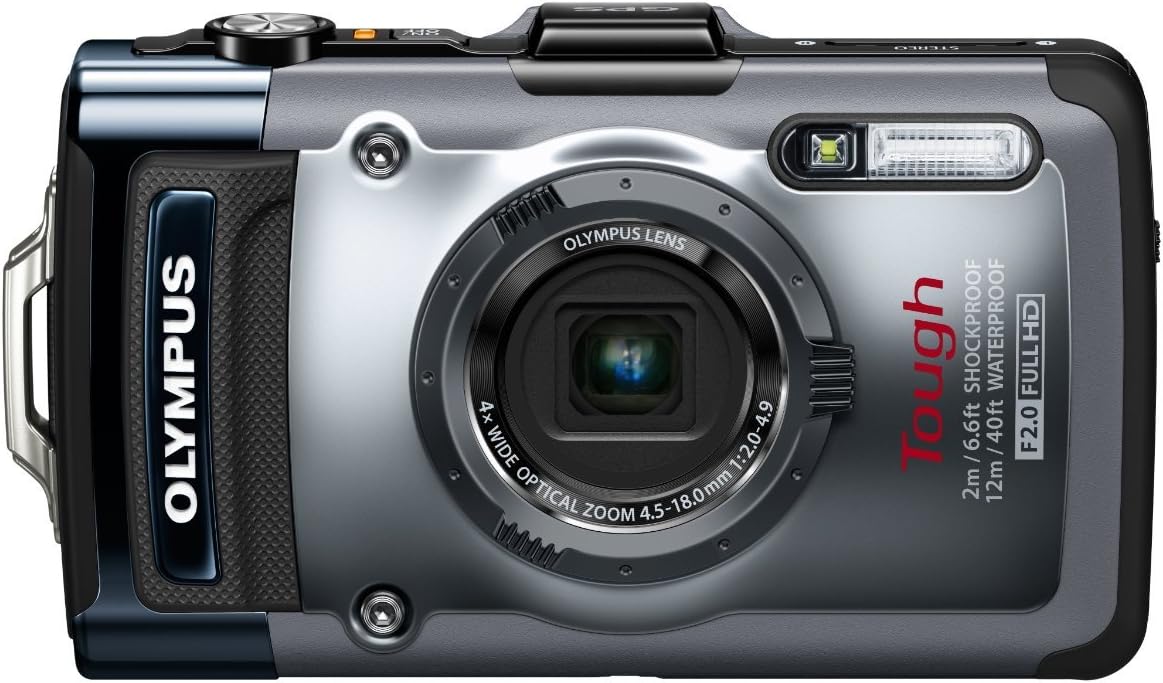
Figure 1 : Face avant view of the OM SYSTEM OLYMPUS TG-1iHS Digital Camera, showcasing son design robuste et son objectif.
Caractéristiques principales et durabilité
The TG-1iHS is engineered to withstand harsh conditions, making it an ideal companion for outdoor adventures. Its robust build ensures reliable operation where other cameras might fail.
Construction robuste
- Étanche: Submersible up to 12 meters (40 feet), thanks to its complete sealing system and double-lock construction.
- Résistant aux chocs : Designed to withstand drops from up to 2 meters (6.6 feet), protecting internal components.
- Résistant à l'écrasement : Built to endure pressure up to 100 kgf (220 lbf), preventing damage from compression.
- Freezeproof: Operates reliably in temperatures as low as -10°C (14°F), preventing condensation and malfunction in cold climates.
- Étanche à la poussière: Fine protective sealing keeps out dirt and debris, ensuring functionality in dusty or muddy environments.
Optical Excellence
- Ultra-Bright f2.0 Lens: Captures high-quality images in low-light conditions and allows for faster shutter speeds.
- 3.0" OLED Monitor: A high-resolution (610K dots) display provides excellent visibility outdoors, even in direct sunlight, with protective coatings to prevent scratches and reduce glare.
- Water-Repellent Lens Coating: Prevents water droplets from obstructing images, applied to both the lens and OLED monitor.
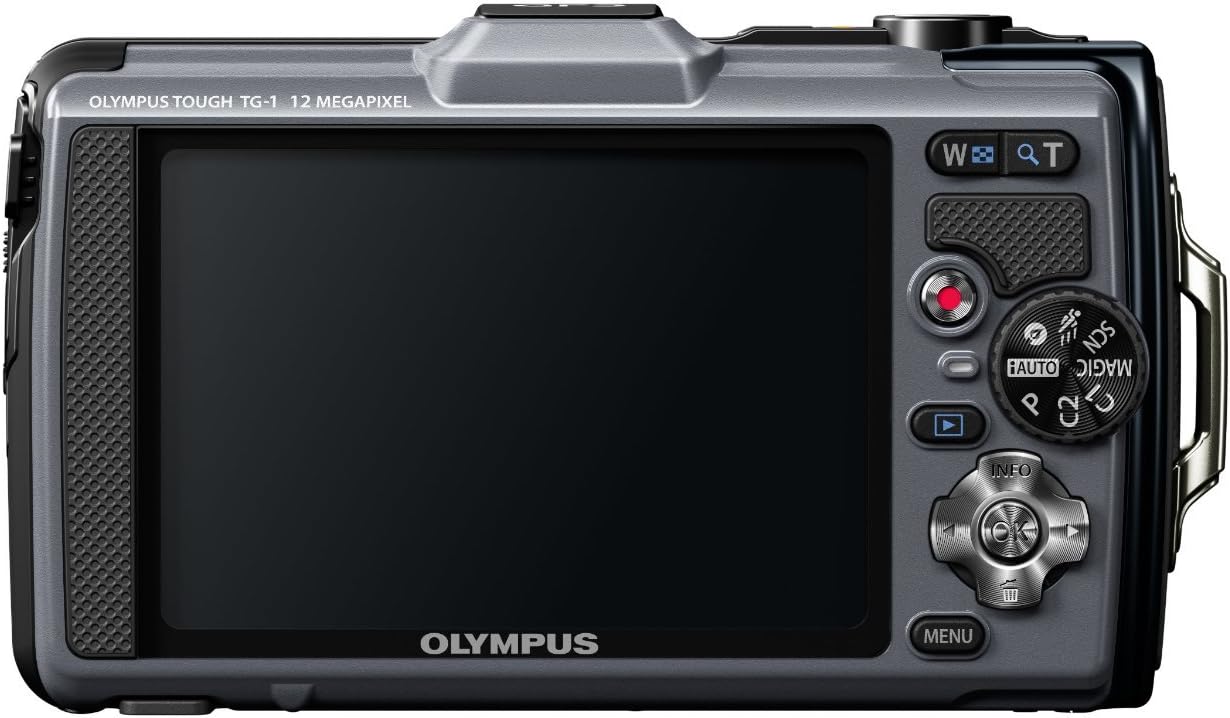
Figure 2 : Arrière view of the camera, highlighting the 3.0-inch OLED monitor and control layout.
Installation
- Chargement de la batterie :
Connect the supplied USB cable to the camera and then to the AC power adapter. Plug the adapter into a wall outlet. The charging indicator will illuminate. Charging is complete when the indicator turns off. Ensure the battery is fully charged before first use.
- Inserting the Battery and Memory Card:
Open the battery/card compartment cover on the side of the camera. Insert the LI-90B battery with the correct orientation until it clicks into place. Insert an SD/SDHC/SDXC memory card into the card slot until it locks. Close the compartment cover securely, ensuring the double-lock mechanism is engaged, especially before exposing the camera to water.

Figure 3 : Côté view of the camera, illustrating the secure compartment for battery and memory card.
- Initial Power On and Settings:
Appuyez sur le MARCHE/ARRÊT button to power on the camera. The first time you power on, you may be prompted to set the date, time, and language. Follow the on-screen instructions using the control pad and OK bouton.
Utilisation de l'appareil photo
Modes de prise de vue de base
Rotate the mode dial on the back of the camera to select your desired shooting mode.
- iAuto (Intelligent Auto): The camera automatically detects the scene (up to 30 different scenes) and adjusts settings for optimal results.
- Programme Auto (P) : Allows for more control over settings while the camera sets exposure automatically.
- Super Sport Mode: Combines high-speed autofocus with fast shutter speeds (up to 1/2000 sec) for freezing action. Captures 5 shots in a high-speed burst.
- Mode faible luminosité : Optimizes settings for shooting in dimly lit environments without flash, reducing blur and camera shake.
- Magic Art Filters: Apply creative effects to photos and HD videos (e.g., Pop Art, Pin Hole, Miniature).
Enregistrement de vidéos
The TG-1iHS supports 1080p Full HD video recording at 60 frames per second. Press the dedicated Bouton d'enregistrement de film to start and stop recording. Multi-Motion IS compensates for camera movement, and Linear PCM Recording provides high-definition audio.
Fonctionnalités avancées
- GPS & E.Compass: Records location and landmark information with images. The logging function tracks routes for use with applications like Google Earth.
- Manomètre: Built-in sensor records elevation and water depth, providing a warning when approaching the 40ft depth limit.
- Automatic Underwater Balance: Four dedicated underwater scene modes (Snapshot, Wide 1, Wide 2, Macro) optimize color balance, exposure, and flash for underwater photography.
- LED Illuminator: A mini-flashlight on the front of the camera enhances focus and exposure for macro shooting, especially useful for underwater close-ups or in low light.

Figure 4 : Haut view of the camera, indicating the GPS module and power controls.
Entretien
- Nettoyage du boîtier de l'appareil photo : Utilisez un chiffon doux et sec pour essuyer le boîtier de l'appareil photo. Pour les saletés tenaces,ampen the cloth slightly with water. Do not use organic solvents or strong cleaning agents.
- Cleaning the Lens and Monitor: Use a lens brush or a blower to remove dust. For smudges, use a soft lens cleaning cloth. Avoid touching the lens or monitor with your fingers.
- Après utilisation sous-marine : Rinse the camera thoroughly with fresh water immediately after use in salt water or chlorinated water. Pay special attention to the battery/card compartment and all moving parts. Dry the camera completely with a soft cloth before opening any compartments.
- Entretien de la batterie: Rangez la batterie dans un endroit frais et sec lorsqu'elle n'est pas utilisée. Évitez les températures extrêmes. Si vous n'utilisez pas l'appareil photo pendant une période prolongée, retirez la batterie.
- Stockage: Rangez l'appareil photo dans un endroit sec et bien ventilé, à l'abri de la lumière directe du soleil et d'une forte humidité.
Dépannage
| Problème | Cause possible | Solution |
|---|---|---|
| La caméra ne s'allume pas. | La batterie est déchargée ou mal insérée. | Chargez complètement la batterie. Réinsérez la batterie correctement. |
| Les images sont floues. | Tremblement de l'appareil, mouvement du sujet ou mise au point incorrecte. | Hold the camera steady. Use Super Sport Mode for moving subjects. Ensure proper focus. |
| Water inside battery/card compartment. | Compartment cover not properly closed or double-lock not engaged. | Immediately remove battery and memory card. Dry the compartment thoroughly. Ensure covers are securely closed and locked before next use near water. |
| Le GPS ne capte pas de signal. | Poor satellite visibility (indoors, heavy cover). | Move to an open outdoor area. Allow more time for signal acquisition. |
Caractéristiques
| Fonctionnalité | Détail |
|---|---|
| Nom du modèle | Olympus TG-1iHS |
| Résolution du capteur photo | 12 MP (BSI CMOS Sensor) |
| Zoom optique | 4x |
| Ouverture de l'objectif | f2.0 (wide) - f4.9 (tele) |
| Profondeur imperméable | Jusqu'à 12 m (40 pi) |
| Hauteur antichoc | Jusqu'à 2 m (6.6 pi) |
| Crushproof Pressure | Jusqu'à 100 kgf (220 lbf) |
| Freezeproof Temperature | Jusqu'à -10°C (14°F) |
| Afficher | 3.0-inch OLED (610,000 dots) |
| Résolution vidéo | Full HD 1080p (1920x1080) at 60fps |
| Stabilisation d'image | Changement de capteur |
| Connectivité | USB, HDMI, GPS |
| Supports de stockage | SD, SDHC, SDXC Memory Cards |
| Type de batterie | LI-90B Lithium Ion |
| Dimensions (environ) | 4.5 x 2.5 x 1.0 pouces |
| Poids (environ) | 0.51 livres |
Garantie et assistance
Your OM SYSTEM OLYMPUS TG-1iHS Digital Camera is covered by a limited warranty. Please refer to the warranty card included with your product for specific terms and conditions. For technical support, service, or to inquire about accessories, please visit the official Olympus support webConsultez leur site web ou contactez leur service client. Conservez votre reçu d'achat comme preuve d'achat pour toute réclamation au titre de la garantie.
Pour obtenir les dernières informations d'assistance et la FAQ, veuillez consulter : Assistance Olympus