
مقدمه
This manual provides comprehensive instructions for the installation, operation, and maintenance of your Uniter 4K Dual Lens Solar Security Camera. Please read this manual carefully before using the product to ensure proper functionality and safety.
محصول تمام شده استview
The Uniter 4K Dual Lens Solar Security Camera is an advanced outdoor surveillance solution featuring dual lenses for comprehensive coverage, solar power for continuous operation, and smart detection capabilities.
ویژگی های کلیدی:
- سیستم لنز دوگانه: Includes a panoramic camera for fixed monitoring and a tracking camera with 355° horizontal and 90° vertical rotation.
- ویدیوی 4K اچدی: Delivers ultra-clear images and videos.
- دید در شب رنگی: Built-in CMOS sensor and IR light for clear color images up to 33 feet, even in low light.
- انرژی خورشیدی: Equipped with a solar panel for 365 days of uninterrupted power, eliminating the need for frequent charging.
- اتصال وایفای ۵.۸ گیگاهرتز: Supports wireless connection to your home network (2.4GHz only).
- صوتی دو طرفه: Built-in microphone and speaker for communication with visitors or deterring intruders.
- تشخیص حرکت PIR: High-sensitivity sensor triggers alerts, recording, siren, and spotlight upon detecting motion.
- IP66 ضد آب: طراحی شده برای مقاومت در برابر شرایط آب و هوایی مختلف، از جمله باران و برف.
- گزینه های ذخیره سازی: از حافظه داخلی از طریق کارت حافظه Micro SD (تا ۱۲۸ گیگابایت، شامل نمیشود) و حافظه ابری اختیاری پشتیبانی میکند.
محتویات بسته:
- 1x Camera Body
- 1 عدد پنل خورشیدی
- 1x USB Cable (9.8ft)
- براکت نصب 1x

Image: The Uniter 4K Dual Lens Solar Security Camera, showcasing its main components including the camera body and solar panel.
راهنمای راه اندازی
Follow these steps to set up your Uniter 4K Dual Lens Solar Security Camera.
1. شارژ دوربین
Before initial use, ensure the camera's internal battery is sufficiently charged. Connect the camera to the solar panel and place the solar panel in direct sunlight. Alternatively, you can use the provided USB cable to charge the camera via a standard USB power adapter (not included).

Image: The Uniter solar security camera connected to its solar panel, illustrating solar charging in a sunny outdoor environment.
۲. نصب برنامه و ایجاد حساب کاربری
دانلود کنید Yuicam برنامه را از فروشگاه برنامه تلفن هوشمند خود (iOS یا Android) دانلود کنید. برای ایجاد حساب کاربری و ورود به سیستم، دستورالعملهای روی صفحه را دنبال کنید.
3. اتصال به Wi-Fi
- Open the Yuicam app and tap to add a new device.
- Follow the in-app prompts to connect the camera to your 2.4GHz Wi-Fi network. Note: This camera only supports 2.4GHz Wi-Fi. 5GHz networks are not supported.
- Ensure the camera is within range of your Wi-Fi router during the setup process.
4. نصب دوربین
Select a suitable outdoor location for mounting. The camera should be positioned to provide optimal surveillance coverage, and the solar panel should receive maximum direct sunlight. Use the provided mounting bracket and hardware to securely attach the camera and solar panel to a wall or other stable surface.
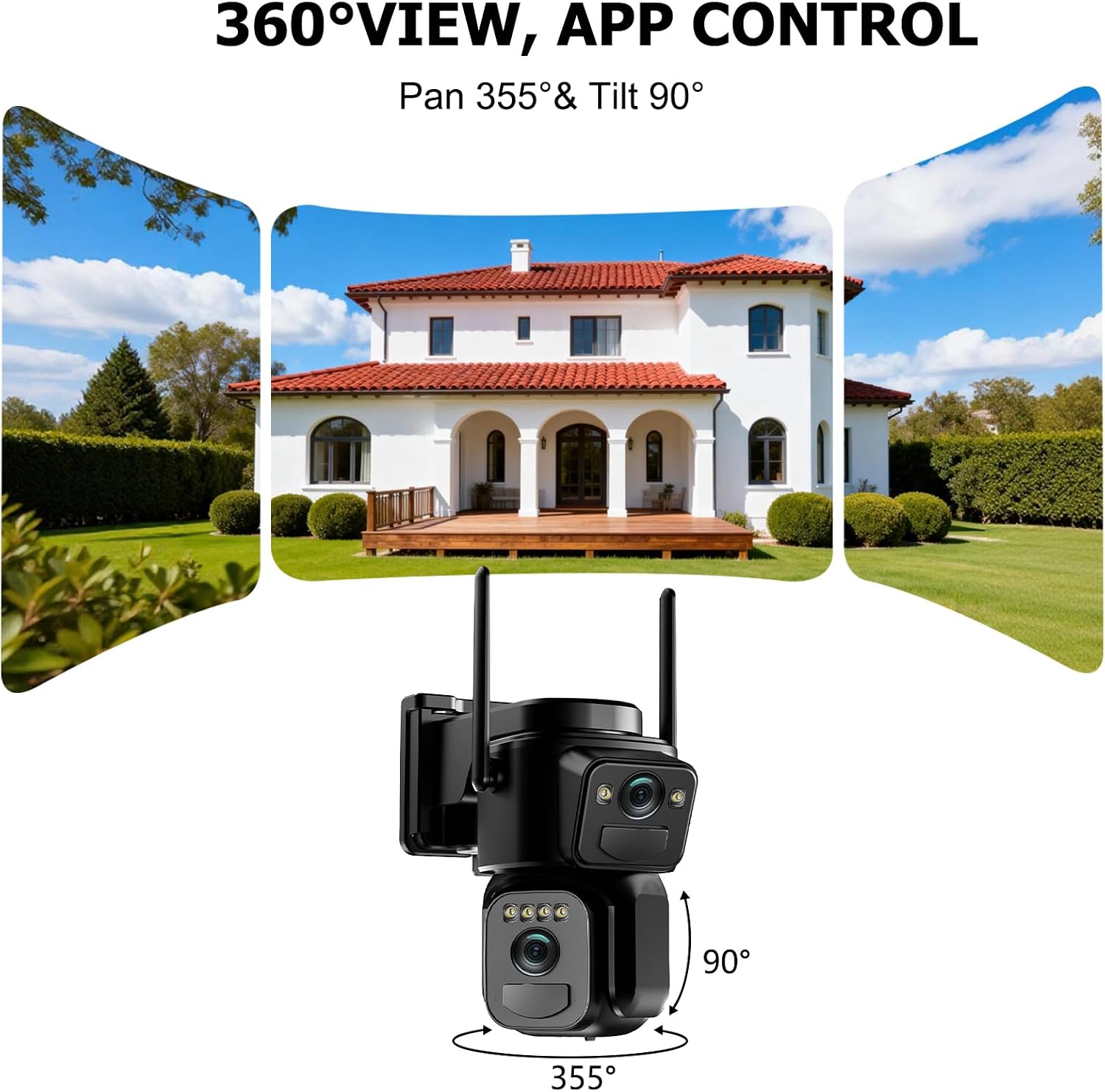
Image: The Uniter security camera mounted on an exterior wall, demonstrating its 360-degree pan and tilt capabilities for wide area monitoring.
دستورالعمل های عملیاتی
Once your camera is set up, use the Yuicam app to access and control its features.
1. زنده View و کنترل حرکت افقی/عمودی
Open the Yuicam app and select your camera to view the live feed. Use the on-screen controls to pan (355° horizontal) and tilt (90° vertical) the tracking camera to adjust its viewing angle. The panoramic camera provides a fixed, wider view.
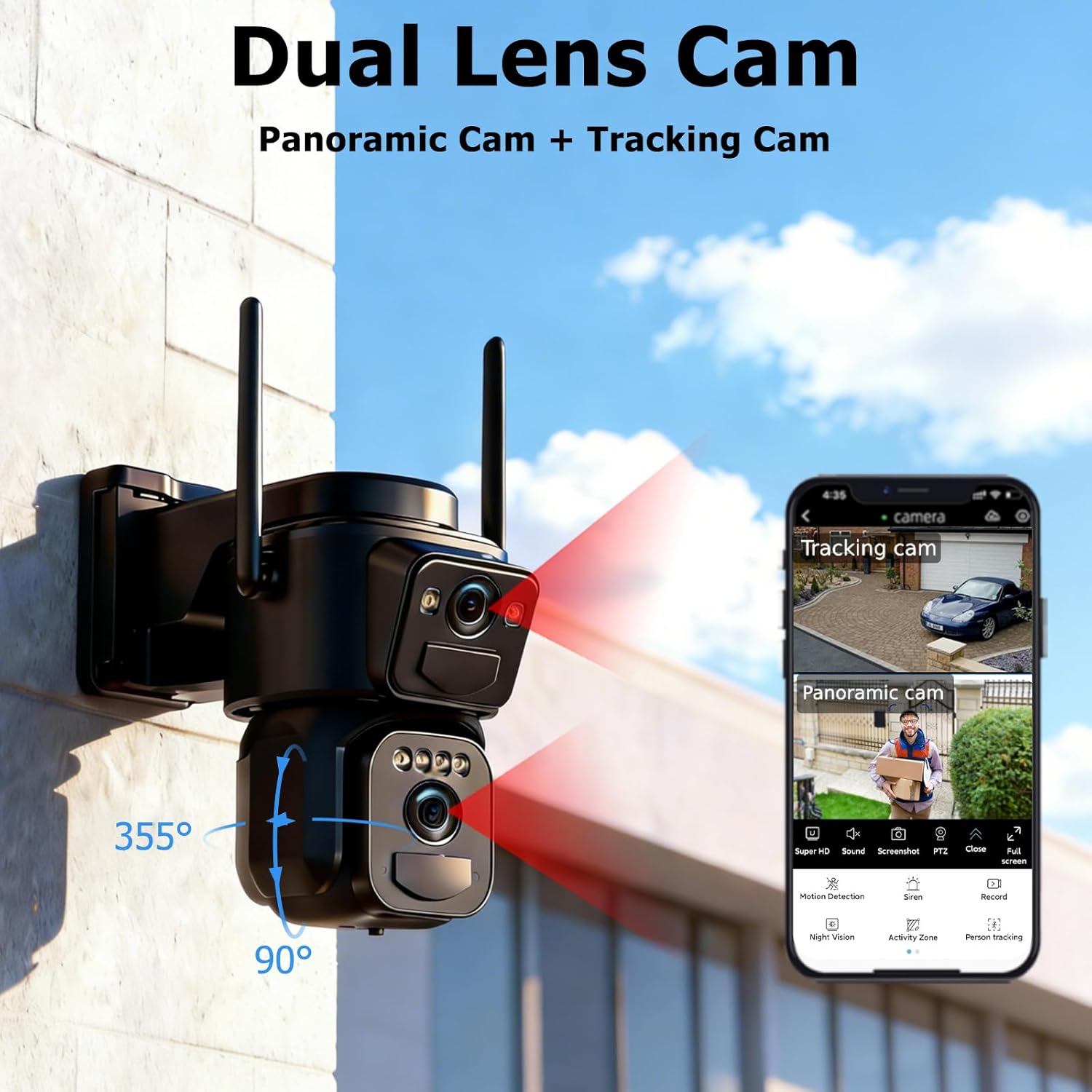
Image: A close-up of the dual-lens camera and a smartphone screen displaying the Yuicam app interface with both panoramic and tracking camera views.
۲. صدای دو طرفه
To use the two-way audio feature, tap the microphone icon in the app. You can speak through your phone, and your voice will be broadcast through the camera's speaker. Similarly, you can hear audio from the camera's vicinity through your phone.
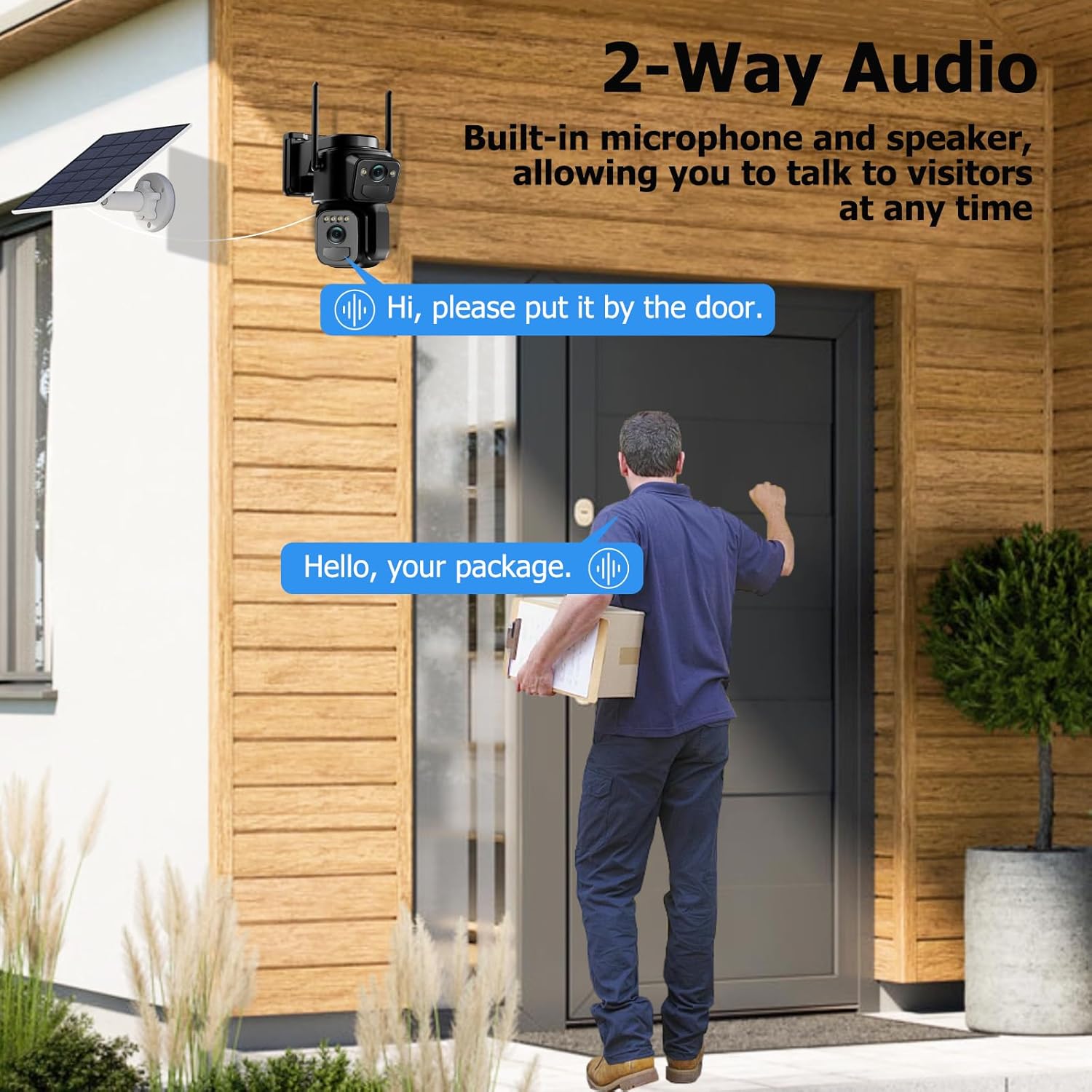
Image: A delivery person at a door, with a speech bubble indicating communication via the camera's two-way audio feature.
۴. حالتهای دید در شب
The camera automatically switches between infrared and color night vision modes based on ambient light conditions. You can also manually select your preferred night vision mode within the app settings.
۵.۳ تشخیص حرکت و هشدارها
The camera's PIR motion sensor detects movement and can trigger various actions:
- اعلانهای فوری برنامه: هشدارهای فوری را در تلفن هوشمند خود دریافت کنید.
- آژیر: A loud siren can be activated to deter intruders.
- کانون توجه: The built-in spotlight illuminates the area upon detection.
- ضبط ویدئو: The camera will automatically record a 5-30 second video clip of the event.
You can customize motion detection sensitivity and alert settings in the Yuicam app.

Image: An illustration of the camera's motion detection features, showing a detected intruder, an app notification, and icons for siren and spotlight.
5. مدیریت ذخیره سازی
Recorded videos can be stored in two ways:
- کارت میکرو SD: یک کارت حافظه Micro SD (تا ظرفیت ۲۵۶ گیگابایت، شامل نمیشود) را در شیار تعیینشده روی دوربین برای ذخیرهسازی محلی قرار دهید.
- فضای ذخیره سازی ابری: An optional cloud storage service (3-day cycle) is available for secure backup of your recordings. Refer to the Yuicam app for subscription details.
6. اشتراک گذاری چند کاربره
You can share access to your camera's live feed and recordings with family members or trusted individuals through the Yuicam app. This allows multiple users to monitor the property simultaneously.
تعمیر و نگهداری
نگهداری منظم، عملکرد بهینه و طول عمر دوربین امنیتی شما را تضمین میکند.
1. Solar Panel Cleaning
Periodically clean the surface of the solar panel to remove dust, dirt, or debris that may obstruct sunlight and reduce charging efficiency. Use a soft, damp پارچه برای تمیز کردن
2. مدیریت باتری
While the solar panel provides continuous power, extreme weather conditions or prolonged periods of low sunlight may affect battery levels. Monitor the battery status in the Yuicam app. If the battery level is consistently low, consider temporarily repositioning the solar panel for better sun exposure or manually charging the camera via USB.
۶.۲ مقاومت در برابر آب و هوا
The camera has an IP66 waterproof rating, making it resistant to rain, snow, and dust. However, avoid submerging the camera in water or exposing it to high-pressure water jets.

Image: The Uniter security camera shown operating effectively in rainy, hot, and snowy conditions, highlighting its IP66 waterproof and weather-resistant design.
عیب یابی
If you encounter issues with your Uniter 4K Dual Lens Solar Security Camera, refer to the following common solutions.
| مشکل | علت احتمالی | راه حل |
|---|---|---|
| دوربین به وای فای متصل نمی شود | Incorrect Wi-Fi password; 5GHz Wi-Fi network; camera too far from router. | Ensure correct 2.4GHz Wi-Fi password. Verify your router is broadcasting a 2.4GHz signal. Move the camera closer to the router. |
| کیفیت ویدیو ضعیف | Weak Wi-Fi signal; dirty lens. | Improve Wi-Fi signal strength. Clean the camera lenses with a soft cloth. |
| تشخیص حرکت کار نمی کند | Incorrect sensitivity settings; obstructions in detection zone. | Adjust PIR sensitivity in the Yuicam app. Ensure no objects are blocking the sensor's view. |
| باتری شارژ نمی شود | Solar panel not receiving enough sunlight; faulty connection. | Relocate the solar panel to an area with direct sunlight. Check cable connections between the camera and solar panel. |
| No audio from two-way communication | Microphone/speaker muted in app; low volume on phone. | Check app settings to ensure audio is enabled. Adjust volume on your smartphone. |
Important Note: This camera is designed for mobile phone connection only. It does not support desktop computers, tablets, NVRs, or DVRs.
مشخصات
Detailed technical specifications for the Uniter 4K Dual Lens Solar Security Camera.
| ویژگی | جزئیات |
|---|---|
| نام مدل | Dual Lens Solar Security Camera |
| نام تجاری | متحد کردن |
| فناوری اتصال | فقط وای فای 2.4 گیگاهرتز |
| ویژگی های خاص | Dual Lens, Color Night Vision, Motion Detection, Spotlight Siren, 2-Way Audio, IP66 Waterproof |
| استفاده در فضای باز/داخلی | فضای باز |
| دستگاه های سازگار | گوشی هوشمند |
| منبع تغذیه | انرژی خورشیدی |
| نوع کنترلر | Yuicam App |
| نوع کوه | پایه دیواری |
| رنگ | مشکی |
| سطح مقاومت در برابر آب | IP66 ضد آب |
| وضوح هنوز موثر | 8 مگاپیکسل |
| وضوح تصویربرداری | 4K |
| Viewing angle | 360 Degrees (Pan 355°, Tilt 90°) |
| بزرگنمایی دیجیتال | 8x |
| فناوری حسگر عکس | CMOS |
| ابعاد مورد | ۱۹.۱ × ۱۹.۱ × ۲۴.۱ سانتیمتر |
| واتtage | 3 وات |
| محدوده دید در شب | 33 فوت |
| حداکثر اندازه پشتیبانی از فلش مموری | ۱۲۸ گیگابایت (میکرو اسدی) |
گارانتی و پشتیبانی
The Uniter 4K Dual Lens Solar Security Camera comes with a 1 سال گارانتی سازنده.
For technical support or warranty claims, please contact Uniter customer service. Refer to the product packaging or the Yuicam app for specific contact information.