
1. مقدمه
This instruction manual provides essential information for the safe and efficient installation, operation, and maintenance of your DATOUBOSS 64.32kWh 48V 314Ah LiFePO4 Lithium Battery Bank. Please read this manual thoroughly before using the product and retain it for future reference. This battery system is designed for high-capacity energy storage in industrial, home solar, RV, and off-grid applications.
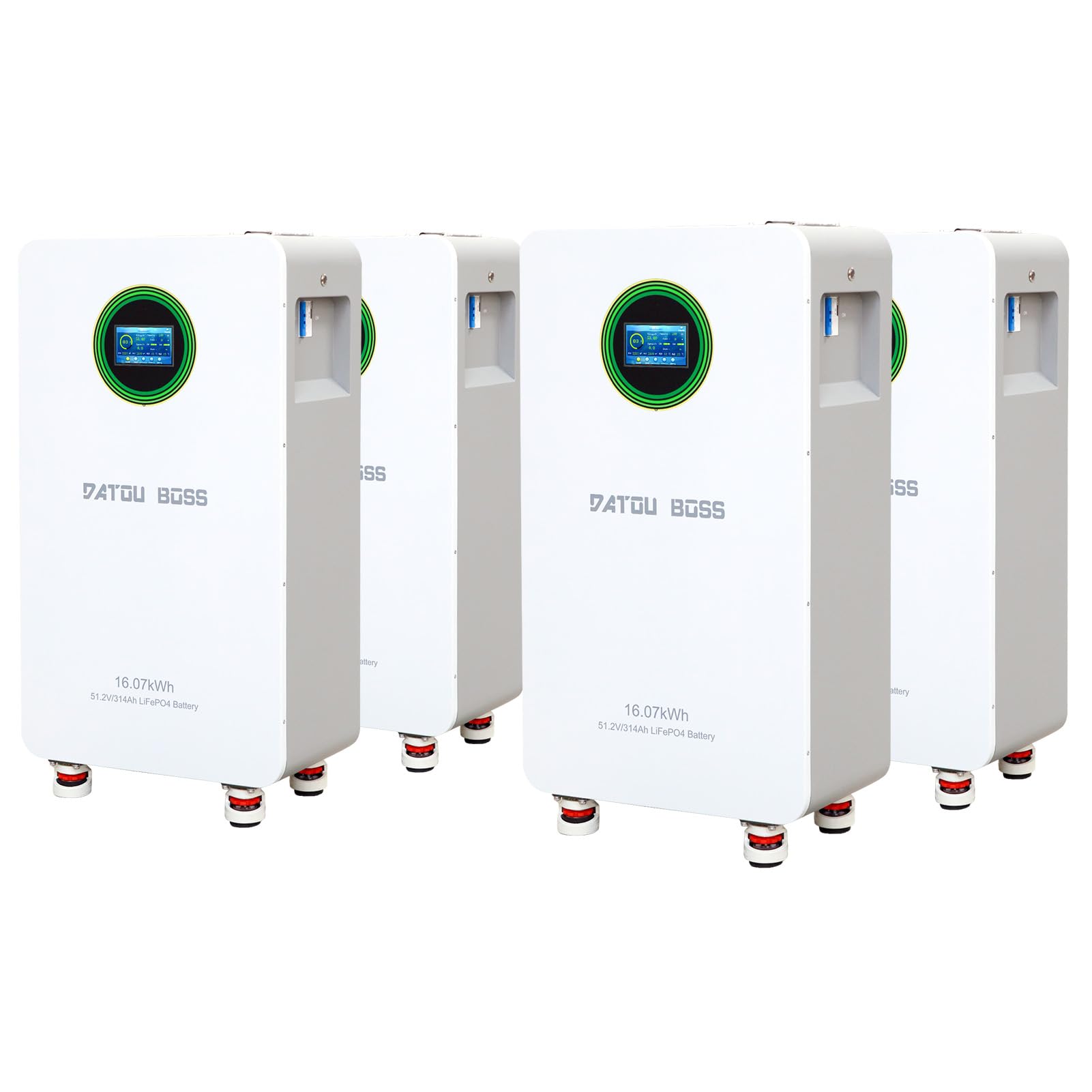
شکل 1: تمام شده استview of the DATOUBOSS 48V 314Ah LiFePO4 Lithium Battery Bank, showcasinطراحی جمع و جور آن.
2. دستورالعمل های ایمنی
Adherence to the following safety guidelines is crucial to prevent injury, damage to the battery, and ensure optimal performance.
- همیشه قبل از نصب یا نگهداری برق را قطع کنید.
- Ensure proper ventilation around the battery bank.
- باتری را در معرض آتش، آب یا دماهای بسیار بالا خارج از محدوده عملکرد مشخص شده قرار ندهید.
- از اتصال کوتاه پایانه های باتری خودداری کنید.
- Only use compatible charging equipment and inverters.
- نصب باید توسط پرسنل مجرب انجام شود.
- هنگام نصب، از تجهیزات حفاظت فردی مناسب (PPE) مانند دستکشهای عایق و محافظ چشم استفاده کنید.

Figure 2: Diagram illustrating the multiple protection functions of the DATOUBOSS battery, including overvoltage, overcharge, overdischarge, temperature, and overcurrent protection.
3. محتویات بسته
مطمئن شوید که تمام موارد ذکر شده در زیر در بسته شما موجود است:
- DATOUBOSS 48V 314Ah LiFePO4 Battery Pack (4 units for 64.32kWh system)
- براکت نصب
- براکت های دیواری
- Positive Battery Connection Cable
- Negative Battery Connection Cable
- کابل ارتباطی
- پیچ
- راهنمای دستورالعمل (این سند)

Figure 3: Image displaying all items included in the DATOUBOSS battery package, such as the battery unit, mounting bracket, cables, and instruction manual.
۴. ویژگیها و اجزای محصول
4.1 ویژگی های کلیدی
- ظرفیت بالا: Each 314Ah LiFePO4 battery unit provides significant energy storage, totaling 64.32 kWh for a 4-pack system.
- Smart BMS: Integrated 210A Smart Battery Management System for robust protection and optimized performance.
- عمر چرخه طولانی: Designed for over 6000 deep cycles at 70% State of Health (SOH) at 25°C.
- مقیاس پذیری: Supports parallel connection of up to 15 batteries for expanded energy storage.
- پورت های ارتباطی: Equipped with standard CAN and RS485 ports for seamless integration with compatible inverters.
- صفحه نمایش لمسی رنگی: For real-time monitoring and easy operation.
4.2 اجزای خارجی
Familiarize yourself with the external components of the battery unit:

Figure 4: Detailed diagram labeling the external components of the DATOUBOSS battery, including the reset switch, indicators, DIP address, communication ports, battery terminals, push button switch, and air switch.
- بازنشانی سوئیچ: Used to reboot or shut down the unit.
- Switching Indicator: Displays the switch status.
- نشانگر عملیات: وضعیت عملیاتی را نشان می دهد.
- شاخص هشدار: Alerts for system warnings.
- نشانگر باتری: Displays remaining capacity.
- Battery Positive/Negative Terminals: برای اتصالات برق.
- DIP Address Switches: For setting addresses in parallel configurations.
- RS485, CAN, RS232 Ports: For external and parallel communication.
- تماس خشک: Normally open or normally closed signal drive relay.
- سوئیچ دکمه ای: روشن/خاموش کردن برق را کنترل میکند.
- سوئیچ هوا: Disconnects input and output for safety.
- صفحه نمایش لمسی LCD: For monitoring and configuration.
5. نصب و راه اندازی
۱.۲ انتخاب و آمادهسازی محل
- Do not install the battery pack on flammable building materials.
- Install the battery box at eye level for easy LCD display readability.
- برای عملکرد بهینه، دمای محیط را بین 0 تا 55 درجه سانتیگراد حفظ کنید.
- Install vertically on a wall.
- Ensure sufficient heat dissipation space and wiring removal space (at least 20cm/7.8in on sides and 50cm/19.6in above/below).
۴.۳ مراحل نصب

Figure 5: Illustration demonstrating the recommended installation method for the DATOUBOSS battery, including wall mounting steps and clearance requirements.
- First, fix the mounting bracket to the wall using expansion screws.
- Next, fix the bracket to the back shell of the battery unit with short screws.
- Finally, hang the battery unit onto the wall bracket.
توجه: This installation method is only suitable for concrete or other non-flammable surfaces.
5.3 Parallel Wiring and DIP Switch Configuration
When connecting multiple battery units in parallel, proper DIP switch configuration is essential for communication and address assignment.

Figure 6: Diagram explaining the DIP switch settings for addressing multiple DATOUBOSS battery units in a parallel configuration, along with a table of address assignments.
When connecting battery packs in parallel, use the DIP addressing function. If DIP6 is connected to ON, the system will use automatic address assignment. Otherwise, use the default automatic addressing function. The DIP switches on the BMS are used to set the address to distinguish different data packets.
Refer to the table in Figure 6 for specific DIP switch settings for each battery unit (PACK1 to PACK15).
6. عملیات
6.1 روشن/خاموش کردن
- To power on, ensure all connections are secure, then activate the external air switch and press the internal push button switch.
- To power off, reverse the process: press the internal push button switch, then deactivate the external air switch.
6.2 Monitoring via Touch Screen
The integrated color touch screen provides real-time monitoring of battery status and parameters.
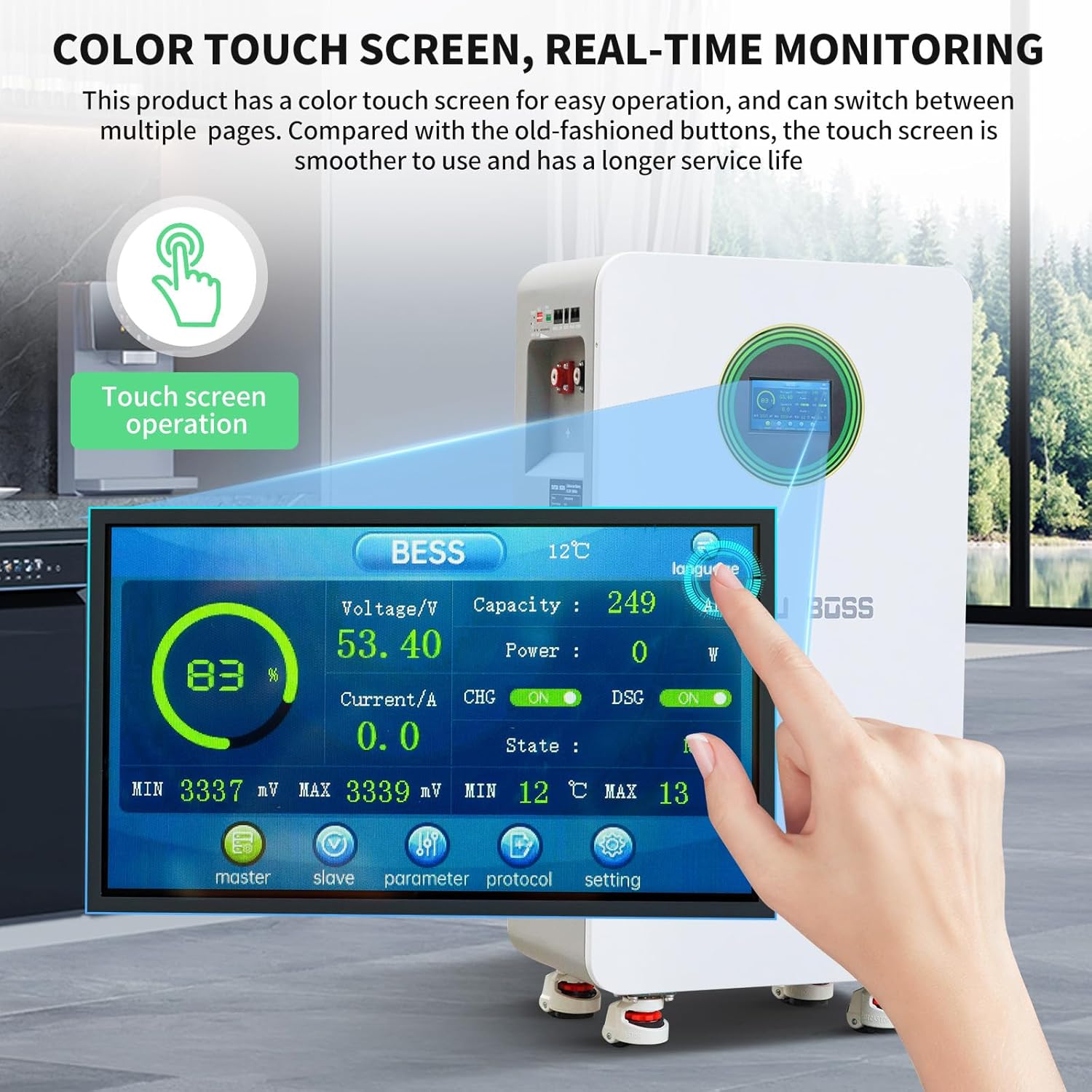
Figure 7: Image showing the color touch screen interface of the DATOUBOSS battery, displaying real-time monitoring data such as voltage, capacity, current, and state.
- The screen displays voltage، جریان، درصد ظرفیتtage, power, and charge/discharge status.
- Navigate through different pages to view detailed parameters, master/slave unit status, and communication protocols.
6.3 Communication with Inverters
The battery supports RS485 and CAN communication protocols for integration with compatible inverters. Ensure the correct communication cables are connected and the inverter settings match the battery's protocol.

شکل 8: نمای نزدیک view of the RS485, CAN, and RS232 communication ports on the DATOUBOSS battery, compatible with various inverters.
7. تعمیر و نگهداری
Regular maintenance ensures the longevity and optimal performance of your battery bank.
- Periodically inspect all cable connections for tightness and corrosion.
- Keep the battery unit clean and free from dust and debris.
- Monitor the battery's performance via the touch screen or connected inverter.
- Ensure adequate ventilation around the battery to prevent overheating.
- Avoid prolonged storage in a fully discharged state.
8 عیب یابی
The DATOUBOSS battery is equipped with a Smart BMS that provides multiple protection functions. If an issue occurs, check the alarm indicator and the touch screen for error messages.
| موضوع | علت احتمالی | قطعنامه |
|---|---|---|
| باتری شارژ نمی شود | Overcharge protection activated (54.0V) or charge low temperature protection (0°C). | میزان شارژ را بررسی کنیدtage and ambient temperature. Allow battery to warm up if too cold. |
| شارژ نشدن باتری | Overdischarge protection activated (43.2V) or discharge low temperature protection (-15°C). | Recharge the battery. Allow battery to warm up if too cold. |
| System shuts down unexpectedly | Overcurrent protection (215A) or high temperature protection (50°C charge, 45°C discharge). | Reduce load. Ensure proper ventilation. Allow battery to cool down. |
| اتصال کوتاه شناسایی شد | External short circuit. | Identify and clear the short circuit. The system has a recovery method of 'Remove load and charge release'. |
| خطای ارتباطی | Incorrect cable connection or protocol settings. | Verify communication cable integrity and ensure DIP switch settings match the inverter protocol. |
9. مشخصات فنی
The following table outlines the key technical parameters of the DATOUBOSS 48V 314Ah LiFePO4 Lithium Battery.

Figure 9: A table providing detailed technical parameters for the DATOUBOSS LFP48-314-FSD battery, covering electrical, thermal, and communication specifications.
| پارامتر | مشخصات |
|---|---|
| مدل | LFP48-314-FSD |
| ظرفیت باتری | 16.07 kWh (per unit) |
| مقاومت داخلی باتری | ≤ 10mΩ |
| ظرفیت باتری تکی | 314Ah |
| حجم عملیاتی اسمیtage | 51.2 ولت |
| حداکثر جریان خروجی | 210A |
| جریان ورودی استاندارد | 150A (Maximum 210A) |
| حفاظت از فشار بیش از حد | 58.4 ولت |
| بازیابی حفاظت از شارژ بیش از حد | 54.0 ولت |
| حفاظت از تخلیه بیش از حد | 43.2 ولت |
| بازیابی حفاظت از تخلیه بیش از حد | 48V (tunable, within 30 seconds) |
| Charging Over-Temperature Protection | 50 درجه سانتی گراد |
| Charge Over-Temperature Protection Recovery | 45°C (tunable) |
| شارژ محافظ در دمای پایین | 0°C (tunable) |
| Charge Cryoprotection Recovery | 5 درجه سانتی گراد |
| Discharge Over-Temperature Protection | 50 درجه سانتی گراد |
| Discharge Over-Temperature Protection Recovery | 45 درجه سانتی گراد |
| محافظت در برابر دمای پایین | -15 درجه سانتی گراد |
| Low Temperature Protection Recovery | -10 درجه سانتی گراد |
| شارژ اضافه جریان | 215A |
| حفاظت در برابر جریان اضافه تخلیه | 215A |
| حفاظت از اتصال کوتاه | Recovery method: 'Charge Removal, Load Removal' |
| Amount Of Electricity Shipped | 40% تا 60% |
| تساوی | Passive equilibrium |
| Power Off Self-Consumption | u 300uA |
| Battery Cycle Life (25°C, 70% SOH) | ≥ 8000 سیکل |
| Battery Cycle Life (45°C, 70% SOH) | ≥ 3000 سیکل |
| پروتکل های ارتباطی | RS232، RS485، CAN |
| ابعاد (L x W x H) | 453 × 260 × 879 میلی متر |
| وزن | 110 کیلوگرم |
10. گارانتی و پشتیبانی
For warranty information, technical support, or service inquiries, please refer to the warranty card included with your product or contact DATOUBOSS customer service directly. Ensure you have your product model number and purchase details available when contacting support.