
1. مقدمه
This manual provides detailed instructions for the installation, operation, and maintenance of your Rosewill VNG 650W ATX 3.1 Power Supply. Please read this manual thoroughly before installation and keep it for future reference. The Rosewill VNG 650W is an 80+ Gold Certified, non-modular power supply compatible with ATX 3.0 & 3.1 standards, featuring a 450W PCIe 5.1 12V-2x6 connector for modern graphics cards.
2. اطلاعات ایمنی
- قبل از نصب، جدا کردن یا تمیز کردن منبع تغذیه، همیشه سیم برق را از پریز برق جدا کنید.
- منبع تغذیه را باز نکنید. ولتاژ بالاtagقطعات داخلی وجود دارند و هیچ قطعهای وجود ندارد که توسط کاربر قابل تعمیر باشد. باز کردن دستگاه، گارانتی را باطل میکند.
- Ensure the power supply is installed in a well-ventilated area, away from heat sources, direct sunlight, and moisture.
- Use only the cables provided with your power supply. Using third-party cables may cause damage to your system and void the warranty.
- منبع تغذیه را به پریز برق دارای اتصال زمین وصل کنید.
- Do not force connectors. Ensure proper orientation before plugging in any cables.
3. محتویات بسته
بررسی کنید که آیا همه اجزا در بسته شما موجود است یا خیر:
- Rosewill VNG 650W Power Supply Unit
- سیم برق AC
- پیچ های نصب
- راهنمای کاربر
- Cable Ties (for cable management)

Figure 3.1: Rosewill VNG 650W Power Supply with its bundled, non-modular cables.
4. راه اندازی و نصب
Follow these steps to install your Rosewill VNG 650W Power Supply:
- سیستم خود را آماده کنید: Ensure your computer case is open and accessible. Disconnect all power from your existing power supply and remove it if necessary.
- منبع تغذیه را نصب کنید: Carefully slide the Rosewill VNG 650W into the power supply bay of your computer case. Secure it with the provided mounting screws.
- اتصال برق مادربرد: کابل برق مادربرد ATX 24 پین را به مادربرد خود وصل کنید.
- اتصال برق پردازنده: کابل (های) برق 4+4 پین پردازنده را به مادربرد خود وصل کنید.
- اتصال برق کارت گرافیک: For modern graphics cards, use the dedicated PCIe 5.1 12V-2x6 connector. For older or less demanding cards, use the 6+2 pin PCIe connectors. Ensure all necessary power connectors for your graphics card(s) are securely attached.
- اتصال لوازم جانبی: Connect SATA power cables to your storage drives (HDDs/SSDs) and Molex connectors to any other peripherals requiring them.
- مدیریت کابل: Organize the non-modular cables using the included cable ties to improve airflow and aesthetics within your case.
- برق AC را وصل کنید: Once all internal connections are made, connect the AC power cord to the power supply and then to a grounded wall outlet.
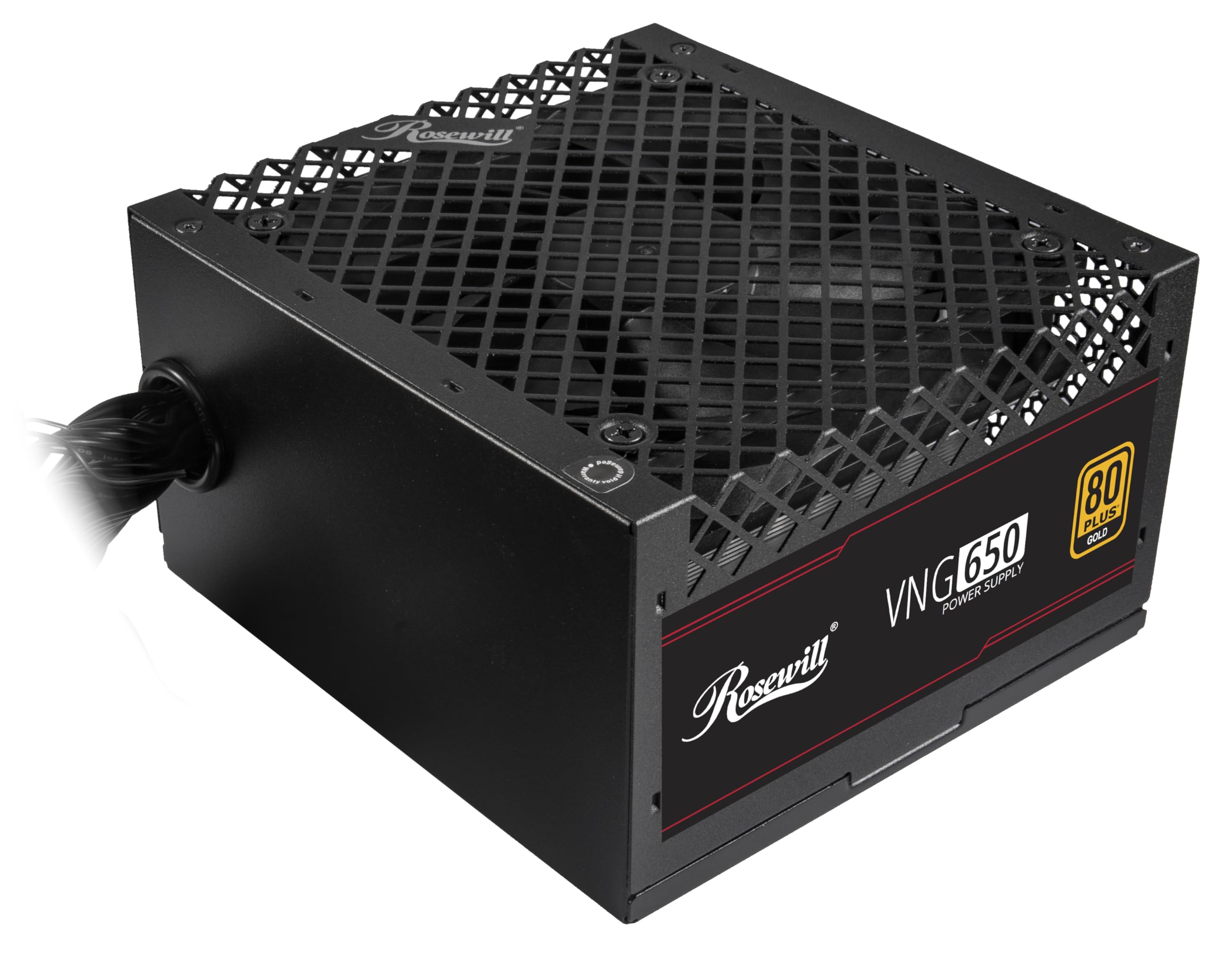
Figure 4.1: Rosewill VNG 650W Power Supply overview.

Figure 4.2: Rear panel with power switch and AC input.

Figure 4.3: Available Power Supply Connectors.
5. دستورالعمل های عملیاتی
Once installed, the Rosewill VNG 650W Power Supply operates automatically. Its 80 PLUS Gold certification ensures high efficiency, converting more AC power into usable DC power and reducing wasted heat. The low-noise design helps maintain a quiet computing environment. The power supply is designed to handle power excursions up to 235% and GPU power excursions up to 300%, providing stable power delivery for demanding components.

شکل 5.1: بالا view showing the cooling fan.
6. تعمیر و نگهداری
To ensure optimal performance and longevity of your Rosewill VNG 650W Power Supply:
- آن را تمیز نگه دارید: Periodically clean the exterior of the power supply and the fan grill with a soft, dry cloth. Use compressed air to gently remove dust from the fan and internal components, ensuring the system is powered off and unplugged before cleaning.
- اطمینان از جریان هوای مناسب: Make sure there is adequate space around the power supply for proper ventilation. Avoid blocking the intake or exhaust vents.
- بررسی اتصالات: Occasionally check that all power cables are securely connected to the power supply and your components.
7 عیب یابی
If you encounter issues with your Rosewill VNG 650W Power Supply, refer to the following common troubleshooting steps:
- بدون برق:
- مطمئن شوید که سیم برق متناوب (AC) به طور محکم به منبع تغذیه و پریز برق سالم وصل شده است.
- بررسی کنید که سوئیچ پاور در پشت PSU در موقعیت «روشن» باشد.
- Verify all internal power connections (24-pin, CPU, PCIe) are firmly seated.
- پریز برق را با دستگاه دیگری امتحان کنید تا از وجود برق در آن مطمئن شوید.
- ناپایداری/خرابی سیستم:
- مطمئن شوید که توان مورد نیاز سیستم شما از ظرفیت ۸۵۰ واتی منبع تغذیه تجاوز نکند.
- Check for loose power connections to components.
- دمای سیستم را کنترل کنید تا مطمئن شوید قطعات بیش از حد گرم نمیشوند.
- صدای غیرمعمول:
- A slight fan noise is normal during operation. If the noise is excessive or unusual, ensure the fan is not obstructed by dust or cables.
- اگر صدا ادامه داشت، با پشتیبانی مشتری تماس بگیرید.
If these steps do not resolve your issue, please refer to the Support section.
8. مشخصات

Figure 8.1: Electrical Specifications Label.
| ویژگی | توضیحات |
|---|---|
| نام مدل | VNG650 |
| نام تجاری | روزویل |
| دستگاه های سازگار | کامپیوتر شخصی |
| نوع رابط | ATX |
| وات خروجیtage | 650 وات |
| فاکتور فرم | مینی ITX |
| روش خنک کننده | هوا |
| ابعاد مورد (L x W x H) | 5.9 x 5.51 x 3.38 اینچ |
| وزن مورد | 2.8 پوند |
| طراحی منبع تغذیه | غیر ماژولار |
| حداکثر ورودی حجمtage | 240 ولت (AC) |
| حداقل حجم ورودیtage | 240 ولت (AC) |
| System Bus Connector Type | ATX |
| UPC | 840951136676 |
| شماره قطعه Mfr | VNG650 |
9. اطلاعات گارانتی
The Rosewill VNG 650W Power Supply comes with a 5 سال گارانتی سازنده. Please retain your proof of purchase for warranty claims. For detailed terms and conditions, refer to the official Rosewill webسایت یا با پشتیبانی مشتری تماس بگیرید.
10. پشتیبانی
For technical assistance, warranty claims, or further inquiries, please visit the official Rosewill website or contact their customer support team. You can often find FAQs and additional resources online.
رسمی رزویل Webسایت: www.rosewill.com