
مقدمه
The ShanWan Wireless Controller is a versatile gaming peripheral designed for use across multiple platforms, including PC, iPhone, Android, Nintendo Switch, and Steam. It offers tri-mode connectivity (Bluetooth, 2.4G wireless, and USB-C wired) to ensure a seamless gaming experience. This manual provides detailed instructions for setup, operation, maintenance, and troubleshooting to help you maximize your controller's performance.
Note: This controller is not compatible with Xbox or PlayStation 4/5 consoles.
محتویات بسته
- ShanWan Wireless Controller
- کابل شارژ USB-C
- دانگل بیسیم 2.4 گیگاهرتز
- راهنمای کاربر (این سند)
کنترلر تمام شدview
تصویر: جلو view of the ShanWan Wireless Controller, showcasing its ergonomic design, dual joysticks, D-pad, and face buttons (A, B, X, Y).
تصویر: برگشت view of the ShanWan Wireless Controller, highlighting the mode switch for different platforms (X, D, S).
ویژگی های کلیدی:
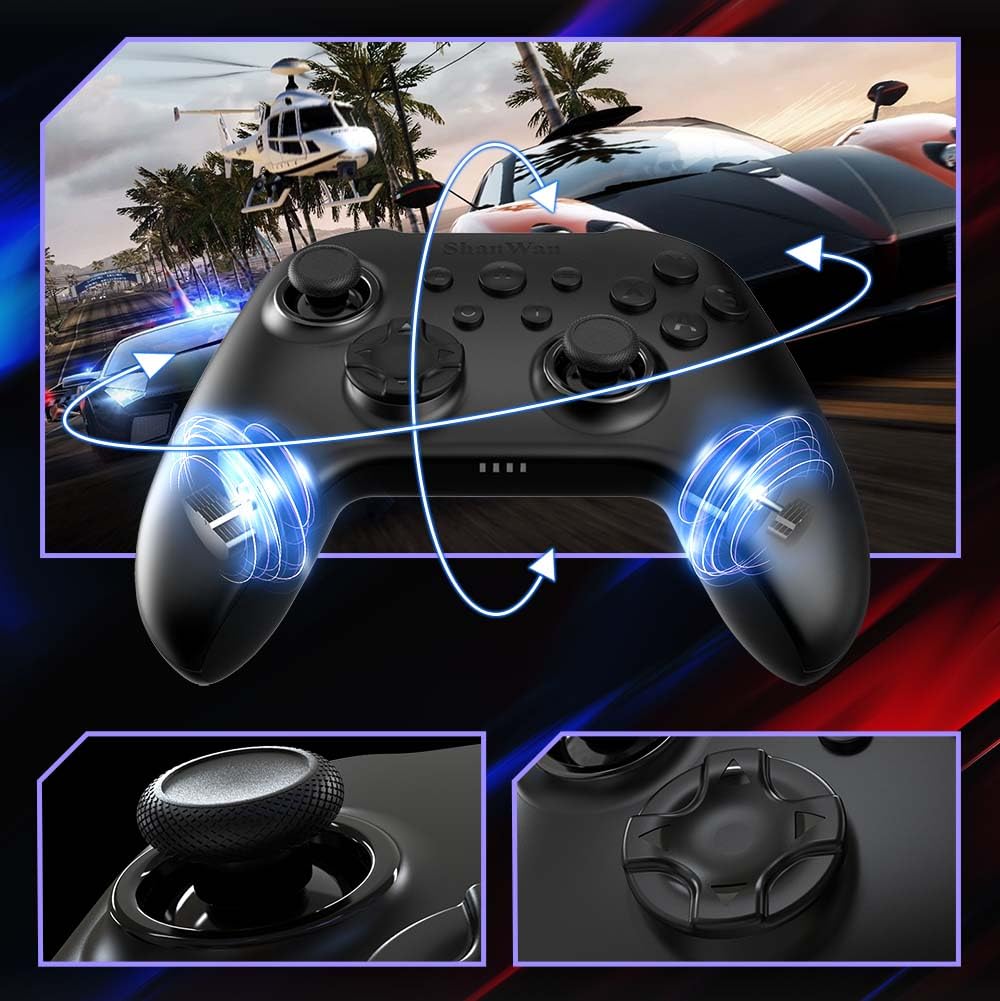
- جویاستیکهای اثر هال: Designed for precision with no dead zones and anti-drift capabilities.
- Durable Gel Buttons: Conductive gel buttons tested for 1 million clicks for long-lasting performance.
- ژیروسکوپ ۶ محوره: Provides precise motion sensing for immersive gameplay.
- موتورهای ویبره دوگانه: Delivers strong and subtle haptic feedback for an enhanced gaming experience.
- عملکرد توربو: Allows for rapid, repeated button presses.
راه اندازی
۳.۱ شارژ کنترلر
Before initial use, fully charge the controller using the provided USB-C cable. Connect the USB-C end to the controller and the USB-A end to a power source (e.g., computer USB port, USB wall adapter). The charging indicator lights will show charging status and turn off when fully charged.
۴.۲ اتصال به دستگاهها
The ShanWan Wireless Controller supports three connection modes: Bluetooth, 2.4G Wireless, and USB-C Wired. Ensure the mode switch on the back of the controller is set to the appropriate platform before attempting to connect.

تصویر: Visual representation of the controller's tri-mode connectivity, illustrating Bluetooth, 2.4G wireless, and USB-C wired options.
Mode Switch Settings:
- 'S' Mode: For Nintendo Switch.
- 'X' Mode: For PC (X-input), Android.
- 'D' Mode: For PC (D-input), iOS.
اتصال بلوتوث:
- Set the mode switch on the back of the controller to the desired platform ('S', 'X', or 'D').
- Press and hold the pairing button (usually a small button on the top or back) until the indicator lights flash rapidly.
- On your device (PC, iPhone, Android, Switch), go to Bluetooth settings and search for new devices.
- Select "ShanWan Controller" or a similar name from the list to pair.
- پس از جفت شدن، چراغهای نشانگر روی کنترلر ثابت میشوند.
2.4G Wireless Connection (for PC/Switch):
- Set the mode switch on the back of the controller to 'X' (for PC) or 'S' (for Switch).
- Insert the 2.4G wireless dongle into a USB port on your PC or Switch dock.
- Press the Home button on the controller to power it on. It should automatically connect to the dongle.
- The indicator lights will become solid once connected.
اتصال سیمی USB-C:
- Connect the USB-C cable to the controller and the other end to your PC or Switch dock.
- The controller will automatically be recognized as a wired device.
- No specific mode switch setting is required for wired connection, but setting it to the correct platform mode ('X' for PC, 'S' for Switch) is recommended for optimal compatibility.
دستورالعمل های عملیاتی
روشن/خاموش برق:
- روشن کردن: Press the Home button once.
- خاموش: Press and hold the Home button for 3-5 seconds, or the controller will automatically power off after a period of inactivity.
کنترل حرکت:
The built-in 6-axis gyroscope provides motion control capabilities, particularly useful for games on Nintendo Switch or other compatible platforms. Ensure the game supports motion controls for this feature to function.
بازخورد لرزشی:
The dual vibration motors provide haptic feedback during gameplay. The intensity of the vibration can often be adjusted through game settings or the Gamepad Space app.
عملکرد توربو:
برای فعال کردن عملکرد توربو برای یک دکمه خاص:
- Press and hold the button you wish to set to Turbo.
- While holding the button, press the Turbo button (refer to controller layout for location).
- The button will now repeatedly register presses as long as it is held down.
To deactivate Turbo for a button, repeat the process.
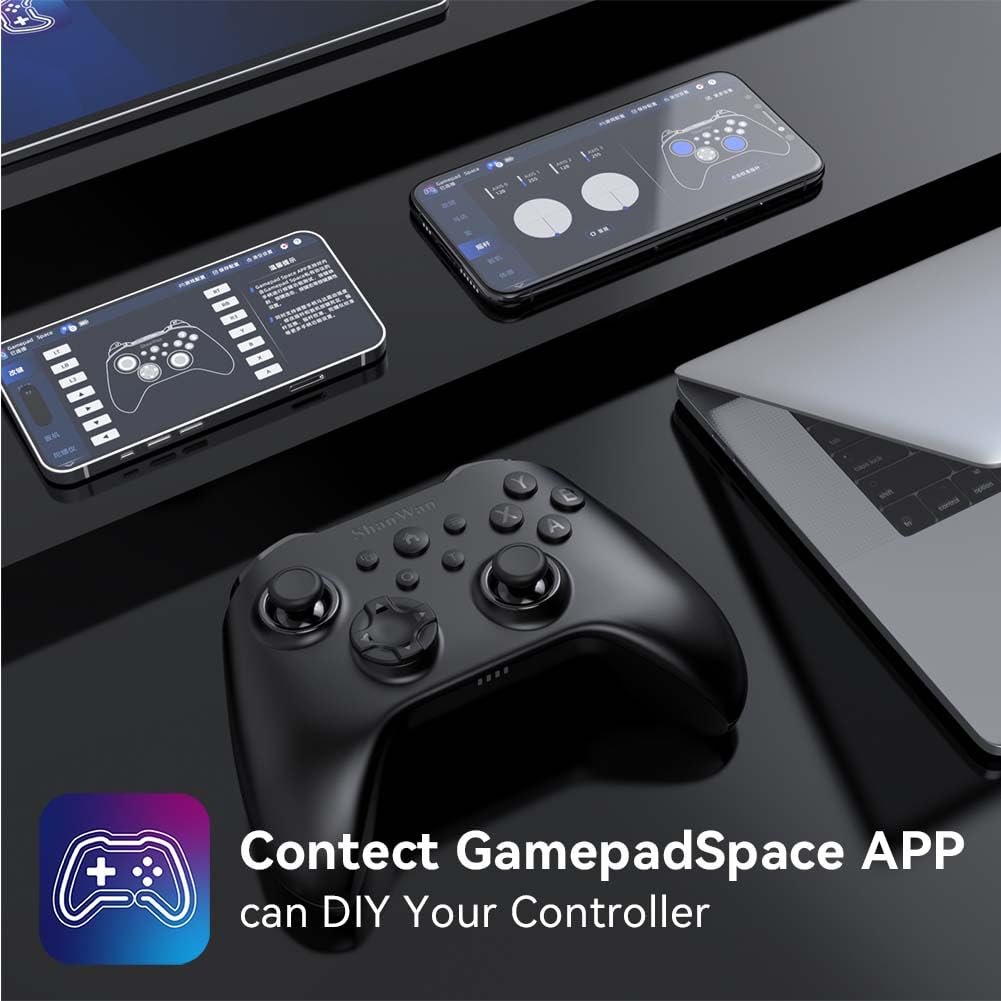
Software Customization (Gamepad Space App):
Enhance your gaming experience by customizing controller settings using the Gamepad Space mobile application.

تصویر: A ShanWan controller alongside smartphones displaying the Gamepad Space app, illustrating options for calibration and on-the-fly adjustments.
- Download the "Gamepad Space" app from your mobile device's app store.
- Connect your controller to your mobile device via Bluetooth.
- در برنامه، می توانید:
- سیستم عامل را ارتقا دهید.
- مناطق مردهی استیک و تریگر را تنظیم کنید.
- شدت لرزش را سفارشی کنید.
- دکمههای تست.
تعمیر و نگهداری
- تمیز کردن: برای تمیز کردن کنترلر از یک پارچه نرم و خشک استفاده کنید. از استفاده از مواد شیمیایی قوی یا مواد ساینده خودداری کنید.
- ذخیره سازی: کنترلر را در جای خشک و خنک و دور از نور مستقیم خورشید و دمای بالا نگهداری کنید.
- مراقبت از باتری: برای افزایش عمر باتری، از خالی شدن کامل شارژ کنترلر به طور مکرر خودداری کنید. آن را به طور منظم شارژ کنید، حتی اگر به طور مداوم از آن استفاده نمیکنید.
عیب یابی
کنترلر وصل نمیشود:
- از شارژ شدن کنترلر اطمینان حاصل کنید.
- Verify the mode switch on the back of the controller is set correctly for your platform (S, X, or D).
- برای بلوتوث، مطمئن شوید که بلوتوث دستگاه شما روشن است و دسته در حالت جفت شدن (pairing mode) قرار دارد.
- For 2.4G wireless, ensure the dongle is properly inserted and the controller is in the correct mode.
- سعی کنید هم کنترلر و هم دستگاه خود را مجدداً راه اندازی کنید.
تأخیر یا قطع اتصال ورودی:
- مطمئن شوید که هیچ تداخل الکترومغناطیسی قوی در نزدیکی وجود ندارد.
- Move closer to your device for a stronger wireless signal.
- Ensure the controller's battery is not low.
- Consider using a wired USB-C connection for the most stable experience.
Joystick Drift or Unresponsive Buttons:
- Calibrate the joysticks and test buttons using the Gamepad Space app.
- Ensure the controller's firmware is up to date via the Gamepad Space app.
- اطراف دکمهها و جویاستیکها را تمیز کنید تا هرگونه آلودگی از بین برود.
مشخصات
| مدل | B0FS13DT2B |
| فناوری اتصال | بلوتوث، بیسیم ۲.۴ گیگاهرتز، سیمی USB-C |
| دستگاه های سازگار | Android, iOS, Nintendo Switch, Nintendo Switch 2, PC |
| نوع کنترلر | گیم پد |
| تعداد دکمه | 12 |
| ویژگی های خاص | Hall Effect Joysticks, 6-Axis Gyroscope, Dual Vibration, Turbo Function, Software Customization |
| منبع تغذیه | شارژ باتری |
| وزن مورد | 300 گرم |
| ابعاد مورد (D x W x H) | ۵.۹ اینچ در ۱۱.۸ اینچ در ۱۴.۶ اینچ |
گارانتی و پشتیبانی
ShanWan products are designed for reliability and performance. For specific warranty information, please refer to the documentation included with your purchase or visit the official ShanWan support website. If you encounter any issues not covered in this manual, please contact ShanWan customer support for assistance.
پشتیبانی آنلاین: Visit the ShanWan Store on Amazon