
محصول تمام شده استview
The pTron Studio Pro are wireless over-ear headphones designed for extended listening and clear communication. They feature an ergonomic design with soft earpads and an adjustable headband for comfortable wear. Key features include long battery life, advanced audio drivers, and versatile connectivity options.
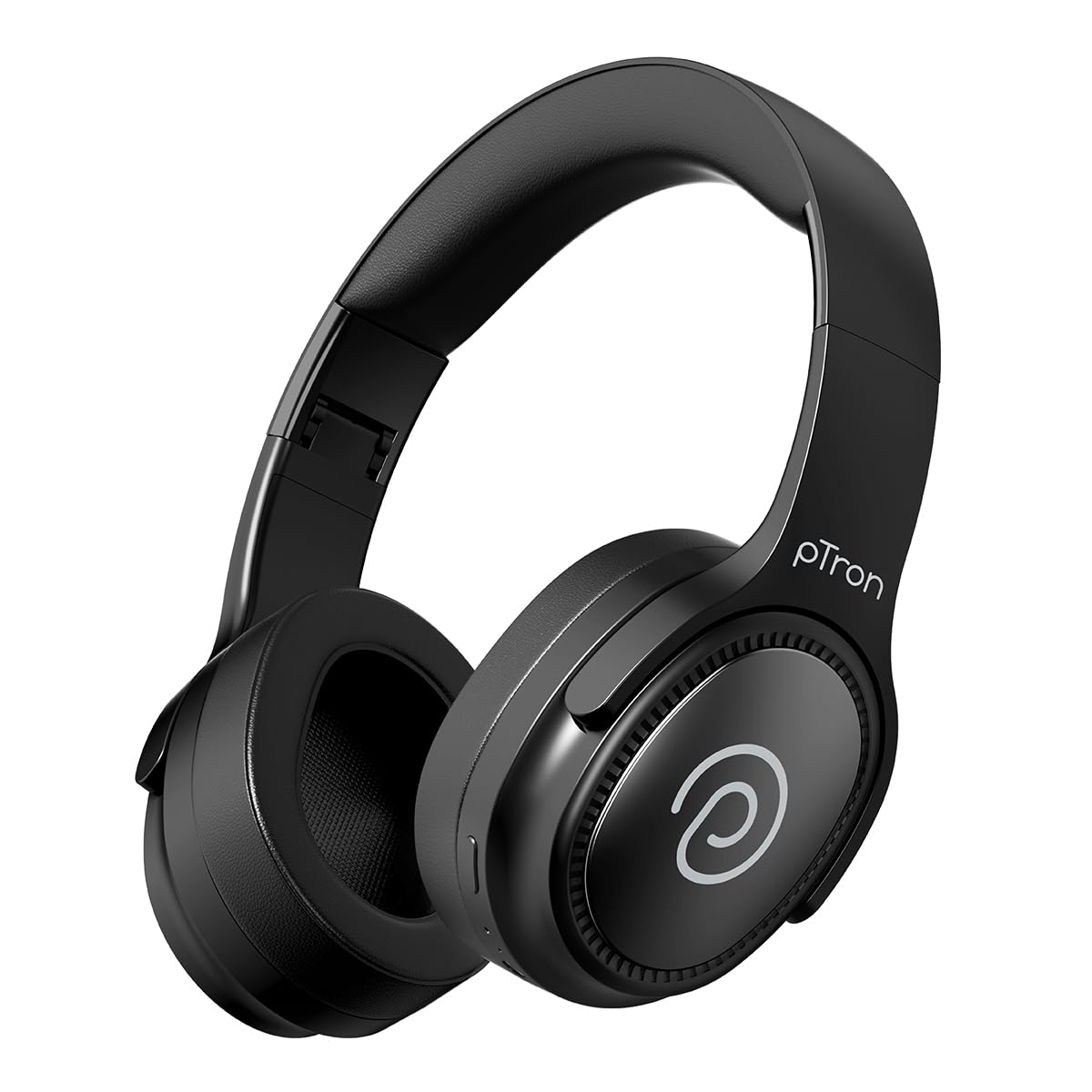
Image: pTron Studio Pro Wireless Over-Ear Headphones in Jet Black, showcasinطراحی شیک.
ویژگی های کلیدی
- زمان پخش تمدید شده: Up to 65 hours of music playback on a single full charge.
- شارژ سریع: 2.5 hours for a full charge via Type-C. A 10-minute charge provides approximately 4 hours of playtime.
- صدا با کیفیت بالا: Equipped with 40mm Neody Drivers for pristine stereo sound.
- پاک کردن تماس ها: Built-in HD Microphone with TruTalk AI-ENC (Environmental Noise Cancellation) for crystal-clear calls.
- قابلیت اتصال پیشرفته: Fast Bluetooth v5.4 for instant pairing and stable connection.
- جفت شدن دو دستگاه: Seamlessly connect and switch between two devices simultaneously.
- حالت های چند منظوره: Dedicated Low-Latency Gaming Mode and Music Mode.
- مقاومت در برابر آب: IPX4 rating, making them resistant to water splashes and sweat.
- راحتی و قابلیت حمل: Ergonomic, lightweight, and foldable design with soft earpads and an adjustable headband for a perfect fit and easy storage.
- کنترل های آسان: Multi-functional buttons for managing music, calls, and activating voice assistant.

Image: Infographic detailing the main features of the pTron Studio Pro headphones, including battery life, drivers, and connectivity.
آنچه در جعبه است
Upon unboxing your pTron Studio Pro headphones, you will find the following items:
- pTron Studio Pro Wireless Over-Ear Headphones
- کابل شارژ (نوع C)
- راهنمای کاربر
Video: An official product video demonstrating the unboxing and key features of the pTron Studio Pro headphones.
طرحبندی و کنترلهای محصول
Familiarize yourself with the physical components and control buttons of your pTron Studio Pro headphones.

تصویر: دقیق view of the multi-function control buttons located on the ear cup, including power, volume, and track controls.
عملکردهای دکمه کنترل:
| دکمه/عمل | تابع |
|---|---|
| دکمه پاور (فشار طولانی) | روشن/خاموش، حالت جفتسازی را وارد کنید |
| Play/Pause Button (Single Press) | پخش/توقف موسیقی، پاسخ/قطع تماس |
| Play/Pause Button (Long Press) | رد تماس، فعال کردن دستیار صوتی |
| Volume Up (+) (Single Press) | افزایش صدا |
| Volume Down (-) (Single Press) | کاهش حجم |
| Volume Up (+) (Long Press) | آهنگ بعدی |
| Volume Down (-) (Long Press) | آهنگ قبلی |
| Mode Button (Single Press) | Switch between Game Mode and Music Mode |
راه اندازی
1. شارژ کردن هدفون
- کابل شارژ Type-C ارائه شده را به پورت شارژ هدفون وصل کنید.
- Connect the other end of the cable to a USB power source (DC5V-1A max.).
- نشانگر LED وضعیت شارژ را نشان میدهد. شارژ کامل تقریباً 2.5 ساعت طول میکشد.
- A 10-minute charge can provide up to 4 hours of playtime.

Image: The pTron Studio Pro headphones highlighting the Type-C charging port and emphasizing the 65-hour playtime.
2. جفت شدن بلوتوث
- مطمئن شوید که هدفونها کاملاً شارژ شدهاند.
- Press and hold the Power button until the LED indicator flashes red and blue alternately, indicating pairing mode.
- در دستگاه خود (گوشی هوشمند، تبلت، لپتاپ)، بلوتوث را فعال کنید و دستگاههای موجود را جستجو کنید.
- Select "pTron Studio Pro" from the list of devices.
- Once connected, the LED indicator will turn solid blue or stop flashing.
۶.۲ جفتسازی دو دستگاه
- هدفون را همانطور که در بالا توضیح داده شد با دستگاه اول جفت کنید.
- بلوتوث را در دستگاه اول غیرفعال کنید. هدفونها دوباره وارد حالت جفتسازی میشوند.
- هدفون را با دستگاه دوم جفت کنید.
- بلوتوث را در دستگاه اول دوباره فعال کنید. هدفون باید به طور خودکار به هر دو دستگاه متصل شود.
- You can now switch audio playback between the two connected devices.

Image: The headphones connected to both a laptop and a smartphone, demonstrating the dual device pairing feature.
4. Wired Connection (3.5mm Aux-in)
- Insert one end of a 3.5mm audio cable (not included) into the Aux-in port on the headphones.
- سر دیگر کابل را به جک ۳.۵ میلیمتری منبع صوتی خود وصل کنید.
- هدفونها بهطور خودکار به حالت سیمی تغییر میکنند.

Image: The headphones connected to a smartphone using a 3.5mm Aux-in cable, illustrating wired music playback.
دستورالعمل های عملیاتی
روشن/خاموش برق
- روشن کردن: دکمه پاور را به مدت تقریباً 3 ثانیه فشار دهید و نگه دارید تا نشانگر LED روشن شود.
- خاموش: دکمه پاور را تقریباً ۵ ثانیه فشار دهید و نگه دارید تا نشانگر LED خاموش شود.
کنترل های موسیقی
- پخش/مکث: دکمه پخش/مکث را یک بار فشار دهید.
- آهنگ بعدی: دکمه افزایش صدا (+) را به مدت طولانی فشار دهید.
- آهنگ قبلی: دکمه کاهش صدا (-) را به مدت طولانی فشار دهید.
- افزایش صدا: Single press the Volume Up (+) button.
- کاهش حجم: Single press the Volume Down (-) button.
کنترل های تماس
- پاسخ/پایان تماس: دکمه پخش/مکث را یک بار فشار دهید.
- رد تماس: دکمه Play/Pause را طولانی فشار دهید.
دستیار صوتی
- دستیار صوتی را فعال کنید: Long press the Play/Pause button (after rejecting a call, if applicable, or when not on a call).
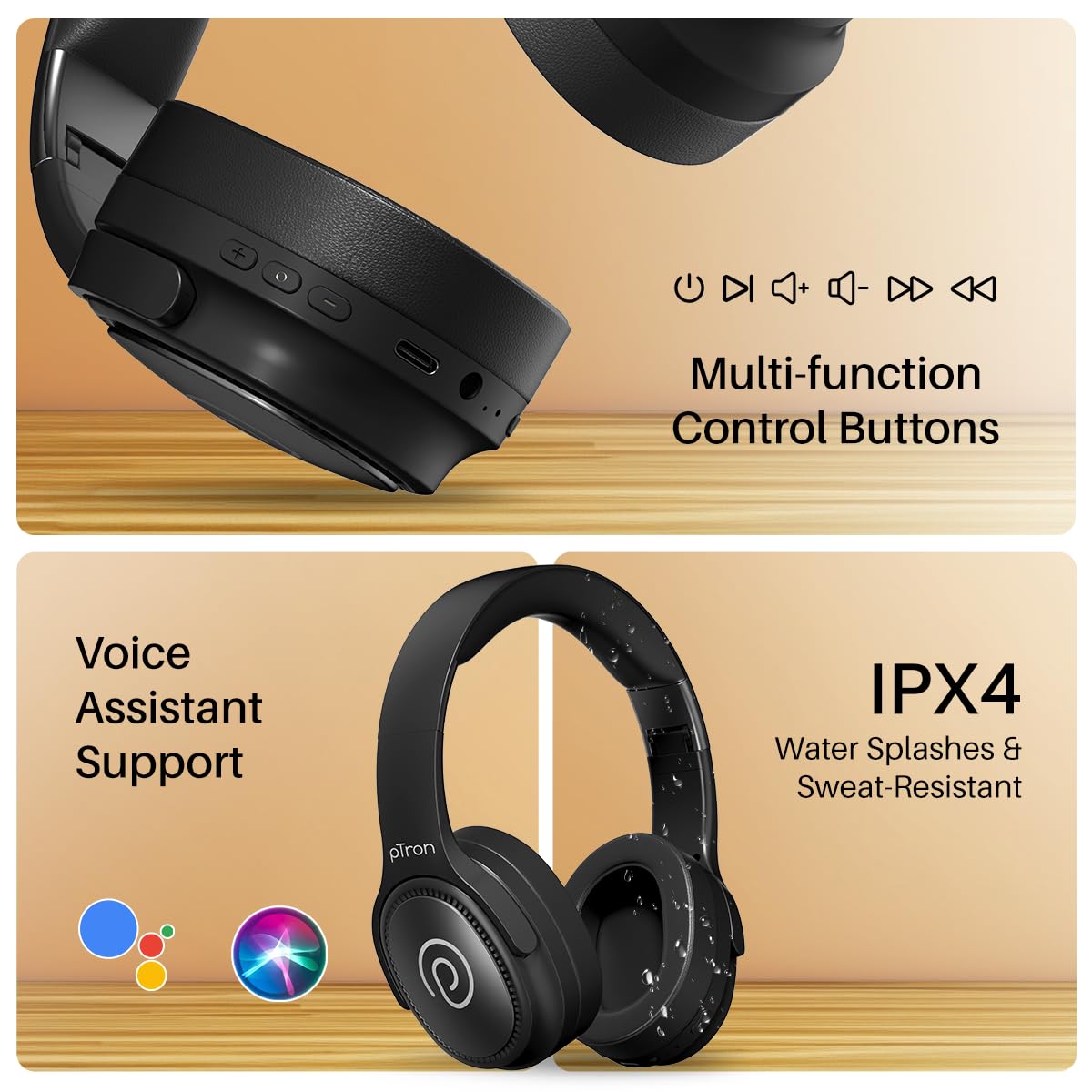
Image: The headphones illustrating support for voice assistants like Google Assistant and Siri, along with their IPX4 water-resistant rating.
Game & Music Modes
- تغییر حالت ها: Single press the Mode button to toggle between Low-Latency Gaming Mode and standard Music Mode.
تعمیر و نگهداری
To ensure the longevity and optimal performance of your pTron Studio Pro headphones, follow these maintenance guidelines:
- تمیز کردن: برای تمیز کردن هدفون از یک پارچه نرم و خشک استفاده کنید. از پاک کننده ها یا حلال های ساینده استفاده نکنید.
- ذخیره سازی: وقتی از هدفون استفاده نمیکنید، آن را در جای خشک و خنک نگهداری کنید. طراحی تاشوی آن امکان نگهداری فشرده را فراهم میکند.
- قرار گرفتن در معرض آب: While rated IPX4 for water splashes and sweat resistance, avoid submerging the headphones in water or exposing them to heavy rain. Dry them thoroughly if they get wet.
- شارژ کردن: Use only the provided Type-C cable and a compatible power adapter (DC5V-1A max.) for charging.
- اجتناب از دماهای شدید: هدفون را در معرض دمای بسیار بالا یا پایین قرار ندهید.
عیب یابی
If you encounter any issues with your pTron Studio Pro headphones, refer to the following common troubleshooting steps:
| مشکل | راه حل |
|---|---|
| هدفونها روشن نمیشوند. | مطمئن شوید که هدفونها کاملاً شارژ شدهاند. آنها را به منبع تغذیه وصل کنید و نشانگر شارژ را بررسی کنید. |
| نمیتوان با دستگاهی جفتسازی کرد. | Make sure Bluetooth is enabled on your device and the headphones are in pairing mode (LED flashing red/blue). Move closer to the device. Forget previous pairings on your device and try again. |
| صدا نداره یا صداش کمه. | Check the volume levels on both the headphones and your connected device. Ensure the headphones are correctly paired. If using Aux-in, ensure the cable is fully inserted. |
| کیفیت تماس ضعیف است. | Ensure the microphone is not obstructed. Move to an area with less environmental noise. Check your device's network signal. |
| هدفون مرتباً قطع و وصل میشود. | Ensure there are no obstacles between the headphones and your device. Keep within the Bluetooth range (10 meters). Avoid strong electromagnetic interference. |
مشخصات
| ویژگی | جزئیات |
|---|---|
| نام تجاری | pTron |
| نام مدل | استودیو |
| قرار دادن گوش | بالای گوش |
| نسخه بلوتوث | 5.4 |
| محدوده بلوتوث | 10 متر |
| اندازه درایور صوتی | 40 میلی متر |
| امپدانس | 32 اهم |
| عمر متوسط باتری | 65 ساعت |
| زمان شارژ باتری | 2.5 ساعت |
| پورت شارژ | نوع C |
| سطح مقاومت در برابر آب | IPX4 (مقاوم در برابر آب) |
| میکروفون | Built-in HD Mic with AI-ENC |
| جک هدفون | جک 3.5 میلی متری |
| نوع کنترل | Call Control, Push Button |
| ویژگی های محصول | Fast Charging, Foldable, Microphone Included, Noise Isolation, Surround Sound |
| وزن مورد | 200 گرم |
| مواد | اکریلونیتریل بوتادین استایرن (ABS) |
| دستگاه های سازگار | تلفنهای همراه، کامپیوترهای رومیزی، لپتاپها، تبلتها |
گارانتی و پشتیبانی
Your pTron Studio Pro headphones come with a manufacturer's warranty and dedicated customer support.
- گارانتی: 6 Months Manufacturer Warranty from the Date of Purchase on Manufacturing Defects Only.
- تماس با سازنده: Building A1, Red Box Creative Park, No. 3 Huancheng South Road, Bantian Street, Longgang District, Shenzhen City, China 518116.
- Customer Care Contact Details: 40-67138888 / Support@ptron.in
- اطلاعات تماس واردکننده: شرکت سهامی خاص پالرد الکترونیکس، واحد ۵۶، طبقه اول، گوندلاپوچAMPALLY VILLAGE, TECH PARK MTP, TSIIC-IALA NACHARAM, HYDERABAD - 500076, TELANGANA, INDIA.