
1. مقدمه
This manual provides essential information for the proper use and maintenance of your Samsung Galaxy Book4 360 2-in-1 AI PC Laptop, model NP750QGK. This device offers versatile functionality, transitioning between laptop, tent, stand, and tablet modes to suit various tasks and environments. Please read this manual thoroughly before operating your device.
۲. چه چیزهایی در جعبه است؟
بررسی کنید که همه اقلام در بستهبندی محصول موجود باشند:
- SAMSUNG Galaxy Book4 360 laptop
- آداپتور برق متناوب 65 وات با سیم برق
- راهنمای کاربر
3. محصول تمام شدview
The Samsung Galaxy Book4 360 is a versatile 2-in-1 laptop designed for flexibility and performance. It features a 15.6-inch FHD AMOLED touchscreen display and a durable, lightweight design.
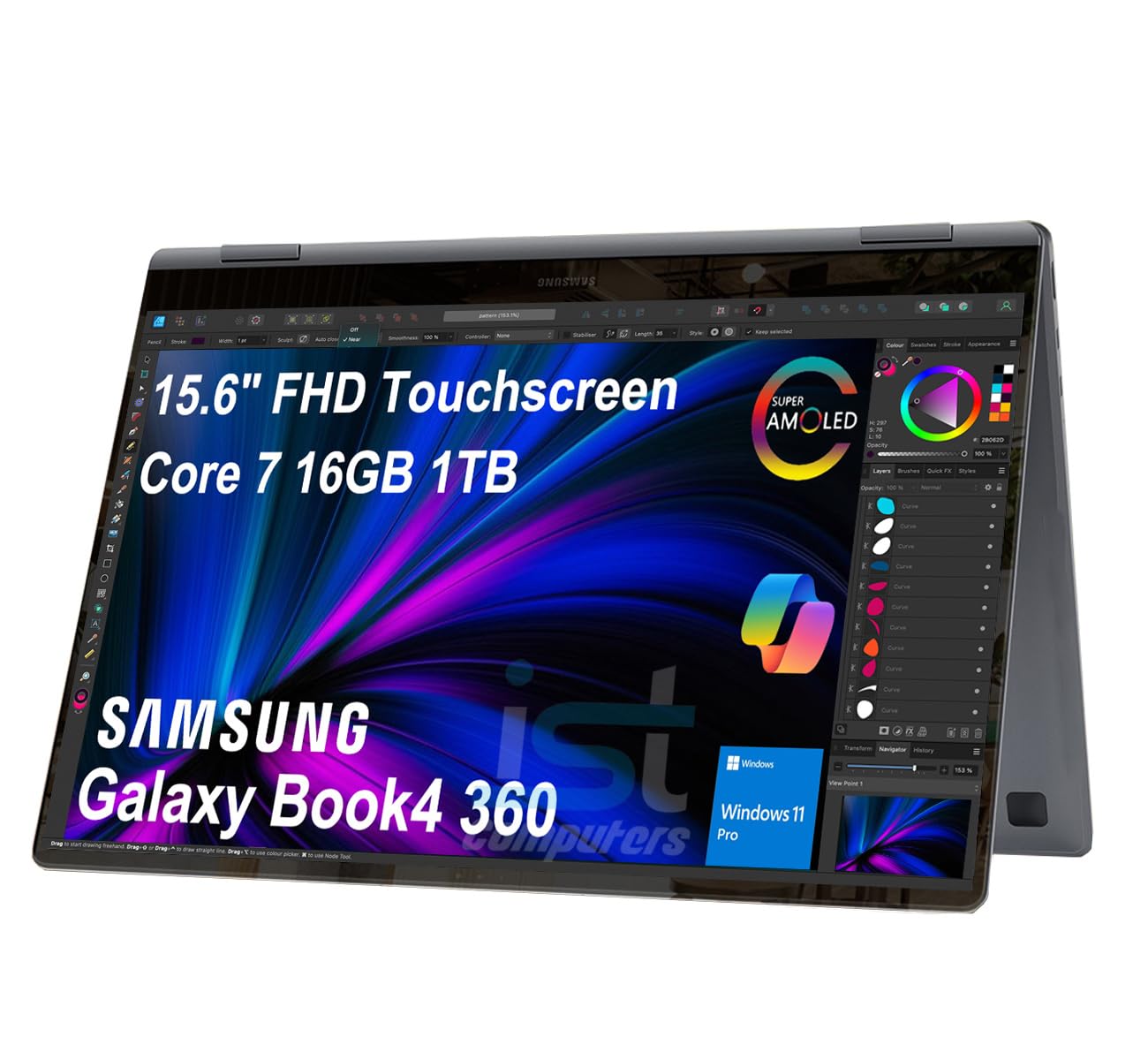
Image: The Samsung Galaxy Book4 360 laptop shown in its open, traditional laptop configuration.
۳. ویژگیهای فیزیکی
- 15.6" FHD AMOLED Touchscreen: Provides vibrant visuals and interactive control.
- صفحه کلید با نور پس زمینه: Allows for comfortable typing in various lighting conditions.
- خواننده اثر انگشت: Integrated for secure and convenient login.
- 1080p FHD Webطب مکمل و جایگزین: For clear video conferencing.
۴. پورتها و کانکتورها
The device is equipped with a range of ports for connectivity:

تصویر: دقیق view of the laptop's side ports, including HDMI, Thunderbolt 4, microSD card slot, USB 3.2 Type-A, and a 3.5mm headphone/microphone combo jack.
- دو پورت تاندربولت ۴: For high-speed data transfer, video output, and charging.
- HDMI v1.4b Port: به نمایشگرهای خارجی متصل شوید.
- پورت USB 3.2 Type-A: برای دستگاههای USB استاندارد.
- microSD Reader: گسترش فضای ذخیرهسازی یا انتقال files از کارت های حافظه
- 3.5pi Headphone out/Mic-in Combo Jack: برای ورودی و خروجی صدا.
4. راه اندازی
۳.۲ روشن کردن اولیه
- لپتاپ و تمام لوازم جانبی را از بستهبندی خارج کنید.
- Connect the 65W AC adapter to the laptop's Thunderbolt 4 port and then to a power outlet.
- Open the laptop lid. The device may power on automatically, or you may need to press the power button located on the side.
- برای تکمیل تنظیمات اولیه ویندوز ۱۱ پرو، از جمله انتخاب زبان، اتصال شبکه و ایجاد حساب کاربری، دستورالعملهای روی صفحه را دنبال کنید.
4.2. شارژ باتری
For optimal battery life, fully charge the laptop before its first use. The 65W AC adapter provides fast charging capabilities.

Image: A close-up of the laptop connected to a USB-C charger, illustrating its fast-charging capability, reaching 39% charge in 30 minutes.
5. دستورالعمل های عملیاتی
5.1. حالت های استفاده
The Galaxy Book4 360 offers four primary modes:
- حالت لپتاپ: Standard configuration for typing and productivity.
- حالت چادر: ایدهآل برای ارائه یا viewing content in a confined space.
- حالت ایستاده: Positions the screen for entertainment or video calls.
- حالت تبلت: Fully folded back for interactive touch-based use.
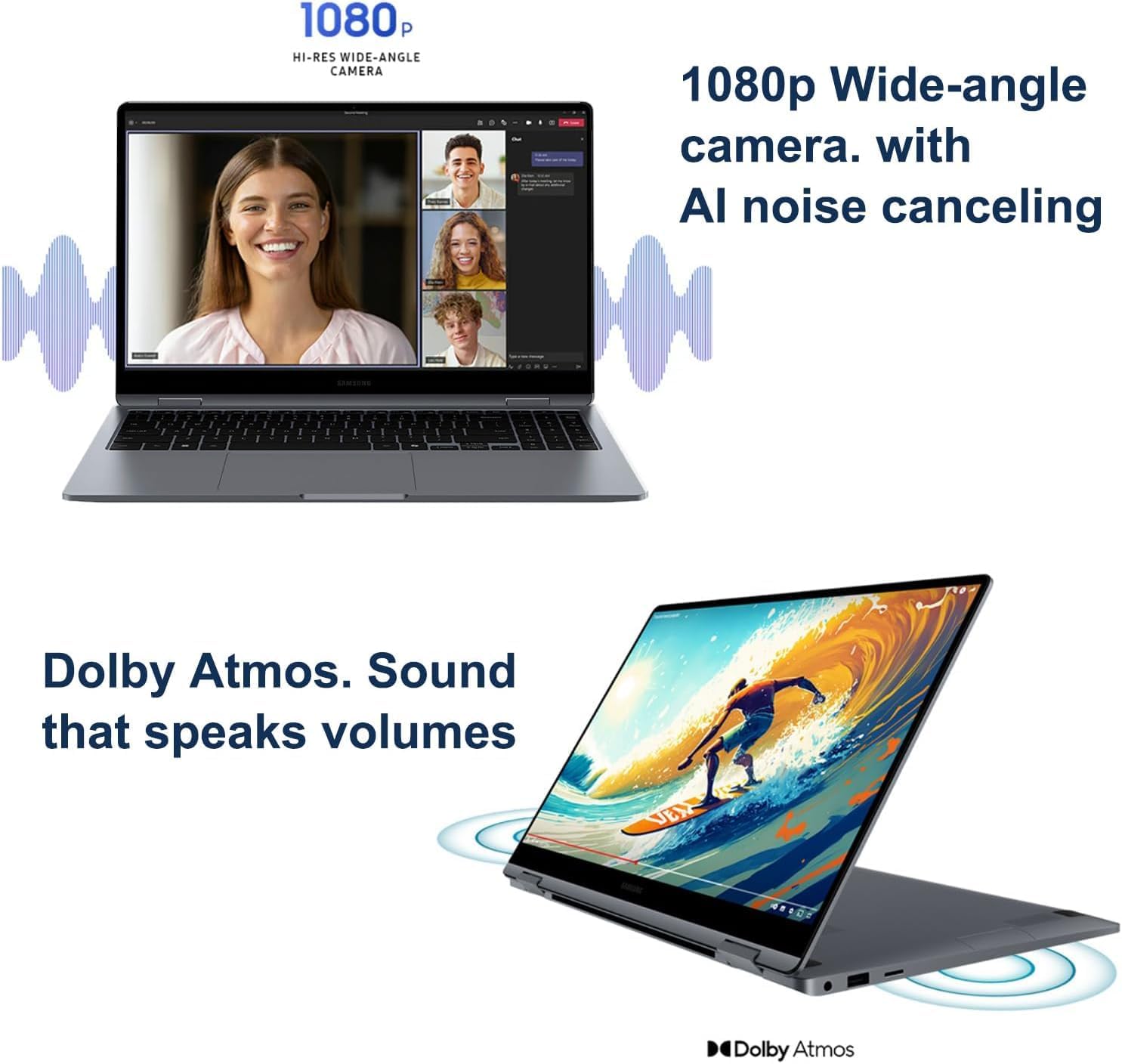
Image: The laptop configured in tent mode, suitable for media consumption or presentations.
5.2. Display and External Monitors
The 15.6-inch FHD AMOLED display provides a resolution of 1920x1080 pixels with 370 nits brightness. You can expand your workspace by connecting up to three external monitors via the HDMI and Thunderbolt 4 ports, supporting resolutions up to 4K@60Hz (without a docking station).

Image: The laptop's AMOLED display showcasing vibrant and rich colors, highlighting its visual quality.
5.3. عملکرد
Equipped with an Intel Core 7 150U processor (10-Core, 12 Threads, up to 5.4 GHz), 16GB DDR5 6000MT/s RAM, and a 1TB PCIe NVMe M.2 SSD, the Galaxy Book4 360 delivers efficient performance for various tasks.
5.4. قابلیت اتصال
The laptop supports Intel Wi-Fi 6E for fast wireless internet and Bluetooth 5.3 for seamless pairing with compatible devices.
5.5. Webدوربین و صدا
The integrated 1080p FHD Webcam ensures clear video calls, complemented by high-quality microphones with AI noise canceling. The dual-speaker system with Dolby Atmos provides immersive audio.

Image: A split image showing the laptop's 1080p wide-angle camera in use during a video call and the laptop's speakers emitting sound, indicating Dolby Atmos audio.
5.6. Samsung Ecosystem Features
- سوئیچ خودکار بادز: Seamlessly switch audio output between your Galaxy Book4 360 and paired Galaxy Buds during calls or media playback.
- Use Your Phone as a Connected Camera: Enhance video call quality by using your Samsung Galaxy smartphone as an external webطب مکمل و جایگزین.
- Samsung Studio: Create and edit content across Samsung Galaxy devices, utilizing Quick Share for easy transfers.
- Photo Remaster: An AI-powered tool to enhance old or low-quality photos, remove blur, and adjust lighting.
- Messages Integration: Seamlessly manage messages and interact with your smartphone directly from your laptop.

Image: A visual representation of the Buds Auto Switch feature, demonstrating how audio seamlessly transitions between the Galaxy Book4 360 and a smartphone when paired with Galaxy Buds.

Image: Individuals using a Samsung Galaxy smartphone as a connected camera to enhance the video quality of a call on the Galaxy Book4 360.

Image: The Samsung Studio interface displayed on both the laptop and a mobile phone, illustrating seamless video creation and editing across devices.

Image: The laptop screen displaying the AI Photo Remaster tool, demonstrating its ability to improve image quality with a single tap.

Image: The laptop and a smartphone displaying integrated messaging features, allowing users to manage communications across devices.
6. تعمیر و نگهداری
6.1. تمیز کردن
- برای تمیز کردن صفحه نمایش و سطوح خارجی از یک پارچه نرم و بدون پرز استفاده کنید.
- برای لکههای سرسخت، به آرامی dampپارچه را با آب یا محلول تمیزکننده صفحه نمایش بپوشانید. از مواد شیمیایی قوی خودداری کنید.
- قبل از تمیز کردن، مطمئن شوید که دستگاه خاموش است و از برق جدا شده است.
6.2. ذخیره سازی
- لپتاپ را در جای خشک و خنک و دور از نور مستقیم خورشید و دمای بالا نگهداری کنید.
- If storing for an extended period, ensure the battery is charged to approximately 50% to preserve its health.
7 عیب یابی
If you encounter issues with your Galaxy Book4 360, refer to the following common solutions:
۷.۲ مشکلات برق
- روشن نشدن دستگاه: مطمئن شوید که آداپتور برق متناوب (AC) محکم وصل شده و پریز برق کار میکند. پریز دیگری را امتحان کنید.
- باتری شارژ نمی شود: Verify the charging cable and adapter are not damaged. Ensure the connection to the laptop's Thunderbolt 4 port is firm.
۷.۳ مشکلات نمایش
- بدون نمایش: برای بررسی اینکه آیا مشکل از نمایشگر داخلی لپتاپ است یا خیر، یک مانیتور خارجی وصل کنید. لپتاپ را مجدداً راهاندازی کنید.
- مانیتور خارجی شناسایی نشد: Ensure the cable is properly connected. Check display settings in Windows to detect the monitor.
۸.۱ مشکلات اتصال
- وای فای وصل نمیشه: Check if Wi-Fi is enabled. Restart your router and the laptop. Ensure correct password entry.
- دستگاه بلوتوث جفت نمیشود: مطمئن شوید که دستگاه بلوتوث در حالت جفت شدن و در محدوده اتصال است. تنظیمات بلوتوث لپتاپ را بررسی کنید.
برای مشکلات مداوم، با پشتیبانی مشتری تماس بگیرید.
8. مشخصات
| ویژگی | مشخصات |
|---|---|
| نام مدل | Galaxy Book4 360 |
| شماره مدل مورد | NP750QGK |
| اندازه صفحه نمایش ایستاده | 15.6 اینچ |
| وضوح صفحه نمایش | 1920 x 1080 pixels (FHD AMOLED) |
| پردازنده | Intel Core 7 150U (10-Core, up to 5.4 GHz) |
| RAM | ۳۲ گیگابایت رم LPDDR5X (6000 مگاهرتز) |
| هارد دیسک | ۱ ترابایت SSD (PCIe NVMe M.2) |
| پردازنده کمکی گرافیکی | گرافیک اینتل (یکپارچه) |
| نوع بی سیم | 802.11.be (Wi-Fi 6E), Bluetooth 5.3 |
| پورت ها | 2x Thunderbolt 4, 1x HDMI v1.4b, 1x USB 3.0 (Type-A), microSD Reader, 3.5pi HP/MIC Combo |
| سیستم عامل | ویندوز 11 پرو |
| میانگین عمر باتری | تا 22 ساعت |
| وزن مورد | 3.22 پوند |
| ابعاد محصول | 13.99 x 8.98 x 0.54 اینچ |
| ویژگی های خاص | Anti Glare Coating, Backlit Keyboard, Fingerprint Reader, Touchscreen |
9. گارانتی و پشتیبانی
Your Samsung Galaxy Book4 360 NP750QGK comes with the following warranty coverage:
- Upgraded SSD: Three-year warranty from Issaquah Highlands Tech.
- Remaining Components: One-year warranty from the manufacturer (Samsung).
For technical support or warranty claims, please refer to the contact information provided with your purchase documentation or visit the official Samsung support webسایت