
1. اطلاعات ایمنی
Please read this manual carefully before using the product to ensure proper operation and to avoid damage. Keep this manual for future reference.
- هنگام رانندگی با دستگاه کار نکنید. تنظیمات را فقط زمانی انجام دهید که وسیله نقلیه به طور ایمن پارک شده باشد.
- Ensure the dash cam does not obstruct your view جاده را مختل کند یا در کنترل وسایل نقلیه اختلال ایجاد کند.
- Use only original accessories provided with the product.
- از قرار دادن دستگاه در معرض دمای بسیار بالا یا نور مستقیم خورشید برای مدت طولانی خودداری کنید.
- دستگاه را از آب و رطوبت دور نگه دارید.
2. محتویات بسته
بررسی کنید که آیا همه اقلام در بسته موجود است یا خیر:
- Mirror Dash Camera Unit
- دوربین عقب
- شارژر ماشین
- کابل شارژ (USB-C)
- ماژول GPS
- کارت میکرو اس دی 64 گیگابایتی
- ابزار نصب (ابزار اهرمی)
- راهنمای کاربر
- Mounting Straps (for mirror)
- Adhesive Pads and Screws (for rear camera)

Image: All components included in the QOZ V969 Mirror Dual Dash Camera package.
3. راه اندازی و نصب
3.1 Installing the Mirror Dash Camera
- Attach the mirror dash camera to your existing rearview با استفاده از تسمههای لاستیکی ارائه شده، آینه را ببندید. مطمئن شوید که محکم بسته شده و مانع دید شما نمیشود. view.
- Adjust the integrated front camera lens to capture the desired view از جاده پیش رو

Image: The mirror dash camera is designed to clip securely over your vehicle's existing rearview آینه
3.2 نصب دوربین عقب
- Mount the rear camera at the back of your vehicle, typically above the license plate or inside the rear window. Use the provided adhesive pads and screws for secure attachment.
- Route the rear camera cable to the front of the vehicle, tucking it along the headliner and A-pillar trim using the installation tool to conceal the wiring.
- Connect the rear camera cable to the designated port on the mirror dash camera.
- Connect the red wire from the rear camera cable to your vehicle's reverse light power wire. This enables the display to automatically switch to the rear camera view هنگام معکوس کردن

Image: Wiring diagram for connecting the rear camera to the main unit and the vehicle's reverse light for automatic activation.
3.3 Connecting Power and GPS
- Insert the 64GB Micro SD card into the designated slot on the mirror dash camera.
- Connect the GPS module to its port on the mirror dash camera. Position the GPS module on the dashboard or near the windshield for optimal signal reception.
- Plug the car charger into your vehicle's 12V power outlet (cigarette lighter).
- Connect the USB-C charging cable from the car charger to the mirror dash camera.

Image: The dash camera package includes a 64GB SD card and a GPS module for route and speed tracking.
4. دستورالعمل های عملیاتی
4.1 روشن/خاموش
دوربین داشبورد به طور خودکار روشن میشود و با روشن شدن سوئیچ خودرو، شروع به ضبط میکند. با خاموش شدن سوئیچ، دوربین به طور خودکار خاموش میشود.
4.2 10" IPS Touch Screen Interface
صفحه نمایش لمسی 10 اینچی IPS، طیف وسیعی از رنگها را ارائه میدهد. viewing angle and vivid color accuracy. Swipe left/right to switch between front camera view، دوربین عقب view, or a split-screen display showing both simultaneously. Swipe up/down on the screen to adjust the camera's vertical viewزاویه
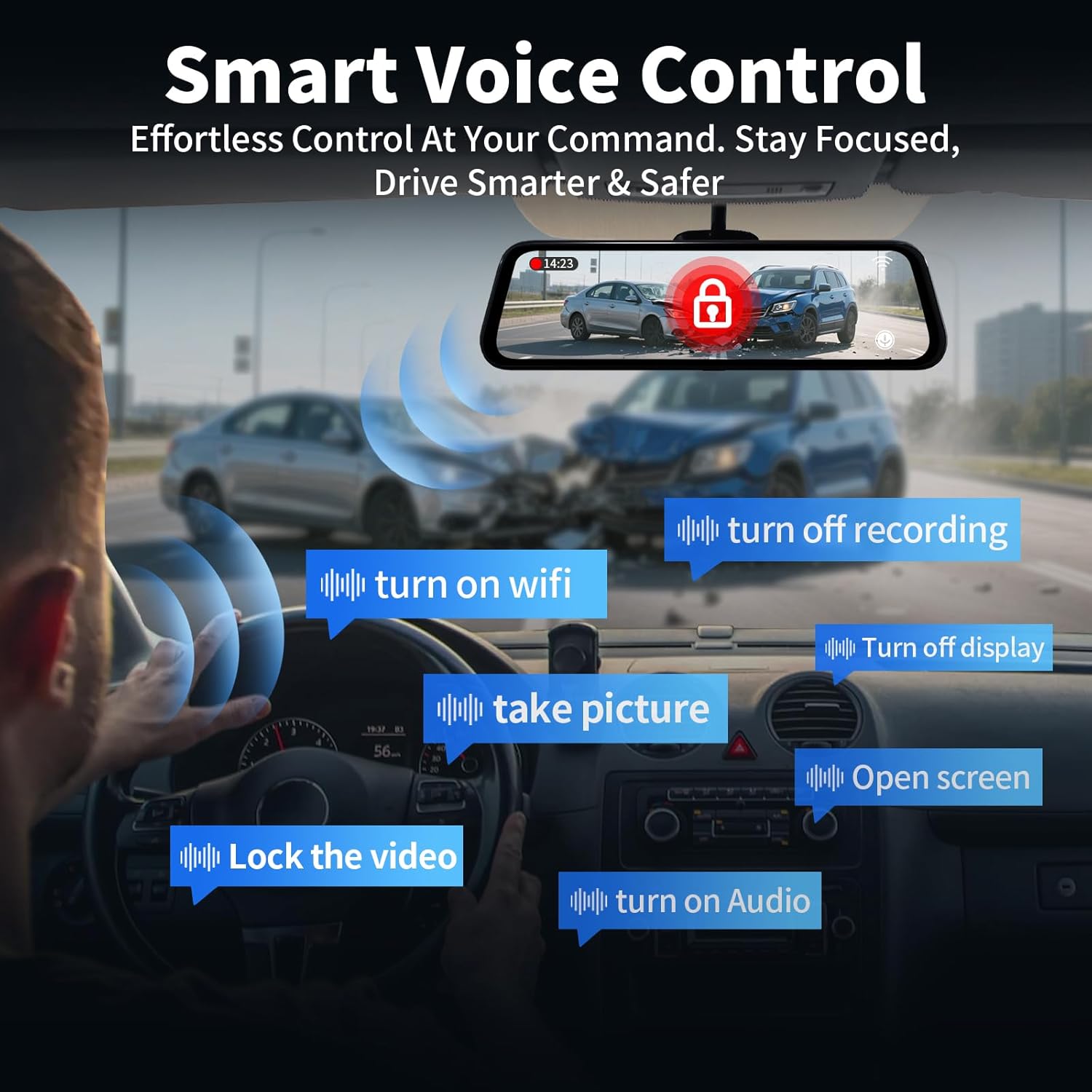
Image: The 10-inch IPS touch screen offers a clear and responsive interface for managing camera views و تنظیمات
4.3 کنترل صوتی
The dash cam supports voice commands for hands-free operation. Use the following commands:
- "Turn off screen" / "Turn on screen"
- "Show front camera" / "Show rear camera" / "Show both cameras"
- «قفل کردن ویدیو»
- "عکس بگیر"
- «روشن کردن صدا» / «خاموش کردن صدا»
- "Turn on Wi-Fi" / "Turn off Wi-Fi"
- «خاموش کردن ضبط»
- "صفحه نمایش باز"

Image: Voice control allows for hands-free operation of key dash cam functions, enhancing driving safety.
Video: Demonstration of voice control features for the QOZ 4K+2.5K Mirror Dash Cam.
4.4 Built-in Wi-Fi & APP Control
Connect the dash cam to your smartphone via Wi-Fi using the dedicated app (available on iOS and Android). Through the app, you can view زندگی کن footage, playback recorded videos, manage settings, and download files directly to your device. This allows for easy sharing of travel experiences.
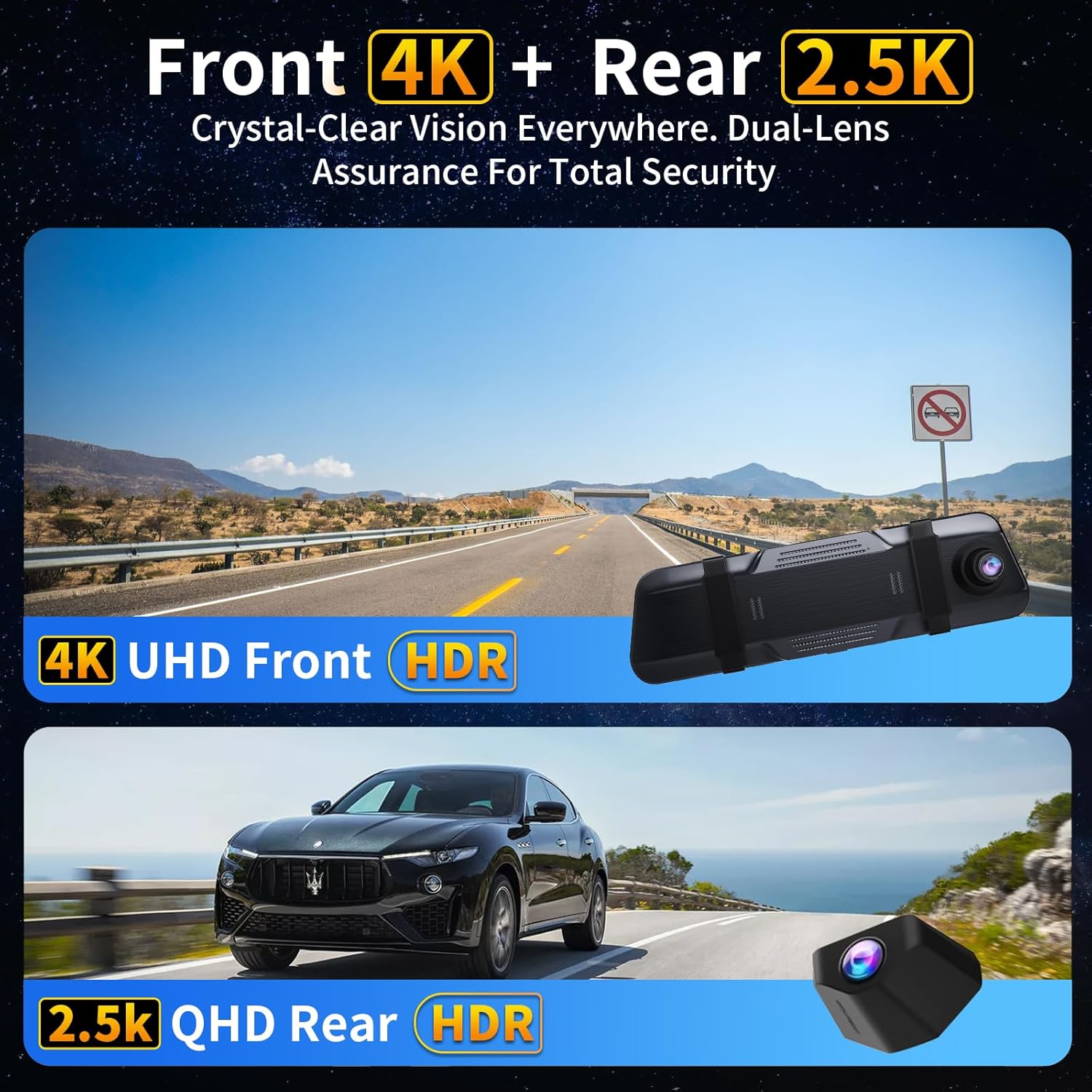
Image: The dash camera connects to a smartphone app via 5.8GHz Wi-Fi for viewing, playback, and management.
4.5 ضبط حلقه
The dash cam continuously records video in segments (e.g., 1, 2, or 5 minutes). When the SD card is full, the oldest unlocked files are automatically overwritten to ensure uninterrupted recording. Locked files از بازنویسی محافظت می شوند.
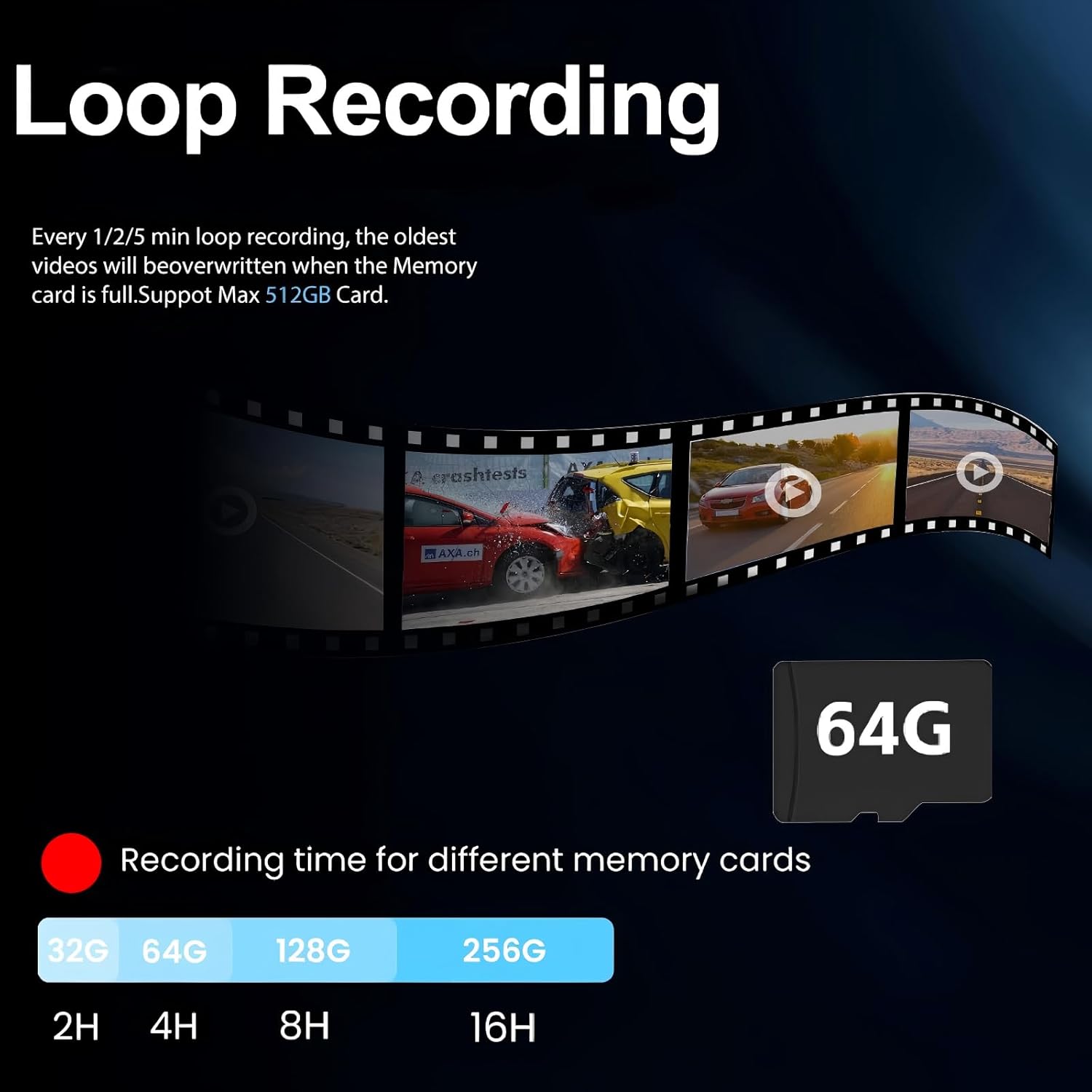
Image: Loop recording ensures continuous video capture by overwriting the oldest files زمانی که کارت حافظه پر است.
۶.۴ سنسور G (ضبط اضطراری)
The built-in G-Sensor detects sudden impacts or collisions. When triggered, it automatically locks the current video segment, preventing it from being overwritten by loop recording. These locked files serve as crucial evidence in case of an accident.

Image: The G-Sensor automatically locks video footage upon detecting a collision, securing important evidence.
۵.۶ مانیتور پارکینگ ۲۴ ساعته
With the optional hardwire kit (ASIN: B0DCYYLL6T, sold separately), the dash cam can monitor your vehicle 24 hours a day. It detects collisions, vandalism, or suspicious activity while parked and automatically saves critical video clips to the memory card.

Image: The 24-hour parking monitor provides continuous surveillance, requiring an optional hardwire kit.
4.8 WDR & Super Night Vision
The Wide Dynamic Range (WDR) technology balances exposure in varying light conditions, preventing overexposure in bright areas and underexposure in dark areas. Super Night Vision enhances clarity in low-light environments, ensuring sharp details like license plates are captured 24/7.
Image: WDR and Super Night Vision technologies ensure clear and detailed recordings in various lighting conditions, day or night.
4.9 Adjustable Rear Cam Display
The rear camera display can be adjusted to adapt to different installation methods and vehicle types. Options include vertical flip and mirror flip to ensure the correct orientation of the rear view.

Image: The adjustable rear camera display allows for various viewing orientations, including vertical and mirror flips.
5. تعمیر و نگهداری
- قالب بندی کارت SD: Regularly format the Micro SD card (at least once a month) to ensure optimal performance and prevent data corruption. This can usually be done through the dash cam's settings menu.
- تمیز کردن: برای تمیز کردن صفحه نمایش و لنزهای دوربین از یک پارچه نرم و خشک استفاده کنید. از استفاده از پاک کننده ها یا حلال های ساینده خودداری کنید.
- به روز رسانی سیستم عامل: سازنده را بررسی کنید webبرای اطمینان از اینکه دستگاه شما از جدیدترین ویژگیها و رفع اشکالات برخوردار است، مرتباً برای بهروزرسانیهای میانافزار به سایت مراجعه کنید.
6 عیب یابی
- "SD Card Full" Error: If you encounter this message, ensure loop recording is enabled. If it persists, format the SD card. If the issue continues, the SD card may be faulty and require replacement.
- دوربین داشبورد روشن نمیشود: Check the car charger connection and ensure the vehicle's 12V power outlet is functioning.
- کیفیت ضعیف ویدیو: Ensure camera lenses are clean. Check the recording resolution settings (set to 4K front and 2.5K rear for optimal quality).
- عدم ردیابی توسط GPS: Ensure the GPS module is properly connected and placed in an area with clear sky view.
7. مشخصات
| نام مدل | V969-Voice Control Mirror Dash Cam |
| ابعاد محصول | 10 x 1 x 4 اینچ |
| وزن مورد | 1.98 پوند |
| وضوح تصویربرداری | 4K Front + 2.5K Rear |
| زمینه ی View | 170 Degrees (Front) + 150 Degrees (Rear) |
| فناوری اتصال | Wi-Fi (5.8 گیگاهرتز) |
| ویژگی های خاص | App Control, Built-In Display, Built-In GPS, Night Vision, Parking Monitor, Voice Control, Loop Recording, G-Sensor, WDR |
| اجزای شامل | Car Charger, Charging Cable, Installation Tool, User Manual, 64GB Card, GPS Module |
8. گارانتی و پشتیبانی
For warranty information, technical support, or any inquiries regarding your QOZ V969 Mirror Dual Dash Camera, please contact the manufacturer directly. Refer to the contact information provided in the product packaging or on the official QOZ webسایت