
مقدمه
The NEWSKILL Aton V2 Gaming Headset offers versatile connectivity options including 2.4G wireless, Bluetooth 5.0, and a wired USB-C connection, ensuring compatibility across multiple platforms. Designed for an immersive audio experience, it features 50mm neodymium drivers, a flexible retractable microphone for clear communication, and customizable RGB lighting. This manual provides essential information for setting up, operating, and maintaining your headset.
1. محتویات بسته
- NEWSKILL Aton V2 Gaming Headset
- کابل شارژ/داده USB-C به USB-A
- دانگل بی سیم 2.4G USB
- راهنمای کاربر
2. محصول تمام شدview (کنترلها و پورتها)
Familiarize yourself with the various controls and ports on your NEWSKILL Aton V2 headset for optimal use.

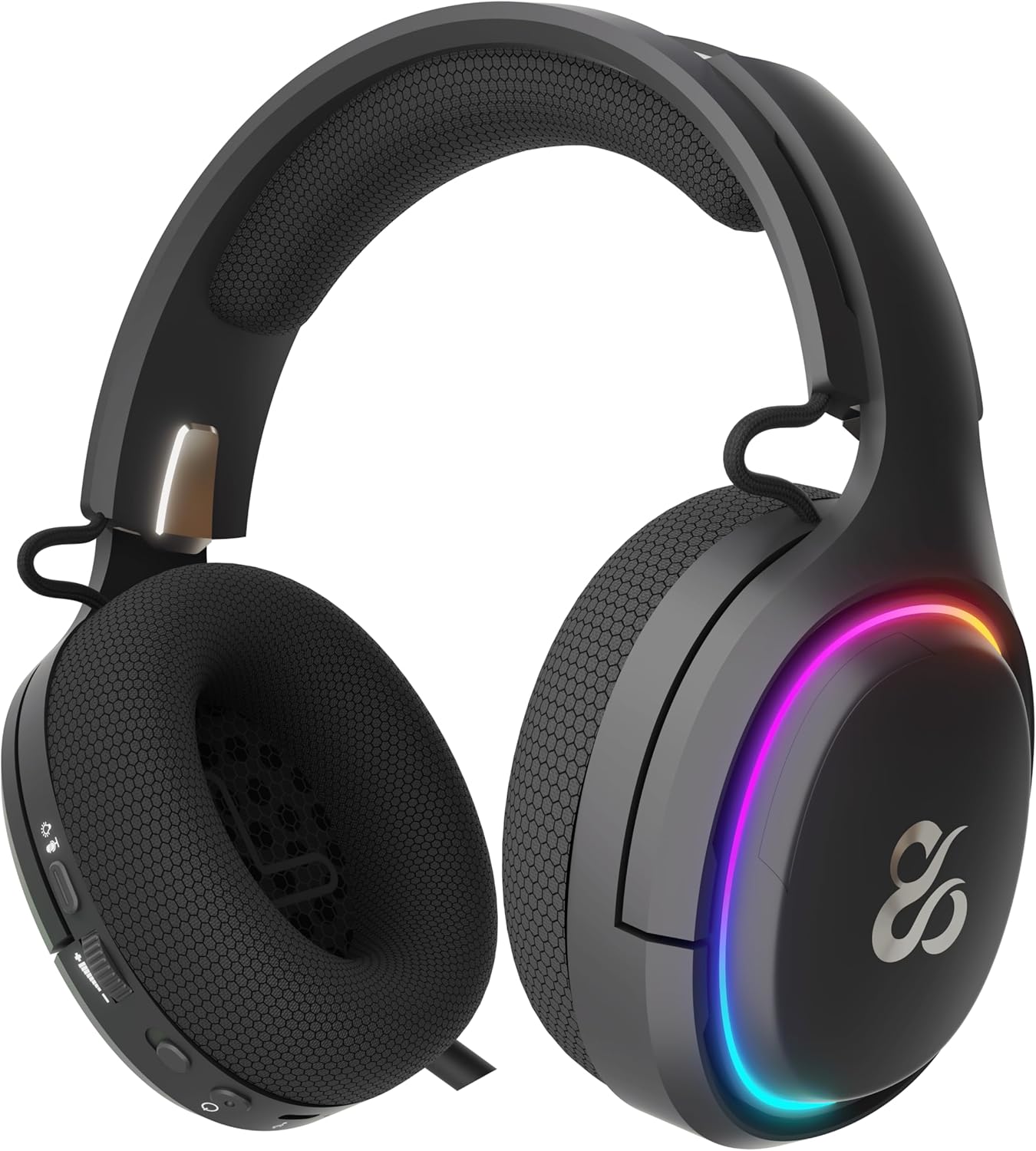
This image displays the control layout on the left earcup, including the volume adjustment wheel, power button, microphone mute switch, and a button for managing RGB lighting effects.

The underside of the left earcup features the USB-C port for charging and wired connection, alongside the dedicated port for the retractable microphone.
- دکمه پاور: Located on the left earcup. Used to power the headset on/off and enter Bluetooth pairing mode.
- غلتک حجمی: A scroll wheel on the left earcup for adjusting audio output volume.
- دکمه بیصدا کردن میکروفون: A dedicated button on the left earcup to quickly mute or unmute the microphone.
- دکمه کنترل RGB: Cycles through RGB lighting modes or turns the lighting off.
- پورت USB-C: For charging the headset and establishing a wired connection.
- پورت میکروفون: Where the retractable microphone extends from.
3. راه اندازی و اتصال
3.1. 2.4G Wireless Connection (PC, PS5, Nintendo Switch Docked)
- Insert the 2.4G USB wireless dongle into an available USB port on your device (PC, PS5, or Nintendo Switch dock).
- را فشار داده و نگه دارید دکمه پاور on the headset for 3 seconds to turn it on.
- The headset will automatically attempt to connect to the dongle. A solid indicator light on the headset signifies a successful connection.
- مطمئن شوید که هدست به عنوان خروجی صدا و دستگاه ورودی در تنظیمات سیستم شما انتخاب شده است.
3.2. Bluetooth 5.0 Connection (Mobile Devices, Nintendo Switch Handheld)
- را فشار داده و نگه دارید دکمه پاور on the headset for 3 seconds to turn it on.
- برای وارد شدن به حالت جفت شدن بلوتوث، دکمه را فشار داده و نگه دارید دکمه پاور for an additional 5 seconds until the indicator light flashes rapidly (usually blue/red).
- On your mobile device or Nintendo Switch (in handheld mode), navigate to the Bluetooth settings and search for available devices.
- Select "NEWSKILL Aton V2" from the list to pair. A solid blue indicator light confirms a successful connection.
۱. اتصال سیمی (USB-C)
- Connect one end of the provided USB-C cable to the USB-C port on the headset.
- Connect the other end of the USB-C cable to an available USB-C port on your device.
- The headset will function as a wired audio device. No battery power is required for wired operation.
4. دستورالعمل های عملیاتی
4.1. روشن/خاموش
- روشن کردن: را فشار داده و نگه دارید دکمه پاور به مدت 3 ثانیه
- خاموش: را فشار داده و نگه دارید دکمه پاور به مدت ۳ ثانیه تا زمانی که چراغ نشانگر خاموش شود.
4.2. تنظیم صدا
- را بچرخانید غلتک حجم upwards to increase the volume.
- را بچرخانید غلتک حجم downwards to decrease the volume.
4.3. استفاده از میکروفون
- Extend Microphone: Gently pull the microphone out from its port on the left earcup. Adjust its position for optimal voice pickup.
- Retract Microphone: Push the microphone back into its port until it is fully stored.
- نادیده/باصدا کردن: را فشار دهید دکمه بی صدا میکروفون once to toggle mute on or off. An indicator light (if present) may show the mute status.
This image shows the headset with its flexible, omnidirectional microphone extended from the left earcup, positioned for clear voice communication.

The headset is shown with the microphone retracted, demonstrating its discreet storage when not in use.
۲. کنترل روشنایی RGB
- را فشار دهید دکمه کنترل RGB to cycle through various lighting effects or to turn the RGB lighting off.

The earcup's outer ring illuminates with a colorful RGB light effect, customizable via the dedicated control button.
4.5. شارژ کردن
- Connect the provided USB-C cable to the headset's USB-C port and to a power source (e.g., computer USB port, USB wall adapter).
- The indicator light will show the charging status (e.g., red for charging, off or green for fully charged).
- A full charge provides up to 60 hours of use without RGB lighting, or 38 hours with RGB lighting enabled.
5. تعمیر و نگهداری
5.1. تمیز کردن
- برای تمیز کردن هدست از یک پارچه نرم، خشک و بدون پرز استفاده کنید.
- از استفاده از مواد شیمیایی خشن، حلال های پاک کننده یا شوینده های قوی خودداری کنید.
- هدست را در آب فرو نبرید و آن را در معرض رطوبت بیش از حد قرار ندهید.
5.2. ذخیره سازی
- هدست را در جای خشک و خنک و دور از نور مستقیم خورشید و دمای شدید نگهداری کنید.
- برای جلوگیری از آسیب دیدن هدست، از قرار دادن اشیاء سنگین روی آن خودداری کنید.
6 عیب یابی
- بدون صدا:
- Check the headset's volume roller and ensure it is not at the minimum setting.
- Verify the headset is properly connected (2.4G dongle inserted, Bluetooth paired, or USB-C cable secure).
- Confirm the correct audio output device is selected in your computer or console's sound settings.
- از شارژ بودن هدست اطمینان حاصل کنید.
- میکروفون کار نمی کند:
- مطمئن شوید که میکروفون بیرون آمده و بیصدا نیست (دکمه بیصدا کردن را بررسی کنید).
- Verify the correct audio input device is selected in your computer or console's sound settings.
- میکروفون را با یک برنامه یا دستگاه دیگر آزمایش کنید.
- مشکلات اتصال:
- For 2.4G wireless, try re-inserting the USB dongle and restarting the headset.
- For Bluetooth, unpair the headset from your device and then re-pair it. Ensure no other Bluetooth devices are interfering.
- For wired connection, ensure the USB-C cable is fully inserted at both ends.
- مشکلات شارژ:
- Ensure the USB-C cable is not damaged and is securely connected.
- پورت USB یا آداپتور برق دیگری را امتحان کنید.
7. مشخصات
- شماره مدل:
- NS-HS-ATONV2
- قابلیت اتصال:
- بیسیم ۲.۴ گیگاهرتز، بلوتوث ۵.۰، سیمی USB-C
- رانندگان:
- 50mm Neodymium Magnets
- میکروفون:
- Omnidirectional, Retractable
- عمر باتری:
- Up to 60 hours (without RGB), 38 hours (with RGB)
- پورت شارژ:
- USB-C
- دستگاه های سازگار:
- PC, PlayStation 5 (PS5), Nintendo Switch, Mobile Phones
- ابعاد:
- 10 × 270 × 21 سانتی متر
- وزن:
- 860 گرم
8. اطلاعات ایمنی
- برای جلوگیری از آسیب به شنوایی، از گوش دادن طولانی مدت با صدای بلند خودداری کنید.
- هدست را در معرض آب، رطوبت یا دمای بسیار بالا قرار ندهید.
- سعی نکنید هدست را جدا یا تغییر دهید. این کار ممکن است گارانتی را باطل کند و باعث آسیب شود.
- هدست و لوازم جانبی آن را دور از دسترس کودکان و حیوانات خانگی نگه دارید.
- باتری را طبق مقررات محلی و به طور مسئولانه دور بیندازید.
9. گارانتی و پشتیبانی
This product is covered by a manufacturer's warranty. For detailed warranty information, technical support, or service inquiries, please refer to the official NEWSKILL webبه سایت مراجعه کنید یا با بخش خدمات مشتریان آنها تماس بگیرید. لطفاً رسید خرید خود را برای درخواستهای گارانتی نگه دارید.