
1. مقدمه
Welcome to the user manual for your new boAt Rockerz 413 Bluetooth Over-Ear Headphones. These headphones are designed to provide a superior audio experience with features such as 60 hours of playback, powerful 40mm drivers, ENx Technology for clear calls, Dual Pairing for seamless device switching, and a low-latency BEAST Mode for gaming.
Please read this manual carefully to ensure proper use and to maximize the performance and longevity of your headphones.
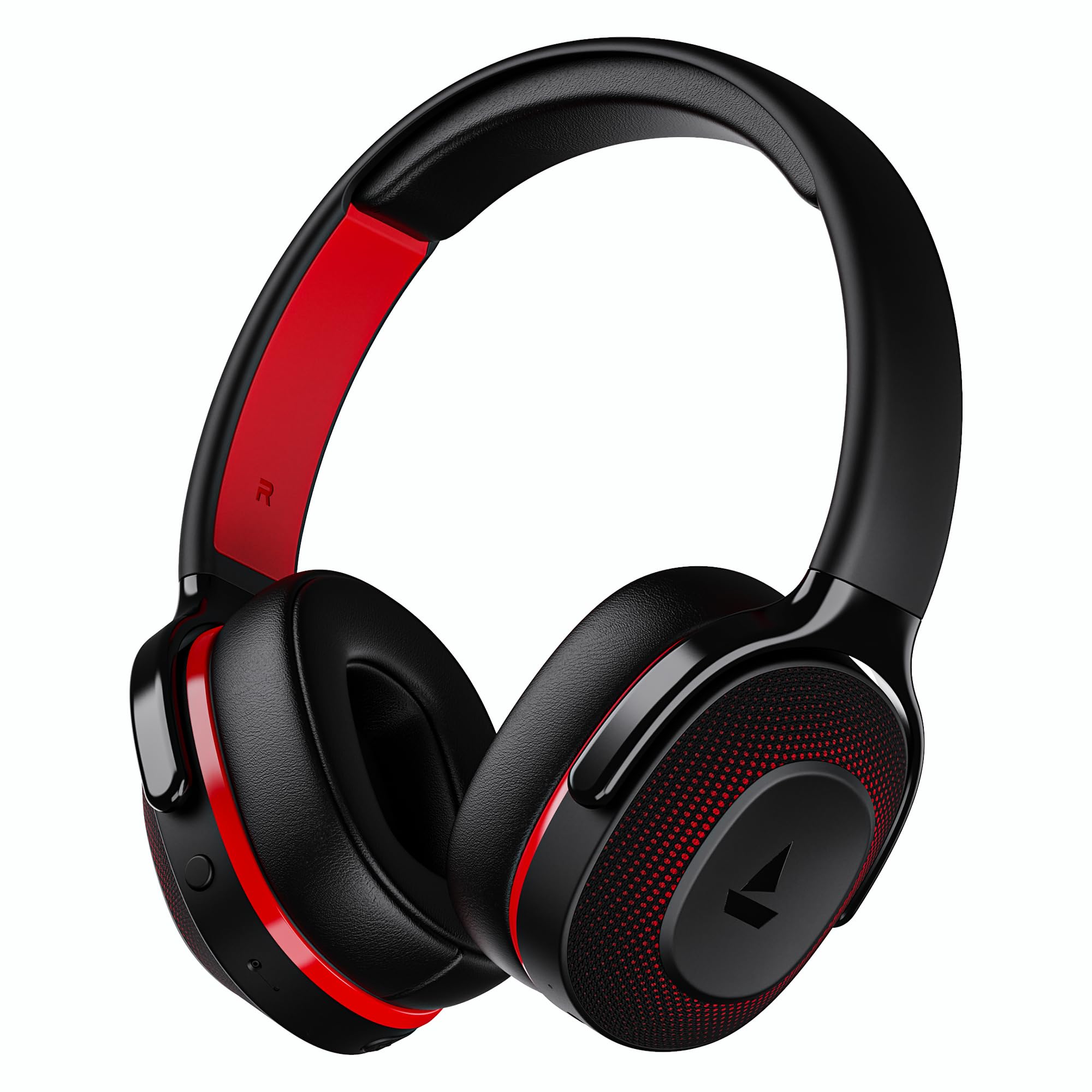
Image: boAt Rockerz 413 Bluetooth Headphones in Black & Red.
۲. چه چیزهایی در جعبه است؟
Upon opening your boAt Rockerz 413 package, you should find the following items:
- هدفون boat Rockerz 413
- کابل شارژ
3. محصول تمام شدview و کنترل ها
Familiarize yourself with the physical components and controls of your headphones.

تصویر: نمای نزدیک view of the right ear cup, highlighting the easy access control buttons for power, volume, and mode selection. The headphones feature an adaptive fit design and support dual pairing with Bluetooth v5.2.
دکمه های کنترل:
- دکمه پاور: برای روشن/خاموش کردن، فشار داده و نگه دارید. برای پخش/مکث، فشار کوتاه دهید.
- افزایش صدا (+): برای افزایش صدا، فشار کوتاه و برای آهنگ بعدی، فشار طولانی
- کاهش حجم (-): برای کاهش صدا، فشار کوتاه و برای آهنگ قبلی، فشار طولانی
- دکمه چند منظوره: (Specific function may vary, often for call management or voice assistant).
- دکمه حالت: Activates BEAST Mode for low latency gaming.
4. راه اندازی
4.1 روشن/خاموش کردن
- روشن کردن: دکمه پاور را به مدت تقریباً ۳ ثانیه فشار دهید و نگه دارید تا نشانگر LED روشن شود.
- برای خاموش کردن: دکمه پاور را تقریباً ۵ ثانیه فشار دهید و نگه دارید تا نشانگر LED خاموش شود.
4.2 جفت شدن بلوتوث
- قبل از اولین استفاده از شارژ کامل هدفون اطمینان حاصل کنید.
- Power on the headphones. They will automatically enter pairing mode, indicated by a flashing LED light (e.g., blue and red alternating).
- در دستگاه خود (گوشی هوشمند، تبلت، لپتاپ)، بلوتوث را فعال کنید.
- جستجو برای available Bluetooth devices and select "boAt Rockerz 413" from the list.
- Once connected, the LED indicator will show a steady blue light or flash slowly.
۴.۳ جفتسازی دوگانه
The Rockerz 413 supports dual pairing, allowing you to connect to two devices simultaneously (e.g., a smartphone and a laptop). This enables seamless switching between audio sources without manual disconnection.
- هدفونها را همانطور که در بخش ۴.۲ توضیح داده شده است به دستگاه اول وصل کنید.
- بلوتوث را در دستگاه اول غیرفعال کنید. هدفونها دوباره وارد حالت جفتسازی میشوند.
- هدفون را به دستگاه دوم وصل کنید.
- بلوتوث را در دستگاه اول دوباره فعال کنید. هدفون به طور خودکار به هر دو دستگاه متصل میشود.
- Audio will play from the device that is actively playing content.
Image: The boAt Rockerz 413 headphones demonstrating their adaptive fit and the capability for dual pairing with Bluetooth v5.2.
5. دستورالعمل های عملیاتی
5.1 پخش صدا
- پخش/مکث: دکمه پاور را کوتاه فشار دهید.
- آهنگ بعدی: دکمه افزایش صدا (+) را به مدت طولانی فشار دهید.
- آهنگ قبلی: دکمه کاهش صدا (-) را به مدت طولانی فشار دهید.
- کنترل صدا: Short press Volume Up (+) or Volume Down (-) buttons.
۵.۳ مدیریت تماس (فناوری ENx)
The boAt Rockerz 413 features ENx Technology, which enhances your voice and cancels surrounding noise for clear call quality.
- پاسخ/پایان تماس: دکمه چند منظوره را کوتاه فشار دهید.
- رد تماس: Long press the Multi-function Button.
- دستیار صوتی: Double press the Multi-function Button (if supported by your device).

Image: The boAt Rockerz 413 headphones showcasing ENx Technology for enhanced call clarity.
حالت BEAST 5.3 (بازی با تأخیر کم)
Activate BEAST Mode for a low-latency audio experience, ideal for gaming. This mode reduces audio delay to 60ms, providing synchronized sound with your gameplay.
- Activate BEAST Mode: Press the dedicated Mode Button. You may hear an audio prompt confirming activation.
- غیرفعال کردن حالت BEAST: Press the Mode Button again.

Image: boAt Rockerz 413 headphones shown alongside a smartphone displaying a game, emphasizing the 60ms low latency BEAST Mode for an immersive gaming experience.
5.4 boAt Signature Sound with 40mm Drivers
Experience rich and balanced audio with the boAt Signature Sound, delivered through powerful 40mm dynamic drivers. These drivers are engineered to provide clear highs, detailed mids, and deep bass for an enjoyable listening experience across various genres.

Image: An exploded diagram of the boAt Rockerz 413 ear cup, illustrating the internal 40mm drivers and components responsible for delivering boAt Signature Sound.
6. شارژ کردن
Your boAt Rockerz 413 headphones offer an impressive 60 hours of playback on a single charge.
- کابل شارژ ارائه شده را به پورت شارژ روی هدفون وصل کنید.
- سر دیگر کابل را به یک منبع تغذیه USB (مثلاً آداپتور دیواری، پورت USB کامپیوتر) وصل کنید.
- The LED indicator will show a red light during charging.
- Once fully charged, the LED indicator will turn blue or off, depending on the model.
- از استفاده از شارژرهای سریع یا شارژرهای دارای ولتاژ بالا خودداری کنیدtage exceeding 5V to prevent damage.

Image: Close-up of the boAt Rockerz 413 headphone ear cup, highlighting its 60 hours of playback capability.
7. تعمیر و نگهداری
برای اطمینان از طول عمر و عملکرد بهینه هدفون خود، این دستورالعملهای نگهداری را دنبال کنید:
- Keep the headphones dry. Do not expose them to water or excessive moisture.
- بالشتکهای گوش و هدبند را مرتباً با یک پارچه نرم و خشک تمیز کنید.
- از دمای شدید خودداری کنید.
- هدفون را در زمانی که از آن استفاده نمی کنید در جای خشک و خنک نگهداری کنید.
- سعی نکنید هدفون را جدا یا تغییر دهید، زیرا این کار گارانتی را باطل میکند.
8 عیب یابی
| مشکل | راه حل ممکن |
|---|---|
| هدفون روشن نمی شود | مطمئن شوید که هدفونها شارژ دارند. آنها را به منبع تغذیه وصل کنید و دوباره امتحان کنید. |
| نمیتوان با دستگاه جفت شد (جفت شد) |
|
| بدون صدا یا صدای کم |
|
| Call quality issues (ENx Tech) |
|
| Latency in gaming (BEAST Mode) |
|
9. مشخصات
| ویژگی | جزئیات |
|---|---|
| نام تجاری | قایق |
| نام مدل | راکرز |
| شماره مدل | PB0019 |
| قرار دادن گوش | بالای گوش |
| فاکتور فرم | بالای گوش |
| کنترل نویز | حذف نویز فعال |
| نسخه بلوتوث | 5.2 |
| فناوری بی سیم | بلوتوث |
| نوع درایور صوتی | درایور پویا |
| اندازه درایور | 40 میلی متر |
| عمر باتری (میانگین) | 60 ساعت |
| روش کنترل | دکمه فشاری |
| ویژگی های محصول | ENx Technology, BEAST Mode, Dual Pairing |
| دستگاه های سازگار | Tablets, Desktops, Telephones, Cellphones, Laptops, Smart Speaker, Television |
| کاربردهای خاص | Gaming, Music, Travel |
| مواد | پارچه |
| وزن مورد | 300 گرم |
| کشور مبدا | چین |
10. گارانتی
The boAt Rockerz 413 headphones come with a 1 سال گارانتی from the date of purchase. Please retain your proof of purchase for warranty claims. The warranty covers manufacturing defects but does not cover damage caused by misuse, accidents, unauthorized modifications, or normal wear and tear.
For detailed warranty terms and conditions, please refer to the official boAt webسایت یا با پشتیبانی مشتری تماس بگیرید.
11. پشتیبانی
For further assistance, technical support, or warranty claims, please contact boAt customer service:
- تماس با سازنده: تصور کنید بازاریابی با مسئولیت محدود
- ایمیل: info@imaginemarketingindia.com
اپلیکیشن BoAt Hearables
Enhance your experience by downloading the boAt Hearables App. Scan the QR code below or visit the provided link to access additional features, stream music, listen to audiobooks, and find user help guides.
Image: A smartphone screen displaying a QR code for the boAt Hearables App, which allows users to stream music, listen to audiobooks, and access user guides.
برنامه را از اینجا دانلود کنید: boAt Hearables App Link