
مقدمه
Welcome to the iClever Auraa BTH24 Active Noise Cancelling Kids Headphones user manual. These headphones are designed to provide a safe, comfortable, and immersive audio experience for children. Featuring Active Noise Cancellation (ANC) up to 35dB, a safe volume limit of 80dBA, Bluetooth 6.0 connectivity, and long-lasting battery life, the Auraa BTH24 ensures clear sound while protecting young ears. This manual will guide you through the setup, operation, and maintenance of your new headphones.
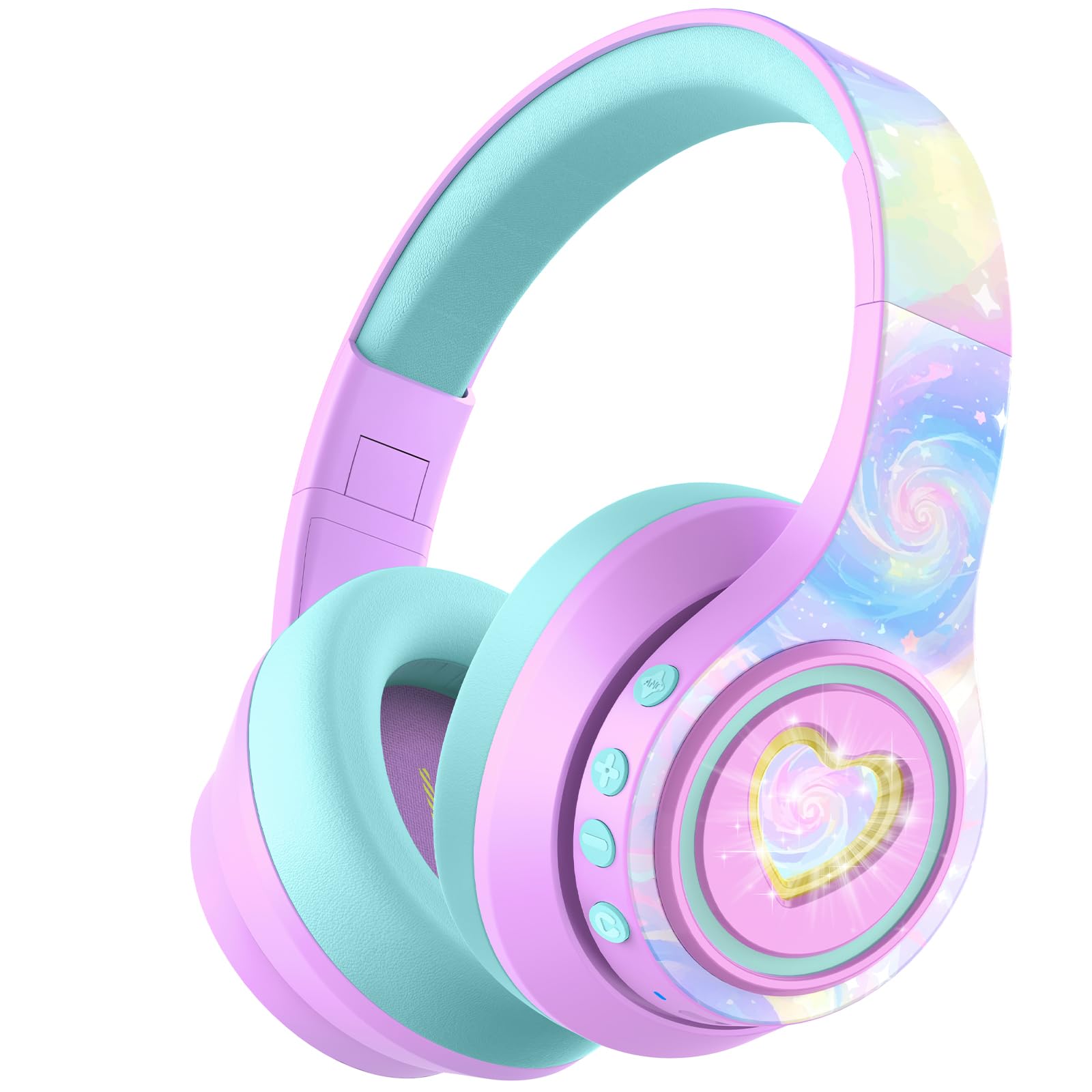
Image: iClever Auraa BTH24 Active Noise Cancelling Kids Headphones in Light Purple.
آنچه در جعبه است
لطفاً محتویات بسته را بررسی کنید تا از وجود همه موارد اطمینان حاصل کنید:
- iClever Auraa ANC Kids Headphones
- کابل شارژ USB-C
- کابل صوتی 3.5 میلی متری قابل جدا شدن
- Spunlace Non-woven Storage Bag
- راهنمای کاربر (این سند)

Image: The iClever Auraa BTH24 headphones and included accessories.
محصول تمام شده استview
Familiarize yourself with the headphone components and controls:
- دکمه پاور: Turns the headphones on/off.
- دکمه افزایش صدا/آهنگ بعدی: با یک فشار کوتاه، صدا را افزایش میدهد، با یک فشار طولانی به آهنگ بعدی میرود.
- دکمه کاهش صدا/آهنگ قبلی: با یک فشار کوتاه، صدا را کم میکند، با یک فشار طولانی به آهنگ قبلی میرود.
- دکمه ANC: حذف نویز فعال را فعال یا غیرفعال میکند.
- دکمه نور LED: Controls the LED light effects.
- پورت شارژ USB-C: برای شارژ هدفون
- جک صوتی 3.5 میلی متری: برای اتصال سیمی.
- میکروفون: برای تماس های هندزفری

تصویر: دقیق view of the headphone controls and ports on the earcup.
راه اندازی
1. شارژ کردن هدفون
Before first use, fully charge the headphones. Use the provided USB-C charging cable to connect the headphones to a USB power source (e.g., computer, wall adapter). The LED indicator will show charging status. A 10-minute charge provides approximately 8 hours of playtime (with ANC off and lights off).
2. جفت شدن بلوتوث
- از خاموش بودن هدفون اطمینان حاصل کنید.
- Press and hold the Power Button until the LED indicator flashes blue and red, indicating pairing mode.
- در دستگاه خود (گوشی هوشمند، تبلت، رایانه)، بلوتوث را فعال کنید و دستگاههای موجود را جستجو کنید.
- Select "iClever Auraa BTH24" from the list.
- پس از اتصال، نشانگر LED به رنگ آبی ثابت در می آید.
3. اتصال سیمی
For a wired connection, use the provided 3.5mm audio cable. Plug one end into the headphone's 3.5mm audio jack and the other end into your audio device's headphone port. In wired mode, Active Noise Cancellation can still be used independently.
دستورالعمل های عملیاتی
روشن/خاموش برق
- روشن کردن: دکمه پاور را به مدت ۲ تا ۴ ثانیه فشار دهید و نگه دارید.
- خاموش: دکمه پاور را به مدت ۲ تا ۴ ثانیه فشار دهید و نگه دارید.
کنترل صدا
The headphones feature an 80dBA safe volume limit to protect children's hearing, adhering to WHO safety standards. Use the Volume Up and Volume Down buttons on the earcup to adjust the audio level within this safe range.
لغو فعال نویز (ANC)
The iClever Auraa BTH24 headphones offer up to 35dB of noise reduction. Press the dedicated ANC button to toggle the Active Noise Cancellation feature on or off. This feature works in both wireless and wired modes, providing a calmer listening environment.
Video: This video demonstrates how the iClever Auraa BTH24 headphones provide quiet moments with less background noise, highlighting the Active Noise Cancellation feature.
چراغ های LED
The headphones feature dreamy LED lights. Press the LED Light Button to cycle through different lighting modes or turn them off.

Image: A child enjoying music with the LED lights of the iClever Auraa BTH24 headphones activated.
توابع تماس
When connected via Bluetooth, you can use the built-in microphone for hands-free calls:
- پاسخ/پایان تماس: دکمه پاور را کوتاه فشار دهید.
- رد تماس: دکمه پاور را طولانی فشار دهید.
پخش موسیقی
- پخش/مکث: دکمه پاور را کوتاه فشار دهید.
- آهنگ بعدی: دکمه افزایش صدا را به مدت طولانی فشار دهید.
- آهنگ قبلی: دکمه کاهش صدا را به مدت طولانی فشار دهید.
تعمیر و نگهداری
تمیز کردن
Wipe the headphones with a soft, dry cloth. Do not use harsh chemicals or abrasive materials. Ensure no liquid enters the ports.
ذخیره سازی
The headphones feature a foldable design for easy storage. Fold them compactly and store them in the provided spunlace non-woven storage bag to protect them from dust and damage when not in use.

Image: The iClever Auraa BTH24 headphones in their folded position, ready for storage or travel.
عیب یابی
- بدون برق: مطمئن شوید که هدفونها کاملاً شارژ شدهاند.
- بدون صدا: Check volume levels on both the headphones and your connected device. Ensure the headphones are properly paired (Bluetooth) or the audio cable is securely connected (wired).
- مشکلات جفت شدن: Turn off Bluetooth on your device and the headphones, then restart both and try pairing again. Ensure the headphones are in pairing mode (flashing blue/red LED).
- ANC کار نمی کند: برای اطمینان از فعال شدن، دکمه ANC را فشار دهید.
مشخصات
| نام تجاری | iClever |
| شماره مدل | BTH24 |
| نام مدل | Auraa |
| رنگ | بنفش روشن |
| فناوری اتصال | سیمی، بیسیم (بلوتوث) |
| نسخه بلوتوث | 6.0 |
| محدوده بلوتوث | 10 متر |
| کنترل نویز | حذف نویز فعال (تا 35 دسیبل) |
| محدودیت حجم ایمن | 80 dBA (WHO safety standards) |
| عمر متوسط باتری | 47 Hours (ANC on, lights off) |
| زمان شارژ باتری | 10 minutes for 8 hours play (ANC, lights off) |
| اندازه درایور صوتی | 40 میلیمتر |
| محدوده فرکانس | 20 هرتز - 20,000 هرتز |
| جک هدفون | جک 3.5 میلی متری |
| مواد | Acrylonitrile Butadiene Styrene (ABS), Leather |
| شرح محدوده سنی | Kid, Teen, Adults |
گارانتی و پشتیبانی
The iClever Auraa BTH24 headphones come with a 12-month warranty. For any product inquiries, technical support, or warranty claims, please contact iClever customer service through their official webلطفاً رسید خرید خود را برای اعتبارسنجی گارانتی نگه دارید.