
1. مقدمه
The ATTACK SHARK X11SE is a high-performance wireless gaming mouse designed for precision and comfort. It features a lightweight design, advanced sensor technology, and versatile connectivity options to enhance your gaming and productivity experience.

تصویر: تمام شدview of the ATTACK SHARK X11SE's key features including PAW3311 sensor, 63g lightweight design, 22000 DPI, HUANO switches, tri-mode switch, BK52820 chip, TTC encoders, and 65 hours of battery life.
ویژگی های کلیدی:
- PAW3311 Gaming Sensor: Equipped with the flagship PixArt PAW3311 sensor, offering up to 22,000 DPI with 6 adjustable levels, 400 IPS tracking speed, 35G acceleration, and a 1000Hz/1ms polling rate.
- Ultralight 63g Design: Weighing only 63 ± 3g, this mouse features a minimalist, full-casing design optimized for reduced weight without compromising build quality.
- اتصال سه حالته: Supports 2.4 GHz wireless, USB-C wired, and Bluetooth connections for versatile use across various devices.
- Durable Switches & Encoder: Features HUANO switches with a lifespan of 20 million clicks and an optimized TTC encoder for precise scroll wheel feedback.
- طراحی ارگونومیک: Dimensions (128 x 64 x 40 mm) suitable for medium to large hands, accommodating palm, claw, and fingertip grip styles for extended comfort.
- Dual Driver Support: سازگار با Web Driver and proprietary ATTACK SHARK driver for advanced customization of buttons, DPI, polling rate, and macros.
2. راه اندازی
محتویات بسته:
- ATTACK SHARK X11SE Wireless Gaming Mouse
- کابل USB-C
- گیرنده USB (2.4 گیگاهرتز)
- نوار گرفتن
- راهنمای کاربر
شارژ کردن ماوس:
Connect the mouse to your computer using the provided USB-C cable. The mouse has a 300mAh battery, providing up to 65 hours of uninterrupted use on a full charge (2-3 hours charging time).

Image: The ATTACK SHARK X11SE mouse illustrating its efficient battery management, offering up to 65 hours of use from a 300mAh battery, fully charged in 2-3 hours.
حالت های اتصال:
The X11SE mouse supports three connection modes: 2.4GHz Wireless, Bluetooth, and USB-C Wired.

Image: The ATTACK SHARK X11SE mouse highlighting its lightning-fast 2.4G wireless connection, wired mode via USB-C, and Bluetooth 5.2 capabilities.
- حالت بی سیم 2.4 گیگاهرتز:
- گیرنده USB را که معمولاً در محفظهای در قسمت زیرین ماوس قرار دارد، پیدا کنید.
- گیرنده USB را به درگاه USB موجود در رایانه خود وصل کنید.
- Turn on the mouse using the switch on the bottom. Select the 2.4G mode.
- ماوس باید به طور خودکار متصل شود.
- حالت بلوتوث:
- ماوس را روشن کنید و با استفاده از دکمهی پایین، حالت بلوتوث را انتخاب کنید.
- Press and hold the Bluetooth toggle button (often located near the mode switch) for 3 seconds to enter pairing mode. The indicator light will flash.
- در رایانه یا دستگاه خود، به تنظیمات بلوتوث بروید و دستگاههای جدید را جستجو کنید.
- Select "ATTACK SHARK X11SE" from the list to pair.
- حالت سیمی USB-C:
- Connect the USB-C cable to the front port of the mouse and the other end to a USB port on your computer.
- ماوس به طور خودکار به حالت سیمی تغییر حالت میدهد و شروع به شارژ شدن میکند.
3. عملیات
عملکرد دکمه ها:
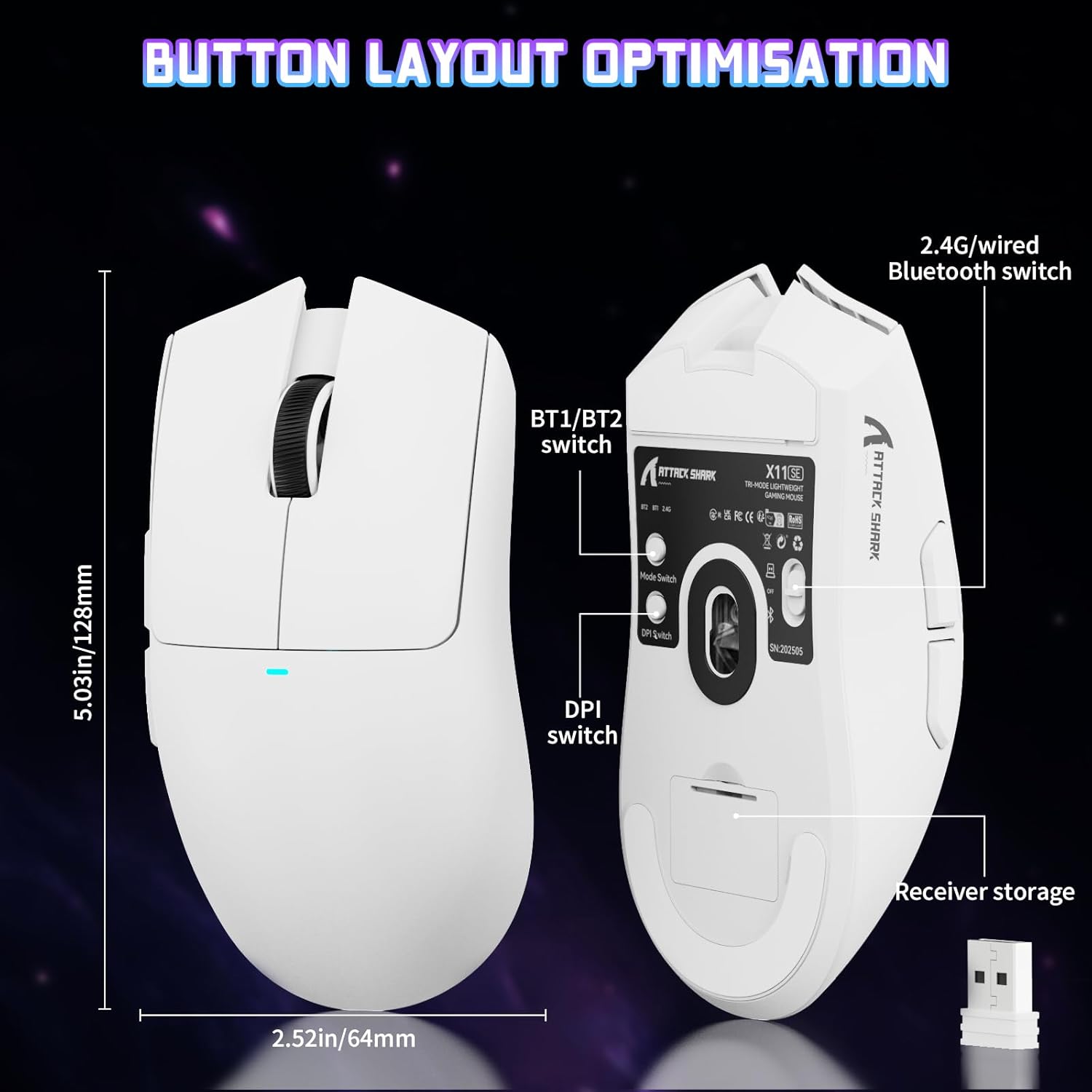
Image: The ATTACK SHARK X11SE mouse displaying its button layout, including the BT1/BT2 switch, DPI switch, and receiver storage, along with its dimensions (128mm length, 64mm width).
- کلیک چپ: دکمهی عمل اصلی.
- کلیک راست: دکمهی عملیات ثانویه، معمولاً برای منوهای زمینه.
- چرخ اسکرول: Scrolls up/down. Can also be pressed for a middle-click function.
- دکمههای کناری (جلو/عقب): Used for navigation in web browsers or in-game actions.
- سوئیچ DPI: Located on the underside of the mouse, this button cycles through preset DPI levels.
- تغییر حالت: Located on the underside, this switch allows you to select between 2.4G wireless, Bluetooth, and Off modes.
تنظیم DPI:
The X11SE features a PixArt PAW3311 sensor with up to 22,000 DPI. You can adjust the DPI sensitivity using the dedicated DPI switch on the bottom of the mouse. For more precise control and custom DPI levels, use the official software.
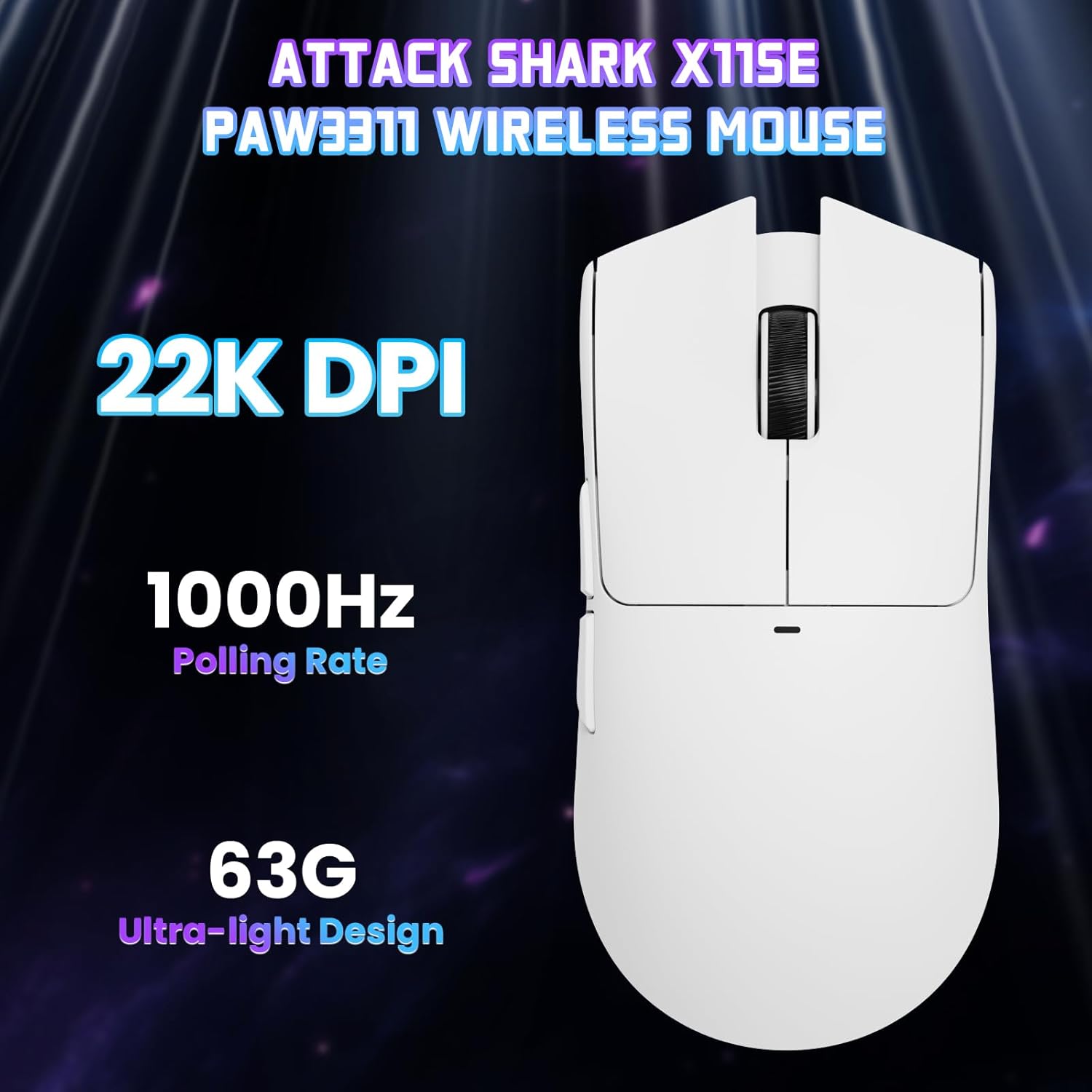
تصویر: از بالا به پایین view of the ATTACK SHARK X11SE mouse, emphasizing its 22,000 DPI capability and 1000Hz polling rate for high-performance gaming.
4. سفارشی سازی
The ATTACK SHARK X11SE mouse offers extensive customization options through its dedicated software. This allows you to personalize button assignments, DPI settings, polling rate, and create macros.
نصب درایور:
The mouse supports two drivers:
- Web راننده: دسترسی از طریق http://szslxd-tech.com/#/
- ATTACK SHARK Proprietary Driver: دانلود از https://attackshark.com/pages/dirver-download
Download and install the preferred driver software on your Windows, macOS, or Linux system.
ویژگی های نرم افزار:

Image: The ATTACK SHARK X11SE software interface, demonstrating options for mouse settings, DPI adjustments, parameter settings, macro editing, and personal profiles.
- برنامه نویسی دکمه ای: Reassign functions to any of the 5 buttons.
- تنظیمات DPI: ایجاد DPI سفارشی حرفهایfiles and adjust sensitivity levels.
- نرخ نظرسنجی: نرخ نظرسنجی را برای پاسخگویی بهینه تنظیم کنید.
- ویرایشگر ماکرو: Record and assign complex sequences of commands to a single button.
- حرفه ایfile مدیریت: Save and switch between different profileبرای بازیها یا برنامههای مختلف.
5. تعمیر و نگهداری
تمیز کردن:
- برای پاک کردن سطح ماوس از یک پارچه نرم و خشک استفاده کنید.
- برای کثیفیهای سرسخت، کمی dampپارچه را با آب یا یک محلول تمیزکننده ملایم بپوشانید. از مواد شیمیایی قوی خودداری کنید.
- Clean the optical sensor area on the bottom of the mouse with a cotton swab to ensure accurate tracking.
مراقبت از باتری:
- برای افزایش طول عمر باتری، از خالی شدن کامل آن به طور مکرر خودداری کنید.
- وقتی برای مدت طولانی از ماوس استفاده نمیکنید، آن را در جای خشک و خنک نگهداری کنید.
6 عیب یابی
مسائل و راه حل های رایج:
- ماوس پاسخ نمیدهد:
- مطمئن شوید که ماوس شارژ شده است.
- Check the mode switch on the bottom of the mouse to ensure it's in the correct mode (2.4G, BT, or Wired).
- For 2.4GHz mode, ensure the USB receiver is securely plugged in. Try a different USB port.
- For Bluetooth mode, ensure Bluetooth is enabled on your device and the mouse is paired correctly. Try re-pairing.
- For wired mode, ensure the USB-C cable is properly connected.
- DPI تغییر نمیکند:
- Press the DPI switch on the bottom of the mouse.
- If using custom DPI settings, ensure the driver software is running and the correct profile فعال است.
- تأخیر یا اتصال متناوب:
- Ensure the mouse is close to the USB receiver (for 2.4GHz) or your device (for Bluetooth).
- از تداخل سایر دستگاههای بیسیم جلوگیری کنید.
- مطمئن شوید که باتری ماوس به اندازه کافی شارژ دارد.
- در صورت وجود، درایورهای ماوس را بهروزرسانی کنید.
7. مشخصات
| ویژگی | مشخصات |
|---|---|
| نام تجاری | کوسه حمله |
| نام مدل | X11SE |
| رنگ | سفید |
| فناوری اتصال | 2.4 GHz Wireless/USB-C Wired/Bluetooth |
| ویژگی های خاص | 63g ultralight, BK52820 Chip, TTC Encoder, Dual Driver |
| فناوری تشخیص حرکت | Optical (PixArt PAW3311) |
| تعداد دکمه ها | 5 |
| جهت گیری دست | دوسویه |
| استفاده توصیه شده از محصول | بازی کامپیوتری |
| دستگاه های سازگار | Desktop Computer, MAC |
| سیستم عامل | ویندوز، macOS، لینوکس |
| تعداد باتری | 1 لیتیوم پلیمر (شامل) |
| منبع تغذیه | شارژ باتری |
| Maximum Mouse Sensitivity | 22000 DPI |
| محدوده | 300 سانتی متر |
| سبک | ارگونومیک |
| مواد | پلاستیک |
| کشور مبدا | چین |
| اجزای شامل | USB-C Cable, Manual, Grip Tape |
| UPC | 752010613663 |
8. گارانتی و پشتیبانی
اطلاعات گارانتی:
The ATTACK SHARK X11SE Wireless Gaming Mouse comes with a six-month warranty from the date of purchase. Please retain your proof of purchase for warranty claims.
دانلود درایورها:
For the latest drivers and software updates, please visit:
- Web راننده: http://szslxd-tech.com/#/
- ATTACK SHARK Driver: https://attackshark.com/pages/dirver-download
Related Product Video:
Video: An official seller video showcasing the ATTACK SHARK X11 Mouse, demonstrating its features and functionality. While specifically for the X11, it provides relevant insights into the X11SE's design and operation.