
1. محصول تمام شدview
The MOES Water Flow Meter is designed to accurately measure water consumption and flow rate for various applications, including RV water tank filling, outdoor garden hose watering, lawn sprinklers, and nozzle sprayers. It features durable brass inlet and outlet connections, a high-definition LCD screen, and multiple measurement modes.
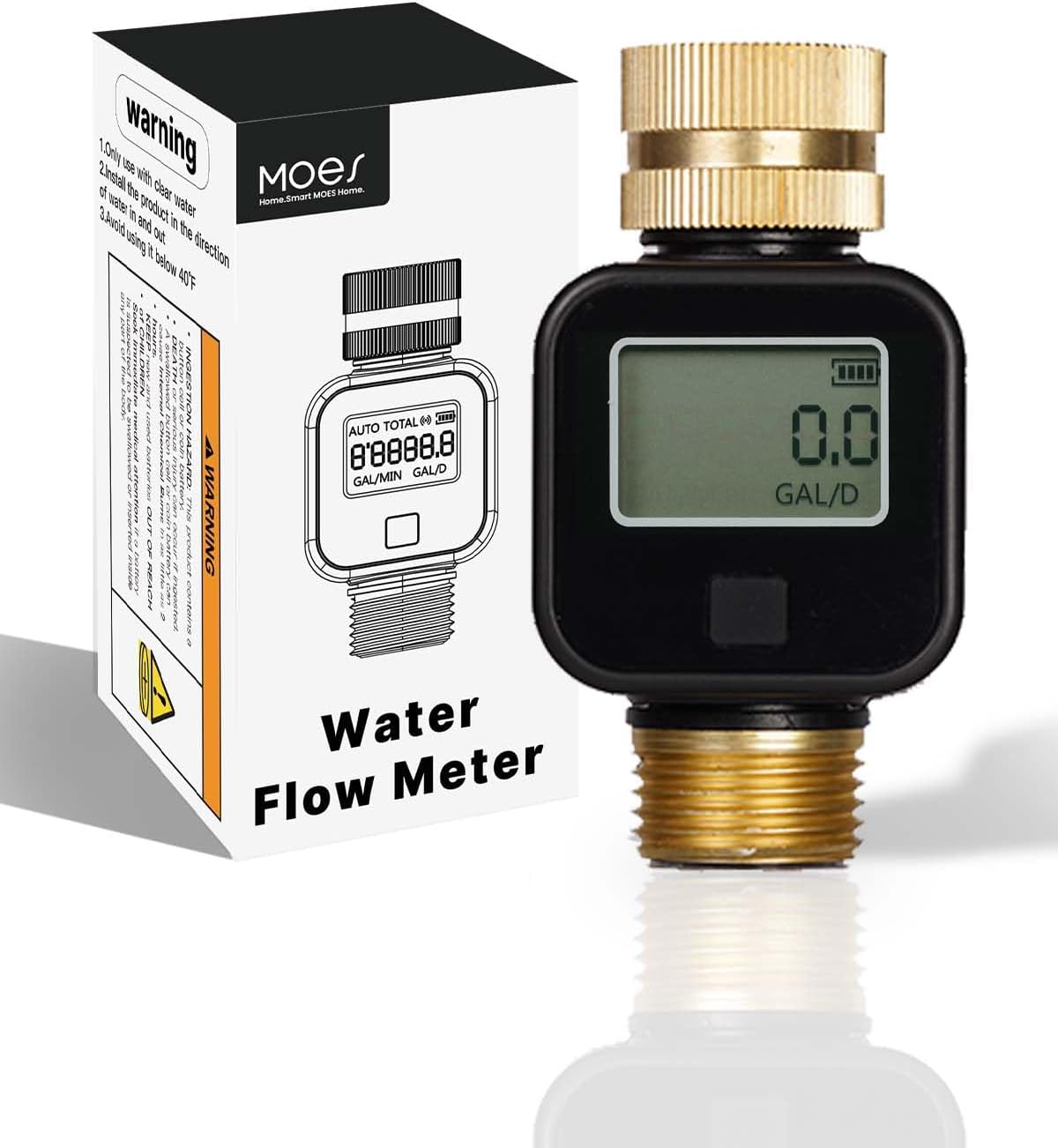
Image: MOES Water Flow Meter and its retail packaging.
2. محتویات بسته
- MOES Water Flow Meter (Model: TWM-SGS05-US-CU-MS)
- 1 x 12V Battery (pre-installed or included)
- راهنمای دستورالعمل (این سند)
3. راه اندازی و نصب
Follow these steps to properly install your MOES Water Flow Meter:
- آماده سازی اتصالات: Ensure your faucet and hose connections are clean and free of debris. The meter features a 3/4 inch standard faucet hose connection.
- ورودی را وصل کنید: Attach the brass inlet of the water flow meter to your water source (e.g., outdoor faucet, spigot). The 360° swivel pure brass inlet allows for easy installation and proper orientation. Hand-tighten to ensure a secure, leak-proof connection.
- پریز برق را وصل کنید: Attach your garden hose, sprinkler, or nozzle sprayer to the brass outlet of the water flow meter. Hand-tighten for a secure fit.
- بررسی نشتی: Slowly turn on the water supply and check all connections for any leaks. Tighten further if necessary.

Image: Installation of the MOES Water Flow Meter to a faucet and hose, showcasing the brass inlet and outlet.
4. دستورالعمل های عملیاتی
The MOES Water Flow Meter features an easy-to-read LCD screen and a single control button for navigating through its four measurement modes.
4.1. حالت های اندازه گیری
Press the control button to cycle through the following modes:
- Real-time Flow Rate (FLOW Mode): Displays the current water flow rate in Liters per Minute (L/Min) or Gallons per Minute (GAL/Min).
- Last-time Water Volume (SINGLE Mode): Shows the total water volume consumed during the most recent watering session.
- Average Daily Water Flow (AVG Mode): Displays the average daily water consumption over the last 7 days. This calculation begins from the next day after initial use.
- Total Flow (TOTAL Mode): Accumulates and displays the total water consumption since the meter was last reset or its total capacity was reached (up to 99999L or 99999GAL).
4.2. جهت نمایش
If the display appears upside down, switch the meter to 'AUTO' mode (if available, or cycle through modes until 'AUTO' is indicated), then press and hold the control button to reverse the display orientation. This feature allows for flexible mounting.

Image: Visual representation of the four measurement modes: Single, Flow, AVG, and Total.
5. تعمیر و نگهداری
To ensure optimal performance and longevity of your water flow meter, observe the following maintenance guidelines:
- تمیز کردن: Clean the exterior of the meter with a soft, damp پارچه از پاک کننده ها یا حلال های ساینده استفاده نکنید.
- دمای آب: Operate the meter within the specified water temperature range of 3℃~65℃ (37.4℉~149℉).
- ذخیره سازی: When not in use for extended periods, especially during freezing temperatures (below 0℃ / 32℉), disconnect the meter and store it in a dry, protected area to prevent damage.
- تعویض باتری: The meter uses one 12V battery. When the battery indicator on the LCD screen shows low power, replace the battery by carefully opening the battery compartment. Ensure correct polarity.
- رتبه بندی ضد آب: The device has an IPX6 waterproof rating, meaning it is protected against powerful water jets. However, it is not designed for continuous submersion.
6 عیب یابی
6.1. Display is Upside Down
This is a design feature for flexible installation. To correct the display orientation, ensure the meter is in 'AUTO' mode (or cycle through modes until 'AUTO' is indicated), then press and hold the control button. The display values will reverse.
6.2. No Reading or Inaccurate Reading
- بررسی اتصالات: Ensure the meter is securely attached to both the water source and the hose/sprinkler. Loose connections can affect flow.
- جریان آب: Verify that water is flowing through the meter. The minimum flow rate is 1 L/Min (0.26 GAL/Min).
- سطح باتری: Check the battery indicator on the LCD. A low battery can affect performance. Replace the battery if needed.
- آوار: Inspect the inlet screen for any debris that might be obstructing water flow or interfering with the sensor. Clean if necessary.
7. مشخصات
| ویژگی | مشخصات |
|---|---|
| شماره مدل | TWM-SGS05-US-CU-MS |
| Inlet & Outlet Material | Pure Brass with Metal Thread |
| رتبه بندی ضد آب | IPX6 |
| Water Flow Rate Range | 1 ~ 45.0 L/Min (0.26 ~ 12.0 GAL/Min) |
| حداکثر مصرف آب | ۴.۰ لیتر / ۱.۰۵ گالن |
| فشار کاری | 0.5 ~ 10.0 Bar |
| تحمل اندازه گیری | 5% ± |
| محدوده دمای آب | 3 ℃ ~ 65 ℃ (37.4 ℉ ~ 149 ℉) |
| نوع باتری | 1 x 12 ولت (شامل) |
| ابعاد محصول | 1.9 x 1.7 x 3.6 اینچ (49 x 43.65 x 91.70 میلیمتر) |
| وزن مورد | 1.6 اونس |
| مناسب برای | آبپاش، شلنگ شیر آب استاندارد 3/4 اینچ |

Image: Detailed dimensions of the MOES Water Flow Meter.
8. گارانتی و پشتیبانی
For warranty information, technical support, or customer service inquiries, please refer to the documentation included with your product packaging or visit the official MOES webرسید خرید خود را به عنوان مدرک خرید نگه دارید.