
مقدمه
Thank you for choosing the JUNJIEUNVO BT1638 Over-Ear Wireless Headphones. This manual provides detailed instructions for the proper use, setup, and maintenance of your headphones. Please read this manual thoroughly before using the product to ensure optimal performance and longevity.

Image: The JUNJIEUNVO BT1638 Over-Ear Wireless Headphones in blue, showcasing their design and padded headband.
محتویات بسته
لطفا بسته را از نظر وجود موارد زیر بررسی کنید:
- JUNJIEUNVO BT1638 Over-Ear Wireless Headphones
- کابل شارژ USB-C
- کابل صوتی 3.5 میلی متری AUX
- راهنمای کاربر (این سند)
راه اندازی
1. شارژ کردن هدفون
قبل از اولین استفاده، هدفون خود را به طور کامل شارژ کنید. شارژ کامل تقریباً 2 ساعت طول میکشد.
- کابل شارژ USB-C را به پورت شارژ روی هدفون وصل کنید.
- Connect the other end of the USB-C cable to a compatible USB power source (e.g., computer USB port, wall adapter).
- The indicator light will show charging status (e.g., red for charging, blue/off for fully charged). Refer to the LED indicator section for details.
2. روشن/خاموش کردن
- روشن کردن: دکمه پاور را تقریباً 3 ثانیه فشار داده و نگه دارید تا چراغ نشانگر چشمک بزند.
- خاموش: دکمه پاور را تقریباً 3 ثانیه فشار داده و نگه دارید تا چراغ نشانگر خاموش شود.
3. جفت شدن بلوتوث
The headphones use Bluetooth 5.0 for wireless connectivity, offering a range of up to 33 feet (10 meters).
- مطمئن شوید که هدفون خاموش است.
- دکمه پاور را حدود ۵ تا ۷ ثانیه فشار داده و نگه دارید تا چراغ نشانگر به طور متناوب قرمز و آبی چشمک بزند که نشاندهنده حالت جفت شدن است.
- در دستگاه خود (گوشی هوشمند، تبلت، لپتاپ)، بلوتوث را فعال کنید و دستگاههای موجود را جستجو کنید.
- Select "BT1638" or "JUNJIEUNVO BT1638" from the list of found devices.
- پس از اتصال، چراغ نشانگر معمولاً به آرامی آبی چشمک میزند یا آبی ثابت میماند.
- اگر از شما رمز عبور خواسته شد، "0000" را وارد کنید.
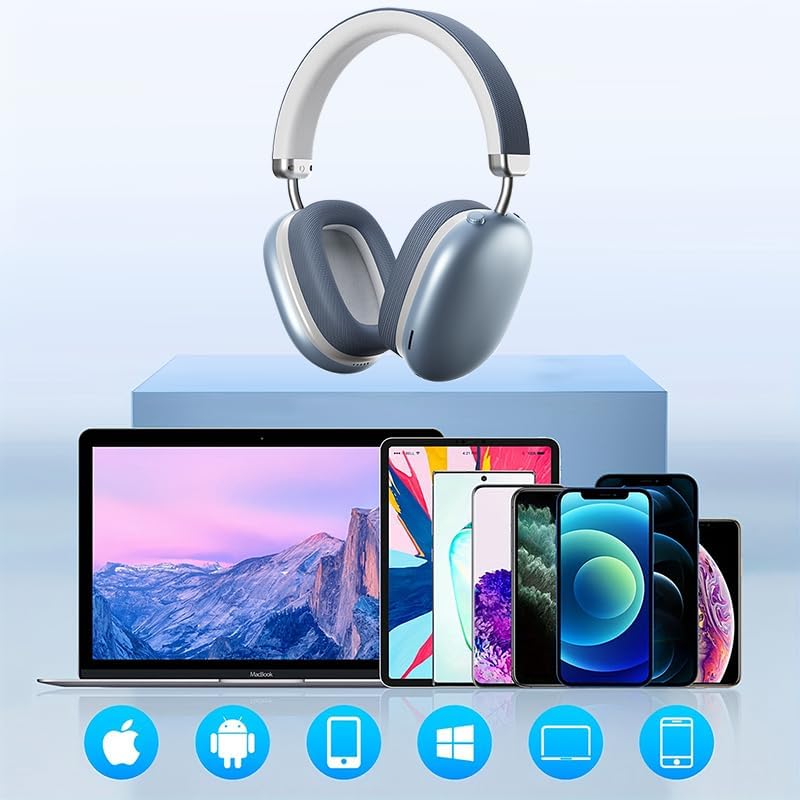
Image: The BT1638 headphones shown with a variety of compatible devices including laptops, smartphones, and tablets, illustrating broad connectivity.
دستورالعمل های عملیاتی
۶.۱ کنترلهای پایه
The headphones feature button and touch controls for various functions.
- دکمه پاور: روشن/خاموش کنید، وارد حالت جفتسازی شوید.
- افزایش صدا/آهنگ بعدی: فشار کوتاه برای افزایش صدا، فشار طولانی برای آهنگ بعدی.
- کاهش صدا/آهنگ قبلی: برای کم کردن صدا، فشار کوتاه و برای آهنگ قبلی، فشار طولانی
- Multi-function Button (MFB) / Touch Control:
- پخش/مکث: تک پرس.
- پاسخ/پایان تماس: Single press during an incoming call.
- رد تماس: در طول تماس ورودی، 2 ثانیه فشار دهید و نگه دارید.
- دستیار صوتی را فعال کنید: دوبار فشار دهید.
2. پخش صدا
Enjoy high-fidelity (HIFI) sound quality and immersive surround sound with your BT1638 headphones.

Image: The BT1638 headphones, emphasizing their HIFI sound quality and extended battery life of up to 40 hours.

Image: The BT1638 headphones displaying Hi-Res Wireless Audio and LDAC compatibility, indicating advanced audio capabilities.
۵. حذف نویز غیرفعال
The over-ear design and cushioned ear cups provide passive noise cancellation, reducing ambient sounds for a more focused listening experience.

Image: A visual representation comparing sound waveforms before and after noise reduction, demonstrating the effectiveness of the headphones' passive noise cancellation.
۴. اتصال سیمی (AUX)
For situations where Bluetooth is not available or preferred, you can connect the headphones using an AUX cable.
- Plug one end of the 3.5mm AUX cable into the headphone's AUX port.
- Plug the other end into your audio source's 3.5mm audio jack.
- هدفونها بهطور خودکار به حالت سیمی تغییر میکنند.
۵. راحتی و تناسب
The BT1638 headphones feature an adjustable headband and rotatable earcups for a comfortable and secure fit.

تصویر: نمای نزدیک view illustrating the adjustable telescopic headband and earcups that can rotate 90 degrees, allowing for a customized and comfortable fit.

Image: The soft earmuffs of the BT1638 headphones, designed for comfortable and smooth listening experiences.
تعمیر و نگهداری
مراقبت صحیح، عمر و عملکرد هدفون شما را افزایش میدهد.
- تمیز کردن: Use a soft, dry, lint-free cloth to clean the surfaces of the headphones. Do not use harsh chemicals, cleaning solvents, or strong detergents.
- بالشتک های گوش: The memory foam and fabric ear cushions can be gently wiped with a slightly damp cloth if necessary, then allowed to air dry completely.
- ذخیره سازی: در صورت عدم استفاده، هدفون را در جای خشک و خنک، دور از نور مستقیم خورشید و دمای شدید نگهداری کنید.
- اجتناب از رطوبت: این هدفونها ضد آب نیستند. از قرار گرفتن در معرض آب، باران یا رطوبت بیش از حد خودداری کنید.
- با احتیاط رفتار کنید: از افتادن هدفون یا قرار دادن آن در معرض ضربات شدید خودداری کنید.
عیب یابی
| مشکل | علت احتمالی | راه حل |
|---|---|---|
| هدفونها روشن نمیشوند. | باتری کم. | Charge the headphones for at least 30 minutes. |
| نمیتوان با دستگاه جفتسازی کرد. | هدفون در حالت جفتسازی نیست؛ بلوتوث دستگاه خاموش است؛ دستگاه خیلی دور است. | Ensure headphones are in pairing mode (flashing red/blue). Turn on Bluetooth on your device. Move device closer to headphones (within 33 feet). |
| صدا نداره یا صداش کمه. | صدا خیلی کم است؛ منبع صوتی نادرست است؛ هدفون وصل نیست. | Increase volume on both headphones and connected device. Ensure headphones are properly paired or AUX cable is fully inserted. |
| اتصال متناوب. | تداخل؛ دستگاه خیلی دور؛ باتری ضعیف. | Move closer to the connected device. Avoid strong electromagnetic interference. Ensure headphones are sufficiently charged. |
مشخصات
| ویژگی | جزئیات |
|---|---|
| نام مدل | SY-BT1638 |
| فناوری اتصال | بلوتوث، AUX |
| فناوری ارتباطات بی سیم | بلوتوث، بیسیم |
| نسخه بلوتوث | 5.0 |
| محدوده بلوتوث | 33 فوت (10 متر) |
| نوع درایور صوتی | درایور پویا |
| اندازه درایور صوتی | 40 میلیمتر |
| پاسخ فرکانس | 20 Hz (lower bound) |
| حساسیت | 102 دسی بل |
| امپدانس | 32 اهم |
| کنترل نویز | لغو نویز منفعل |
| نوع کنترل | بی سیم |
| روش کنترل | لمسی، دکمهای |
| زمان شارژ | 2 ساعت |
| عمر باتری | Up to 40 Hours (playback) |
| مواد | Fabric, Memory Foam, Metal |
| وزن مورد | ۰.۸۵ اونس (تقریباً ۲۴ گرم) |
| سطح مقاومت در برابر آب | مقاوم در برابر آب نیست |
| دستگاه های سازگار | لپتاپ، گوشیهای هوشمند، تبلت |
اطلاعات گارانتی
Specific warranty details for the JUNJIEUNVO BT1638 headphones are typically provided with your purchase documentation or on the manufacturer's official webلطفاً رسید خرید خود را برای هرگونه ادعای گارانتی نگه دارید.
Generally, products are covered against defects in materials and workmanship for a specified period from the date of purchase. This warranty usually does not cover damage caused by misuse, accidents, unauthorized modifications, or normal wear and tear.
پشتیبانی مشتری
If you encounter any issues or have questions not covered in this manual, please contact JUNJIEUNVO customer support. You can typically find contact information on the product packaging, the official JUNJIEUNVO webسایت، یا از طریق فروشگاه شما.
When contacting support, please have your product model (SY-BT1638) and proof of purchase readily available.