
1. محصول تمام شدview
The ShanWan Q38 is a versatile wireless Bluetooth controller designed for a wide range of gaming platforms. It features advanced controls such as Hall Effect joysticks and micro-switch buttons for enhanced precision and responsiveness.

تصویر ۴.۲: از بالا به پایین view of the ShanWan Q38 Wireless Bluetooth Controller, showcasinطراحی جمع و جور و چیدمان دکمههای آن.
2. محتویات بسته
لطفا مطمئن شوید که همه اقلام در بسته موجود است:
- ShanWan Q38 Wireless Bluetooth Controller
- کابل شارژ USB
- راهنمای کاربر (این سند)
- 1 AAA Battery (pre-installed or included separately)
3. راه اندازی و اتصال
3.1 شارژ کردن کنترلر
Before initial use, ensure the controller is sufficiently charged. Connect the provided USB charging cable to the controller's charging port and to a USB power source (e.g., computer, USB wall adapter). The LED indicator will show charging status.
3.2 سازگاری
The ShanWan Q38 controller is compatible with the following platforms:
- Nintendo Switch / Switch 2 (firmware upgrade may be required for Switch 2)
- عرشه بخار
- رایانه شخصی (ویندوز)
- Android devices (phones, tablets)
- آیفون
- آی پد
- macOS devices
- PS4 (as indicated by mode switch, specific compatibility may vary)

Image 3.1: The ShanWan Q38 controller demonstrating compatibility with multiple gaming platforms.
3.3 اتصال از طریق بلوتوث
برای اتصال کنترلر به دستگاه خود:
- روشن کردن: Press and hold the Home button on the controller until the indicator lights begin to flash.
- انتخاب حالت: Use the mode switch located on the top edge of the controller to select the appropriate mode for your device:
- X Mode: For Mobile & Computer (Android, PC, macOS, iOS).
- حالت S: For Nintendo Switch.
- حالت P: For PS4 (if compatible).
- جفت شدن: On your device, navigate to the Bluetooth settings and search for available devices. Select "ShanWan Q38" (or similar) from the list to pair.
- تایید: Once successfully paired, the indicator light on the controller will become solid.
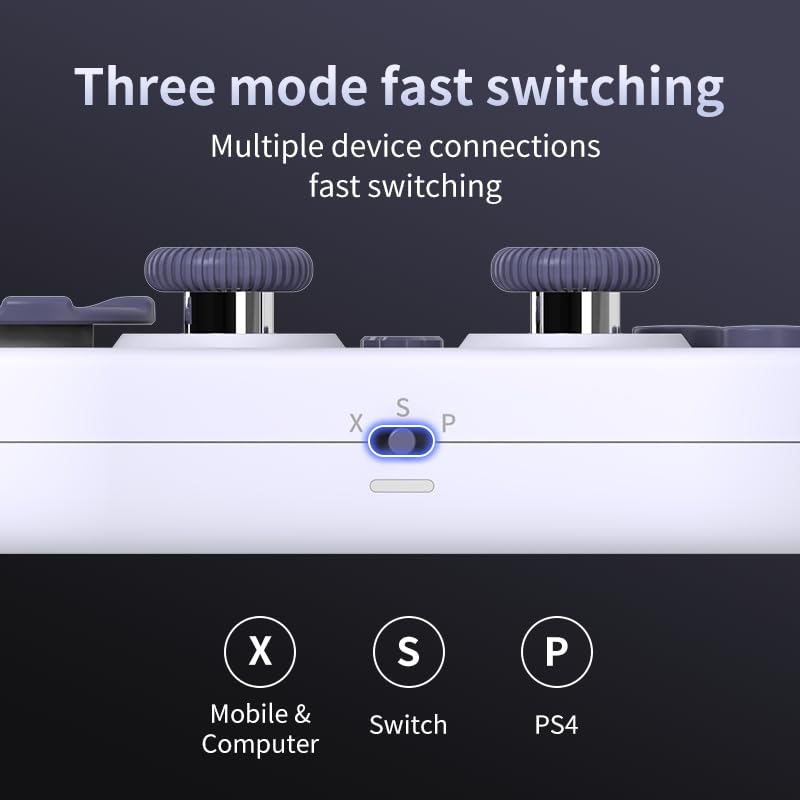
Image 3.2: Detail of the three-mode fast switching selector on the controller.
3.4 Customization and Calibration
For advanced customization, including button remapping and macro functions, download the official "gamepad space" application. This application also allows for controller calibration to ensure optimal performance.
۳. کار با کنترلر
4.1 ویژگی های کلیدی
- جویاستیکهای اثر هال: Provides high precision and sensitivity. The joystick height is adjustable between 5mm and 8mm for personalized comfort.
- Composite Micro-Switch Buttons: These buttons offer a tactile response similar to mechanical keyboards, providing quick and precise input.
- Mechanical Triggers: Designed for fast response times.
- Dual Micro Motors: Provides dual vibration feedback for an immersive gaming experience.
- Somatosensory Gyroscope: Equipped with a 6-axis gyroscope for motion control in supported games.

Image 4.1: Detail of the adjustable Hall Effect joysticks.

Image 4.2: Close-up of the composite micro-switch action buttons.

Image 4.3: Diagram illustrating the internal components of the composite micro-keypad.
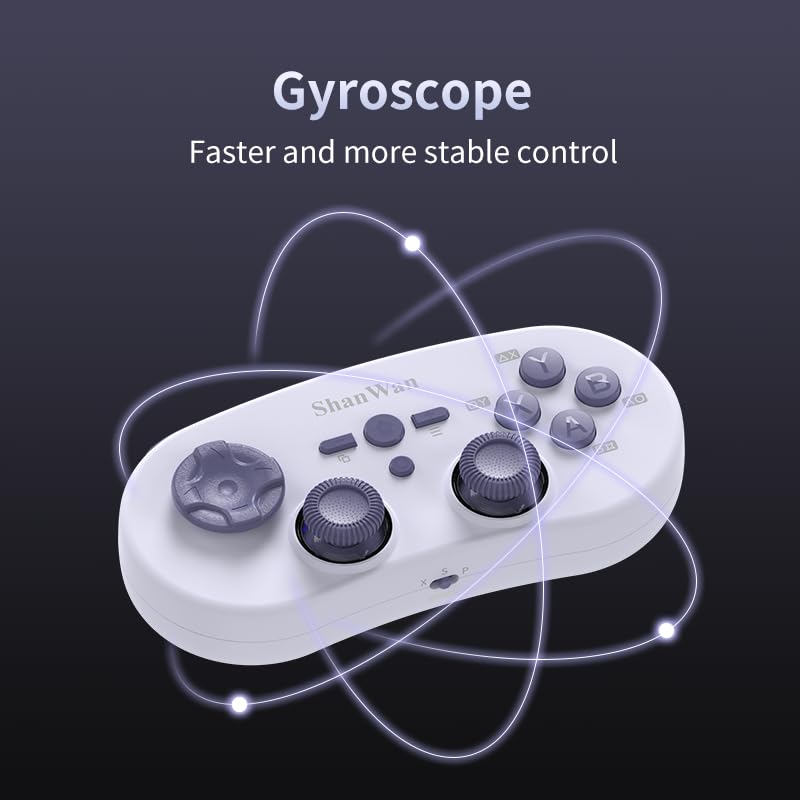
Image 4.4: Visual representation of the controller's gyroscope functionality.
۳.۲ تجربه بازی
The compact design allows for portability, making it suitable for gaming on the go with devices like the Nintendo Switch or smartphones.

Image 4.5: Controller in use with a Nintendo Switch.

Image 4.6: Controller paired with a smartphone for mobile gaming.
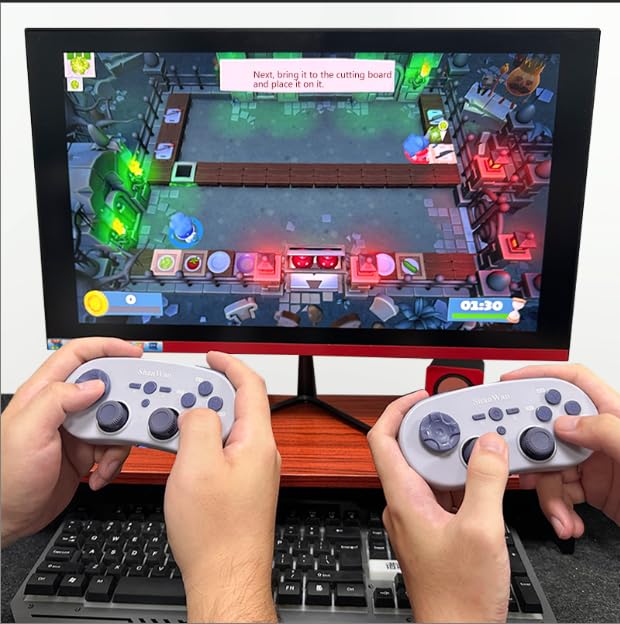
Image 4.7: Two controllers in use for multiplayer gaming on a PC.
5. تعمیر و نگهداری
To ensure the longevity and optimal performance of your ShanWan Q38 controller, follow these maintenance guidelines:
- تمیز کردن: برای پاک کردن کنترلر از یک پارچه نرم و خشک استفاده کنید. برای آلودگیهای سرسخت، کمی ...amp میتوان از پارچه استفاده کرد، اما مطمئن شوید که رطوبت وارد دستگاه نشود. از مواد شیمیایی قوی یا پاککنندههای ساینده خودداری کنید.
- ذخیره سازی: کنترلر را در جای خشک و خنک و دور از نور مستقیم خورشید و دمای بالا نگهداری کنید.
- مراقبت از باتری: If using replaceable AAA batteries, remove them if the controller will not be used for an extended period to prevent leakage.
- اجتناب از قطرات: از کنترلکننده در برابر ضربه فیزیکی و افتادن که میتواند به اجزای داخلی آسیب برساند، محافظت کنید.
6 عیب یابی
If you encounter issues with your ShanWan Q38 controller, refer to the following common problems and solutions:
- Controller Does Not Power On:
- Ensure the battery is correctly inserted and has sufficient charge. Replace AAA batteries if necessary.
- Connect the controller to a power source using the USB cable to confirm if it charges.
- Difficulty Connecting via Bluetooth:
- Ensure the controller is in the correct mode (X, S, or P) for your device.
- بلوتوث دستگاه خود را خاموش و روشن کنید.
- دستگاه را در تنظیمات بلوتوث خود فراموش کنید و دوباره جفتسازی را امتحان کنید.
- Ensure the controller is within the effective range of your device.
- Buttons or Joysticks Not Responding Correctly:
- Calibrate the controller using the "gamepad space" application.
- هرگونه مانع فیزیکی یا آلودگی اطراف دکمهها یا جویاستیکها را بررسی کنید.
- Ensure the controller's firmware is up to date, especially for Switch 2 compatibility.
- Random Disconnections:
- مطمئن شوید که هیچ تداخل بیسیم قوی در نزدیکی وجود ندارد.
- Keep the controller close to the connected device.
- Re-pair the controller if disconnections are frequent.
7. مشخصات
| ویژگی | جزئیات |
|---|---|
| شماره مدل | Q38 |
| سازنده | شان وان |
| قابلیت اتصال | بلوتوث بی سیم |
| سازگاری | Switch/Switch 2, Steam Deck, PC, Android, iPhone, iPad, macOS, PS4 |
| نوع جویاستیک | Hall Effect, Adjustable Height (5mm-8mm) |
| نوع دکمه | Composite Micro-Switch |
| لرزش | Dual Micro Motors |
| کنترل حرکت | ژیروسکوپ 6 محوره |
| ابعاد بسته بندی | 5.63 x 4.53 x 1.54 اینچ |
| وزن مورد | 4.6 اونس |
| باتری ها | 1 باتری قلمی مورد نیاز (شامل) |

Image 7.1: Physical dimensions of the ShanWan Q38 controller.
8. گارانتی و پشتیبانی
For warranty information and customer support, please refer to the official ShanWan webبه سایت مراجعه کنید یا با فروشندهای که محصول را از آن خریداری کردهاید تماس بگیرید. مدرک خرید خود را برای موارد گارانتی نگه دارید.