
1. مقدمه
Thank you for choosing the Kapro Nucleo Mini 3D Green Laser. This precision tool is designed for various leveling and alignment tasks, offering three 360° laser lines for comprehensive coverage. This manual provides essential information for the safe and effective use of your device.
2. اطلاعات ایمنی
برای جلوگیری از آسیب و جراحت به دستگاه، همیشه نکات ایمنی زیر را رعایت کنید:
- تابش لیزر: Do not stare directly into the laser beam. Avoid direct eye exposure. This product emits Class 2 laser radiation.
- منبع تغذیه: Use only the specified charging cable and adapter. Do not attempt to open or modify the battery compartment.
- محیط زیست: Do not expose the device to extreme temperatures, moisture, or direct sunlight for prolonged periods.
- رسیدگی: Handle the laser level with care. Avoid dropping or subjecting it to strong impacts.
- کودکان: دستگاه را دور از دسترس کودکان قرار دهید.
3. محتویات بسته
بررسی کنید که همه اقلام در بسته شما موجود باشد:
- Kapro Nucleo Mini 3D Green Laser Level
- کیف نرم
- کوه
- Recharge Cable (USB-C)
- آداپتور برق
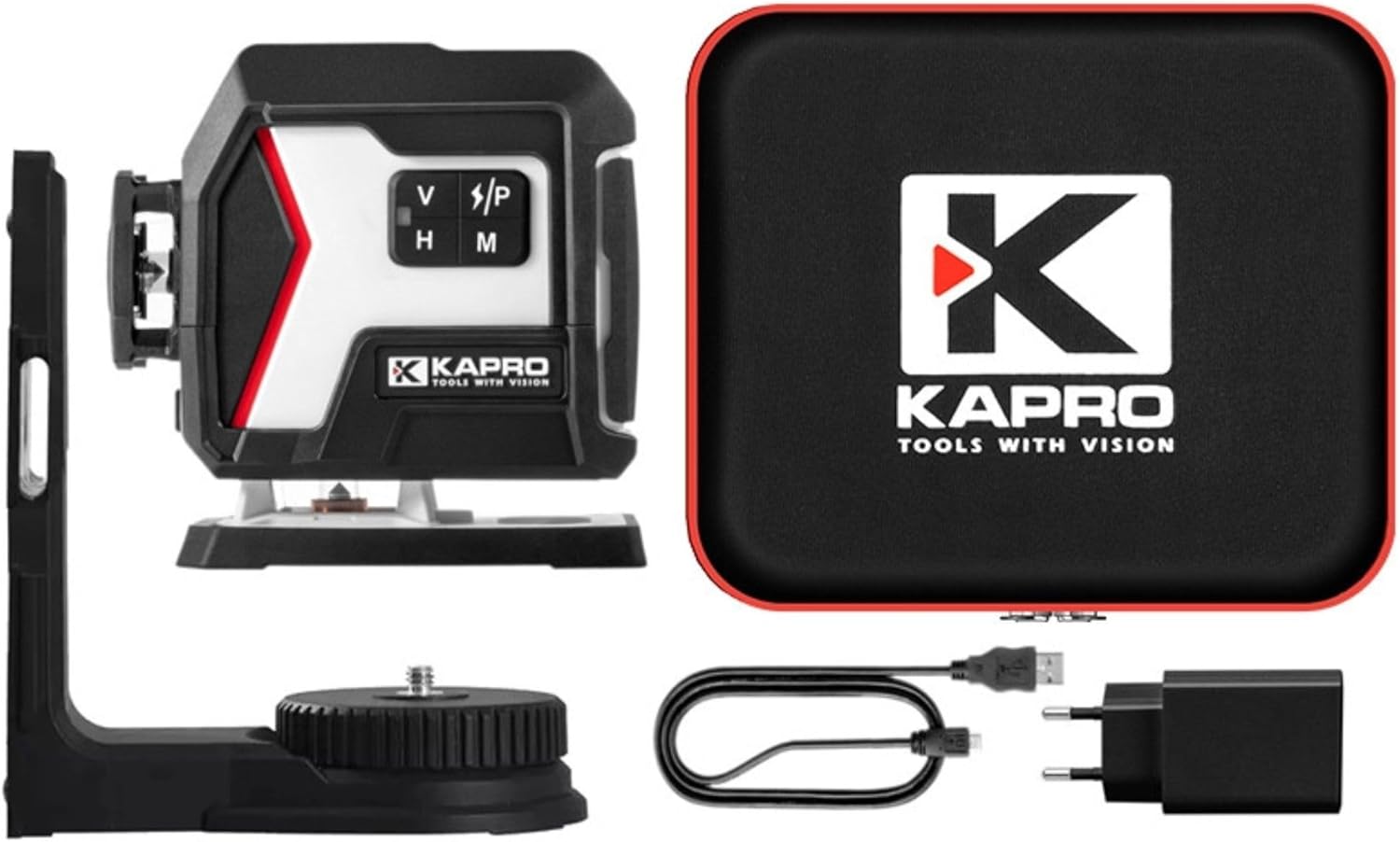
Image 3.1: The Kapro Nucleo Mini 3D Green Laser level shown with its soft carrying case, magnetic mount, USB-C charging cable, and power adapter.
4. محصول تمام شدview
The Nucleo Mini 3D Green Laser features three distinct 360° laser lines: a bottom horizontal line, a side vertical line, and a forward vertical line, providing comprehensive coverage for various applications.
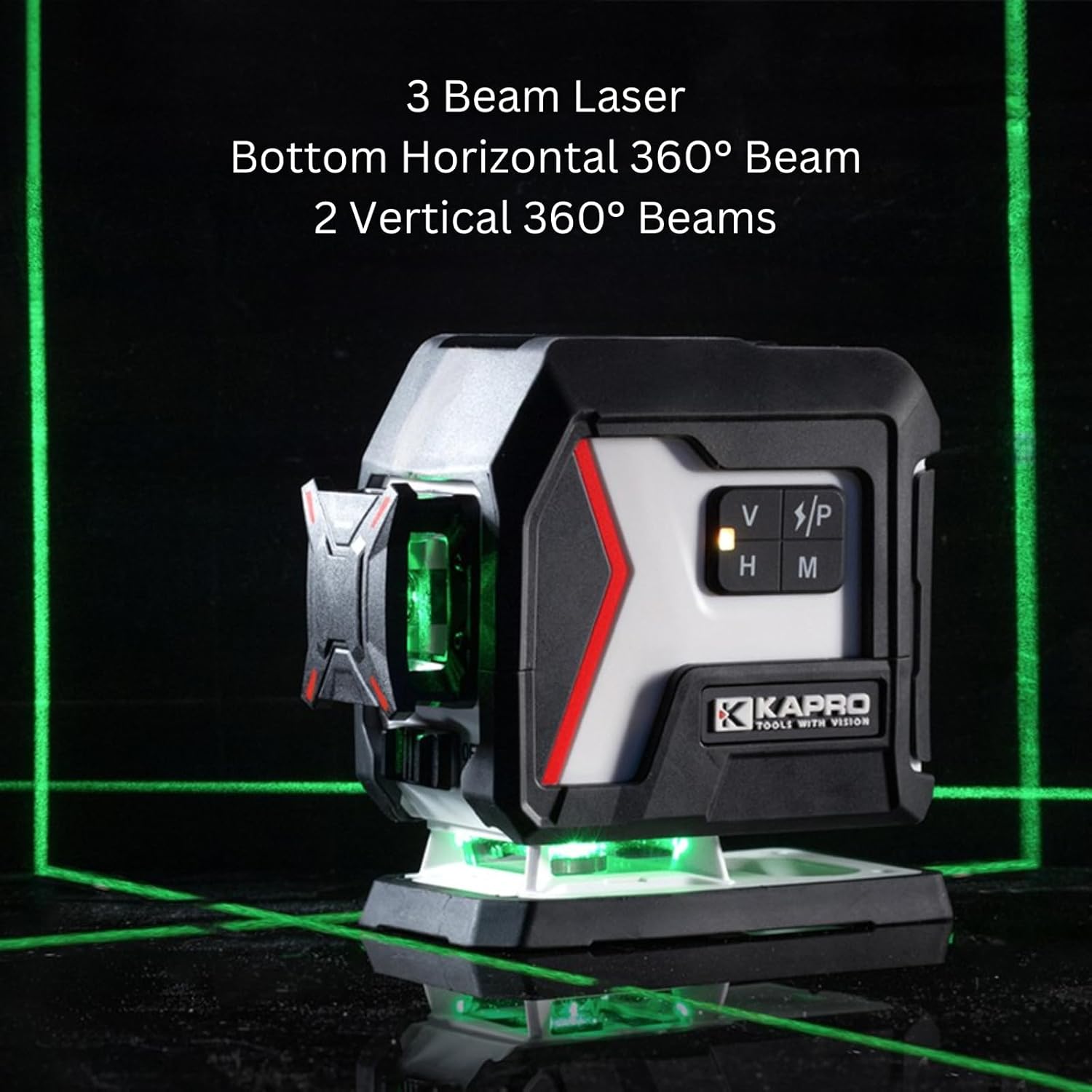
Image 4.1: The Kapro Nucleo Mini 3D Green Laser projecting its three 360-degree green laser beams, illustrating its full coverage capability.
اجزای کلیدی:
- Laser Emitters: Project the green laser lines.
- کنترل پنل: Buttons for mode selection (V/P, H, M).
- کلید روشن/خاموش: در کنار واحد قرار دارد.
- پورت USB-C: برای شارژ باتری داخلی.
- رزوه های نصب: Top and bottom 1/4" UNC threads for tripod or mount attachment.

تصویر ۲.۱: جزئیات view of the Kapro Nucleo Mini 3D Green Laser, highlighting the USB-C charging port and the integrated mounting threads for versatile setup.
5. راه اندازی
5.1 شارژ باتری
Before first use, fully charge the laser level. Connect the provided USB-C cable to the laser's charging port and the other end to the power adapter. Plug the adapter into a suitable power outlet. The laser can operate while recharging.
۳.۲ نصب لیزر
The Nucleo Mini 3D Green Laser can be used freestanding or mounted:
- مستقل: لیزر را روی یک سطح ثابت و صاف قرار دهید.
- پایه مغناطیسی: Attach the included magnetic mount to the laser using the 1/4" UNC thread. The mount can then be affixed to metallic surfaces.
- سه پایه: Secure the laser directly to a tripod using the 1/4" UNC threads located on the top or bottom of the unit.
6. دستورالعمل های عملیاتی
6.1 روشن/خاموش کردن
To turn the laser on, slide the ON/OFF switch to the 'ON' position. To turn it off, slide the switch to the 'OFF' position.
6.2 حالت عملیاتی
The Nucleo Mini 3D Green Laser offers three primary operating modes:
- Self-Leveling Mode (Default): When powered on, the laser automatically self-levels within its specified range. If the device is outside its leveling range, the laser lines will flash to indicate an unlevel condition.
- Manual Mode (Slope Marking): Press the 'M' button to activate manual mode. In this mode, the self-leveling function is deactivated, allowing the user to project laser lines at any desired angle for slope marking. The laser lines will typically flash or indicate manual mode visually.
- حالت پالس: Press the 'V/P' button to cycle through vertical lines and activate pulse mode. Pulse mode is designed for use with a compatible laser detector (sold separately) to extend the working range of the laser up to 200 feet (60 meters). This mode is particularly useful in bright conditions or over long distances.
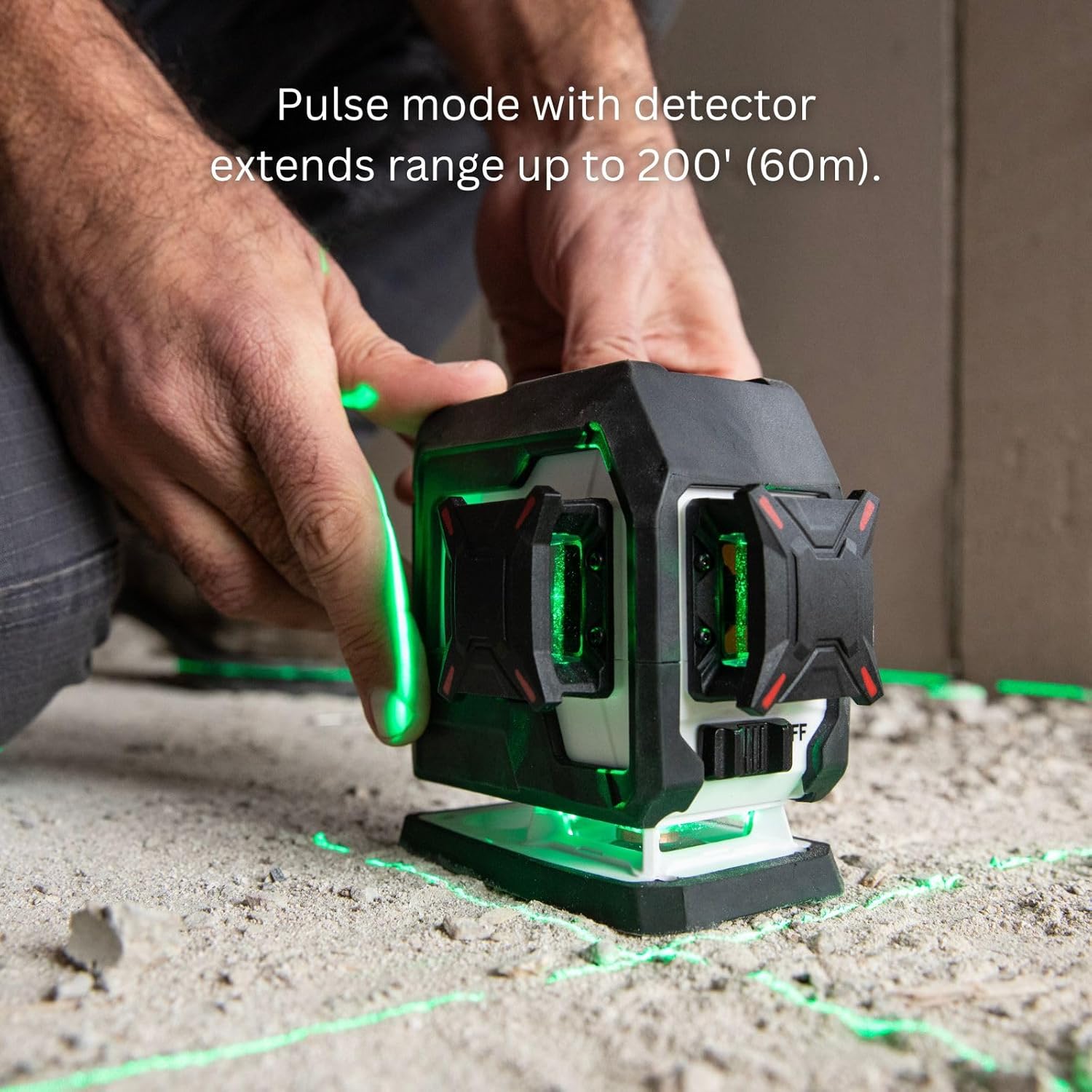
Image 6.1: A user operating the Kapro Nucleo Mini 3D Green Laser, demonstrating how pulse mode extends the laser's range up to 200 feet (60 meters) when used with a compatible detector.
- حالت فلاش: Press the 'H' button to cycle through horizontal lines and activate flash mode. Flash mode enhances the visibility of the laser beam in bright environments, making it easier to see the lines without a detector.

Image 6.2: The Kapro Nucleo Mini 3D Green Laser in operation, illustrating how flash mode improves the visibility of the laser lines in brightly lit conditions.
۴.۴ تغییر خطوط لیزر
Use the 'V/P' button to toggle vertical laser lines and the 'H' button to toggle horizontal laser lines. You can activate individual lines or combinations as needed for your task.
7. تعمیر و نگهداری
7.1 تمیز کردن
Wipe the laser level with a soft, damp cloth. Do not use abrasive cleaners or solvents. Ensure the laser apertures are clean for optimal beam clarity.
7.2 ذخیره سازی
When not in use, store the laser level in its soft bag in a dry, cool place, away from direct sunlight and extreme temperatures. If storing for extended periods, ensure the battery is partially charged (around 50%) to prolong its lifespan.
8 عیب یابی
| مشکل | علت احتمالی | راه حل |
|---|---|---|
| خطوط لیزر به سرعت چشمک میزنند. | The laser is outside its self-leveling range. | Place the laser on a more level surface or adjust its position until the lines become steady. |
| لیزر روشن نمیشود. | باتری تمام شده است. | Charge the laser using the provided USB-C cable and power adapter. |
| Laser lines are dim or hard to see. | Bright ambient light; dirty laser aperture. | Activate Flash Mode. Use a laser detector in Pulse Mode for extended range. Clean the laser apertures with a soft cloth. |
| Laser lines are not level in Manual Mode. | This is expected behavior in Manual Mode, which is for slope marking. | If self-leveling is desired, ensure the laser is not in Manual Mode and is placed on a level surface. |
9. مشخصات
| ویژگی | مشخصات |
|---|---|
| شماره مدل | هسته ای |
| نوع لیزر | لیزر سبز |
| خطوط لیزری | Three 360° (Bottom Horizontal, Side Vertical, Forward Vertical) |
| محدوده کاری | 100 فوت (30 متر) |
| Extended Range (with detector) | 200 فوت (60 متر) |
| حالت های عملیات | Self-Leveling, Manual, Pulse, Flash |
| منبع تغذیه | باتری (قابل شارژ از طریق USB-C) |
| رزوه های نصب | 1/4" UNC (Top & Bottom) |
| اجزای شامل | Laser Level, Soft Bag, Mount, Recharge Cable |
10. گارانتی و پشتیبانی
For warranty information and technical support, please refer to the official KAPRO webبه سایت مراجعه کنید یا مستقیماً با خدمات مشتریان آنها تماس بگیرید. رسید خرید خود را به عنوان مدرک خرید برای هرگونه ادعای گارانتی نگه دارید.
سازنده: Kapro Tools
تاریخ اولین موجود: 4 مارس 2025