
Waytronic H12
Waytronic Wireless Motion Sensor Alarm (Model H12) User Manual
For Indoor, Doorway, Business Entry, Garage Security, Store Entrance, Pet/Elderly/Dementia Patient Monitoring
محصول تمام شده استview
The Waytronic Wireless Motion Sensor Alarm system provides a reliable solution for monitoring various areas within your home or business. This system includes a main receiver unit and one motion sensor, designed to detect movement and alert you accordingly. It is suitable for a range of applications, from securing entry points to monitoring the activity of pets or individuals requiring supervision.

اجزا و ویژگی ها
This section details the system components and their functions.

واحد گیرنده
- سنسور حرکت مادون قرمز: حرکت را در محدوده میدان دید خود تشخیص میدهد view.
- Colorful LED Pairing Indicator Light: Provides visual feedback for status and pairing.
- سخنران: هشدارهای صوتی و زنگ هشدار را منتشر میکند.
- کلید روشن/خاموش: برق ورودی به دستگاه را کنترل میکند.
- بندر نوع C: For optional power input (cable not included).
- محفظه باتری: Houses the required batteries.
- دکمه فعال/غیرفعال کردن سیستم: Toggles the alarm's active state.
- کنترل صدا: Adjusts the sound level of alerts.
سنسور حرکت
- سنسور حرکت مادون قرمز: حرکت را تشخیص میدهد.
- محفظه باتری: Houses the required batteries.
دستورالعمل های راه اندازی
۱. باز کردن بستهبندی و نصب باتری
Before initial use, install batteries in both the receiver unit and the motion sensor. Batteries are not included.

- Locate the battery compartment on the back of the receiver unit and the motion sensor.
- درپوش باتری را باز کنید.
- Insert the required batteries (e.g., AAA for sensor, specific type for receiver as per diagram), ensuring correct polarity (+/-).
- درپوش باتری را محکم ببندید.
2. قرار دادن و نصب
Strategic placement of the sensor and receiver is crucial for optimal performance.
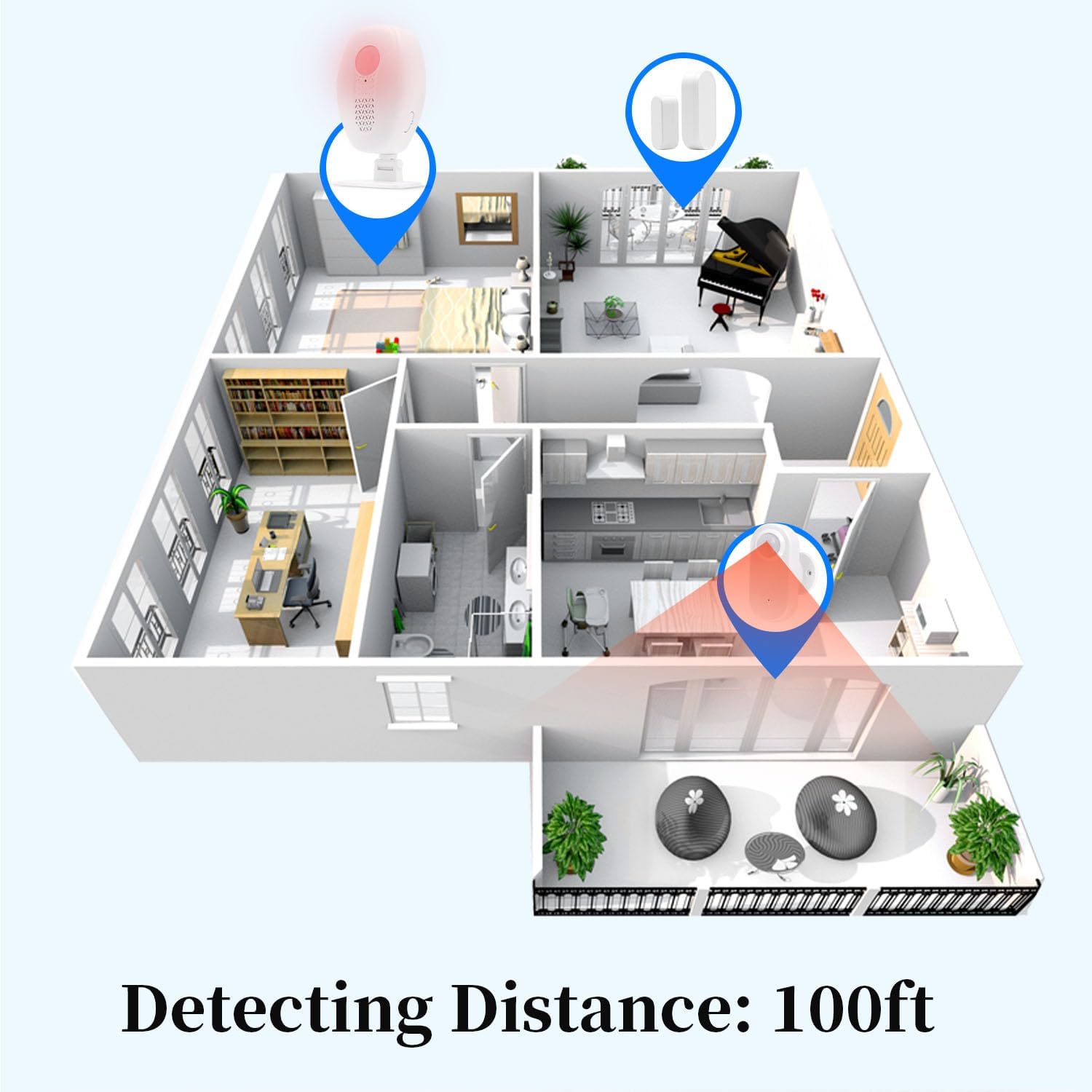
The system offers a detection area of approximately 100 feet at a 100° angle. The wireless transmission range between the receiver and PIR detector is up to 100 feet.
- گیرنده: Place the receiver unit in a central location where the alert sound can be easily heard. Ensure it is within 100 feet of the motion sensor.
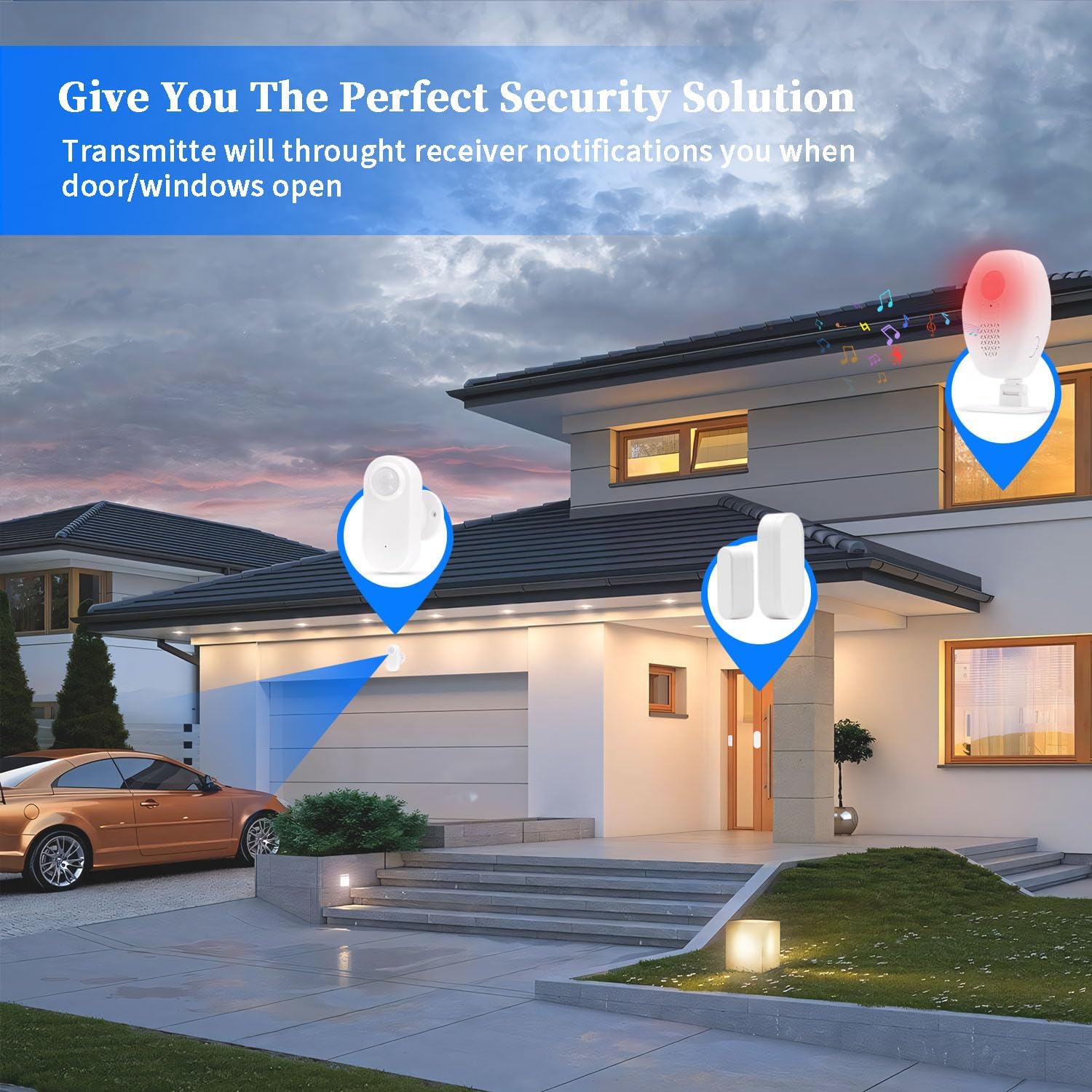
- سنسور حرکت: Mount the motion sensor at entry points such as doors, windows, or in hallways. Consider areas where monitoring is desired, such as a driveway, garden, or pet door. The sensor can be mounted using adhesive backing or screws (if applicable).
دستورالعمل های عملیاتی
1. روشن/خاموش کردن
Use the ON/OFF switch located on the receiver unit to power the device on or off.
۴.۱. مسلح کردن و خلع سلاح کردن
The system features a one-key operation for arming and disarming.

- مسلح کردن: Press the Arming/Disarming button. When armed, if the sensor detects movement, the receiver will emit a continuous alarm for five minutes.
- خلع سلاح: Press the Arming/Disarming button again. When disarmed, if the sensor detects movement, the receiver will broadcast a single alert.
3. تنظیم صدا
Adjust the volume of the receiver's alerts using the volume control buttons on the receiver unit.
4. تابع بی صدا
The system includes a one-click mute function.

Press the mute button to silence audible alerts while still receiving visual indications (LED indicator) of detected motion. This feature is particularly useful for the hearing impaired or when silent monitoring is preferred.
5. برنامه های کاربردی
The Waytronic motion sensor alarm is versatile and can be used in various scenarios.


- امنیت خانه: Monitor entry points like doors and windows for unauthorized access.
- Business Entry: Use as a doorbell chime to alert staff of customer arrivals.
- Garage Security: Detect movement in and around your garage.
- Pet/Elderly Monitoring: Keep track of movement for pets or individuals requiring supervision.
- Driveway Alert: Place sensors to detect vehicles or individuals entering your property.
تعمیر و نگهداری
1. تعویض باتری
Replace batteries in both units when the low battery indicator appears or performance degrades.
- واحد را خاموش کنید.
- محفظه باتری را باز کنید.
- باتری های قدیمی را خارج کرده و به درستی دور بیندازید.
- باتریهای جدید را با رعایت قطب صحیح وارد کنید.
- محفظه باتری را ببندید.
- دستگاه را وصل کنید.
2. تمیز کردن
Wipe the units with a soft, dry cloth. Do not use abrasive cleaners or immerse in water.
عیب یابی
| مشکل | علت احتمالی | راه حل |
|---|---|---|
| No alert sound from receiver. |
|
|
| سنسور حرکت را تشخیص نمیدهد. |
|
|
| آلارمهای کاذب. |
|
|
| برد بیسیم کوتاه. |
|
|
مشخصات
| ویژگی | جزئیات |
|---|---|
| شماره مدل | H12 |
| نام تجاری | ویترونیک |
| فناوری سنسور | مادون قرمز (PIR) |
| محدوده تشخیص | Up to 100 feet at 100° angle |
| محدوده انتقال بی سیم | Up to 100 feet (between receiver and sensor) |
| منبع تغذیه | دارای باتری (باتری شامل نمی شود) |
| ورودی برق گیرنده | Type-C (optional, for continuous power) |
| قابلیت گسترش | Connect up to 20 motion sensors to a single receiver |
| وزن مورد | 4 اونس |
| ابعاد محصول | ۳ × ۳ × ۳ اینچ (تقریبی، برای گیرنده) |
گارانتی و پشتیبانی
برای اطلاعات گارانتی و پشتیبانی فنی، لطفاً به نمایندگی رسمی سازنده مراجعه کنید webبه سایت مراجعه کنید یا مستقیماً با خدمات مشتریان آنها تماس بگیرید. رسید خرید خود را برای درخواستهای گارانتی نگه دارید.
Manufacturer: Waytronic
مدل: H12
Ask a question about this manual
Ask about setup, troubleshooting, compatibility, parts, safety, or missing instructions. Manuals+ will review the question and use this page’s manual context to help answer it.