
مقدمه
Thank you for choosing the AOLON Curve Smart Watch. This device is designed to enhance your daily life with advanced health monitoring, fitness tracking, and smart communication features. This manual provides essential information for setting up, operating, and maintaining your new smart watch.

Image: The AOLON Curve Smart Watch in Rose Gold, showcasinطراحی شیک و صفحه نمایش پر جنب و جوش آن.
آنچه در جعبه است
Upon opening your AOLON Curve Smart Watch package, you should find the following items:
- AOLON Curve Smart Watch (with Watch Band attached)
- کابل شارژ
- راهنمای کاربر (این سند)

Image: A visual representation of the product packaging contents, showing the watch, charging cable, and user manual.
راه اندازی
۱. شارژ اولیه
Before first use, fully charge your smart watch. A full charge typically takes approximately 2.5 hours. The watch offers up to 7 days of normal use and over 20 days in power-saving mode on a single charge.
- کابل شارژ مغناطیسی را به نقاط شارژ پشت ساعت وصل کنید.
- سر USB کابل را به یک آداپتور برق USB استاندارد (که همراه دستگاه نیست) یا پورت USB کامپیوتر وصل کنید.
- صفحه نمایش ساعت وضعیت شارژ را نشان میدهد.

Image: The smart watch connected to its magnetic charging cable, illustrating the charging process and battery icon.
۲. دانلود و جفتسازی برنامه
To unlock the full potential of your AOLON Curve Smart Watch, download the companion app and pair it with your smartphone.
- Scan the QR code in your physical manual or search for "GloryFit" in the Apple App Store (for iOS) or Google Play Store (for Android).
- را نصب کنید جلال برنامه در گوشی هوشمند شما
- اطمینان حاصل کنید که بلوتوث در گوشی هوشمند شما فعال است.
- Open the GloryFit app, navigate to the "Device" section, and tap "Add Device".
- Select "Aolon Curve2" from the list of available devices to pair.
- برای تکمیل فرآیند جفتسازی، هر فرمان روی صفحه را دنبال کنید.

Image: A step-by-step guide illustrating how to download the GloryFit app and connect the AOLON Curve Smart Watch to a smartphone.
کار با ساعت هوشمند
1. ناوبری اولیه
The AOLON Curve Smart Watch features a 1.83-inch HD full-view curved display with a responsive touchscreen and an optical rotary button for intuitive navigation.
- کشیدن انگشت به بالا/پایین: در منوها و اعلانها پیمایش کنید.
- کشیدن انگشت به چپ/راست: به عملکردهای سریع یا صفحههای ساعت مختلف دسترسی پیدا کنید.
- ضربه بزنید: یک مورد را انتخاب کنید یا یک اقدام را تأیید کنید.
- دکمه کناری را فشار دهید: به صفحه اصلی برگردید یا دستگاه را روشن/خاموش کنید.
- Rotate Side Button: Scroll through menus or adjust settings.

تصویر: جزئیات view of the smart watch's 1.83-inch HD display with 3D curved glass, highlighting its visual clarity.
۵.۲. شخصیسازی واچ فیسها
Personalize your watch with over 120 customizable watch faces available through the GloryFit app. You can also set your own photos as watch faces.
- From the watch home screen, long-press the display to quickly change watch faces.
- For more options, open the GloryFit app and navigate to the watch face selection menu.

Image: Various digital and analog watch faces shown on the smart watch, demonstrating customization options.
۱. تماس بلوتوثی
With its built-in microphone and speaker, the smart watch allows you to make and receive calls directly from your wrist when connected to your phone via Bluetooth.
- To make a call, access the dial pad or contact list on your watch.
- To answer an incoming call, tap the green phone icon on the watch screen.
- To reject a call, tap the red phone icon.

Image: A user interacting with the smart watch to manage calls while driving, highlighting the Bluetooth calling feature.
۷. اعلانهای هوشمند
Receive real-time notifications for messages, alarms, and other app alerts directly on your watch. Note that message reply is not supported directly from the watch.
- Ensure notification permissions are granted to the GloryFit app on your smartphone.
- برای این کار، صفحه ساعت را به پایین بکشید view اطلاعیههای اخیر.

Image: The smart watch displaying various app notifications, indicating its intelligent notification reminder feature.
۳. نظارت بر سلامت
The AOLON Curve Smart Watch provides continuous monitoring of key health metrics.
- ضربان قلب: Continuous heart rate tracking with alerts for abnormal rates.
- اکسیژن خون (SpO2): سطح اکسیژن خون خود را کنترل کنید.
- نظارت بر خواب: Tracks sleep duration, quality, and stages (deep, light, REM, awake).
- نظارت بر استرس: بینشهایی در مورد سطح استرس شما ارائه میدهد.
- پیگیری چرخه قاعدگی زنان: پشتیبانی از ردیابی چرخههای قاعدگی.
- یادآوری های کم تحرک: Alerts you to move after prolonged periods of inactivity.
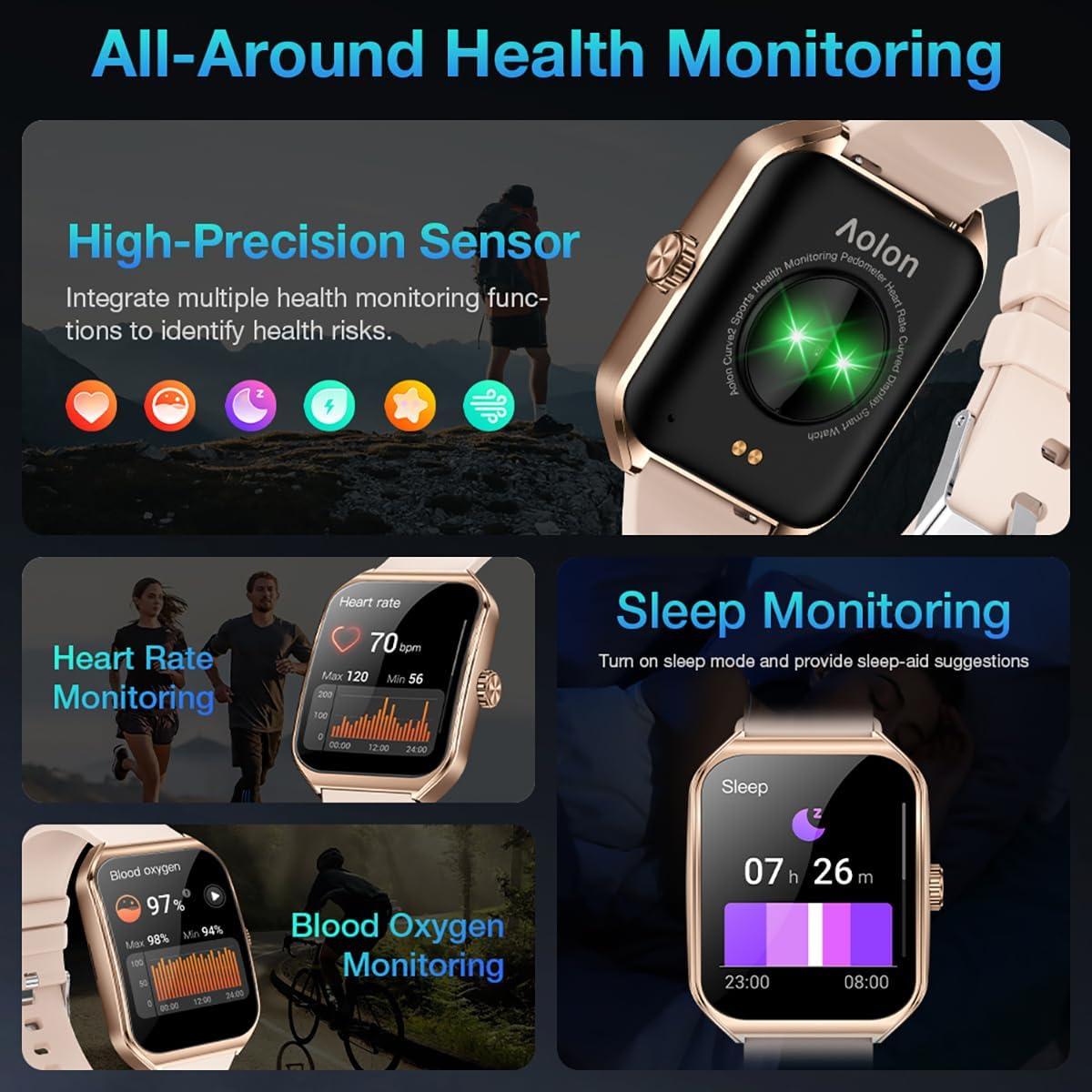
Image: A collage showing the smart watch monitoring heart rate, blood oxygen, and sleep, emphasizing its comprehensive health tracking capabilities.
Video: Demonstrates the 24/7 health monitoring features of the AOLON Smart Watch, including heart rate and SpO2 tracking.
۵.۵ حالتهای ورزشی و ردیابی فعالیت
The watch supports over 60 sports modes, allowing you to accurately monitor heart rate, calorie consumption, and exercise duration.
- Select your desired sports mode from the watch menu (e.g., outdoor run, indoor run, outdoor walk, ball games, dance, gymnastics).
- When connected to your phone, the watch can record and track your exercise routes using your phone's GPS.
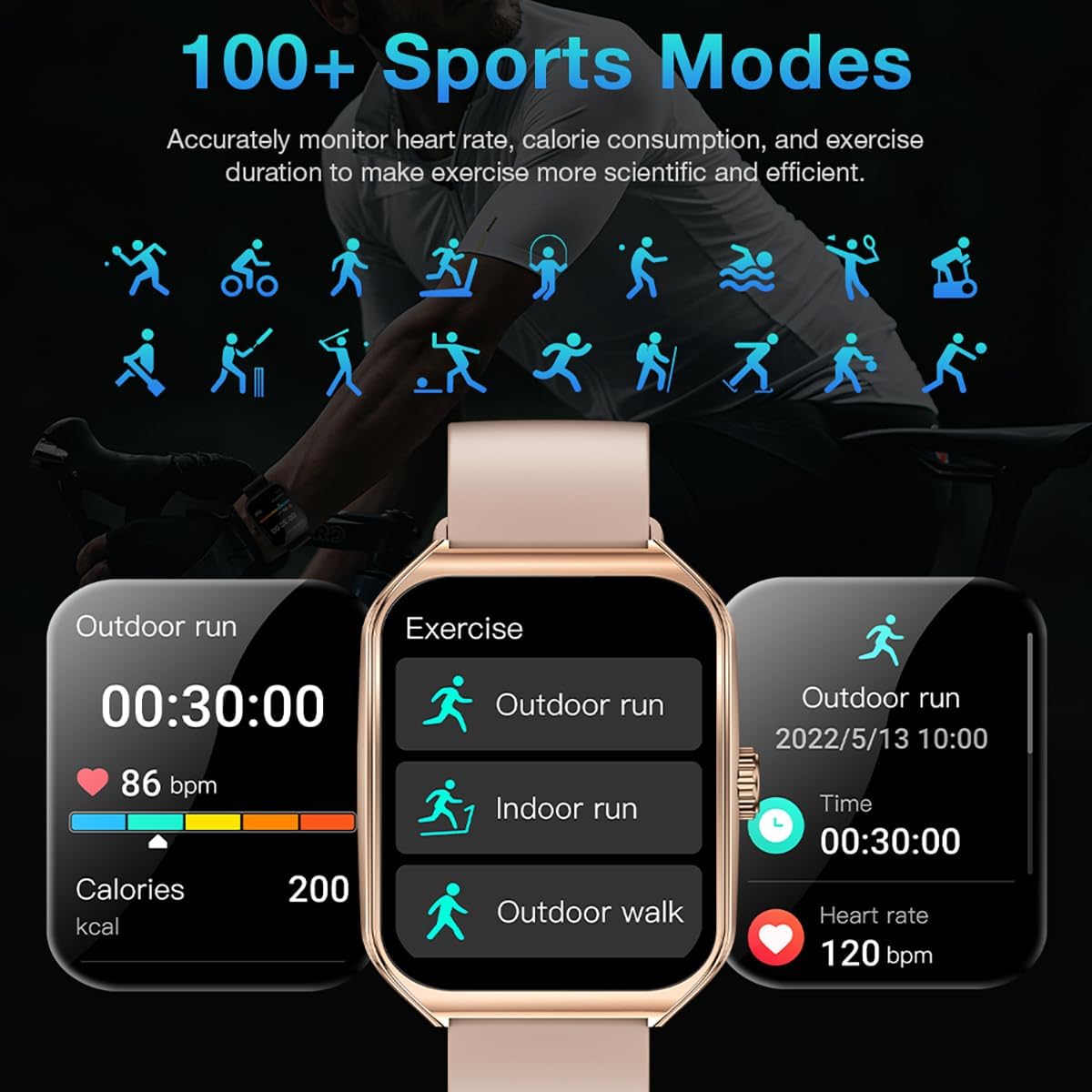
Image: The smart watch interface showing different sports modes and real-time exercise data like heart rate, calories, and distance.
۵.۶ سایر ویژگیهای هوشمند
The AOLON Curve Smart Watch integrates several convenient features for daily use:
- دستیار صوتی هوش مصنوعی: Quickly activate your voice assistant for tasks like making calls, checking weather, or setting alarms.
- پیش بینی آب و هوا: بهروزرسانیهای آب و هوا را به صورت لحظهای دریافت کنید.
- کنترل موسیقی: پخش موسیقی را در گوشی هوشمند خود کنترل کنید.
- ساعت زنگدار: تنظیم و مدیریت آلارمها.
- کرونومتر و تایمر: Essential timing functions.
- تلفن خود را پیدا کنید: گوشی هوشمند جفتشده خود را پیدا کنید.
- چراغ قوه: A simple flashlight function.
- ماشین حساب: محاسبات اولیه روی مچ دست شما.
- عملکرد SOS: برای مواقع اضطراری.
ویدئو: تمام شدview of the Curve2 Smart Watch features, including fitness tracking, notifications, and various smart functions.
تعمیر و نگهداری
۲. تمیز کردن ساعت مچی
Regular cleaning helps maintain the appearance and functionality of your smart watch.
- صفحه نمایش و بدنه را با یک پارچه نرم و لطیف پاک کنید.amp پارچه
- The silicone strap is washable. You can gently clean it with mild soap and water.
- از استفاده از مواد شیمیایی خشن یا مواد ساینده خودداری کنید.
۶.۱ مقاومت در برابر آب (IP67)
The AOLON Curve Smart Watch is IP67 waterproof, meaning it is resistant to dust and can withstand immersion in water up to 1 meter for 30 minutes. It is suitable for daily use and light water activities like hand washing or rain exposure.
- Do not use the watch for diving, hot showers, or prolonged submersion in water.
- از قرار دادن ساعت در معرض آب یا بخار پرفشار خودداری کنید.

Image: The smart watch partially submerged in water, illustrating its IP67 water resistance feature.
عیب یابی
If you encounter issues with your AOLON Curve Smart Watch, please refer to the following common solutions:
- ساعت روشن نمیشود: مطمئن شوید که ساعت کاملاً شارژ شده است. آن را به کابل شارژ وصل کنید و قبل از تلاش برای روشن کردن، اجازه دهید حداقل 30 دقیقه شارژ شود.
- نمیتوان با تلفن جفتسازی کرد:
- مطمئن شوید که بلوتوث گوشی شما فعال است و ساعت در محدودهی پوشش بلوتوث قرار دارد.
- هم گوشی و هم ساعت خود را مجدداً راهاندازی کنید.
- Check if the GloryFit app has necessary permissions (location, Bluetooth, notifications).
- If previously paired, try unpairing and re-pairing the device through the GloryFit app.
- دادههای نادرست سلامت:
- مطمئن شوید که ساعت به طور محکم روی مچ دست شما بسته شده است، نه خیلی تنگ و نه خیلی گشاد.
- حسگر پشت ساعت را تمیز کنید.
- Environmental factors or skin conditions can sometimes affect sensor accuracy.
- اعلانها نمایش داده نمیشوند:
- Verify that notification permissions are enabled for the GloryFit app in your phone's settings.
- مطمئن شوید که ساعت از طریق بلوتوث به گوشی شما متصل است.
- Check the notification settings within the GloryFit app to ensure specific app notifications are enabled.
مشخصات
| اندازه نمایشگر | 1.83 اینچ |
| نوع نمایشگر | HD Curved Display with 3D Curved Glass |
| قابلیت اتصال | بلوتوث 5.0 |
| ظرفیت باتری | 245 میلیونamp ساعت |
| عمر باتری (استفاده عادی) | تا 7 روز |
| عمر باتری (حالت صرفهجویی در مصرف برق) | بیش از 20 روز |
| زمان شارژ | تقریبا 2.5 ساعت |
| مقاومت در برابر آب | IP67 |
| پایش سلامت | ضربان قلب، SpO2، خواب، استرس، چرخه قاعدگی زنان |
| حالت های ورزشی | بیش از ۱۰۰ حالت |
| سازگاری | اندروید و iOS |
| وزن | 40g (watch body only) |
| شماره مدل | 5d738664-f1e0-4256-942f-d938b44e5e53 |
گارانتی و پشتیبانی
AOLON provides a گارانتی 12 ماهه for your smart watch. If you encounter any issues or require assistance, please contact our customer service team.
- خدمات مشتری: Available 24 hours a day. Please contact us through Amazon Customer Service for prompt assistance.