
Introduction
This manual provides essential information for setting up, operating, maintaining, and troubleshooting your Xiaomi Redmi Note 14 Pro 5G smartphone. Please read this guide carefully to ensure proper use and to maximize the device's performance and longevity.
Setup
1. What's in the Box
Your Xiaomi Redmi Note 14 Pro 5G package includes:
- Xiaomi Redmi Note 14 Pro 5G Smartphone
- Power Adapter
- USB Cable
- SIM Eject Tool
2. Device Overview
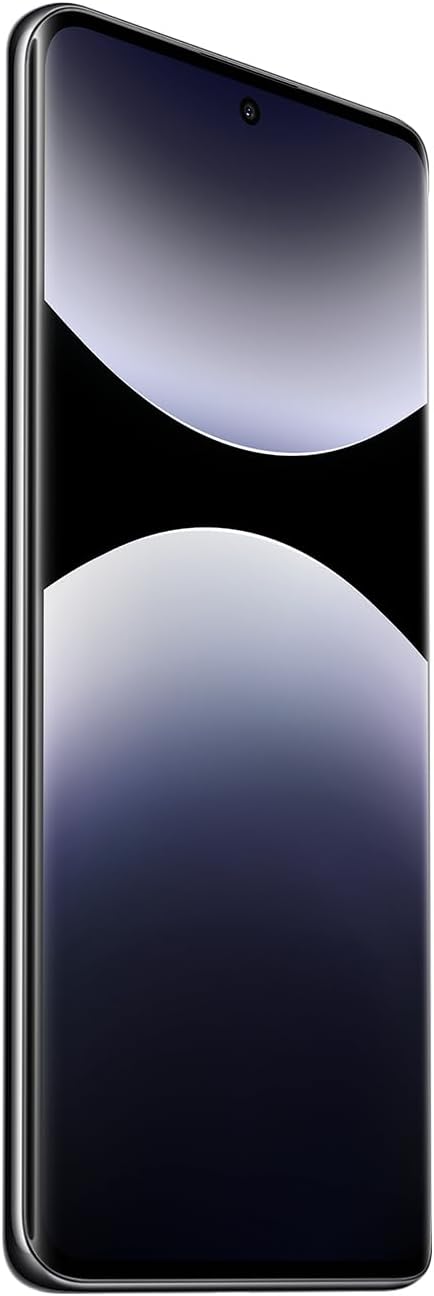
Figure 1: Front view of the Xiaomi Redmi Note 14 Pro 5G, showing the display and front camera.
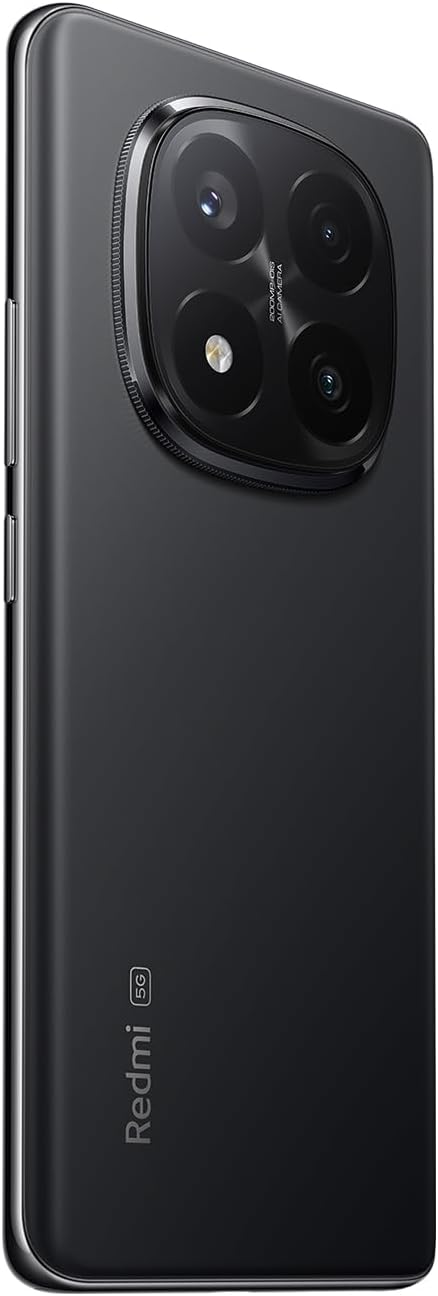
Figure 2: Back view of the Xiaomi Redmi Note 14 Pro 5G, highlighting the quad-camera module.
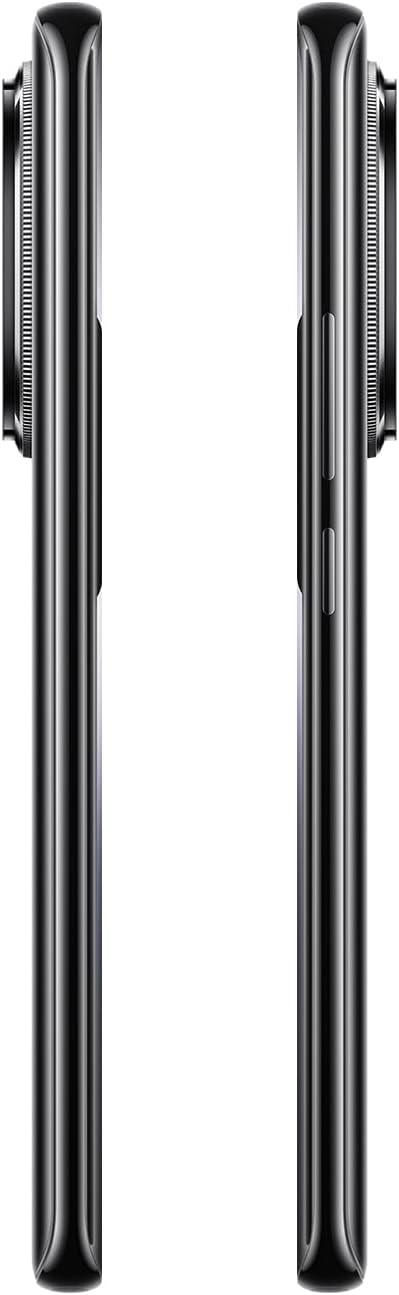
Figure 3: Side view of the Xiaomi Redmi Note 14 Pro 5G, illustrating the power and volume buttons.
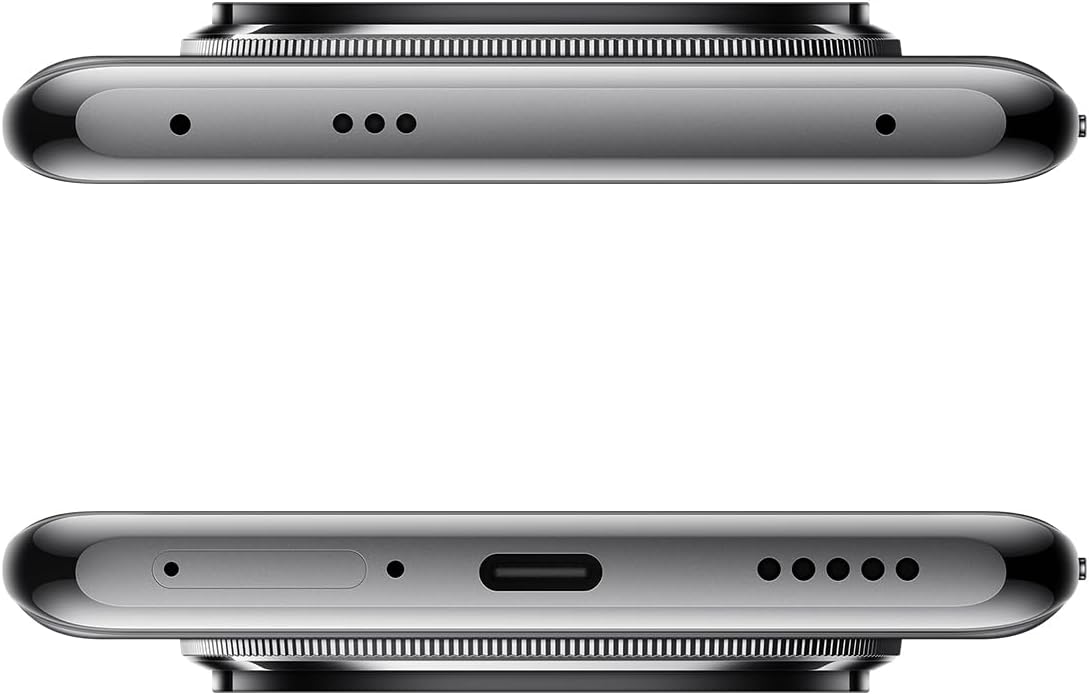
Figure 4: Top and bottom views of the Xiaomi Redmi Note 14 Pro 5G, detailing the USB-C port, speakers, and SIM card tray.
3. Inserting the SIM Card
- Locate the SIM card tray on the side of your device (refer to Figure 4).
- Insert the SIM eject tool into the small hole next to the tray to open it.
- Place your Nano-SIM card(s) into the tray with the gold contacts facing down. This device supports Dual SIM.
- Carefully push the tray back into the slot until it clicks into place.
4. Initial Power On and Configuration
- Press and hold the Power button (refer to Figure 3) until the Xiaomi logo appears.
- Follow the on-screen instructions to select your language, connect to a Wi-Fi network, and set up your Google account.
- Configure security settings, including fingerprint recognition, for enhanced device protection.
Operating Your Device
1. Display and Navigation
The Redmi Note 14 Pro 5G features a 6.67-inch OLED touchscreen with a 2340 x 1080 resolution and a 120Hz refresh rate for smooth visuals. Navigate the Android operating system using touch gestures.
2. Camera Functions
Your device is equipped with a powerful camera system:
- Rear Camera: 200 MP main sensor with a quad-camera setup. Integrated flash.
- Front Camera: 32 MP sensor.
- Shooting Modes: Automatic, Portrait, Landscape, Sport, Night Mode, Macro.
To open the camera, tap the camera icon on your home screen or lock screen. Select your desired mode and tap the shutter button to capture photos or videos.
3. Connectivity
The device supports 5G cellular technology, Wi-Fi, Bluetooth, and NFC for various connectivity needs. Access these settings via the Quick Settings panel or the main Settings application.
4. Battery and Charging
The Redmi Note 14 Pro 5G is powered by a 5500 mAh Lithium-ion battery. It supports 45W fast charging. Use the provided adapter and USB cable for optimal charging performance. Avoid using damaged cables or non-certified chargers.
Maintenance
1. Cleaning Your Device
- Use a soft, lint-free cloth to wipe the screen and back panel.
- Avoid using harsh chemicals, abrasive materials, or aerosol sprays.
- Do not expose the device to excessive moisture. Note that the device is not water-resistant.
2. Software Updates
Regularly check for and install software updates to ensure your device has the latest features, security patches, and performance improvements. You can usually find this option in the device's Settings menu under "About phone" or "System updates."
3. Storage Management
Your device comes with 256 GB of internal storage. To maintain optimal performance, regularly manage your storage by deleting unnecessary files, uninstalling unused apps, and backing up important data to cloud services or an external drive.
Troubleshooting
If you encounter issues with your device, try the following common troubleshooting steps:
- Device Unresponsive: Press and hold the Power button for about 10-15 seconds to force a restart.
- App Crashing: Close the app and reopen it. If the issue persists, clear the app's cache and data in Settings, or uninstall and reinstall the app.
- Connectivity Issues (Wi-Fi/Bluetooth/Cellular):
- Toggle Wi-Fi/Bluetooth/Cellular data off and on.
- Restart your device.
- For Wi-Fi, forget the network and reconnect.
- For cellular, ensure your SIM card is properly inserted and your plan is active.
- Battery Draining Quickly: Check battery usage in Settings to identify power-hungry apps. Reduce screen brightness, disable unnecessary features (GPS, Bluetooth, Wi-Fi) when not in use, and close background apps.
- Slow Performance: Clear cache, free up storage space, and restart your device.
For more complex issues, refer to the official Xiaomi support website or contact customer service.
Specifications
| Feature | Detail |
|---|---|
| Brand | XIAOMI |
| Model Name | Note 14 Pro 5G |
| Operating System | Android |
| RAM Size | 8 GB |
| Storage Capacity | 256 GB |
| Screen Size | 6.67 Inches |
| Resolution | 2340 x 1080 |
| Refresh Rate | 120 Hz |
| Display Type | OLED |
| Rear Camera Resolution | 200 MP (Quad Camera) |
| Front Camera Resolution | 32 MP |
| Battery Capacity | 5500 mAh (Lithium-ion) |
| Charging | 45W Fast Charging |
| Cellular Technology | 5G |
| Connectivity | Bluetooth, NFC, Wi-Fi |
| SIM Card Type | Nano-SIM (Dual SIM) |
| Biometric Features | Fingerprint Recognition |
| Water Resistance Level | Not water-resistant |
| Weight | 356 Grams |
| Color | Black |
Warranty Information
Your Xiaomi Redmi Note 14 Pro 5G comes with a 2-year manufacturer's warranty. This warranty covers defects in materials and workmanship under normal use. For detailed terms and conditions, please refer to the warranty card included in your product packaging or visit the official Xiaomi website.
Please retain your proof of purchase for warranty claims.
Support and Contact
For further assistance, technical support, or to find service centers, please visit the official Xiaomi support website:
You may also find helpful information and FAQs on the Xiaomi community forums.


