
سبز 65383
UGREEN USB C to USB C Cable Instruction Manual
مدل: ۳۵۵۲۵ | برند: یوگرین
1. مقدمه
Thank you for choosing the UGREEN USB C to USB C Cable. This premium cable is engineered to deliver exceptional performance for your modern devices, supporting ultra-fast charging, high-speed data transfer, and stunning video output. Designed for durability and versatility, it is an essential accessory for your MacBook, iPad, iPhone, USB C monitors, and other compatible devices.

Image: The UGREEN USB C to USB C Cable, showcasinطراحی بافته شده و کانکتورهای قوی آن.
2. ویژگی های کلیدی
2.1. 240W Superfast Charging
Empower your devices with superb 240W Power Delivery 3.1. This cable can charge a MacBook Pro 16" to 56% in approximately 30 minutes. It is backward compatible with 140W, 100W, and 65W devices, ensuring future-proof performance for a wide range of laptops, phones, and accessories.

Image: Visual representation of the UGREEN USB C cable's 240W charging capability, highlighting its speed compared to lower wattagکابل های e
2.2. Lightning 80Gbps Data Transfer
Experience rapid data synchronization with USB4 Gen4's 80Gbps bandwidth. This allows you to transfer a 20GB 4K movie in just 3 seconds, making it 8 times faster than standard USB C cables. It is ideal for professionals like photographers and developers, or anyone needing to move massive files quickly between SSDs, NAS, or dual computers.

Image: Graphic illustrating the 80Gbps data transfer speed of the UGREEN USB C cable, emphasizing its rapid syncing capabilities.
2.3. Industry Leading HD Display Support
Unlock cinematic visuals with DisplayPort 2.1 mode. This cable supports resolutions up to 16K@60Hz, and can extend to dual 8K@60Hz or triple 4K@144Hz displays. It is perfect for gaming setups, 3D rendering workstations, or multi-screen trading environments that demand ultra-smooth, zero-lag visuals.
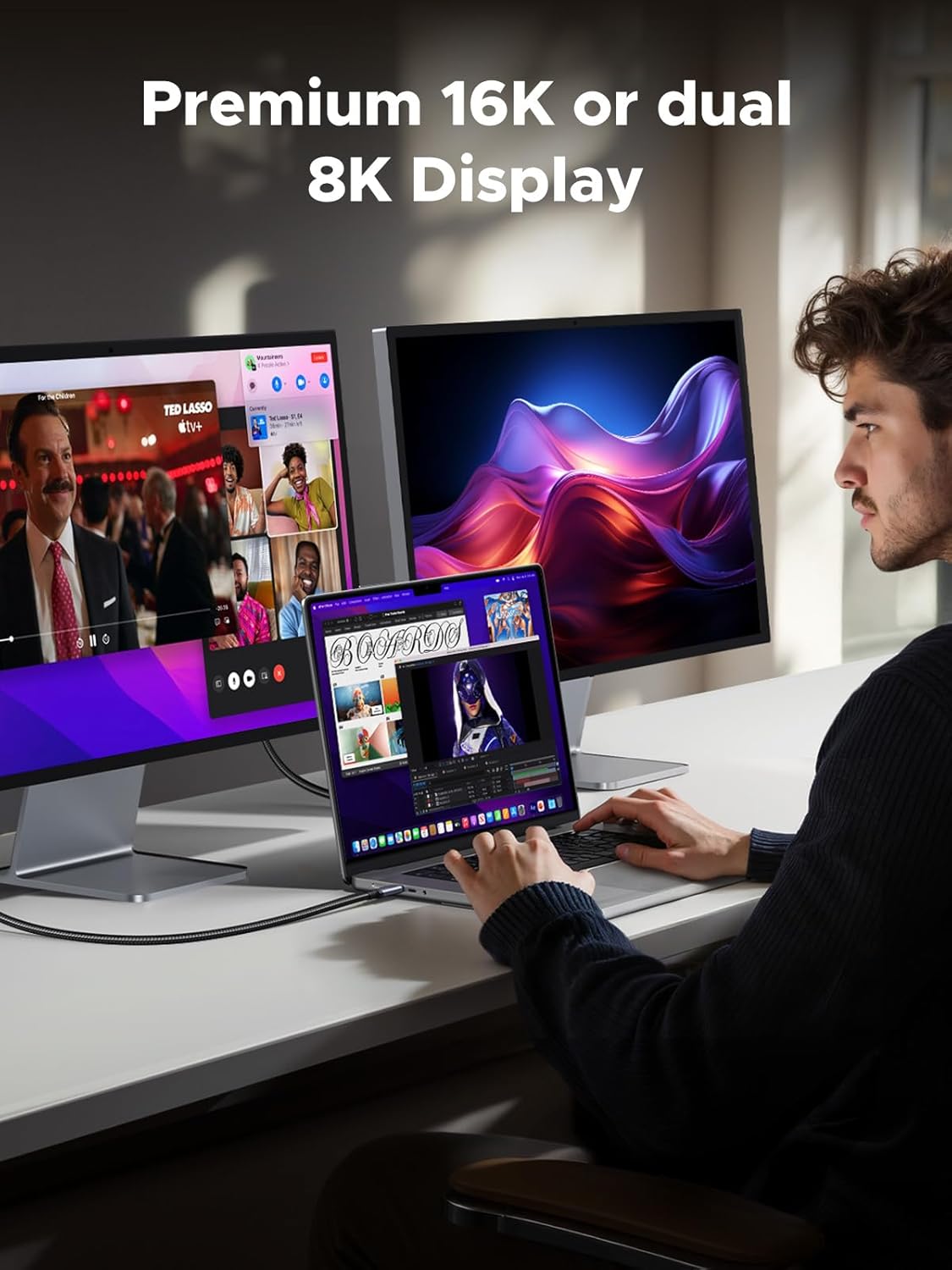
Image: A user working with a laptop connected via the UGREEN USB C cable to two external monitors, demonstrating its support for premium 16K or dual 8K displays.
2.4. All-in-One Solution & Broad Compatibility
This single USB C to C cable efficiently handles 240W charging, 80Gbps data syncing, and 16K max video output. It seamlessly connects USB C laptops (e.g., MacBook Pro/Air, Dell XPS), phones (e.g., iPhone 16, Galaxy S24), tablets (e.g., iPad Pro), monitors, and various accessories. It supports Thunderbolt 4, Thunderbolt 3, USB4, USB 3.2, USB 3.1, USB 3.0, and more.

Image: An illustration showing the UGREEN USB C cable connecting a variety of devices, including a MacBook Pro, iPad Pro, smartphone, display, docking station, and camera, emphasizing its 'One For All' versatility.
2.5. Sturdy and Long-lasting Design
The cable features a solid and durable nylon braided exterior, ensuring a longer service life with resistance to over 10,000 bends. The double-sided USB C connectors have over-molded strain relief, designed for frequent insertions. Its aluminum housing, high-purity copper wire, and triple shielding contribute to long-lasting fast charging performance and overall reliability.

Image: Close-up of the UGREEN USB C cable connector and braided cable, highlighting its superior durability and ability to withstand over 20,000 bending tests.
2.6. Smart E-Marker Chip
Equipped with an advanced E-Marker chip, the cable ensures safer, faster, and more stable performance. This chip intelligently manages power delivery and data flow, providing essential protections against overheating, over-current, and short-circuits, thereby safeguarding your connected devices.

Image: Diagram illustrating the internal Smart E-Marker Chip within the UGREEN USB C cable, emphasizing its role in ensuring safer, faster, and more stable connections.
3. راه اندازی
The UGREEN USB C to USB C Cable is designed for plug-and-play simplicity. No drivers or software installation are required.
- شناسایی پورتهای سازگار: Ensure your devices (laptop, phone, monitor, charger) have USB-C ports. For optimal performance, ensure both connected devices and the power source support the desired power delivery (e.g., 240W) and data transfer speeds (e.g., 80Gbps).
- کابل را وصل کنید: Insert one end of the UGREEN USB C cable into the USB-C port of your source device (e.g., laptop, charger).
- Connect to Destination Device: Insert the other end of the cable into the USB-C port of your target device (e.g., monitor, external SSD, smartphone).
- تأیید اتصال: Once connected, your devices should automatically recognize each other for charging, data transfer, or video output, depending on their capabilities and your setup.
4. دستورالعمل های عملیاتی
4.1. شارژ دستگاه های خود را
Connect the cable between a USB-C power adapter (charger) and your USB-C enabled device (e.g., laptop, tablet, phone). The cable will automatically negotiate the maximum supported power delivery up to 240W, provided both the charger and the device support it.
4.2. انتقال داده ها
Connect the cable between two USB-C enabled devices for data transfer (e.g., a computer and an external SSD, or two computers). Ensure both devices support USB4 Gen4 or compatible USB standards for optimal speed. Files can be dragged and dropped between devices as usual.
4.3. خروجی ویدیو
Connect the cable from a USB-C enabled device with DisplayPort Alternate Mode (Alt Mode) support (e.g., laptop, tablet) to a USB-C enabled monitor or display. The cable supports resolutions up to 16K@60Hz, dual 8K@60Hz, or triple 4K@144Hz, depending on your device and monitor capabilities. Ensure your device's display settings are configured correctly for external monitors.
5. تعمیر و نگهداری
To ensure the longevity and optimal performance of your UGREEN USB C to USB C Cable, follow these maintenance guidelines:
- اجتناب از خم شدن شدید: While the cable is designed for durability, avoid sharp or excessive bends, especially near the connectors, to prevent internal wire damage.
- تمیز نگه دارید: کابل و کانکتورها را به صورت دورهای با یک پارچه نرم و خشک پاک کنید تا گرد و غبار و آلودگیها از بین بروند. از استفاده از مواد شیمیایی قوی یا مواد ساینده خودداری کنید.
- ذخیره سازی مناسب: When not in use, coil the cable loosely and store it in a cool, dry place away from direct sunlight and extreme temperatures. Avoid tangling the cable with other items.
- با احتیاط رفتار کنید: هنگام وصل کردن یا جدا کردن کابل، همیشه سر رابط را بگیرید، نه اینکه خود کابل را بکشید.
6 عیب یابی
If you encounter issues with your UGREEN USB C to USB C Cable, please refer to the following common problems and solutions:
| مشکل | علت احتمالی | راه حل |
|---|---|---|
| دستگاه شارژ نمیشود یا به کندی شارژ میشود. | Incompatible charger/device, loose connection, insufficient power. | Ensure charger and device support the required power (e.g., 240W). Check that the cable is securely plugged into both ends. Try a different charger or port. |
| Data transfer is slow or not working. | Incompatible USB standard, faulty port, software issue. | Ensure both devices support USB4 Gen4 or a compatible high-speed USB standard. Try a different USB-C port on your device. Restart your devices. |
| خروجی ویدیو به نمایشگر خارجی وجود ندارد. | Device/monitor not supporting DisplayPort Alt Mode, incorrect display settings, cable not fully inserted. | Verify that both your source device and monitor support DisplayPort Alt Mode over USB-C. Check your device's display settings to ensure the external monitor is detected and configured. Re-insert the cable firmly. |
| کابل آسیب دیده به نظر میرسد. | Physical stress, improper handling. | Discontinue use immediately. Contact UGREEN customer support for assistance. |
7. مشخصات
| ویژگی | جزئیات |
|---|---|
| شماره مدل | 65383 |
| نام تجاری | سبز |
| نوع رابط | یو اس بی نوع سی به یو اس بی نوع سی |
| نوع کابل | USB |
| تحویل برق | تا ۲۴۰ وات (PD 3.1) |
| سرعت انتقال داده | Up to 80Gbps (USB4 Gen4) |
| خروجی ویدیو | Up to 16K@60Hz, Dual 8K@60Hz, Triple 4K@144Hz (DisplayPort 2.1) |
| ویژگی های خاص | Braided, Data Transfer, Fast Charging, E-Marker Chip |
| دستگاه های سازگار | MacBook, iPad, iPhone, USB C Monitors, Phones (Galaxy S24), Laptops, Tablets, Accessories |
| ابعاد (بسته) | 7.48 x 7.09 x 1.97 اینچ |
| وزن (مورد) | 2.12 اونس |
8. گارانتی و پشتیبانی
For information regarding warranty coverage, technical support, and customer service, please visit the official UGREEN website or contact their customer support directly. Details can typically be found in the product packaging or on the UGREEN brand store page.
Ask a question about this manual
Ask about setup, troubleshooting, compatibility, parts, safety, or missing instructions. Manuals+ will review the question and use this page’s manual context to help answer it.