
مقدمه
Thank you for choosing the Defender ARGA GM-049 Gaming Mouse. This manual provides detailed instructions for setting up, operating, maintaining, and troubleshooting your new gaming mouse. Please read this manual carefully before use to ensure optimal performance and longevity of your device.
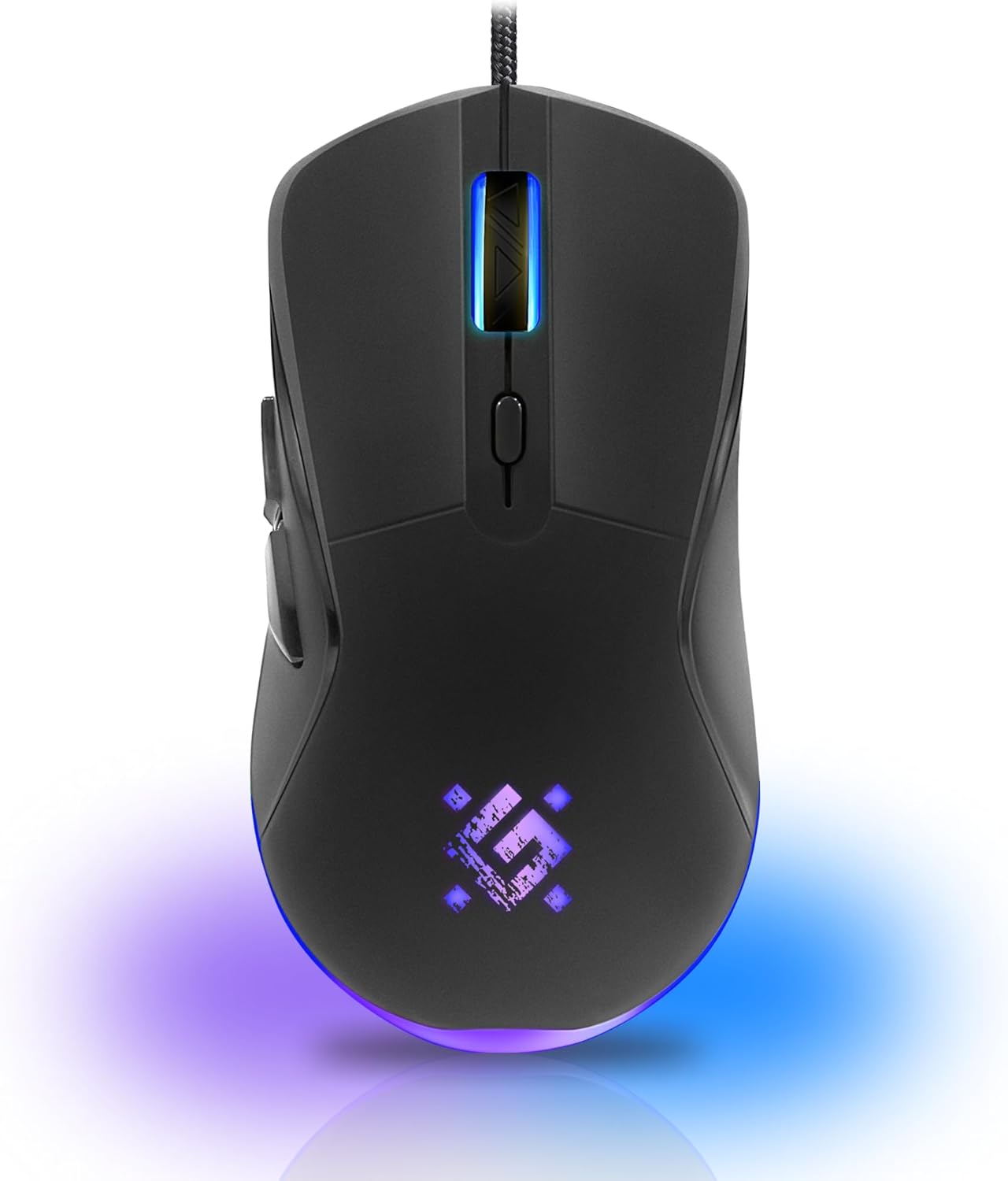
تصویر: جلو view of the Defender ARGA GM-049 Gaming Mouse, showcasing its ergonomic design and customizable RGB lighting.
راه اندازی
۱. اتصال ماوس
- یک پورت USB موجود در رایانه خود را پیدا کنید.
- Plug the gold-plated USB connector of the Defender ARGA GM-049 mouse into the USB port.
- سیستم عامل به طور خودکار درایورهای لازم را شناسایی و نصب میکند. این فرآیند ممکن است چند لحظه طول بکشد.
۴. نصب نرمافزار (اختیاری)
For advanced customization, including macro programming and button remapping, install the Defender Game Center Software.
- Visit the official Defender website to download the latest version of the Defender Game Center Software.
- دستورالعمل های روی صفحه را برای تکمیل نصب دنبال کنید.
- پس از نصب، نرمافزار را اجرا کنید تا تنظیمات ماوس خود را پیکربندی کنید.

Image: Diagram illustrating the Defender Game Center Software, macro editor, optical sensor, and compatibility with Windows 2000/XP/Vista/7/8/10+ and macOS X10+.
دستورالعمل های عملیاتی
1. توابع اساسی
- کلیک چپ: اقدام اولیه.
- کلیک راست: Secondary action, typically opens context menus.
- چرخ اسکرول: Scroll up/down documents or web صفحات. فشار دادن چرخ اسکرول اغلب مانند کلیک وسط عمل میکند.
۴.۴ تنظیم DPI
The Defender ARGA GM-049 features adjustable DPI (Dots Per Inch) settings, allowing you to change mouse sensitivity on the fly. The available DPI levels are 1200, 1800, 2400, and 3600.
- Press the dedicated DPI button (usually located behind the scroll wheel) to cycle through the preset DPI levels.
- Each DPI level may correspond to a different LED lighting color for easy identification (refer to software for customization).
۴. دکمههای قابل برنامهریزی
The mouse is equipped with 6 buttons, 5 of which are programmable using the Defender Game Center Software. These include the two main clicks, the scroll wheel click, and two side buttons.
- Launch the Defender Game Center Software.
- Navigate to the button assignment section.
- Select a button and assign a desired function, macro, or key combination.
۵.۴ نورپردازی RGB
The ARGA GM-049 features customizable RGB lighting. The lighting effects and colors can be configured through the Defender Game Center Software to match your preferences or current DPI setting.

Image: Visual representation of the mouse's features including 10 million clicks lifespan, 5 programmable buttons, RGB lighting, and DPI settings (1200/1800/2400/3600).
تعمیر و نگهداری
نگهداری مناسب، طول عمر و عملکرد بهینه ماوس بازی شما را تضمین میکند.
1. تمیز کردن
- قبل از تمیز کردن، موس را از کامپیوتر خود جدا کنید.
- برای پاک کردن سطح ماوس از یک پارچه نرم، خشک و بدون پرز استفاده کنید.
- برای کثیفیهای سرسخت، کمی dampپارچه را با آب یا یک پاککننده ملایم و غیرساینده تمیز کنید. از مواد شیمیایی قوی خودداری کنید.
- Use a cotton swab or compressed air to clean around the buttons and scroll wheel.
- اجازه ندهید مایعات وارد ماوس شوند.asing.
2. مراقبت عمومی
- از انداختن ماوس یا قرار دادن آن در معرض ضربات شدید خودداری کنید.
- ماوس را از دمای شدید و نور مستقیم خورشید دور نگه دارید.
- Do not attempt to disassemble the mouse, as this may void your warranty.
عیب یابی
If you encounter issues with your Defender ARGA GM-049 mouse, refer to the following common solutions:
| مشکل | راه حل ممکن |
|---|---|
| ماوس پاسخ نمی دهد |
|
| حرکت نامنظم مکان نما |
|
| دکمهها یا چرخ اسکرول کار نمیکنند |
|
| روشنایی LED کار نمی کند |
|
مشخصات
| ویژگی | جزئیات |
|---|---|
| نام تجاری | مدافع |
| مدل | ARGA GM-049 |
| فناوری اتصال | Wired USB (Gold-plated connector) |
| فناوری تشخیص حرکت | نوری |
| سطوح DPI | 1200/1800/2400/3600 |
| تعداد دکمه ها | 6 (5 قابل برنامه ریزی) |
| ویژگی های خاص | RGB LED lighting, Programmable buttons, Macro editor, Durable rubberized surface, Teflon feet, Ferrite noise filter |
| طول کابل | 1.5 meters (Braided cable structure) |
| طول عمر دکمه | تا 10 میلیون کلیک |
| سازگاری | Windows 2000/XP/Vista/7/8/10+, macOS X10+ |
| لوازم جانبی گنجانده شده است | Mouse Pad (220 x 180 mm) |

Image: Product packaging highlighting key features such as rainbow backlight, 2 thumb buttons, 4 resolution modes up to 3600 DPI, wide rubberized backlit scroll wheel, 5 customizable buttons, durable Teflon feet, ferrite noise filter, gold-plated USB connector, and bonus mouse pad.

Image: The Defender ARGA GM-049 Gaming Mouse shown alongside its included mouse pad, indicating dimensions of 220mm by 180mm.
گارانتی و پشتیبانی
اطلاعات گارانتی
For detailed warranty information regarding your Defender ARGA GM-049 Gaming Mouse, please refer to the warranty card included with your product or consult the retailer from whom you purchased the device. Warranty terms and conditions may vary by region and retailer.
پشتیبانی فنی
If you require further assistance or encounter issues not covered in this manual, please visit the official Defender website for support resources, FAQs, and contact information for technical support.