
مقدمه
This manual provides instructions for the assembly, operation, and maintenance of your RAESOOT 12-in-1 STEM Robot Building Kit, Model 214A. This kit allows for the construction of 12 different robot models, promoting hands-on learning and problem-solving skills.
اطلاعات ایمنی
- هشدار قطعات کوچک: This kit contains small parts which may pose a choking hazard for children under 3 years old. Adult supervision is recommended during assembly and play.
- ایمنی باتری: The product uses a rechargeable Lithium Metal battery. Do not attempt to open, crush, or expose the battery to extreme temperatures. Dispose of batteries according to local regulations.
- Keep away from water and moisture to prevent electrical damage.
محتویات بسته
قبل از شروع مونتاژ، از وجود همه اجزا اطمینان حاصل کنید:
- STEM building set components
- باتری قابل شارژ
- کابل شارژ USB-C
- Detailed instruction manual for 12 models
دستورالعمل مونتاژ
The RAESOOT 12-in-1 STEM Robot Building Kit allows you to construct 12 distinct robot models. Each model has its own specific assembly steps detailed in the included instruction manual.
- Refer to the dedicated building guide provided in the package.
- Select the desired robot model you wish to build.
- نمودارها و دستورالعملهای گام به گام را با دقت دنبال کنید.
- Ensure all connections are secure to prevent parts from detaching during operation.

شکل 1: تمام شده استview of the 12 different robot models that can be constructed from this kit.
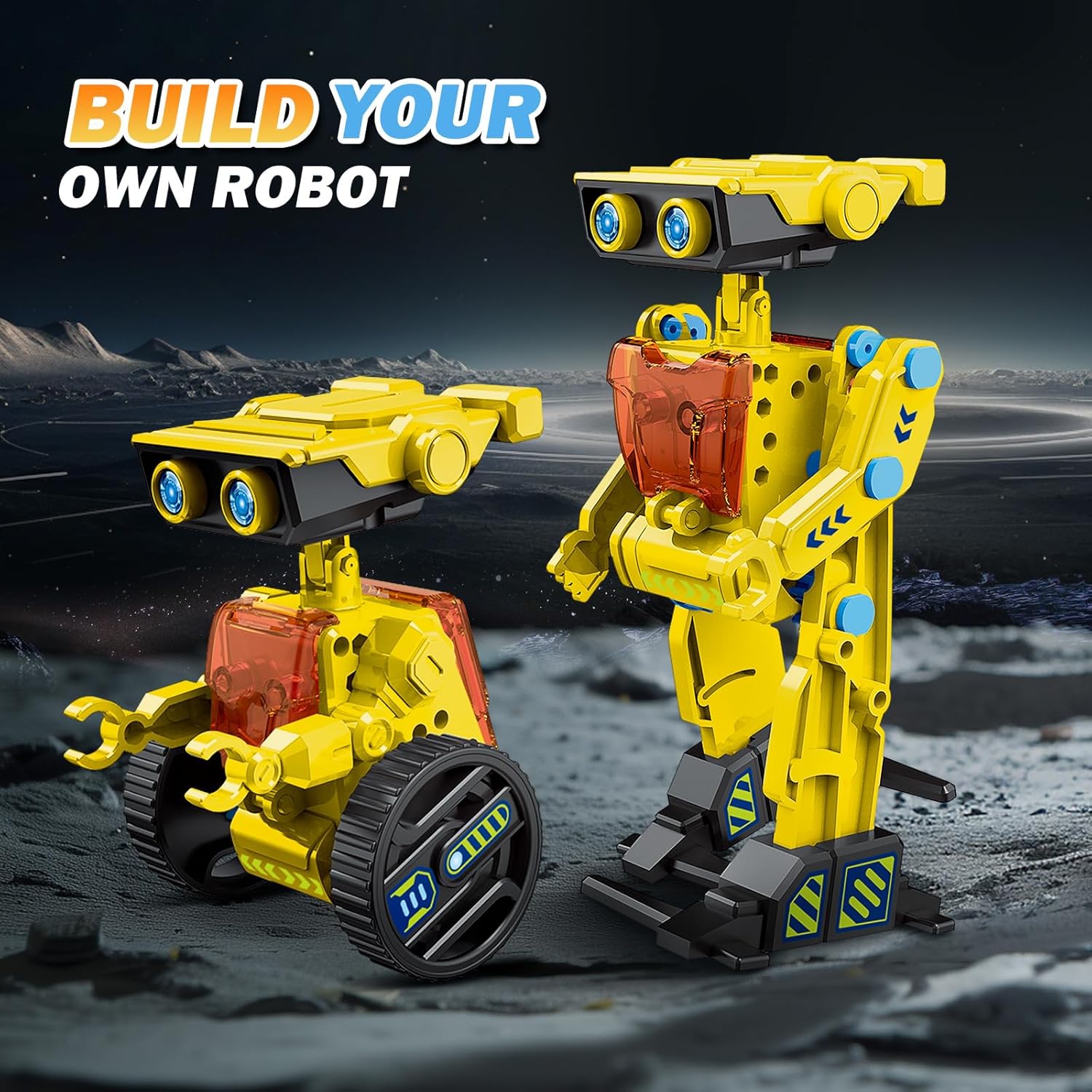
شکل 2: مثالamples of assembled robot models from the kit.
راه اندازی
شارژ باتری
The robot is powered by a rechargeable battery. Before first use, fully charge the battery.
- Locate the USB-C charging port on the robot's main power unit.
- Connect the provided USB-C cable to the robot and a compatible USB power source (e.g., computer, wall adapter).
- The charging indicator light will illuminate during charging and typically change color or turn off when fully charged. Refer to the specific model's instructions for exact indicator behavior.
- A full charge allows for extended play time.

Figure 3: Location of the USB-C charging port and control button.
دستورالعمل های عملیاتی
Once assembled and the battery is charged, you can operate your robot model.
- Ensure the robot is placed on a flat, clear surface.
- Press the power button on the main unit to turn the robot on. (Refer to Figure 3 for button location).
- The robot will typically begin its programmed movements or respond to direct interaction depending on the model built.
- To turn off the robot, press the power button again.
تعمیر و نگهداری
- تمیز کردن: Wipe the robot with a dry, soft cloth. Do not use water or cleaning solutions.
- ذخیره سازی: Store the robot and its components in a cool, dry place away from direct sunlight. Disassemble models for compact storage if desired.
- مراقبت از باتری: برای نگهداری طولانی مدت، هر چند ماه یکبار باتری را تقریباً تا ۵۰٪ شارژ کنید تا سلامت باتری حفظ شود.
عیب یابی
- ربات روشن نمیشود: Check if the battery is charged. Ensure the power button is pressed firmly.
- Robot does not move: Verify that all gears and connections are correctly assembled according to the instruction manual. Ensure the battery is charged.
- قطعات مناسب نیستند: Double-check the instruction manual to ensure you are using the correct parts for the current step and that they are oriented correctly. Do not force parts together.
- قطعات گم شده: Review the package contents list. If parts are genuinely missing, contact customer support.
مشخصات
| ابعاد محصول | 9.5 x 3.1 x 11.2 اینچ |
| وزن مورد | 1.48 پوند |
| شماره مدل مورد | 214A |
| سن توصیه شده سازنده | 6 سال به بالا |
| باتری های مورد نیاز | 1 باتری لیتیوم فلزی (شامل) |
| سازنده | SHANTOU CHENGHAI RUICHUANG TOYS FACTORY |
گارانتی و پشتیبانی
For any questions, concerns, or issues regarding your RAESOOT 12-in-1 STEM Robot Building Kit, please contact the manufacturer or seller for assistance. Please retain your proof of purchase for warranty claims.