
1. مقدمه
This manual provides essential information for setting up, operating, maintaining, and troubleshooting your SHARP 55FJ2E 4K UHD Smart TV. Please read these instructions carefully before using your television to ensure proper functionality and safety.
۳. چه چیزهایی شامل میشود
بررسی کنید که آیا همه اجزا در بستهبندی موجود هستند یا خیر:
- SHARP 55FJ2E 4K UHD Smart TV
- کنترل از راه دور
- 2 عدد باتری قلمی
- TV Stand Installation Kit
- راهنمای سریع
3. راه اندازی
۴.۱ وصل کردن پایه تلویزیون
Carefully place the TV screen-down on a soft, clean surface to prevent damage. Attach the included stand components to the bottom of the TV using the provided screws. Ensure the stand is securely fastened before placing the TV upright.
Alternatively, the TV supports VESA wall mounting (400 x 300 mm) for compatible wall brackets (sold separately).
۳.۲ اتصال دستگاههای خارجی
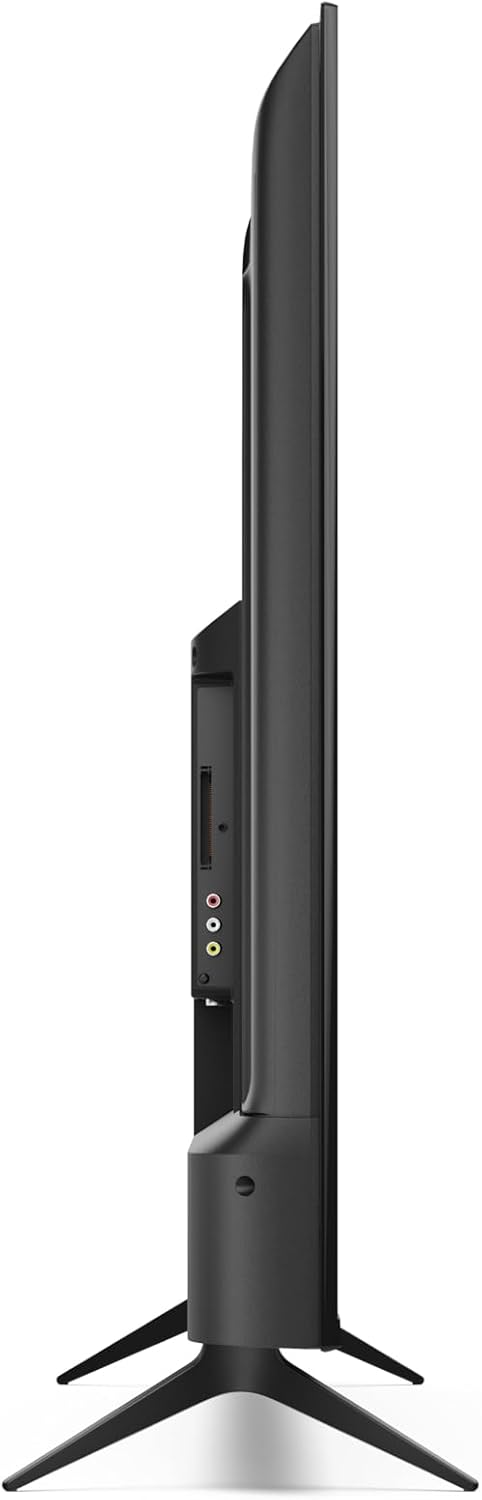
Connect your external devices such as cable boxes, gaming consoles, or media players to the appropriate ports on the TV.
- HDMI Ports (3x HDMI 4K @ 60 Hz (2.1)): For high-definition audio and video devices.
- USB Ports (2x): For connecting USB storage devices or other peripherals.
- ورودی آنتن: For connecting a terrestrial antenna.
- ورودی ماهواره: For connecting a satellite dish.
- جک هدفون: برای گوش دادن خصوصی.
- خروجی صوتی نوری دیجیتال: For connecting to external audio systems.
- LAN (RJ45): برای اتصال اینترنت سیمی.
تصویر: کنار view of the TV displaying connectivity ports.
تصویر: عقب view of the TV with port layout.
3.3 Initial Power On and Roku TV Setup
After connecting all necessary cables, plug the TV into a power outlet. Press the power button on the remote control or the TV. Follow the on-screen instructions to complete the initial Roku TV setup, including network connection (Wi-Fi or LAN) and channel scanning.

تصویر: جلو view of the Sharp 55FJ2E TV.
۵. کار با تلویزیون
4.1 عملکردهای کنترل از راه دور
The included remote control allows you to navigate the Roku TV interface and control your television. Insert the 2 AAA batteries into the remote control before use.

Image: Sharp Roku TV Remote Control.
- دکمه پاور: تلویزیون را روشن یا خاموش میکند.
- راهنما: Accesses the program guide.
- پد ناوبری (بالا/پایین/چپ/راست): Moves through menus and options.
- دکمه OK: انتخابها را تأیید میکند.
- ولوم بالا/پایین: سطح صدا را تنظیم می کند.
- بی صدا: Silences the TV sound.
- کنترل های پخش: Play, Pause, Fast Forward, Rewind.
- دکمه صفحه اصلی: Returns to the Roku TV home screen.
- دکمه های اعداد: برای ورودی مستقیم کانال.
- خروج/بازگشت: به صفحه قبلی برمیگردد یا از منو خارج میشود.
۵.۱ رابط کاربری تلویزیون روکو (Roku) برای ناوبری
The Roku TV home screen provides access to streaming channels, input sources, and settings. Use the navigation pad and OK button on your remote to browse.

Image: Roku TV Home Screen Interface.
- کانالهای پخش جریانی: Access pre-installed apps like YouTube, Netflix, Prime Video, Disney+, and Apple TV.
- تلویزیون زنده: Access broadcast channels via antenna or satellite.
- ورودی ها: Select connected devices (e.g., HDMI 1, USB).
- تنظیمات: Adjust picture, sound, network, and system settings.
۵.۴ اپلیکیشن موبایل روکو
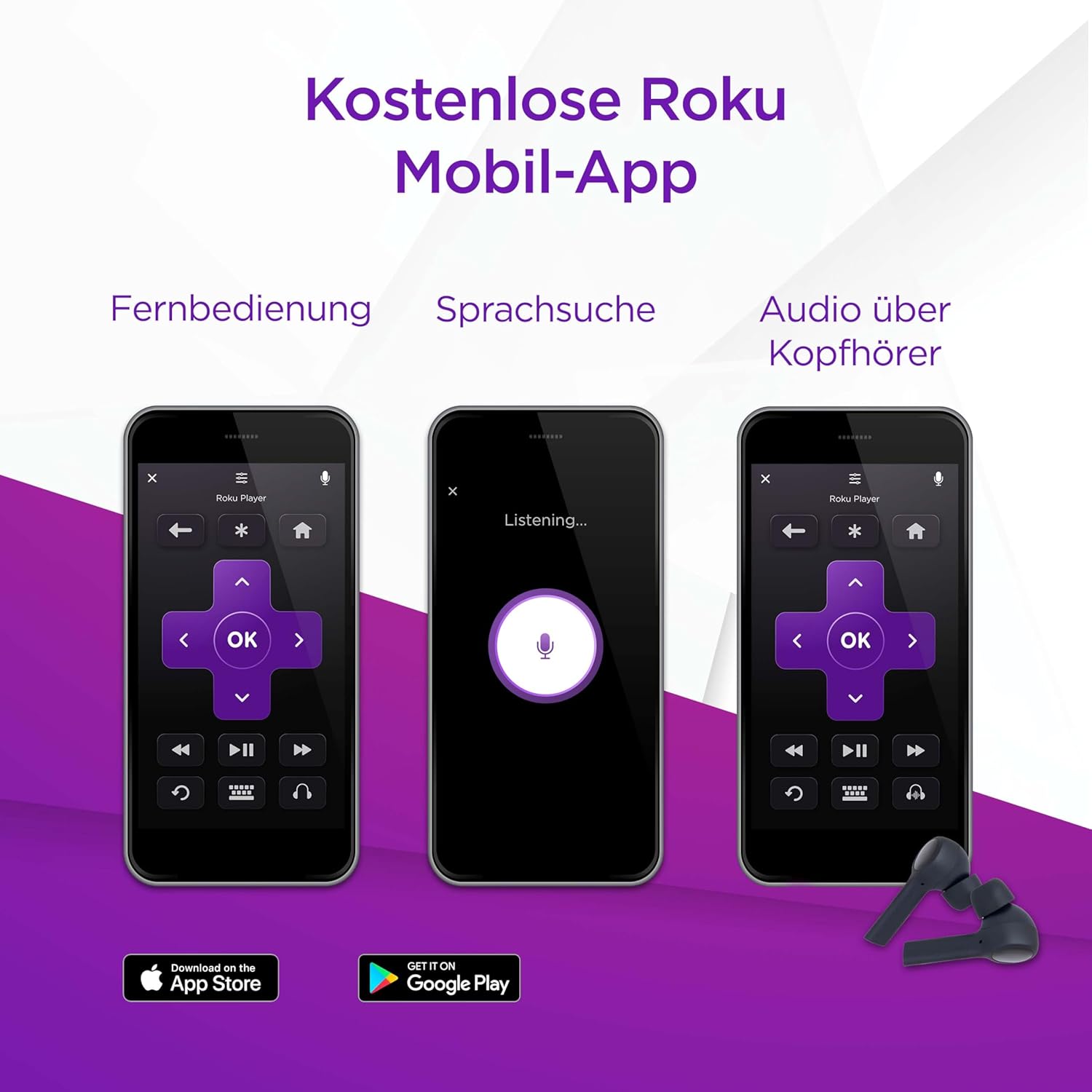
You can also control your SHARP Roku TV using the free Roku Mobile App on your smartphone or tablet. The app offers remote control functionality, voice search, and private listening via headphones.
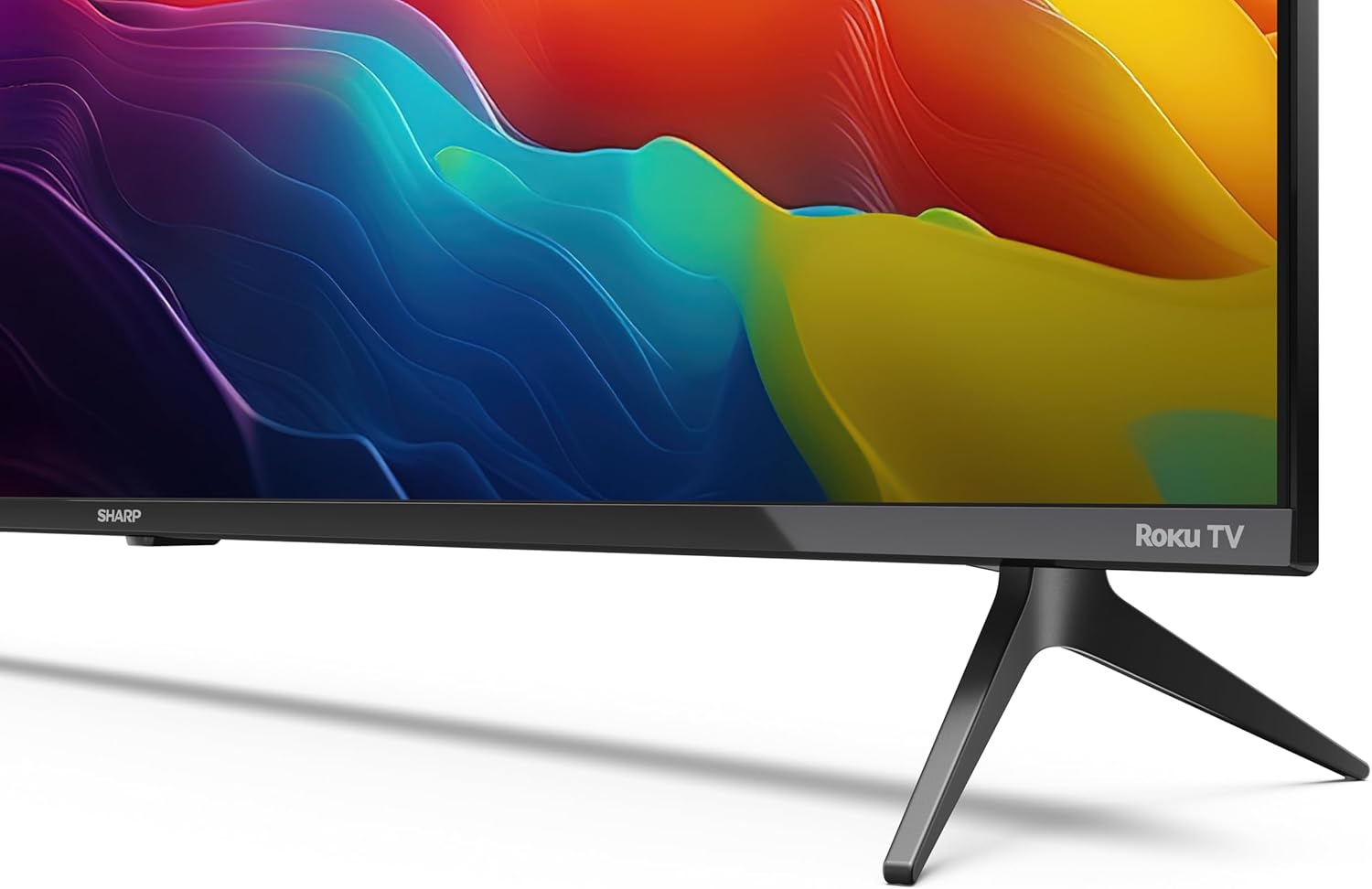
Image: Roku Mobile App features.
5. تعمیر و نگهداری
۴.۱ تمیز کردن تلویزیون
- صفحه نمایش: Gently wipe the screen with a soft, lint-free cloth. For stubborn marks, use a screen cleaning solution specifically designed for TVs, applied to the cloth, not directly to the screen.
- کابینه: Wipe the TV cabinet with a soft, dry cloth. Avoid using abrasive cleaners or solvents.
5.2 به روز رسانی نرم افزار
Your Roku TV automatically receives software updates to improve performance and add new features. Ensure your TV is connected to the internet for these updates to download and install.
6 عیب یابی
اگر با تلویزیون خود با مشکلاتی مواجه شدید، به راهحلهای رایج زیر مراجعه کنید:
- بدون قدرت: Check if the power cord is securely plugged into both the TV and the wall outlet. Try a different outlet.
- تصویر نیست، اما صدا دارد: Ensure the correct input source is selected. Check cable connections to external devices.
- صدا نداره، ولی تصویر داره: Check the volume level and mute status. Verify audio cable connections to external sound systems.
- کنترل از راه دور کار نمی کند: Replace the AAA batteries. Ensure there are no obstructions between the remote and the TV's IR sensor.
- مشکلات اتصال به شبکه: Restart your router and modem. Re-enter your Wi-Fi password in the TV's network settings. For wired connections, ensure the Ethernet cable is properly connected.
- کنترل های والدین: If content is blocked, check parental control settings. These are typically protected by a PIN.
For further assistance, consult the online support resources for Roku TV or contact Sharp customer support.
7. مشخصات
| ویژگی | مشخصات |
|---|---|
| شماره مدل | 55FJ2E |
| اندازه صفحه نمایش | 55 اینچ (139 سانتی متر) |
| فناوری نمایش | LED |
| قطعنامه | 4K UHD (3840 x 2160 px) |
| نرخ تازه سازی | 60 هرتز |
| پشتیبانی از HDR | HDR10 |
| Motion Enhancement Technology | حرکت فعال 400 |
| سیستم عامل | سیستم عامل Roku |
| حالت خروجی صدا | دالبی دیجیتال، دالبی دیجیتال پلاس |
| سیستم بلندگو | Front silk tweeter (10W), Down-firing woofer (10W) |
| پورت های HDMI | 3 (4K @ 60 Hz, 2.1) |
| پورت های USB | 2 |
| قابلیت اتصال | Wi-Fi, LAN (RJ45), Antenna, Satellite, Headphone, Digital Optical Audio Out |
| نوع تیونر | UHD DVB-T/T2/C/S/S2 (MPEG4 + 10 bits HEVC/H.265) |
| استاندارد نصب VESA | 400 × 300 میلی متر |
| ابعاد محصول (D x W x H) | 9.1 x 123.1 x 71.8 سانتیمتر (بدون پایه) |
| مصرف برق (SDR) | 67.0 وات |
| مصرف برق (HDR) | 114 وات |
| مصرف برق آماده به کار | 0.5 وات |
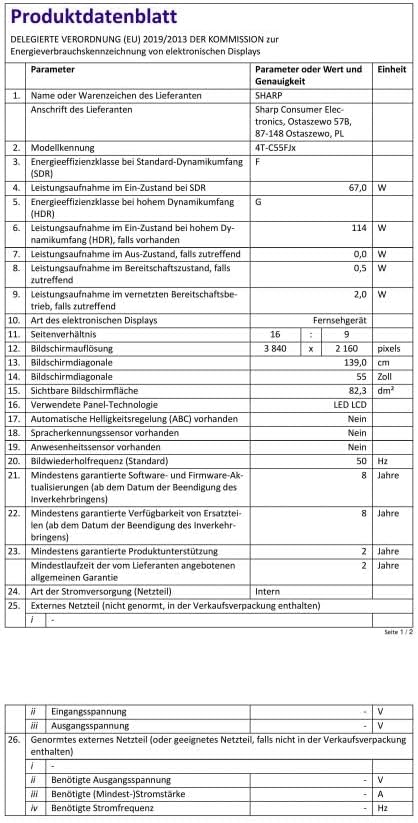
Image: Product Data Sheet (German).
8. گارانتی و پشتیبانی
8.1 اطلاعات گارانتی
Warranty details for your SHARP 55FJ2E TV are typically provided with the product packaging or available on the official Sharp webلطفاً رسید خرید خود را برای استفاده در گارانتی نگه دارید.
8.2 پشتیبانی مشتری
For technical support, service, or further inquiries, please visit the official Sharp website or contact their customer service department. Contact information can usually be found in the quick guide or on the manufacturer's webسایت