
1. محصول تمام شدview
The 4smarts Magnetic M.2 2230 NVMe SSD Enclosure is a versatile storage solution designed for expanding capacity and enhancing data management across various devices. It features a MagSafe-compatible magnetic attachment, an integrated kickstand, and high-speed data transfer with PD charging capabilities.
۲. چه چیزهایی در جعبه است؟
- 1x Magnetic SSD enclosure
- 1x Magnetic ring (for non-MagSafe devices)
- 2 x پیچ گوشتی
- 1x Ribbon cable USB-C 13cm
- 1x Cable ring holder
- 2 عدد پد حرارتی
- کیف 1x
- 1x دفترچه راهنما

This image displays the complete packing list, including the magnetic SSD enclosure, magnetic ring, screwdrivers, USB-C ribbon cable, cable ring holder, thermal pads, pouch, and the user manual.
3. راه اندازی
3.1 نصب SSD
- Using the provided screwdriver, carefully unscrew the enclosure cover.
- Insert your M.2 2230 NVMe SSD (B+M Key/M-Key, sold separately) into the designated slot. Ensure it is properly seated.
- Apply the thermal pad onto the SSD to aid in heat dissipation.
- Replace the enclosure cover and tighten the screws to secure it.

This diagram illustrates the four steps for installing an M.2 2230 SSD: unscrewing the enclosure, inserting the SSD, applying the thermal pad, and closing/tightening the screws.
۴.۲ قالببندی اولیه
Before first use, it is recommended to format the M.2 2230 SSD to exFAT for optimal compatibility across various devices (smartphones, tablets, laptops). Refer to your device's operating system instructions for detailed formatting procedures.
4. دستورالعمل های عملیاتی
4.1 اتصال به دستگاه ها
The enclosure features a strong magnetic attachment, compatible with MagSafe devices. For non-MagSafe devices, use the included magnetic ring for secure attachment.
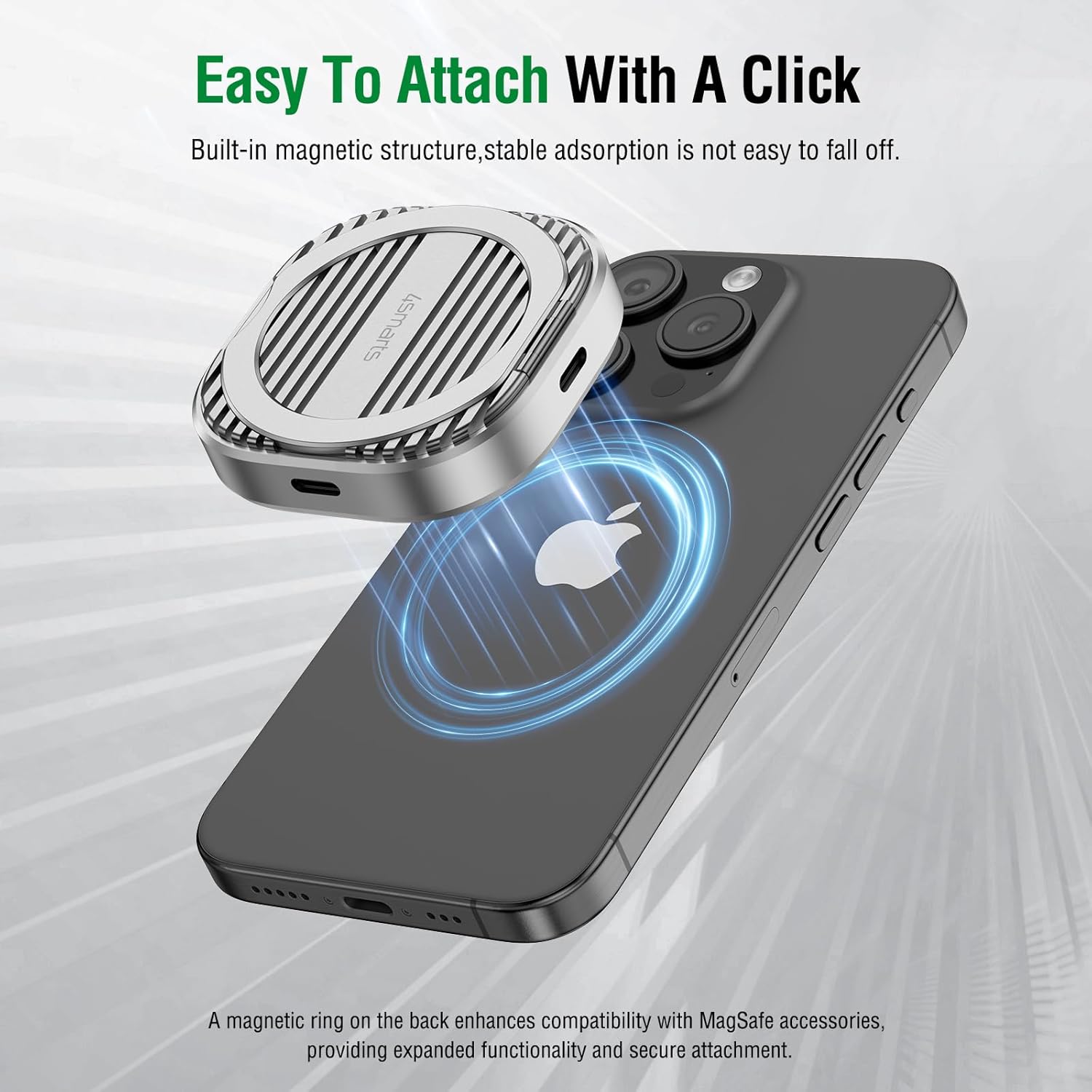
This image shows the magnetic SSD enclosure easily attaching to the back of an iPhone, highlighting its MagSafe compatibility.
Connect the enclosure to your smartphone, tablet, or laptop using the provided USB-C ribbon cable. The device will be recognized as external storage.
4.2 انتقال داده
Utilize the USB-C 3.2 Gen 2 port for data transfer speeds up to 10 Gbit/s. This allows for quick and efficient movement of large files between the SSD and your connected device.

This image illustrates the enclosure connected to a MacBook, showcasing its capability for 10Gbps data transfer and 100W PD charging simultaneously.
4.3 ProRes Recording (for compatible iPhones)
For iPhone 15 Pro/Pro Max and similar models, the enclosure enables direct 4K video recording to the external SSD. This is particularly useful for ProRes video, conserving internal device storage.

This image shows an iPhone actively recording 4K ProRes video, with the SSD enclosure attached, indicating direct external storage for high-quality video files.
4.4 PD شارژ
The enclosure features a 100W Power Delivery (PD) USB-C port, allowing simultaneous charging of your device while data transfer is active. This ensures your device remains powered during intensive tasks.
۶.۱ پایه یکپارچه
The integrated kickstand provides adjustable viewing angles, ideal for media consumption, video calls, or presentations. It enhances the usability of your device by offering stable hands-free operation.

This image demonstrates the versatility of the integrated kickstand, showing an iPhone propped up for video calls, media viewing, and gaming, providing comfortable viewزوایای ing
5. تعمیر و نگهداری
5.1 مراقبت عمومی
Keep the enclosure clean and free from dust. Avoid exposing it to extreme temperatures or moisture. The aluminum construction provides durability and aids in heat dissipation.
5.2 مدیریت حرارتی
The aluminum design and included thermal pads are engineered to provide efficient heat dissipation for the M.2 SSD. Ensure proper airflow around the enclosure during extended use, especially when handling large files or during ProRes recording.
6 عیب یابی
۵.۱ SSD شناسایی نشد
- Ensure the M.2 2230 SSD is correctly installed and secured within the enclosure.
- مطمئن شوید که کابل USB-C به طور ایمن به محفظه و دستگاه شما متصل شده است.
- Confirm the SSD is formatted to a compatible file system (e.g., exFAT).
- Test with a different USB-C port or cable if available.
۷.۱ مشکلات مصرف برق
For iPhones (e.g., iPhone 16/15 Pro Max) or when using 1TB/2TB SSDs, it is recommended to connect the SSD enclosure to a PD charger. SSDs exceeding 4.5W may require additional power for reliable operation and stable performance.
6.3 Magnetic Attachment Weakness
If the magnetic attachment feels weak, ensure there are no obstructions between the enclosure and your device. For non-MagSafe devices, ensure the magnetic ring is properly applied to the device's backcover.
7. مشخصات
- مواد: آلومینیوم
- وزن مورد: 0.09 کیلوگرم (3.17 اونس)
- ظرفیت ذخیره سازی حافظه: Up to 2 TB (M.2 2230 NVMe SSD, B+M Key/M-Key)
- دستگاه های سازگار: MacBook, Steam Deck, ROG Ally, Desktop, Tablets, Laptops, Smartphone, iMac, iPad, iPhone 16/15 Pro/Pro Max
- نرخ انتقال داده: ۱۰ گیگابیت در ثانیه (USB 3.2 نسل دوم)
- فناوری اتصال: USB
- تحویل برق: 100W max (USB-C PD port)
- ابعاد محصول: 1.9 x 0.67 x 2 اینچ
- شماره مدل کالا: 4S541094
8. گارانتی و پشتیبانی
For warranty information and technical support, please refer to the documentation included with your product or visit the official 4smarts webسایت. فاکتور خرید خود را برای موارد گارانتی نگه دارید.
۵.۶ ویدیوی محصول
این ویدیو تصویری از این موضوع ارائه میدهدview of the 4smarts Magnetic M.2 2230 NVMe SSD Enclosure, demonstrating its features such as magnetic attachment, kickstand, and connectivity options.