
1. مقدمه
This manual provides essential information for the installation, operation, and maintenance of your XPG CORE Reactor II VE 850W Power Supply Unit (PSU). Please read this manual thoroughly before installation and retain it for future reference. The XPG CORE Reactor II VE is an 80 Plus Gold certified power supply designed for stable and efficient power delivery to your computer system.
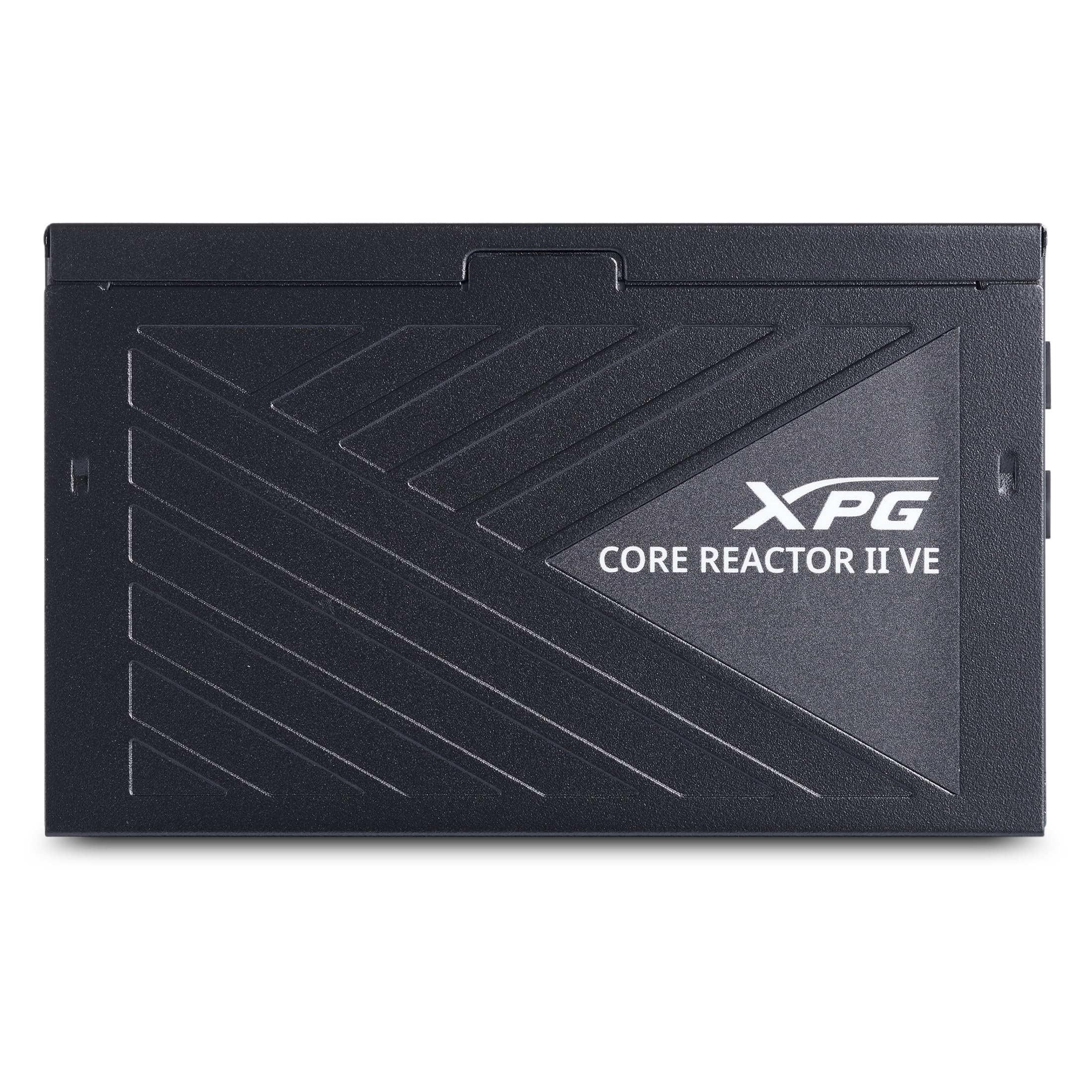
Image 1.1: XPG CORE Reactor II VE 850W Power Supply Unit, showcasinطراحی جمع و جور آن.
2. ویژگی های کلیدی
- گواهینامه طلایی ۸۰ پلاس: Ensures high power efficiency, reducing energy waste and operating costs.
- 12V-2x6 Connector: Provides direct and efficient power delivery to critical components, enhancing system stability and performance.
- DC-DC Circuit Design: Maximizes efficiency and reliability by converting power directly to the required output voltage, reducing heat and prolonging hardware lifespan.
- Low Ripple Noise Design: Features ripple levels below 60mV at +12V and below 40mV at +5V and +3.3V, ensuring stable power delivery and minimizing electrical interference.
- >15ms Hold Up Time: Exceeds Intel's standards for uninterrupted power delivery, ensuring reliable operation under challenging conditions.
- 8 Industrial Protections: Comprehensive protection suite including Over-Voltage Protection (OVP), Under-Voltage Protection (UVP), Over-Current Protection (OCP), Short-Circuit Protection (SCP), Over-Power Protection (OPP), Over-Temperature Protection (OTP), Surge & Inrush Protection (SIP), and No Load Operation (NLO).
- طول جمع و جور ۷۸ میلیمتر Maximizes space efficiency for easy integration into various PC setups and chassis.
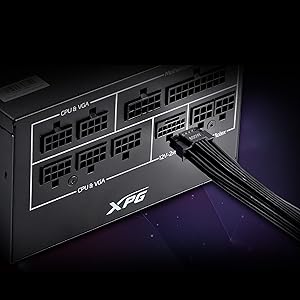
Image 2.1: Close-up of the 12V-2x6 connector for modern GPUs.
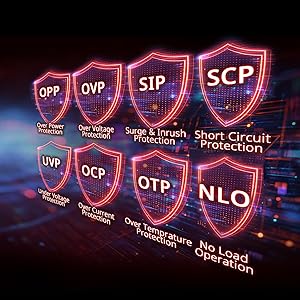
Image 2.2: Visual representation of the 8 industrial-grade protections.
3. راه اندازی و نصب
Before installing the XPG CORE Reactor II VE PSU, ensure your computer system is powered off and disconnected from the main power outlet. Refer to your PC case and motherboard manuals for specific installation instructions.
3.1 باز کردن بسته بندی
Carefully remove the PSU and all included cables from the packaging. Verify that all components listed in the product documentation are present.

Image 3.1: XPG CORE Reactor II VE PSU with its modular cables.
۵.۲ نصب منبع تغذیه
- Position the PSU in the designated PSU bay of your PC case.
- سوراخهای پیچ روی PSU را با سوراخهای روی کیس تراز کنید.
- PSU را با استفاده از پیچ های ارائه شده ایمن کنید.
3.3 کابل های اتصال
The XPG CORE Reactor II VE is a fully modular PSU, allowing you to connect only the cables you need. This helps improve airflow and cable management within your PC case.

Image 3.2: Modular cable connection ports on the XPG CORE Reactor II VE PSU.
- کابل ATX 24 پین را به مادربرد خود وصل کنید.
- Connect the 8-pin (4+4) EPS/CPU cable(s) to your motherboard.
- Connect the 6+2 pin PCIe cables to your graphics card(s). The 12V-2x6 connector is specifically designed for modern high-power GPUs.
- Connect SATA power cables to your storage drives (HDDs/SSDs) and other SATA-powered devices.
- کابلهای مولکس را به هر وسیله جانبی که به آنها نیاز دارد وصل کنید.
- اطمینان حاصل کنید که همه اتصالات ایمن و به درستی قرار گرفته اند.
4. دستورالعمل های عملیاتی
Once the PSU is installed and all components are connected, you can power on your system.
- Ensure the power switch on the back of the PSU is in the "OFF" (0) position.
- سیم برق AC را به PSU و سپس به پریز برق یا محافظ برق وصل کنید.
- Flip the power switch on the PSU to the "ON" (I) position.
- برای روشن کردن سیستم، دکمه پاور روی کیس کامپیوتر خود را فشار دهید.
The XPG CORE Reactor II VE is designed for continuous, stable operation. Its FDB 120mm fan provides efficient cooling while maintaining low noise levels.
5. تعمیر و نگهداری
Proper maintenance ensures the longevity and optimal performance of your PSU.
- حذف گرد و غبار: Periodically clean the PSU fan and ventilation grilles to prevent dust buildup, which can impede airflow and lead to overheating. Use compressed air for this purpose, ensuring the system is powered off and unplugged.
- مدیریت کابل: مطمئن شوید که کابلها به طور مرتب در مسیر خود قرار گرفتهاند و مانع جریان هوا در داخل کیس کامپیوتر نمیشوند.
- شرایط محیطی: Operate the PSU in a well-ventilated area, away from direct sunlight, excessive heat, and moisture.
6 عیب یابی
If you encounter issues with your XPG CORE Reactor II VE PSU, refer to the following common troubleshooting steps:
- بدون برق:
- بررسی کنید که آیا سیم برق AC به طور محکم به PSU و پریز برق وصل شده است یا خیر.
- Ensure the PSU's power switch is in the "ON" (I) position.
- Verify that the 24-pin ATX and 8-pin EPS/CPU cables are correctly seated in the motherboard.
- پریز برق را با دستگاه دیگری امتحان کنید تا از وجود برق در آن مطمئن شوید.
- ناپایداری/خرابی سیستم:
- Ensure all power connectors to components (motherboard, CPU, GPU, drives) are firmly connected.
- Check for any loose cables or short circuits within the case.
- در صورت امکان، PSU را با مجموعه دیگری از قطعات یا در سیستم دیگری آزمایش کنید تا مشکل را شناسایی کنید.
- نویز بیش از حد:
- Check if the PSU fan is obstructed by dust or cables.
- Ensure the PSU is securely mounted to prevent vibrations.
- If the noise persists and is unusual, contact customer support.
اگر مراحل عیبیابی مشکل را حل نکرد، برای راهنمایی بیشتر با پشتیبانی مشتری XPG تماس بگیرید.
7. مشخصات
| ویژگی | جزئیات |
|---|---|
| نام مدل | راکتور هستهای ۶۵۰G-BKCUS |
| نام تجاری | XPG |
| وات خروجیtage | 850 وات |
| فاکتور فرم | ATX |
| روش خنک کننده | هوا |
| ابعاد مورد (L x W x H) | 5.51 x 5.9 x 3.38 اینچ |
| وزن مورد | 5 پوند |
| طراحی منبع تغذیه | ماژولار کامل |
| تعداد طرفداران | 1 |
| حداکثر ورودی حجمtage | 240 ولت (AC) |
| حداقل حجم ورودیtage | 216 ولت (AC) |
| UPC | 842243032468 |
8. گارانتی و پشتیبانی
The XPG CORE Reactor II VE 850W PSU comes with a 7 سال گارانتی سازنده. For warranty claims or technical support, please visit the official XPG webسایت یا با بخش خدمات مشتریان آنها تماس بگیرید.
برای منابع بیشتر و اطلاعات محصول، میتوانید از [آدرس سایت] بازدید کنید. فروشگاه XPG در آمازون.
۱۱. ویدیوهای محصولات
Below are relevant product videos for the XPG CORE Reactor II VE Power Supply Unit. These videos provide additional visual information regarding the product's features and installation.
XPG Core Reactor Power Supply Review
ویدئو ۲: بررسی دقیقview of the XPG Core Reactor Power Supply, covering its features, design, and performance. This video is provided by Consumer Tech Review.
Core Reactor Review
ویدیوی ۱.۱: یک پایانview of the Core Reactor PSU, highlighting its integration into a PC build and general performance. This video is provided by Brayden Abear.