
AOLON GT5 Pro
Aolon GT5 Pro Smart Watch User Manual
مدل: GT5 پرو
1. مقدمه
Thank you for choosing the Aolon GT5 Pro Smart Watch. This manual provides essential information for setting up, operating, and maintaining your device. Please read it carefully to ensure optimal performance and longevity of your smart watch.
2. محتویات بسته
Upon opening the package, please verify that all items listed below are present:
- Aolon GT5 Pro Smart Watch (with one strap attached)
- Additional Strap (e.g., leather or silicone, depending on variant)
- کابل شارژ مغناطیسی
- راهنمای کاربر

Image: Contents of the Aolon GT5 Pro Smart Watch package, showing the watch, an extra strap, a magnetic charging cable, and the user manual.
3. محصول تمام شدview
The Aolon GT5 Pro Smart Watch features a robust design with a 1.6-inch HD display and multiple physical buttons for intuitive control, especially during outdoor activities.
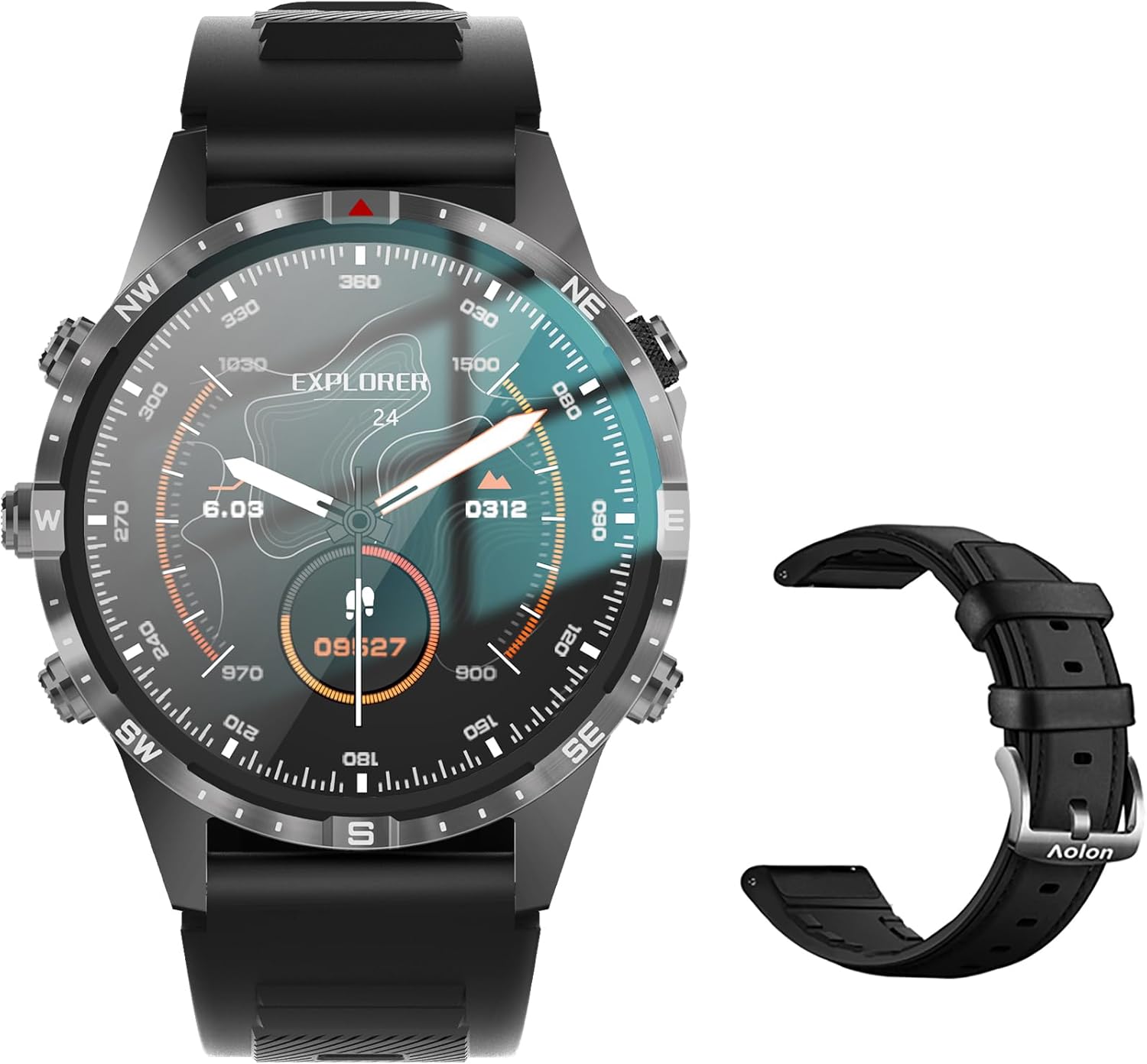
Image: The Aolon GT5 Pro Smart Watch displaying a compass-like watch face, alongside an additional black leather strap.
۲. قطعات ساعت
- نمایش: 1.6-inch HD Large Screen (360x360 resolution IPS HD with ultra-narrow bezel).
- دکمه ها: 5 independent physical buttons for precise control and navigation.
- حسگرها: Heart rate sensor, blood oxygen sensor, motion sensor.
- بلندگو و میکروفون: For Bluetooth calling functionality.

تصویر: نمای نزدیک view of the Aolon GT5 Pro Smart Watch screen, emphasizing its 1.6-inch HD display with 360x360 pixel resolution and narrow bezel.
4. راه اندازی
۱. شارژ کردن ساعت هوشمند
Before first use, fully charge your Aolon GT5 Pro Smart Watch. Connect the magnetic charging cable to the charging points on the back of the watch and plug the USB end into a power adapter (not included) or a computer's USB port.
- زمان شارژ: تقریباً 1.5 ساعت برای شارژ کامل.
- Battery Life: Up to 7-10 days with typical use, 30 days standby time.

Image: Visual representation of the Aolon GT5 Pro's battery performance, indicating 30 days standby, 7-10 days typical use, and 1.5 hours charging time.
۲. نصب و جفتسازی برنامه
To unlock the full potential of your smart watch, download the companion app on your smartphone.
- دانلود اپلیکیشن: Scan the QR code in the manual or on the watch screen, or search for the app name (usually mentioned in the quick start guide) in your phone's app store (App Store for iOS, Google Play Store for Android).
- ثبت نام/ورود: برنامه را باز کنید و دستورالعمل های روی صفحه را دنبال کنید تا حساب کاربری ایجاد کنید یا وارد شوید.
- ساعت را جفت کنید: Ensure Bluetooth is enabled on your smartphone. In the app, navigate to the device pairing section and select your Aolon GT5 Pro from the list of available devices. Confirm the pairing request on both your phone and watch.
5. دستورالعمل های عملیاتی
5.1. ناوبری اولیه
- کشیدن انگشت به بالا/پایین: در منوها و اعلانها پیمایش کنید.
- کشیدن انگشت به چپ/راست: به عملکردهای سریع یا ابزارکهای مختلف دسترسی پیدا کنید.
- دکمه ها را فشار دهید: Use the 5 independent buttons for specific functions like power on/off, back, or quick access to sports modes. Refer to the quick start guide for specific button assignments.
- صفحه ضربه بزنید: Select items or confirm actions.
۱. تماس بلوتوثی
The Aolon GT5 Pro supports Bluetooth calling, allowing you to make and receive calls directly from your wrist.
- مطمئن شوید که ساعت شما از طریق بلوتوث به گوشی شما متصل است.
- Access the call function on your watch to dial numbers or answer incoming calls.
- Receive message notifications from your phone's apps directly on your watch.

Image: The Aolon GT5 Pro Smart Watch showing its Bluetooth calling feature, with icons representing call, music, and contact functions.
۴. حالتهای ورزشی
The watch supports over 100 sports modes, including swimming, running, cycling, and yoga. Select your desired activity to track specific metrics.
- Navigate to the Sports section on your watch.
- Choose your activity. The watch will record data such as calories burned, steps, distance, and pace.
- Connect to your phone's GPS via the app for detailed route tracking.
۳. نظارت بر سلامت
The Aolon GT5 Pro continuously monitors various health metrics.
- ضربان قلب: Dynamic heart rate measurement 24/7.
- اکسیژن خون: Low power consumption blood oxygen level monitoring.
- ردیابی خواب: Records your sleep status in real-time, providing data on deep, light, and awake times.

Image: The Aolon GT5 Pro Smart Watch screen showing health monitoring features, including heart rate, blood pressure, and blood oxygen levels.

Image: The Aolon GT5 Pro Smart Watch screen illustrating sleep quality monitoring, detailing sleep stagو مدت زمان.
5.5. Compass Navigation
Utilize the built-in guide needle navigation for accurate direction during outdoor activities.
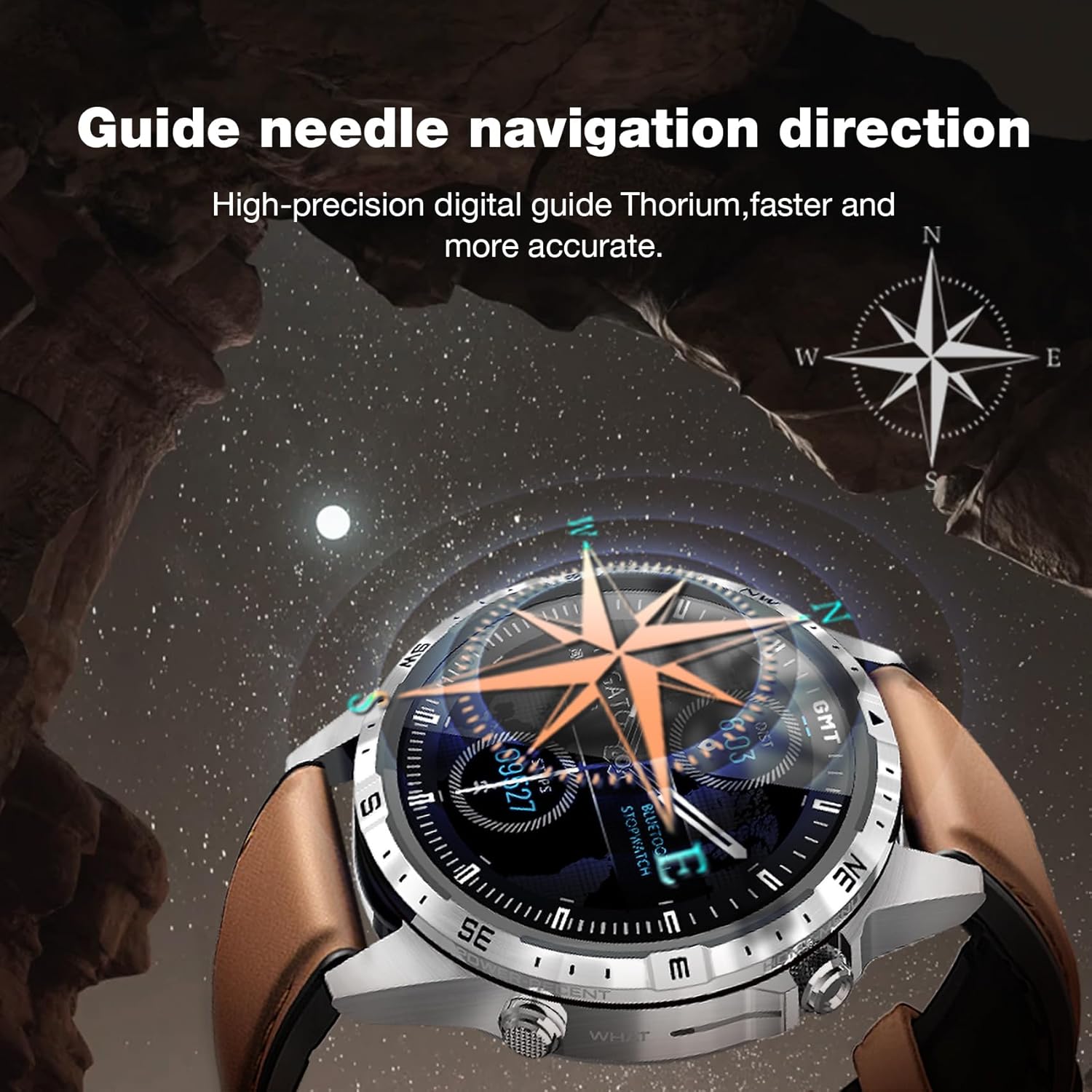
Image: The Aolon GT5 Pro Smart Watch showing its guide needle navigation feature, providing high-precision digital direction.
5.6. توابع دیگر
The watch includes various other essential functions:
- کنترل موسیقی
- پیش بینی آب و هوا
- کرونومتر
- کنترل دوربین از راه دور
- Ambient Sound Monitoring
- تلفن من را پیدا کن
- ساعت زنگ دار
- یادآوری کم تحرک
- یادآوری دارو
- Women's Menstrual Health Tips
۳.۲ تغییر ظاهر ساعت
Personalize your watch by choosing from multiple types of dials available through the watch or the companion app.

Image: A selection of diverse watch faces for the Aolon GT5 Pro, demonstrating customization options.
6. تعمیر و نگهداری
۴.۱ تمیز کردن ساعت
- صفحه نمایش و بدنه ساعت را با یک پارچه نرم و بدون پرز پاک کنید.
- برای کثیفیهای سرسخت، کمی dampپارچه را با آب بشویید. از استفاده از مواد شیمیایی قوی یا مواد ساینده خودداری کنید.
- قبل از شارژ، مطمئن شوید که اتصالات شارژ تمیز و خشک هستند.
6.2. مقاومت در برابر آب
The Aolon GT5 Pro is IP67 waterproof. This means it is protected against dust and can withstand immersion in water up to 1 meter for 30 minutes.
- It is suitable for daily use, such as washing hands, face, or sweating during exercise.
- Avoid hot water, steam, or prolonged immersion in water.
- دکمه ها را زیر آب کار نکنید.
6.3. Strap Care and Replacement
The watch comes with standard dual straps (silicone and leather). Clean straps regularly. The silicone strap is ideal for sports, while the leather strap offers a more formal look. Straps can be easily switched without tools.
7 عیب یابی
If you encounter issues with your Aolon GT5 Pro Smart Watch, refer to the following common solutions:
| مشکل | راه حل |
|---|---|
| ساعت روشن نمی شود | مطمئن شوید که ساعت کاملاً شارژ شده است. دکمه پاور را برای چند ثانیه فشار داده و نگه دارید. |
| نمیتوان با گوشی هوشمند جفتسازی کرد | Ensure Bluetooth is enabled on your phone. Restart both the watch and phone. Make sure the watch is not already paired with another device. Check app permissions. |
| دادههای نادرست سلامت | مطمئن شوید که ساعت به طور محکم روی مچ دستتان بسته شده است، نه خیلی تنگ و نه خیلی گشاد. قسمت حسگر پشت ساعت را تمیز کنید. |
| اعلان ها دریافت نشد | Check app notification settings on your phone and within the watch app. Ensure the watch is connected via Bluetooth. |
| عمر باتری کوتاه | Reduce screen brightness, turn off unnecessary features (e.g., continuous heart rate monitoring if not needed), and ensure proper charging. |
8. مشخصات
| ویژگی | جزئیات |
|---|---|
| مدل | GT5 Pro |
| نمایش | 1.6-inch HD IPS, 360x360 Pixel Resolution |
| ظرفیت باتری | لیتیوم پلیمر 340 میلی آمپر ساعتی |
| عمر باتری | ۳-۵ روز (استفاده معمولی)، ۳۰ روز (آماده به کار) |
| زمان شارژ | تقریبا 1.5 ساعت |
| مقاومت در برابر آب | IP67 |
| قابلیت اتصال | بلوتوث |
| سازگاری | اندروید و iOS |
| ابعاد | 16.3 x 10 x 2.5 cm (Package); Watch: 47.5mm diameter, 22mm strap width |
| وزن | ۳۴۵ گرم (بستهبندی) |
9. اطلاعات ایمنی
- سعی نکنید ساعت را جدا کرده یا تغییر دهید.
- ساعت را از دمای شدید و نور مستقیم خورشید دور نگه دارید.
- Consult a medical professional before starting any new exercise regimen or if you have pre-existing health conditions. The health data provided by the watch is for reference only and should not be used for medical diagnosis or treatment.
- دور از دسترس کودکان نگهداری شود.
10. گارانتی و پشتیبانی
For warranty information and customer support, please refer to the warranty card included in your package or visit the official AOLON webاگر با مشکلی مواجه شدید که در این دفترچه راهنما پوشش داده نشده است، لطفاً برای دریافت کمک با خدمات مشتری تماس بگیرید.