
مقدمه
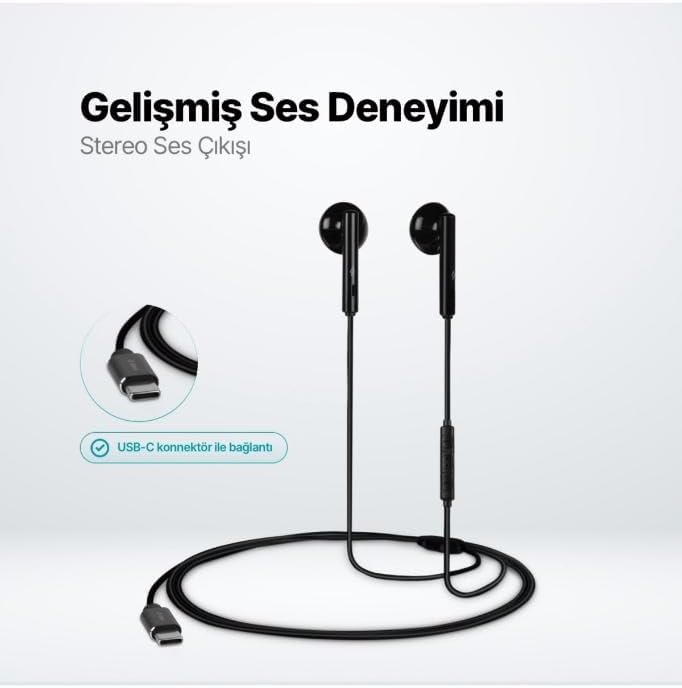
The TTEC Rio 2 Stereo USB-C Headset with Microphone is designed to provide a high-quality audio experience for music and calls. Its comfortable, lightweight design ensures a perfect fit and effective ambient noise isolation, allowing for hands-free communication and entertainment.
ویژگی های کلیدی:
- Advanced stereo sound output for an immersive audio experience.
- Integrated microphone for clear phone calls.
- Smart inline controller for easy management of volume, calls, and music playback.
- Lightweight and ergonomic design for extended comfort.
- Universal USB-C connection.
راه اندازی
To begin using your TTEC Rio 2 headset, follow these simple steps:
- هدست را وصل کنید: Locate the USB-C port on your device (smartphone, tablet, laptop, etc.). Insert the USB-C connector of the TTEC Rio 2 headset firmly into the device's USB-C port.
- تشخیص دستگاه: Your device should automatically recognize the headset. If prompted, select the TTEC Rio 2 as the audio output and input device.
- تناسب را تنظیم کنید: Place the earbuds comfortably in your ears. The ergonomic design ensures a snug fit for optimal sound quality and noise isolation.
دستورالعمل های عملیاتی
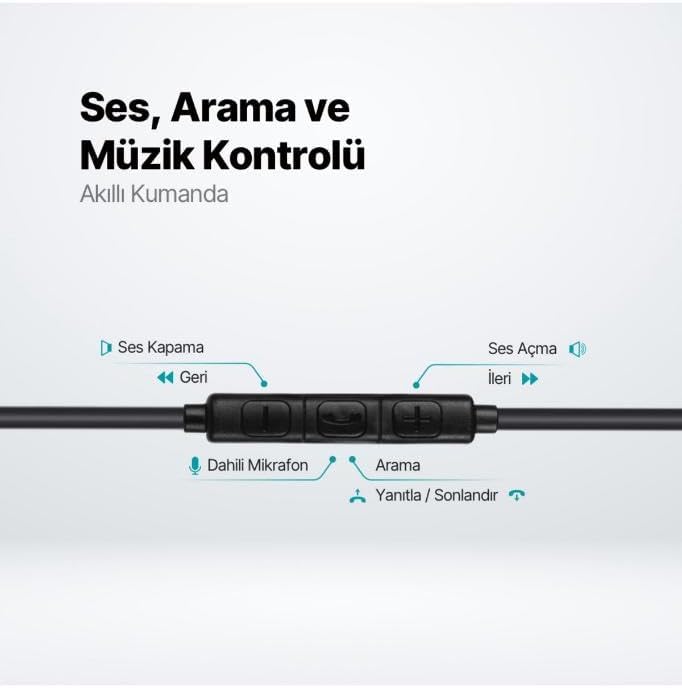
The TTEC Rio 2 headset features an inline smart controller for convenient management of your audio and calls.
Inline Controller Functions:
- افزایش صدا (+): برای افزایش حجم صدا، فشار دهید.
- کاهش حجم (-): برای کاهش میزان صدا، فشار دهید.
- Play/Pause/Answer/End Call (Center Button):
- Single press to play or pause music.
- Single press to answer an incoming call.
- Single press to end an active call.
- فشار طولانی برای رد تماس ورودی.
- Next Track (Forward Button): برای رفتن به آهنگ بعدی فشار دهید.
- Previous Track (Backward Button): Press to go back to the beginning of the current song or to the previous song.
- میکروفون داخلی: Located on the inline controller, it captures your voice for calls and voice commands.
تعمیر و نگهداری
Proper care will extend the life and performance of your TTEC Rio 2 headset.
- تمیز کردن: ایربادها و کابل را به آرامی با یک پارچه نرم و خشک پاک کنید. از مواد شیمیایی قوی یا مواد ساینده استفاده نکنید.
- ذخیره سازی: When not in use, store the headset in a clean, dry place. Avoid extreme temperatures. The included cable organizer clip can help prevent tangling.
- اجتناب از رطوبت: هدست را در معرض آب یا رطوبت بیش از حد قرار ندهید.
- با احتیاط رفتار کنید: Avoid pulling on the cable or applying excessive force to the connectors.

عیب یابی
If you encounter issues with your TTEC Rio 2 headset, refer to the following common solutions:
| مشکل | راه حل ممکن |
|---|---|
| صدایی از هدست نیست |
|
| میکروفون کار نمی کند |
|
| کیفیت صدا پایین یا دارای اعوجاج است. |
|
| صدای خش خش یا نویز استاتیک. |
|
مشخصات
| ویژگی | جزئیات |
|---|---|
| نام تجاری | تیتیایسی |
| شماره مدل | 2KMM14S |
| قابلیت اتصال | USB-C |
| ضریب فرم هدفون | داخل گوش |
| قرار دادن گوش | داخل گوش |
| میکروفون | ساخته شده است |
| ابعاد بسته بندی | 19.8 × 8.5 × 3.1 سانتی متر |
| وزن مورد | 40 گرم |
| ASIN | B0D3XJ5SP7 |
گارانتی و پشتیبانی
For warranty information and customer support, please refer to the documentation included with your purchase or visit the official TTEC webسایت. مدرک خرید خود را برای هرگونه ادعای گارانتی نگه دارید.