
1. مقدمه
The VersaCheck ONLINE Gold 1-Month License provides a web-based platform for managing payments and finances. This software allows users to automate financial tasks, create and print secure checks, and handle payroll and receivables. It is designed for accessibility from various devices, offering flexibility in financial management.
2. محصول تمام شدview و ویژگی ها
VersaCheck ONLINE Gold offers a suite of features to streamline your financial operations:
- Automated Financial Management: Automate bills, payroll, and receivables for efficient financial tracking.
- Secure Check Printing: Instantly create and print secure, bank-compliant check payments.
- PDF/eChecks: Generate, send, and receive bank-compliant PDF/eChecks.
- Multi-Device Access: Access your account and print checks from any device, including PC, Mac, Apple iOS, and Android web مرورگرها
- صرفه جویی در هزینه: Potential savings compared to traditional bank and mail-order checks.
- سفارشی سازی: Easy setup with options to customize checks with logos and graphics.
- Dynamic Information: Ability to change check information as needed and print complete payments on demand.
- سازگاری نرم افزار: Compatible with finance software such as QuickBooks, Quicken, and other accounting applications.
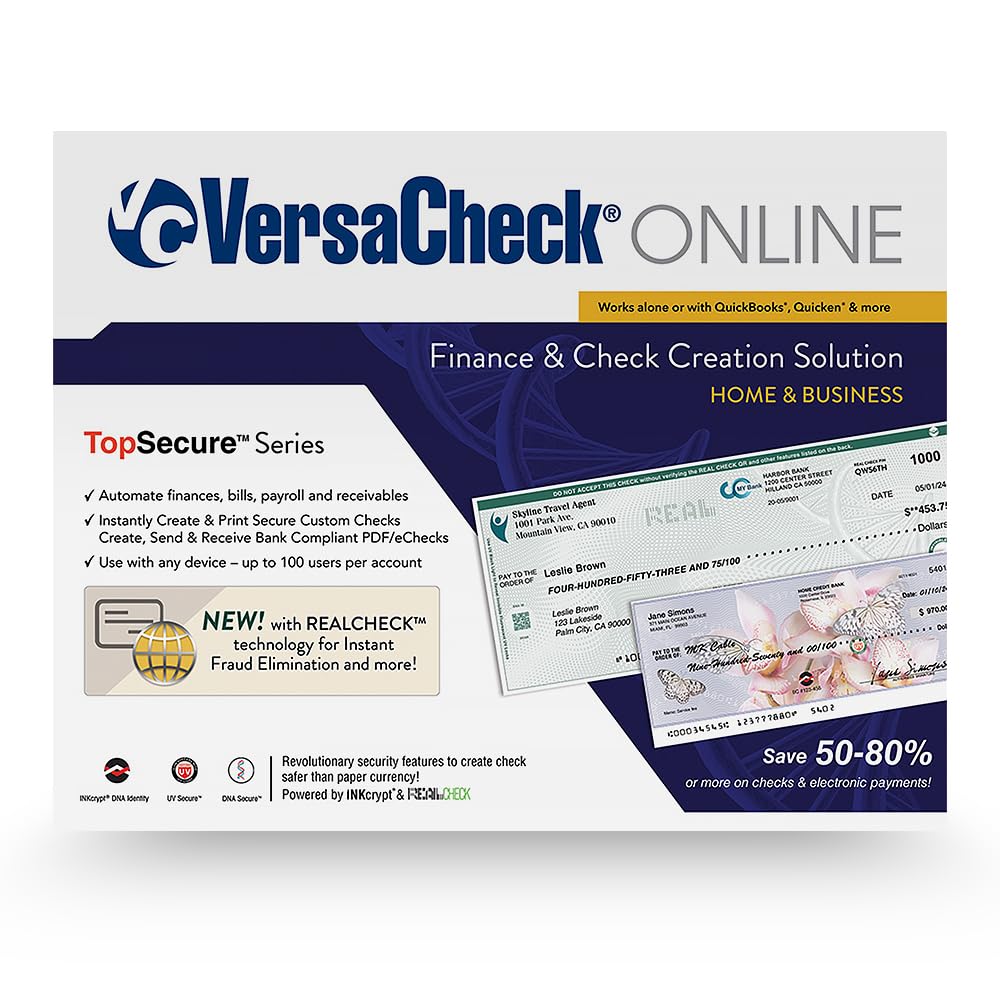
Image: The VersaCheck ONLINE Gold interface displayed across a desktop computer, tablet, and smartphone, illustrating multi-device accessibility for managing checks and finances.
۱. راهاندازی و فعالسازی
To begin using your VersaCheck ONLINE Gold 1-Month License:
- ایجاد حساب کاربری: Navigate to the official VersaCheckONLINE webسایت
- ثبت نام: Create a new user account on the platform.
- License Code Entry: After creating your account, locate the License Code provided by Amazon.com. Enter this code into the designated field on the VersaCheckONLINE website to activate your 1-month license.
- دسترسی: Once activated, you will gain full access to the VersaCheck ONLINE Gold features.
4. دستورالعمل های عملیاتی
4.1. Creating and Printing Checks
VersaCheck ONLINE Gold allows you to create and print both business and personal checks with ease.

Image: A visual representation of the VersaCheck ONLINE interface demonstrating the process of creating and printing custom checks, highlighting flexibility and ease of use.
Business Checks
You can print complete business checks or blank checks compatible with accounting software like QuickBooks and Quicken.

Image: A comparison showing a blank check template labeled 'BEFORE' and a fully customized business check labeled 'AFTER', featuring a company logo and detailed payment information, all generated using VersaCheck ONLINE.
Personal Checks
Similarly, personal checks can be created and printed, either as complete checks or blank templates.

Image: A visual comparison of a blank personal check template ('BEFORE') and a completed personal check ('AFTER') with custom graphics and payment details, illustrating the customization capabilities of VersaCheck ONLINE.
4.2. Managing Finances and Payments
The platform provides tools to manage your financial transactions and accept check drafts.

Image: The VersaCheck ONLINE dashboard displayed on a desktop, tablet, and smartphone, showcasing features for managing finances, payments, and check creation across multiple devices.
Accepting Check Drafts
You can accept and print check payments instantly, which is ideal for recurring payments from trusted payors.

Image: A screenshot of the VersaCheck ONLINE interface on a desktop and tablet, illustrating the process of accepting and managing check drafts with zero fees, emphasizing ease of setup and suitability for recurring payments.
4.3. User Management and Customization
VersaCheck ONLINE allows for setting up user workgroups and customizing check elements.
Video: This video demonstrates key operational aspects of VersaCheck ONLINE, including sending checks via email from a mobile device, setting up user workgroups with different access levels (Admin, Power, Regular Users), customizing checks by adding logos and signatures, paying bills efficiently, and the process of receiving and printing checks immediately. It highlights the software's multi-device compatibility.
The video above illustrates:
- Mobile Check Sending: How to send checks via email directly from your mobile device.
- User Workgroups: Setting up different user roles such as Admin, Power Users (with total access to configure user groups, setup accounts, make changes, and manage profiles), and Regular Users (with limited access to view and initiate transactions).
- Check Customization: The process of easily setting up checks, including adding bank logos, background graphics, and signatures.
- Bill Payment: How to pay bills quickly by selecting contacts, categories, and entering amounts.
- چاپ فوری: Receiving and printing checks immediately using a compatible printer.
5. ویژگی های امنیتی
VersaCheck ONLINE incorporates security measures to help prevent fraud and tampارینگ:
- REALCheck Verification: A system designed to validate payment authenticity.
- Stealth UV Security: Hidden security features visible under UV light.
- Anti-Counterfeit DNA Biomarker: An integrated biomarker for enhanced security.
- RC-QR Option: An optional tracking QR code that can be applied to checks, allowing recipients to verify check authenticity instantly via a mobile device.
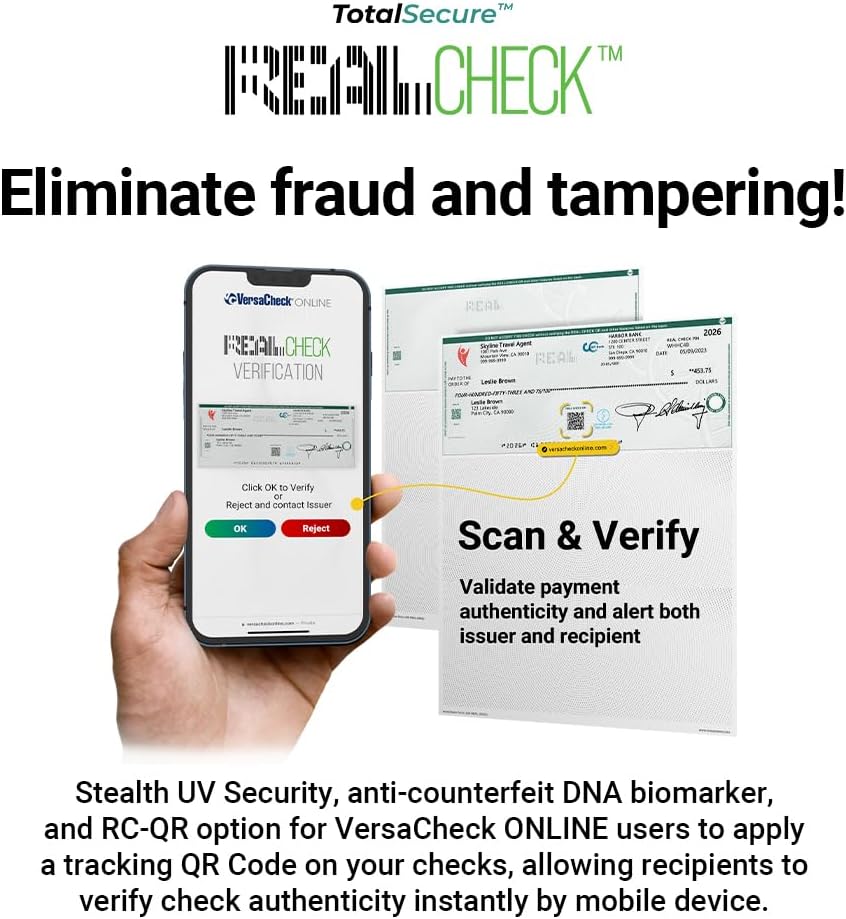
Image: A smartphone displaying the VersaCheck ONLINE REALCheck verification screen, showing options to 'OK to Verify', 'Reject', or 'Contact Issuer'. Adjacent to it are examples of checks with visible security features, illustrating the scan and verify process to validate authenticity and alert both issuer and recipient.

Image: A sequence of images demonstrating the Instant DNA Biomarker Verification process using the REALCheck DNA Test Kit. It shows a check with a DNA mark, the steps to swab the mark, reveal test dots, enter a code online, and view the verification results, confirming the check's authenticity.
6. مشخصات
| ویژگی | جزئیات |
|---|---|
| نام محصول | VersaCheck ONLINE Gold |
| نوع مجوز | 1-Month License (Online Code) |
| پلت فرم | Web Browser (PC, Mac, Apple iOS, Android) |
| Users per Account | Up to 3 users (as per product description) |
| سازگاری | QuickBooks, Quicken, other accounting software |
| سازنده | VersaCheck |
| ASIN | B0CY3H13FD |
7 عیب یابی
If you encounter any issues while using VersaCheck ONLINE Gold, consider the following general steps:
- اتصال به اینترنت: Ensure you have a stable internet connection, as VersaCheck ONLINE is a cloud-based service.
- سازگاری مرورگر: Verify that you are using a compatible and updated web مرورگر.
- فعال سازی مجوز: Confirm that your 1-month license has been correctly activated using the provided code.
- ورود به حساب کاربری: Double-check your login credentials for the VersaCheckONLINE webسایت
- راهاندازی چاپگر: For printing issues, ensure your printer is correctly installed, connected, and has sufficient ink/toner and paper.
For specific technical assistance or complex issues, please refer to the official VersaCheck support resources.
8. اطلاعات پشتیبانی و تماس
For further assistance, detailed FAQs, or to contact customer support, please visit the official VersaCheck webسایت:
این website provides comprehensive resources to help you maximize your use of VersaCheck ONLINE Gold.