
1. مقدمه
This manual provides comprehensive instructions for the setup, operation, and maintenance of your ALCATEL E260 DECT Cordless Phone. Please read this guide thoroughly to ensure proper use and to maximize the features of your device.
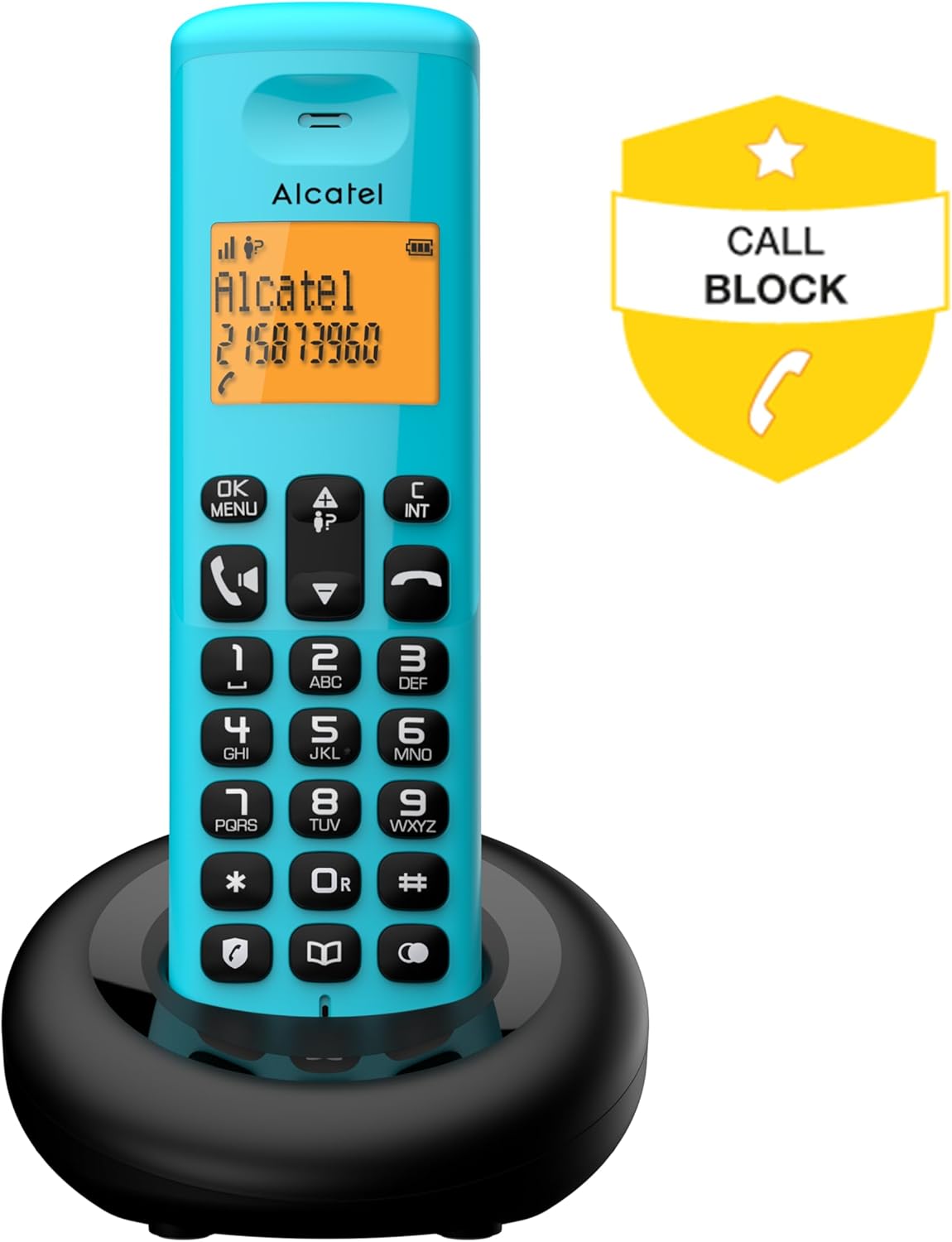
Image 1.1: The ALCATEL E260 DECT Cordless Phone, highlighting its call blocking feature.
2. اطلاعات ایمنی
Observe the following safety precautions to prevent damage to the phone and ensure user safety:
- فقط از آداپتور برق و باتریهای ارائه شده استفاده کنید.
- گوشی را در معرض آب یا رطوبت قرار ندهید.
- از قرار دادن گوشی در نزدیکی منابع گرما یا نور مستقیم خورشید خودداری کنید.
- خودتان اقدام به باز کردن یا تعمیر تلفن نکنید. به پرسنل خدمات واجد شرایط مراجعه کنید.
- گوشی را دور از دسترس کودکان نگه دارید.
3. محتویات بسته
بررسی کنید که آیا همه اقلام در بسته موجود است یا خیر:
- 1x ALCATEL E260 Handset
- ۱ عدد ایستگاه پایه
- 1 عدد آداپتور برق
- ۱ عدد سیم تلفن
- ۳ عدد باتری قابل شارژ AAA
- ۱ عدد دفترچه راهنمای کاربر (این سند)

تصویر 3.1: تمام شدview of the ALCATEL E260 DECT Cordless Phone package contents, including handset, base, power adapter, line cord, and batteries.
4. راه اندازی
4.1. نصب باتری
- پوشش محفظه باتری را در پشت گوشی پیدا کنید.
- برای باز کردن، درپوش را به سمت پایین بکشید.
- Insert the two AAA rechargeable batteries, observing the correct polarity (+/-).
- درپوش محفظه باتری را تعویض کنید.

Image 4.1: The rear of the ALCATEL E260 handset, indicating the location for battery installation.
۳. اتصال ایستگاه پایه
- Connect the telephone line cord to the LINE port on the base station and to your telephone wall socket.
- Connect the power adapter to the DC IN port on the base station and then plug it into a power outlet.
- گوشی را برای شارژ باتریها روی پایه قرار دهید. حداقل ۱۶ ساعت برای شارژ اولیه زمان در نظر بگیرید.

تصویر ۵.۱: کنار view of the ALCATEL E260 base station, showing connection points for the power adapter and telephone line.
۳. ثبت گوشی
Your handset is pre-registered to the base station. If registration is lost or you are adding an additional handset, follow these steps:
- On the base station, press and hold the registration button (usually marked with a signal icon) for approximately 5 seconds until the indicator light flashes.
- روی گوشی، دکمه MENU/OK button, navigate to 'Registration' (or similar), and press OK.
- پین سیستم را وارد کنید (پیشفرض ۰۰۰۰ است) و را فشار دهید OK.
- A confirmation message will appear on the handset screen upon successful registration.
5. دستورالعمل های عملیاتی

Image 5.1: The front of the ALCATEL E260 handset, displaying its backlit screen and keypad for operation.
5.1. برقراری تماس
- شماره گیری مستقیم: شماره تلفن را با استفاده از صفحه کلید وارد کنید و دکمه تماس بگیرید دکمه (آیکون گوشی سبز).
- پیش شماره گیری: Enter the phone number first, then press the تماس بگیرید دکمه
- از دفترچه تلفن: را فشار دهید دفترچه تلفن button (book icon), navigate to the desired contact, and press the تماس بگیرید دکمه
- شماره گیری سریع: Press and hold keys 1, 2, or 3 for quick access to pre-stored numbers.
5.2. دریافت تماس
وقتی تلفن زنگ میخورد، دکمه تماس بگیرید button (green handset icon) to answer. To end a call, press the پایان تماس دکمه (آیکون قرمز گوشی) را فشار دهید یا گوشی را دوباره روی پایه قرار دهید.
۳.۲ عملکرد هندزفری
در طول تماس ، دکمه را فشار دهید هندزفری button (speaker icon) to activate the speakerphone. Press it again to return to normal handset mode.
۲. مدیریت دفترچه تلفن
دفترچه تلفن میتواند تا ۲۰۰ مخاطب را ذخیره کند.
- افزودن مخاطب: را فشار دهید MENU/OK, navigate to 'Phonebook', then 'Add New'. Enter the name and number, then save.
- Edit Contact: Access the phonebook, select the contact, press MENU/OK, and choose 'Edit'.
- حذف مخاطب: Access the phonebook, select the contact, press MENU/OK, and choose 'Delete'.
۶.۲ مسدود کردن تماس
The ALCATEL E260 allows you to block up to 50 unwanted numbers.
- در حین تماس ورودی از یک شماره ناخواسته، دکمه اختصاصی را فشار دهید تماس با بلاک button (shield icon).
- Alternatively, access the 'Call Block' menu via MENU/OK to manually add numbers to the block list or review شمارههای مسدود شده

Image 5.2: The ALCATEL E260 handset, illustrating the call block function for managing unwanted calls.
5.6. Last Call List
The phone stores a list of the last 20 incoming and outgoing calls. Press the گزارش تماس button (up/down arrow icon) to access this list. You can redial numbers directly from this list.
6. تعمیر و نگهداری
- Clean the phone's surface with a soft, damp پارچه از پاک کننده ها یا حلال های ساینده استفاده نکنید.
- Ensure the charging contacts on the handset and base station are clean to maintain proper charging.
- اگر قرار است برای مدت طولانی از گوشی استفاده نکنید، باتریها را از گوشی خارج کنید.
7 عیب یابی
| مشکل | راه حل |
|---|---|
| بدون صدای شماره گیری | Check if the telephone line cord is securely connected to the base station and wall socket. Ensure the power adapter is plugged in. |
| شارژ نشدن گوشی | Ensure the handset is correctly placed on the base station. Clean the charging contacts. Verify the power adapter is connected. |
| کیفیت تماس ضعیف/ایستا | Move the handset closer to the base station. Ensure no other electronic devices are causing interference. |
| نمیتوان تماس برقرار/دریافت کرد | Check if the handset is registered to the base station. Restart the base station by unplugging and replugging the power adapter. |
8. مشخصات
- برند: آلکاتل
- مدل: E260
- نوع تلفن: تلفن بی سیم DECT
- رنگ: آبی
- نمایش: 2-line Backlit Screen (Orange)
- ظرفیت دفترچه تلفن: 50 مخاطبین
- گزارش تماس: ۲۰ تماس آخر
- مسدود کردن تماس: حداکثر تا 50 شماره
- عملکرد هندزفری: بله
- باتری ها: 2x AAA Rechargeable (included)
- مواد: اکریلونیتریل بوتادین استایرن (ABS) پلاستیک
- منبع تغذیه: کابل برق
- ابعاد (L x W x H): ۱۲۰ × ۳۰ × ۳۰ سانتیمتر (تقریبی)
- دستگاه های سازگار: DECT
9. گارانتی و پشتیبانی
برای اطلاعات مربوط به گارانتی و پشتیبانی فنی، لطفاً به مستندات ارائه شده هنگام خرید خود مراجعه کنید یا از وبسایت رسمی آلکاتل دیدن کنید. webسایت. فاکتور خرید خود را برای موارد گارانتی نگه دارید.