
1. مقدمه
ممنون از خریدتونasing the VTech XS1050 Cordless Phone. This manual provides essential information for setting up, operating, and maintaining your new phone. Please read it thoroughly to ensure proper use and to take full advantage از ویژگی های آن

Figure 1: VTech XS1050 Cordless Phone and Base Unit
This image shows the VTech XS1050 cordless phone handset resting in its white base unit. The handset features a digital display and a numeric keypad. The base unit also has controls for the answering machine.
2. راه اندازی
2.1 محتویات بسته
قبل از شروع، مطمئن شوید که همه موارد موجود است:
- VTech XS1050 Handset
- VTech XS1050 Base Unit
- آداپتور برق برای واحد پایه
- سیم خط تلفن
- 2 x Product-Specific Batteries (included)
- راهنمای کاربر (این سند)
2.2 نصب باتری
- درب محفظه باتری در پشت گوشی را باز کنید.
- Insert the two supplied batteries, observing the correct polarity (+ and -).
- درپوش محفظه باتری را محکم ببندید.
۲.۲ اتصال واحد پایه
- Connect the power adapter to the base unit and plug it into a wall outlet.
- یک سر سیم تلفن را به پایه و سر دیگر را به پریز دیواری تلفن خود وصل کنید.
2.4 شارژ اولیه
Place the handset on the base unit. The battery indicator on the handset display will show charging. Allow the handset to charge for at least 16 hours before initial use to ensure optimal battery performance.
3. دستورالعمل های عملیاتی
3.1 برقراری و دریافت تماس
- برقراری تماس: گوشی را بردارید، شماره را بگیرید و دکمه را فشار دهید تماس بگیرید دکمه
- دریافت تماس: وقتی تلفن زنگ میخورد، دکمه تماس بگیرید دکمه
- پایان دادن به تماس: را فشار دهید پایان تماس دکمه را فشار دهید یا گوشی را دوباره روی پایه قرار دهید.
۵.۲ استفاده از دستگاه پاسخگوی تلفن
The VTech XS1050 features a digital answering machine with up to 30 minutes of recording time.
- پخش پیامها: را فشار دهید بازی کنید دکمه روی واحد پایه.
- ضبط یک تبریک: Refer to the detailed instructions in the full manual for custom greeting setup.
۲.۲ بلندگوی هندزفری
برای فعال کردن بلندگوی هندزفری در حین تماس، دکمه بلندگو button on the handset. Press it again to switch back to handset mode.

Figure 2: Hands-Free Speakerphone Function
This image shows a person in a kitchen setting, using the VTech XS1050 handset on speakerphone mode while performing other tasks, indicating the convenience of the hands-free function.
3.4 تنظیم صدا
در حین تماس، از افزایش صدا و کاهش حجم buttons on the side of the handset to adjust the earpiece volume. The base unit also has volume controls for the speakerphone and answering machine playback.
۲.۶ دفترچه تلفن و شماره گیری سریع
- دفترچه تلفن: Store up to 100 names and numbers. Access and manage entries via the handset menu.
- شماره گیری سریع: Assign frequently called numbers to 8 dedicated speed dial keys for quick access.
3.6 Caller ID and Call History
The phone displays caller information (if available from your service provider) and stores a history of the last 20 incoming calls.

Figure 3: Caller ID and Call History Display
This image illustrates the handset's display showing multiple entries in the call history, including caller names and numbers, demonstrating the caller ID and call waiting features.
3.7 Conference Function
The intercom/hands-free function allows multiple users to participate in a conversation simultaneously, facilitating three-way conference calls.

Figure 4: Three-Way Conference Call
This image depicts three individuals engaged in separate phone conversations, symbolizing the three-way conference call capability of the VTech XS1050.
3.8 Alarm and Mute Function
The handset includes an alarm function for reminders and a mute function to temporarily silence your microphone during a call.

Figure 5: Alarm and Mute Function Icons
This image shows the VTech XS1050 handset on a table, with graphic overlays of an alarm clock and a muted speaker icon, illustrating the alarm and mute functionalities.
4. ویژگی های کلیدی
4.1 جلد Ampزنده تر
The VTech XS1050 features an integrated volume amplifier that boosts incoming sound and voice for enhanced clarity and volume. This feature is particularly beneficial for users with hearing impairments or those who prefer a louder audio experience.

Figure 6: Volume Amplifier in Action
This image visually represents the volume amplification feature, showing sound waves emanating from the handset and an ear icon with a plus sign, indicating increased audio output for clearer conversations.
۵.۴ دستگاه پاسخگوی دیجیتال
Record and store incoming calls when you are unavailable. The digital answering machine offers a maximum storage duration of 30 minutes, ensuring you don't miss important messages.
4.3 Backlit Screen and Keypad
The handset features a backlit screen and keypad, providing improved visibility in low-light conditions and enhancing ease of use.

Figure 7: Backlit Screen and Keypad
This image highlights the illuminated display and keys of the VTech XS1050 handset, demonstrating its backlit feature for better visibility in dim environments.
۳.۱.۴ عمر طولانی باتری
Enjoy extended conversations with up to 18 hours of talk time on a single charge, ensuring your phone is ready when you need it.

Figure 8: Up to 18 Hours Battery Life
This image features a woman talking on the VTech XS1050 handset, with a graphic overlay indicating '18 hours' talk time, emphasizing the product's long battery endurance.
4.5 Adjustable Ringtone Volume and Melodies
Customize your phone experience by adjusting the ringtone volume and choosing from various melodies to suit your preference.

Figure 9: Adjustable Ringtone Settings
This image shows the VTech XS1050 handset with graphic icons representing a bell (ringtone) and musical notes, indicating the ability to adjust ringtone volume and select melodies.
4.6 Multilingual Help Messages
The phone supports multilingual help messages, providing assistance in various languages for user convenience.
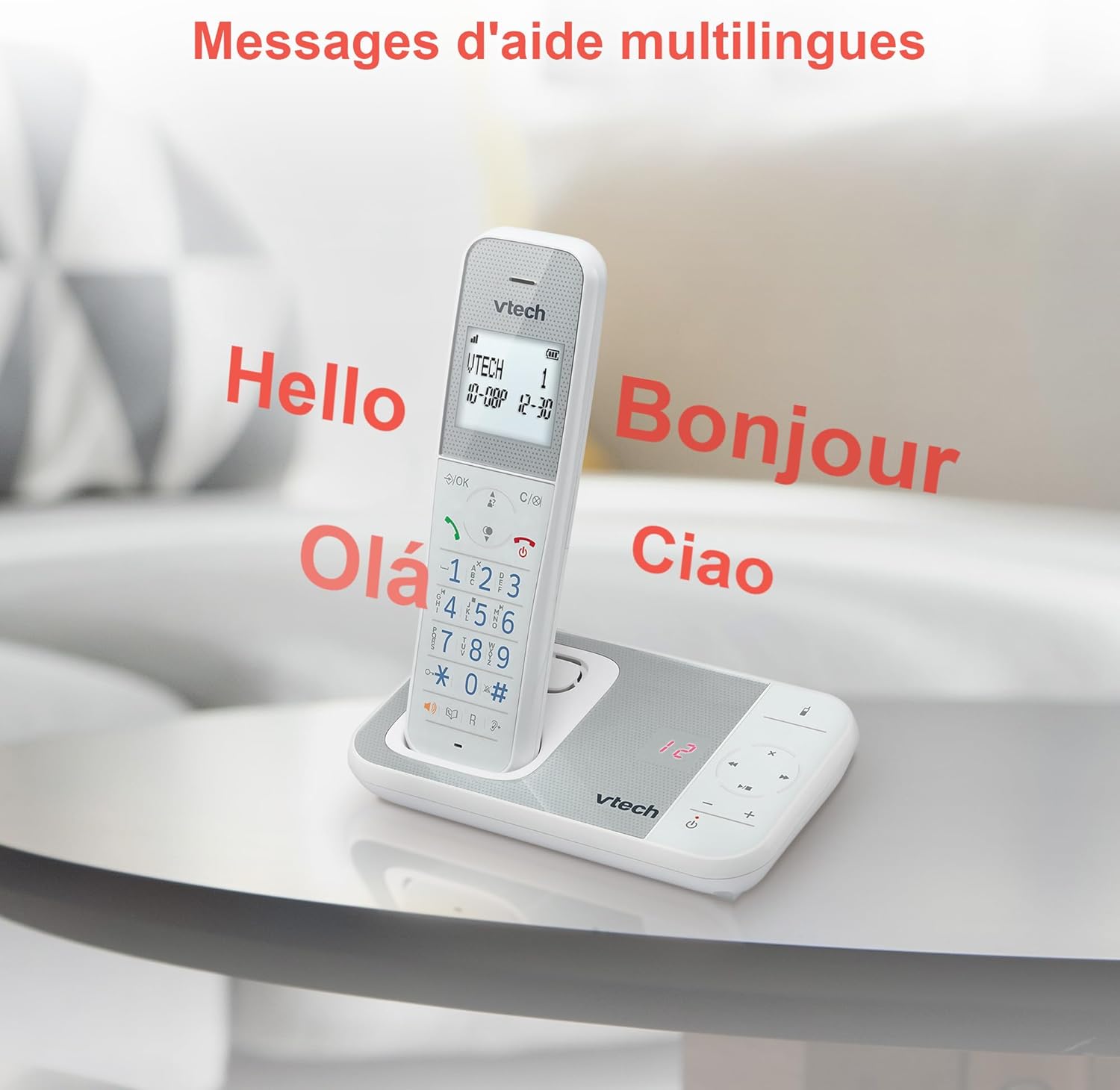
Figure 10: Multilingual Help Messages
This image displays the VTech XS1050 handset with various greetings like 'Hello', 'Bonjour', 'Olá', and 'Ciao' floating around it, illustrating the multilingual support feature.
5. تعمیر و نگهداری
5.1 تمیز کردن
تلفن و پایه را با یک پارچه نرم و لطیف پاک کنید.amp پارچه. از پاککنندههای ساینده یا حلالها استفاده نکنید. مطمئن شوید که هیچ مایعی وارد دهانههای تلفن نشود.
5.2 مراقبت از باتری
- Always use the supplied batteries.
- اگر قرار است برای مدت طولانی از تلفن استفاده نشود، باتریها را خارج کنید تا از نشتی جلوگیری شود.
- باتری های قدیمی را طبق مقررات محلی مسئولانه دور بیندازید.
6 عیب یابی
If you experience issues with your VTech XS1050, please refer to the following common problems and solutions:
| مشکل | علت احتمالی | راه حل |
|---|---|---|
| بدون صدای شماره گیری | سیم خط تلفن به درستی وصل نشده است. | مطمئن شوید که سیم خط تلفن به طور محکم به واحد پایه و پریز برق وصل شده است. |
| تلفن روشن نمیشود | Batteries are not charged or incorrectly installed. | Check battery polarity and ensure the handset is properly seated on the base unit for charging. Verify power adapter connection. |
| کیفیت صدای ضعیف | تداخل با سایر دستگاههای الکترونیکی. | Move the base unit or handset away from other electronic devices such as TVs, computers, or microwaves. |
| منشی تلفنی ضبط نمیکند | Memory full or answering machine is off. | Delete old messages to free up space. Ensure the answering machine function is activated. |
7. مشخصات
| ویژگی | جزئیات |
|---|---|
| نام تجاری | VTech |
| مدل | XS1050 |
| رنگ | سفید |
| نوع تلفن | بیسیم (DECT) |
| تعداد باتری | 2 (Product Specific - Included) |
| مواد | پلاستیک |
| منبع تغذیه | شارژ باتری |
| نوع شماره گیر | صفحه کلید تکی |
| ابعاد مورد (L x W x H) | 18.5 × 15.1 × 6.6 سانتی متر |
| نوع سیستم پاسخگویی | دیجیتال |
| وزن مورد | 400 گرم |
| ظرفیت دستگاه پاسخگو | تا 30 دقیقه |
| ظرفیت دفترچه تلفن | 100 نام و شماره |
| تاریخچه تماس | 20 ورودی |
| زمان صحبت | تا 18 ساعت |
8. ضمانت و پشتیبانی
8.1 اطلاعات گارانتی
For detailed warranty information, please refer to the warranty card included with your product or visit the official VTech webرسید خرید خود را به عنوان مدرک خرید نگه دارید.
8.2 پشتیبانی مشتری
If you require further assistance or have questions not covered in this manual, please contact VTech customer support. Contact details can typically be found on the VTech webسایت یا در بسته بندی محصول