
WISCENT WTB-795-green Cassette Player
WISCENT Portable Retro Stylish Cassette Player Recorder Boombox
Model: WTB-795-green Cassette Player
مقدمه
Thank you for choosing the WISCENT Portable Retro Stylish Cassette Player Recorder Boombox. This versatile device combines vintage aesthetics with modern functionality, allowing you to enjoy cassette tapes, AM/FM radio, Bluetooth audio, and USB playback. It also features advanced recording capabilities, including cassette to MP3 conversion. Please read this manual carefully to ensure proper operation and to maximize your enjoyment of this product.
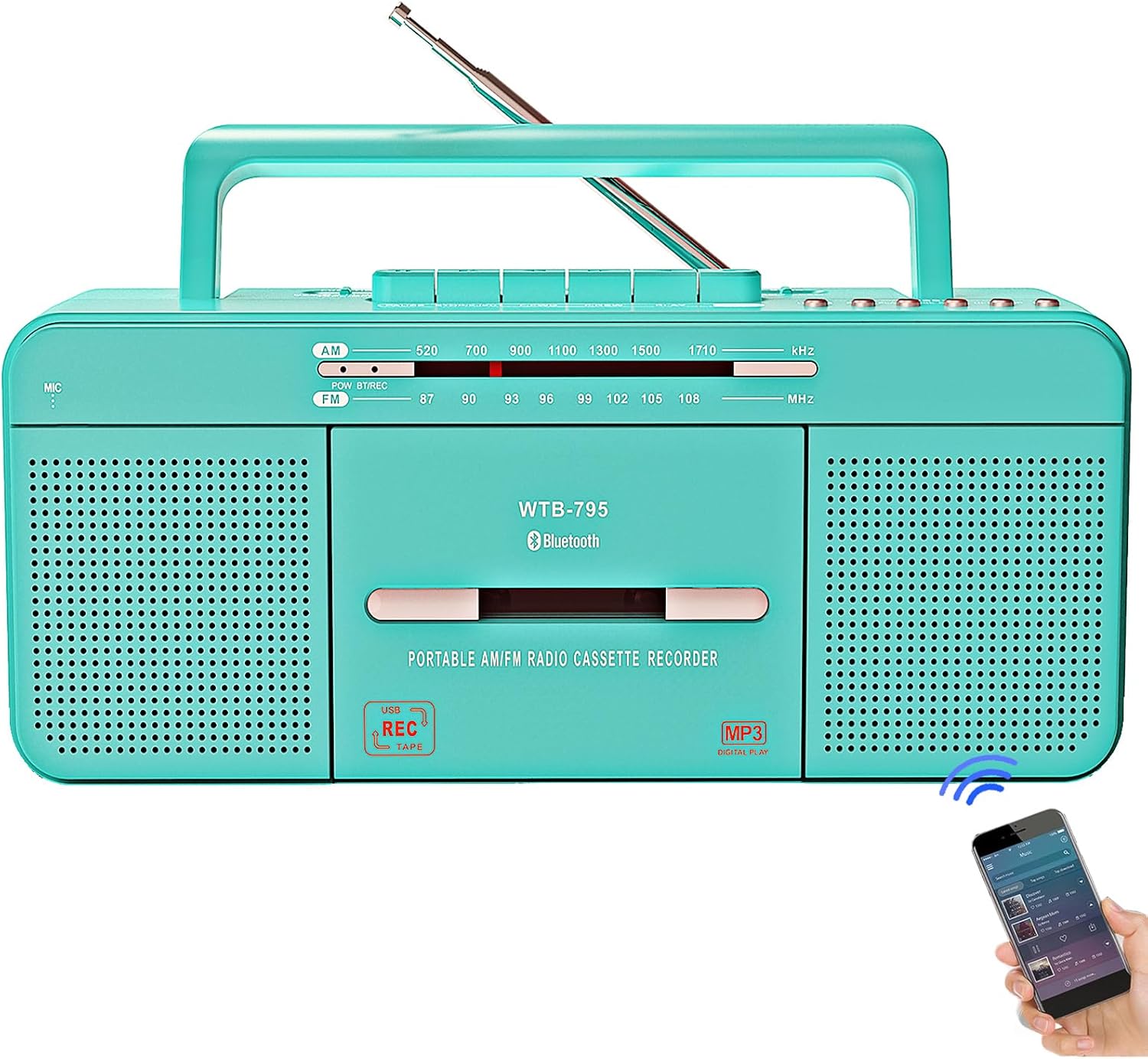
تصویر: جلو view of the WISCENT Portable Retro Stylish Cassette Player Recorder Boombox in teal, showcasing its classic design and modern features.
ویژگی های کلیدی
- پخش چند منظوره: Supports Tape Player, USB Flash Drive Player, Bluetooth Boombox, FM Radio, AM Radio, and 3.5mm Audio Player.
- Advanced Recording: Features 5 recording methods including built-in microphone to tape/USB, radio to tape, tape to USB, and U disk to tape.
- طراحی قابل حمل: Equipped with a handle for easy transport and can be powered by AC or 4 C batteries (not included).
- Enhanced Radio Reception: Upgraded DSP chip and extended antenna for excellent AM/FM reception (AM 520-1710 KHz, FM 87-108 MHz).
- صدا با کیفیت بالا: Dual 3-inch speakers provide loud and clear sound. Includes a 3.5mm headphone jack for private listening.
- زیباییشناسی رترو: Fine craftsmanship with a stylish teal finish, blending vintage appeal with modern technology.

Image: Visual representation of the boombox's various functions, including cassette player, Bluetooth, USB player, AM/FM radio, microphone recorder, and headphone jack.
راه اندازی
برق رسانی به دستگاه
بومباکس شما میتواند هم با برق شهری و هم با باتری کار کند.
- برق متناوب: Connect the included AC power cord to the AC port on the unit and then to a standard AC 120V/60Hz wall outlet.
- قدرت باتری: For portable use, open the battery compartment on the bottom of the unit and insert 4 'C' size batteries (not included), ensuring correct polarity (+/-).

Image: Demonstrates the two power options: connecting the AC power cord for wall outlet use and inserting 4 'C' batteries for portable operation.
دستورالعمل های عملیاتی
کنترل ها به پایان رسیدview
Familiarize yourself with the main controls of your boombox:

Image: A detailed diagram labeling various controls and ports on the boombox, including AC port, function switch, radio antenna, USB port, handle, battery compartment, band switch, pause, stop/eject, fast forward, fast rewind, play, record, USB playback controls, built-in microphone, power indicator, Bluetooth/record indicator, frequency indicator window, tape compartment, tuning knob, headphone jack, and volume button.
عملیات عمومی
- روشن/خاموش برق: Use the FUNCTION switch to select a mode (USB/BT, Radio, Tape/Off) to turn the unit on. Set to 'OFF' to power down.
- کنترل صدا: Rotate the Volume Control Knob (27) to adjust the sound level.
- استفاده از هدفون: Plug 3.5mm headphones into the Headphone Jack (26) for private listening.
پخش کاست
- Set the FUNCTION switch to 'TAPE'.
- Press the STOP/EJECT button (9) to open the tape compartment (24).
- Insert a cassette tape with the open side facing up.
- Close the tape compartment.
- دکمه PLAY (12) را برای شروع پخش فشار دهید.
- Use FAST FORWARD (10) or FAST REWIND (11) to navigate the tape.
- Press PAUSE (8) to temporarily stop playback, and press again to resume.
- Press STOP/EJECT (9) to stop playback.
عملیات رادیویی (AM/FM)
- Set the FUNCTION switch to 'RADIO'.
- Select the desired band (AM or FM) using the BAND switch (7).
- Extend the telescopic antenna (3) for optimal FM reception. For AM, rotate the unit for best reception.
- Rotate the TUNING knob (25) to tune into your desired station. The frequency will be displayed in the Frequency Indicator Window (23).

Image: The boombox positioned on a dresser with its antenna extended, illustrating its enhanced AM/FM reception capabilities.
عملکرد بلوتوث
- Set the FUNCTION switch to 'USB/BT'. The Bluetooth indicator (22) will flash, indicating pairing mode.
- در دستگاه بلوتوث فعال خود (مثلاً تلفن هوشمند، تبلت)، دستگاههای بلوتوث را جستجو کنید.
- Select "WTB-795" from the list of available devices to pair.
- Once paired, the Bluetooth indicator will stop flashing and remain solid. You can now play audio from your device through the boombox.

Image: The boombox shown with a smartphone, illustrating the wireless Bluetooth connection for audio streaming.
پخش USB
- Set the FUNCTION switch to 'USB/BT'.
- Insert a USB flash drive into the USB Port (4). The unit will automatically detect and begin playing compatible audio files (MP3).
- Use the USB playback controls (14-19) for functions like Previous Track (15), Next Track (17), Play/Pause (16), and Stop (18).
توابع ضبط
The boombox offers versatile recording options:
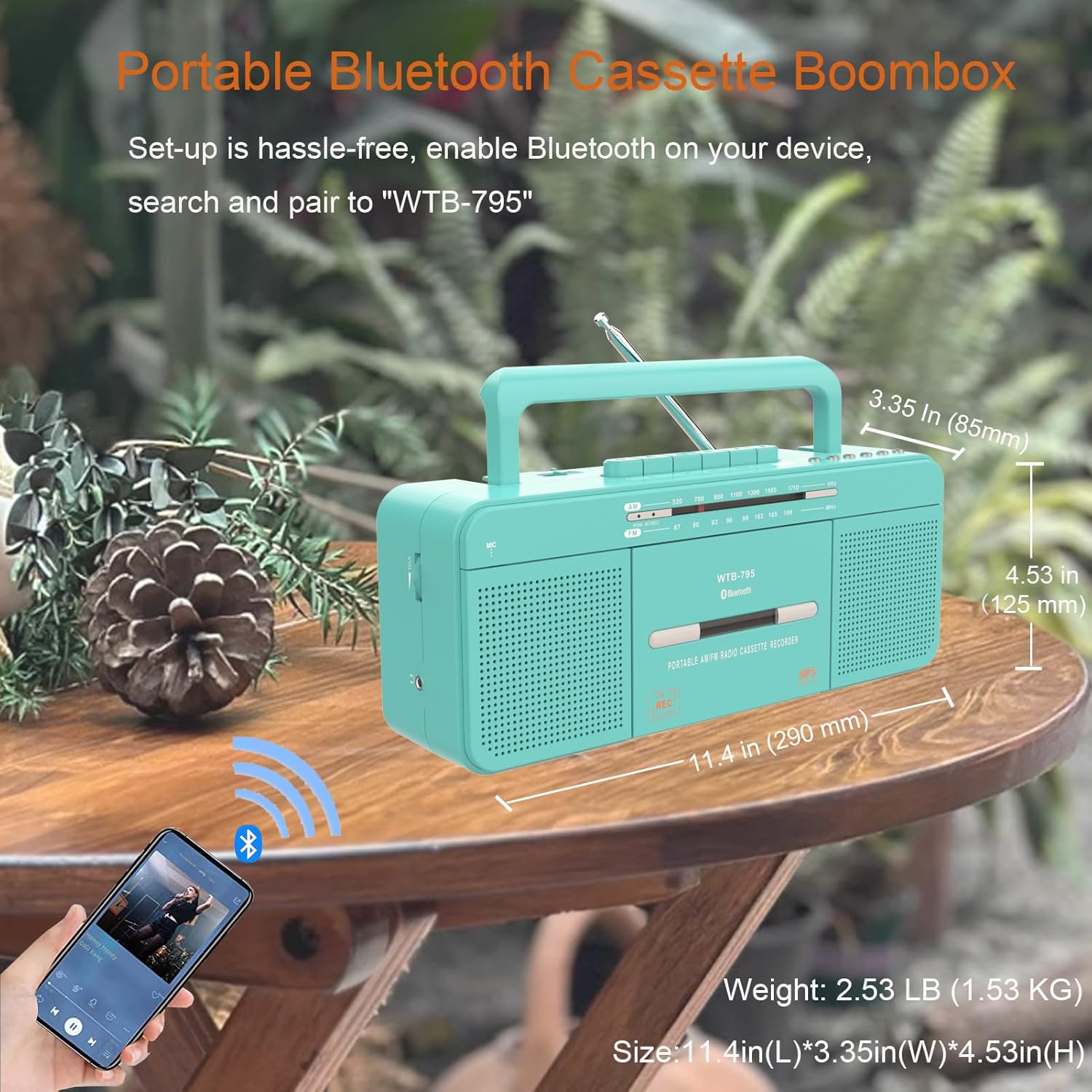
Image: A visual guide detailing the five different recording methods: U disk to blank tape, tape to USB, radio to blank tape, built-in microphone to USB, and built-in microphone to tape.
- Built-in Microphone Recording to Blank Tape:
a. Insert a blank cassette tape.
b. Set FUNCTION to 'TAPE'.
c. Press the REC button (13) to start recording from the built-in microphone (20). Press STOP/EJECT (9) to stop. - Built-in Microphone Recording to USB:
a. Insert a USB flash drive.
b. Set FUNCTION to 'USB/BT'.
c. Press the REC button (13) to start recording from the built-in microphone (20) to the USB drive. Press STOP (18) to stop. - Radio Recording to Blank Tape:
a. Insert a blank cassette tape.
b. Set FUNCTION to 'RADIO' and tune to your desired station.
c. Press the REC button (13) to start recording the radio broadcast to tape. Press STOP/EJECT (9) to stop. - Tape Recording to USB (Cassette to MP3 Converter):
a. Insert a cassette tape and a USB flash drive.
b. Set FUNCTION to 'USB/BT'.
c. Press PLAY (12) on the cassette player.
d. Press the REC button (13) to start converting the tape audio to MP3 on the USB drive. Press STOP (18) to stop. - U Disk Recording to Tape:
a. Insert a USB flash drive with audio files and a blank cassette tape.
b. Set FUNCTION to 'TAPE'.
c. Press PLAY (16) on the USB playback controls.
d. Press the REC button (13) to record the USB audio to the blank tape. Press STOP/EJECT (9) to stop.
تعمیر و نگهداری
- تمیز کردن: دستگاه را با یک پارچه نرم و خشک پاک کنید. از پاک کننده ها یا حلال های ساینده استفاده نکنید.
- تمیز کردن هد کاست: Regularly clean the cassette player's head, pinch roller, and capstan with a cotton swab lightly dampبا الکل ایزوپروپیل آغشته شده تا کیفیت صدای مطلوب تضمین شود و از آسیب دیدن نوار جلوگیری شود.
- ذخیره سازی: در صورت عدم استفاده طولانی مدت، باتریها را خارج کرده و دستگاه را در جای خشک و خنک و دور از نور مستقیم خورشید و دمای شدید نگهداری کنید.
عیب یابی
| مشکل | علت احتمالی | راه حل |
|---|---|---|
| بدون قدرت | سیم برق وصل نیست؛ باتریها تمام شدهاند یا به درستی وارد نشدهاند. | Ensure AC cord is securely plugged in; Replace batteries or check polarity. |
| هیچ صدایی از بلندگوها نمی آید | Volume too low; Headphones plugged in; Incorrect function mode. | Increase volume; Unplug headphones; Select correct function mode (Tape, Radio, USB/BT). |
| دریافت ضعیف رادیو | آنتن کشیده نشده است؛ سیگنال ضعیف؛ تداخل. | Fully extend telescopic antenna (FM); Rotate unit for best AM reception; Move away from electronic devices causing interference. |
| نوار کاست به درستی پخش/ضبط نمیشود | Tape damaged; Heads dirty; Incorrect tape direction. | Try a different tape; Clean tape heads; Ensure tape is inserted correctly. |
| بلوتوث وصل نمی شود | Boombox not in pairing mode; Device Bluetooth off; Already connected to another device. | Ensure FUNCTION is set to 'USB/BT' and indicator is flashing; Turn on Bluetooth on your device; Disconnect from other devices and try pairing again. |
| مشکلات پخش از طریق USB | درایو USB به درستی فرمت نشده است؛ سازگار نیست file type; USB drive damaged. | مطمئن شوید که فرمت USB، FAT32 است؛ فقط MP3 files are supported; Try a different USB drive. |
مشخصات
- شماره مدل: WTB-795-green Cassette Player
- ابعاد محصول (L x W x H): 12.3 x 5.03 x 5.82 اینچ
- وزن مورد: 3.27 پوند
- فناوری اتصال: Bluetooth, USB, Built-in microphone recording, 3.5mm Earphone Port
- رنگ: آبی رنگ
- نوع بلندگو: استریو
- فرکانس AM: 520-1710 کیلوهرتز
- فرکانس FM: 87-108 مگاهرتز
- منبع تغذیه: AC 120V/60Hz or 4 x 'C' Batteries (not included)
- سازنده: ویسنت
- کشور مبدا: چین

Image: The boombox shown with its key dimensions (length, width, height) indicated, providing a clear understanding of its size.
آنچه در جعبه است
- 1 x WISCENT Cassette Player Recorder
- 1 x US AC Plug
- ۱ عدد دفترچه راهنمای کاربر (این سند)
گارانتی و پشتیبانی
WISCENT products are manufactured with high-quality standards. For any questions, technical support, or warranty inquiries, please contact WISCENT customer service through the retailer's platform or the official WISCENT webلطفاً رسید خرید خود را برای استفاده در گارانتی نگه دارید.
Ask a question about this manual
Ask about setup, troubleshooting, compatibility, parts, safety, or missing instructions. Manuals+ will review the question and use this page’s manual context to help answer it.