
1. مقدمه
This manual provides essential instructions for the safe and effective use of your Canon EF 28-80mm f/3.5-5.6 II lens. Please read this manual thoroughly before using the lens to ensure proper operation and to achieve optimal photographic results. Keep this manual in a safe place for future reference.
2. محصول تمام شدview
The Canon EF 28-80mm f/3.5-5.6 II is a versatile standard zoom lens designed for Canon EF mount cameras. It offers a flexible focal length range suitable for various photographic situations, from wide-angle landscapes to portraits. This lens features manual focus operation and a variable maximum aperture.

شکل 2.1: جلو view of the Canon EF 28-80mm f/3.5-5.6 II lens.
ویژگی های کلیدی عبارتند از:
- فاصله کانونی: 28-80mm zoom range.
- دیافراگم: حداکثر دیافراگم متغیر f/3.5-5.6
- کوه: Compatible with Canon EF mount cameras.
- تمرکز: فوکوس دستی
- طراحی: Zoom lens construction.
3. راه اندازی
۳.۱ وصل کردن لنز
- درپوش لنز عقب و درپوش بدنه دوربین را بردارید.
- علامت شاخص قرمز روی لنز را با علامت شاخص قرمز روی بدنه دوربین همتراز کنید.
- لنز را داخل پایه دوربین قرار دهید و آن را در جهت عقربههای ساعت بچرخانید تا در جای خود قرار گیرد.
- Ensure the lens is securely locked.
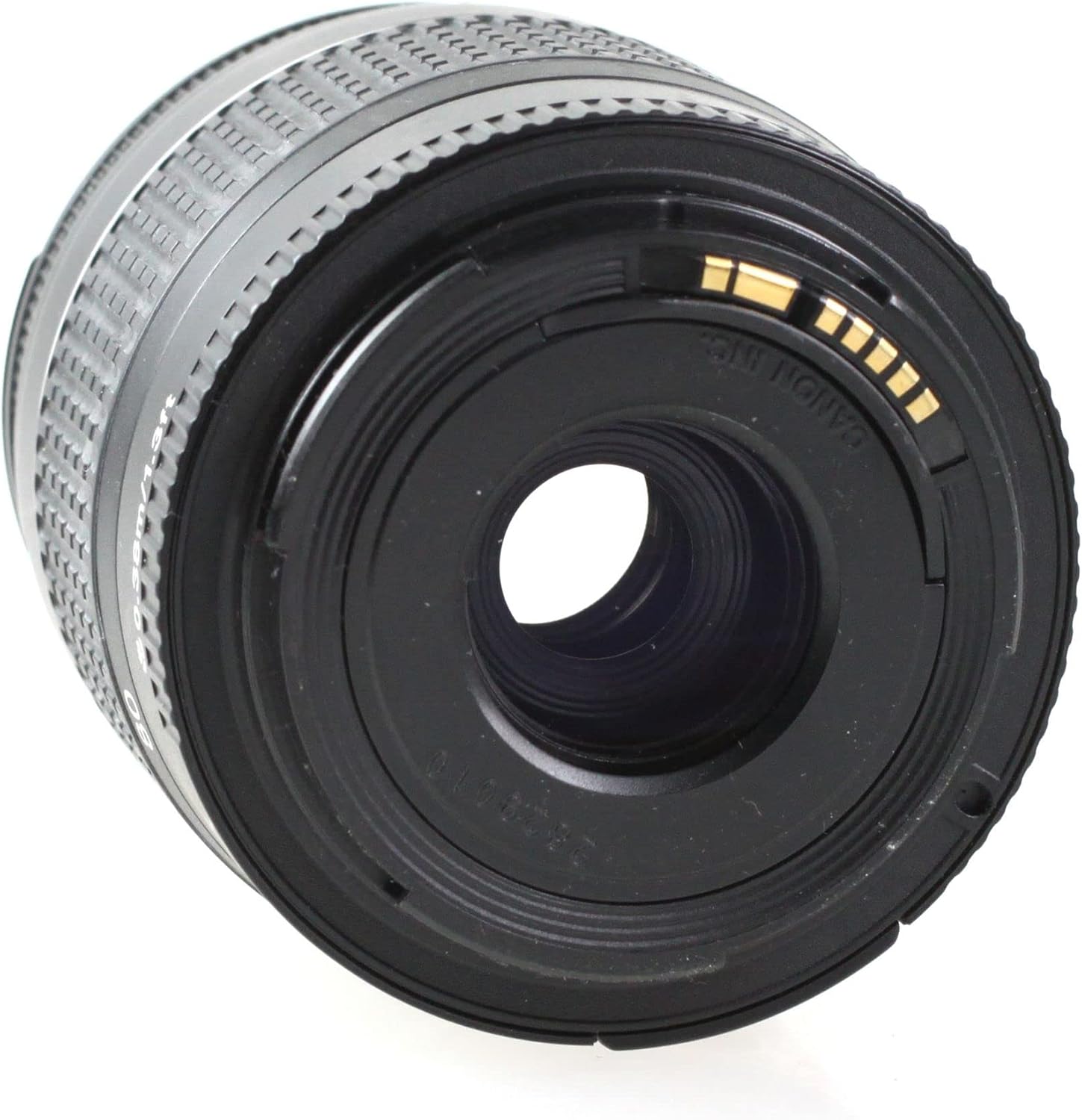
شکل 3.1: عقب view of the lens, showing the EF mount.
۴.۲ جدا کردن لنز
- دوربین را خاموش کنید.
- همزمان با فشار دادن دکمه آزادسازی لنز روی بدنه دوربین، لنز را در خلاف جهت عقربههای ساعت بچرخانید تا متوقف شود.
- لنز را از دوربین خارج کنید.
- Attach the rear lens cap to the lens and the body cap to the camera.
۴. کار با لنز
4.1 بزرگنمایی
To change the focal length, rotate the zoom ring on the lens. The focal length markings (28, 35, 50, 70, 80mm) indicate the current focal length. Rotate the ring clockwise to zoom in (increase focal length) and counter-clockwise to zoom out (decrease focal length).

Figure 4.1: Zoom ring on the lens.
4.2 Focusing (Manual Focus)
This lens features manual focus. To focus, rotate the focus ring until the subject appears sharp in the viewfinder or on the camera's LCD screen. For precise focusing, use the camera's focus assist features if available.
۴.۲ کنترل دیافراگم
The aperture of this lens is controlled electronically via the camera body. Refer to your camera's instruction manual for details on how to adjust the aperture settings (f-number).
۴. نگهداری و جابجایی
- تمیز کردن: Use a lens blower to remove dust from the lens surface. For smudges, use a soft, clean lens cloth and a specialized lens cleaning solution. Never use organic solvents or harsh chemicals.
- ذخیره سازی: When not in use, attach the front and rear lens caps. Store the lens in a cool, dry, and well-ventilated place, away from direct sunlight and high humidity.
- رسیدگی: Avoid dropping or subjecting the lens to strong impacts. Do not leave the lens in direct sunlight for extended periods, as this can damage internal components.
- مقاومت در برابر آب: This lens is not water resistant. Avoid exposure to rain, splashes, or high humidity.
6 عیب یابی
If you encounter issues with your lens, please refer to the following common solutions:
- لنز به دوربین وصل نمیشود: Ensure the red index marks on both the lens and camera body are aligned, and rotate until it clicks. Check for any obstructions on the mount.
- Difficulty focusing: Ensure you are rotating the focus ring correctly. Check your camera's manual for manual focus assist features.
- مشکلات کیفیت تصویر: Ensure the lens elements are clean. Check camera settings (e.g., ISO, shutter speed, aperture).
For camera-specific issues or persistent problems, consult your camera's instruction manual or contact Canon customer support.
7. مشخصات
| ویژگی | توضیحات |
|---|---|
| نام تجاری | Canon |
| نام مدل | Canon EF 28-80mm f/3.5-5.6 II |
| شرح فاصله کانونی | ۴.۴۵-۴۴.۵ میلیمتر |
| حداکثر دیافراگم | 3.5 f |
| حداقل فاصله کانونی | 28 میلیمتر |
| حداکثر فاصله کانونی | 80 میلیمتر |
| نوع لنز | استاندارد |
| نصب های سازگار | کانن EF |
| نوع فوکوس | فوکوس دستی |
| تثبیت تصویر | No image stabilization |
| تعداد تیغه های دیافراگم | 3 |
| UPC | 657768819438 |
| شماره قطعه سازنده | EF 28-80 1:3,5-5,6 DC-cr |
| سطح مقاومت در برابر آب | مقاوم در برابر آب نیست |
8. گارانتی و پشتیبانی
This Canon EF 28-80mm f/3.5-5.6 II lens comes with a 90 روز گارانتی محدودلطفاً فاکتور خرید خود را برای موارد گارانتی نگه دارید.
For technical support, service, or further inquiries, please contact Canon customer support or visit the official Canon website. You may also refer to the Amazon Renewed store for specific return or replacement policies related to renewed products.