
مقدمه
This manual provides essential information for setting up, operating, maintaining, and troubleshooting your HP Pro Mini 400 G9 Business Mini Desktop Computer. This compact and powerful system is designed for business environments, featuring a 12th Gen Intel Core i5-12500T processor, 16GB DDR4 RAM, and a 512GB PCIe NVMe SSD, running Windows 11 Pro.
Please read this manual thoroughly before using your new computer to ensure proper operation and to maximize its lifespan.
آنچه در جعبه است
بررسی کنید که همه اقلام در بستهبندی موجود باشند:
- کامپیوتر رومیزی اچپی پرو مینی ۴۰۰ جی۹
- صفحه کلید سیمی
- ماوس سیمی
- آداپتور برق و کابل
- مستندات (راهنمای شروع سریع، اطلاعات گارانتی)
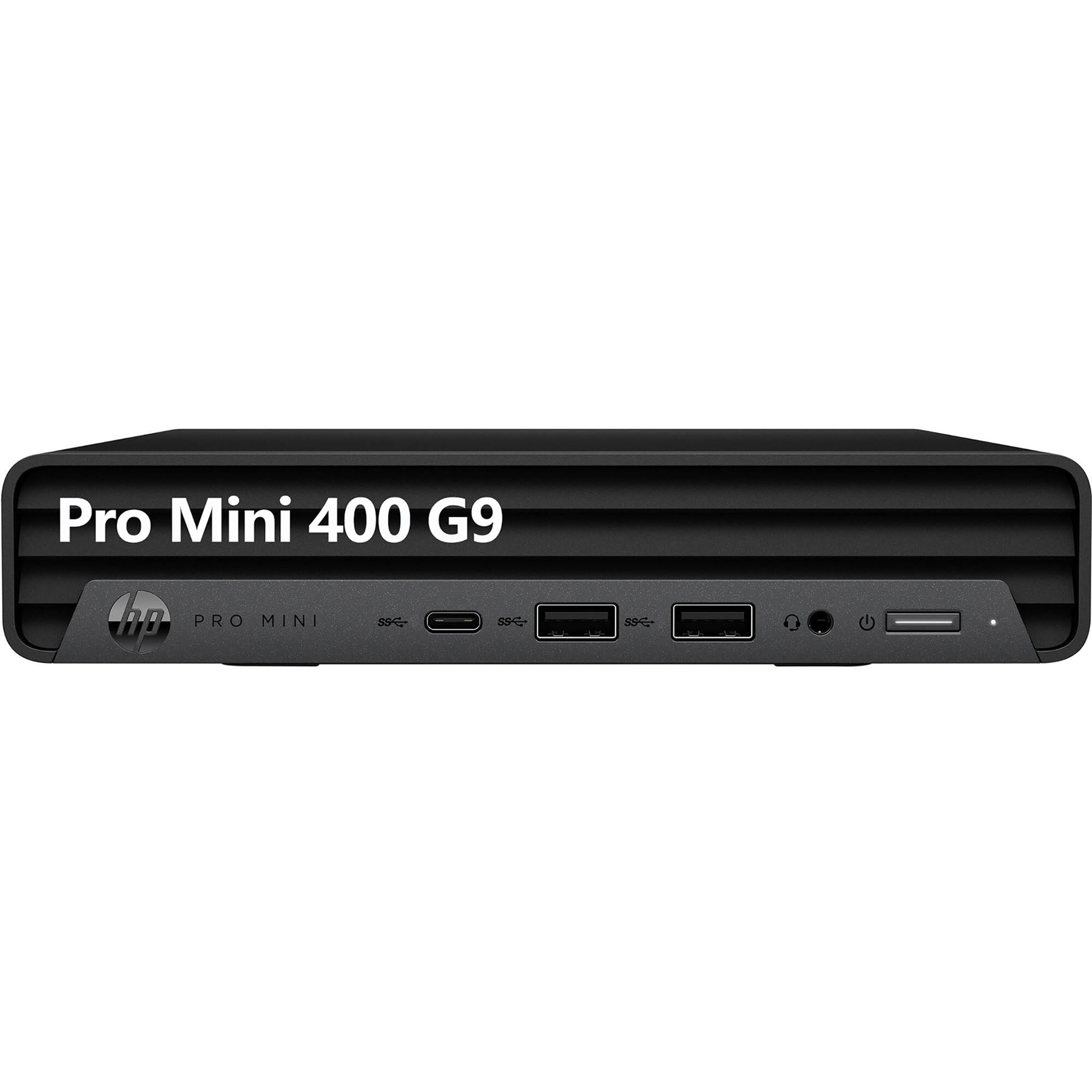
Image: The HP Pro Mini 400 G9 desktop computer shown with its accompanying wired keyboard and mouse.
راه اندازی
Follow these steps to set up your HP Pro Mini 400 G9 desktop computer:
- اتصال لوازم جانبی:
- Connect the wired keyboard to an available USB Type-A port on the front or rear of the computer.
- Connect the wired mouse to another available USB Type-A port.
- Connect your monitor(s) to the DisplayPort or HDMI ports on the rear of the computer. The system supports up to two DisplayPort 1.4 and one HDMI 2.1 output.
- اتصال به برق:
- Connect the power cable to the power connector on the rear of the computer.
- سر دیگر کابل برق را به پریز برق دارای اتصال زمین وصل کنید.
- اتصال شبکه (اختیاری):
- For a wired connection, connect an Ethernet cable from your router or network switch to the RJ-45 port on the rear of the computer.
- For wireless connectivity, the system includes Wi-Fi 6 (802.11ax) and Bluetooth 5.2. Configuration will occur during initial Windows setup or via Windows settings.
- بوت اولیه:
- دکمه پاور واقع در جلوی کامپیوتر را فشار دهید.
- Follow the on-screen instructions to complete the Windows 11 Pro setup process. This includes setting up your user account, network preferences, and other initial configurations.

Image: Front panel of the HP Pro Mini 400 G9, highlighting USB-C, USB-A ports, headphone/microphone jack, and power button.

Image: Rear panel of the HP Pro Mini 400 G9, showing DisplayPort, HDMI, USB-A ports, RJ-45 Ethernet, and power connector.
دستورالعمل های عملیاتی
روشن/خاموش برق
- روشن کردن: دکمه پاور را در پنل جلویی فشار دهید.
- برای خاموش کردن: روی دکمه Start در ویندوز کلیک کنید، سپس Power > Shut down را انتخاب کنید.
- شروع دوباره: روی دکمه Start در ویندوز کلیک کنید، سپس Power > Restart را انتخاب کنید.
- برای خوابیدن: روی دکمه Start در ویندوز کلیک کنید، سپس Power > Sleep را انتخاب کنید.
اتصال دستگاه ها
- دستگاه های USB: Use the SuperSpeed USB Type-A (10Gbps and 5Gbps signaling rate) and SuperSpeed USB Type-C (20Gbps signaling rate) ports for connecting external drives, printers, and other USB peripherals. One front USB Type-A port supports charging.
- دستگاه های صوتی: Connect headphones or a headset to the headphone/microphone combo jack on the front panel.
- دستگاه های نمایشگر: Connect up to three displays using the two DisplayPort 1.4 and one HDMI 2.1 ports on the rear.
اتصال بی سیم
- وای فای: To connect to a wireless network, open Windows Settings, navigate to Network & internet > Wi-Fi, and select your desired network.
- بلوتوث: To pair Bluetooth devices, open Windows Settings, navigate to Bluetooth & devices, and turn on Bluetooth. Select "Add device" to pair new devices.
تعمیر و نگهداری
تمیز کردن
- قبل از تمیز کردن، مطمئن شوید که کامپیوتر خاموش و از برق کشیده شده است.
- کمی d از یک پارچه نرم و بدون پرز استفاده کنیدampبا آب یا محلول تمیز کننده ملایم برای پاک کردن سطوح بیرونی.
- Use compressed air to clear dust from ventilation grilles and ports. Avoid spraying liquid directly into openings.
به روز رسانی نرم افزار
- Regularly check for and install Windows updates to ensure system security and performance. Go to Settings > Windows Update.
- Keep device drivers updated. HP provides driver updates through their support webسایت یا نرمافزار دستیار پشتیبانی HP.
مدیریت ذخیره سازی
- به صورت دورهای موارد غیرضروری را حذف کنید files and empty the Recycle Bin to free up storage space.
- Consider using cloud storage or external drives for large files to maintain optimal performance of the internal 512GB M.2 PCIe NVMe SSD.
عیب یابی
بدون قدرت
- مطمئن شوید که کابل برق به طور ایمن به کامپیوتر و پریز برق وصل شده است.
- با وصل کردن دستگاه دیگری به پریز برق، از سالم بودن آن اطمینان حاصل کنید.
- آداپتور برق را از نظر هرگونه آسیب دیدگی بررسی کنید.
بدون نمایشگر
- Confirm that the monitor is powered on and its input source is correctly selected (e.g., HDMI, DisplayPort).
- Ensure the video cables (HDMI/DisplayPort) are securely connected to both the computer and the monitor.
- در صورت وجود، مانیتور را به پورت ویدیوی دیگری در رایانه متصل کنید.
مشکلات اتصال شبکه
- سیمی: Check if the Ethernet cable is properly connected to the RJ-45 port and your router/modem. Verify router/modem status.
- بی سیم: Ensure Wi-Fi is enabled in Windows Settings. Restart your router/modem. Try forgetting and re-connecting to the Wi-Fi network.
کند شدن سیستم
- برنامههای غیرضروری که در پسزمینه اجرا میشوند را ببندید.
- برای اطلاع از فرآیندهایی که منابع زیادی از CPU، حافظه یا دیسک مصرف میکنند، Task Manager (Ctrl+Shift+Esc) را بررسی کنید.
- از بهروز بودن ویندوز و درایورها اطمینان حاصل کنید.
- یک پاکسازی دیسک اجرا کنید و بدافزار را بررسی کنید.
مشخصات
| نام تجاری | HP |
| نام مدل | پرو مینی ۴۰۰ جی۹ |
| سیستم عامل | ویندوز 11 پرو |
| مدل CPU | 12th Gen Intel Core i5-12500T (6 Cores, 12 Threads, 2.00 GHz to 4.40 GHz Turbo) |
| گرافیک | گرافیک Intel UHD Graphics 770 (یکپارچه) |
| حافظه رم | 16GB DDR4 RAM (Max 64GB) |
| ذخیره سازی | ۵۱۲ گیگابایت حافظه SSD از نوع M.2 PCIe NVMe |
| اتصال بی سیم | Realtek RTL8852BE Wi-Fi 6 (2x2) and Bluetooth 5.2 combo |
| پورت های جلو |
|
| بنادر عقب |
|
| ابعاد (H x W x D) | 1.34 x 6.97 x 6.89 اینچ (تقریبا) |
| مصرف برق | 90 وات |
اطلاعات گارانتی
This HP Pro Mini 400 G9 desktop computer typically comes with a 1-year limited warranty. The warranty covers defects in materials and workmanship under normal use. Specific terms and conditions may vary by region and retailer.
For detailed warranty information, please refer to the warranty documentation included with your product or visit the official HP support webسایت
پشتیبانی کنید
If you encounter issues that cannot be resolved using the troubleshooting steps in this manual, or if you require further assistance, please contact HP customer support.
- پشتیبانی آنلاین: به مقام رسمی مراجعه کنید پشتیبانی HP webسایت برای درایورها، دفترچههای راهنما و راهنماهای عیبیابی.
- پشتیبانی تلفنی: Refer to your product documentation for regional phone support numbers.
- دستیار پشتیبانی HP: Utilize the pre-installed HP Support Assistant software for system diagnostics, updates, and direct access to support resources.