
1. محصول تمام شدview
The TP-Link Deco X1500 is a Wi-Fi 6 Mesh System designed to provide seamless, whole-home Wi-Fi coverage. This 3-pack system utilizes advanced Wi-Fi 6 technologies to deliver faster speeds, connect more devices, and reduce latency for a superior network experience. It creates a unified network that automatically selects the best connection as you move throughout your home.

Image: A single TP-Link Deco X1500 Mesh WiFi 6 unit, showcasing its compact white cylindrical design.
ویژگی های کلیدی:
- Faster Connections: Wi-Fi 6 achieves speeds up to 1,500 Mbps: 1,201 Mbps on 5 GHz and 300 Mbps on 2.4 GHz.
- اتصال دستگاههای بیشتر: OFDMA and MU-MIMO technologies quadruple capacity for simultaneous transmission to multiple devices.
- Enhanced Seamless Coverage: Achieve perfect whole-home coverage with a clearer and stronger Wi-Fi signal generated by Wi-Fi 6.
- تأخیر بسیار کم: Reduced latency enables more responsive gaming and video chats.
- شبکه یکپارچه: Multiple units form a whole-home network that automatically selects the best connection as you move around your home.
- Robust Parental Controls: زمان آنلاین را محدود کنید و نامناسب را مسدود کنید websites based on unique profileبرای هر یک از اعضای خانواده ایجاد شده است.
- راه اندازی ساده شده: The Deco app guides you step-by-step through the setup process.
2. محتویات بسته
بررسی کنید که همه اقلام در بسته شما موجود باشد:
- ۲ دستگاه دکو X1500
- 1 عدد کابل اترنت RJ45
- 3 عدد آداپتور برق
- 1 x راهنمای نصب سریع
۱. دستورالعملهای راهاندازی
Setting up your Deco X1500 Mesh System is straightforward using the TP-Link Deco app. Follow these steps for initial installation:
- اپلیکیشن دکو را دانلود کنید: جستجو برای 'TP-Link Deco' in the App Store (iOS) or Google Play Store (Android) and download the application.
- Sign Up or Log In: Open the Deco app and sign up for a TP-Link ID. If you already have one, log in.
- واحد اصلی دکو را وصل کنید:
- مودم خود را خاموش کنید
- با استفاده از کابل اترنت ارائه شده، یک واحد Deco را به مودم خود وصل کنید.
- Power on your modem, then power on the Deco unit.
- دستورالعملهای درون برنامه را دنبال کنید: The Deco app will automatically detect your Deco unit and guide you through the process of creating your Wi-Fi network name and password.
- واحدهای دکوراتیو اضافی اضافه کنید: Once the main Deco is set up, the app will prompt you to add the remaining Deco units. Place them strategically throughout your home for optimal coverage. The app will provide guidance on ideal placement.
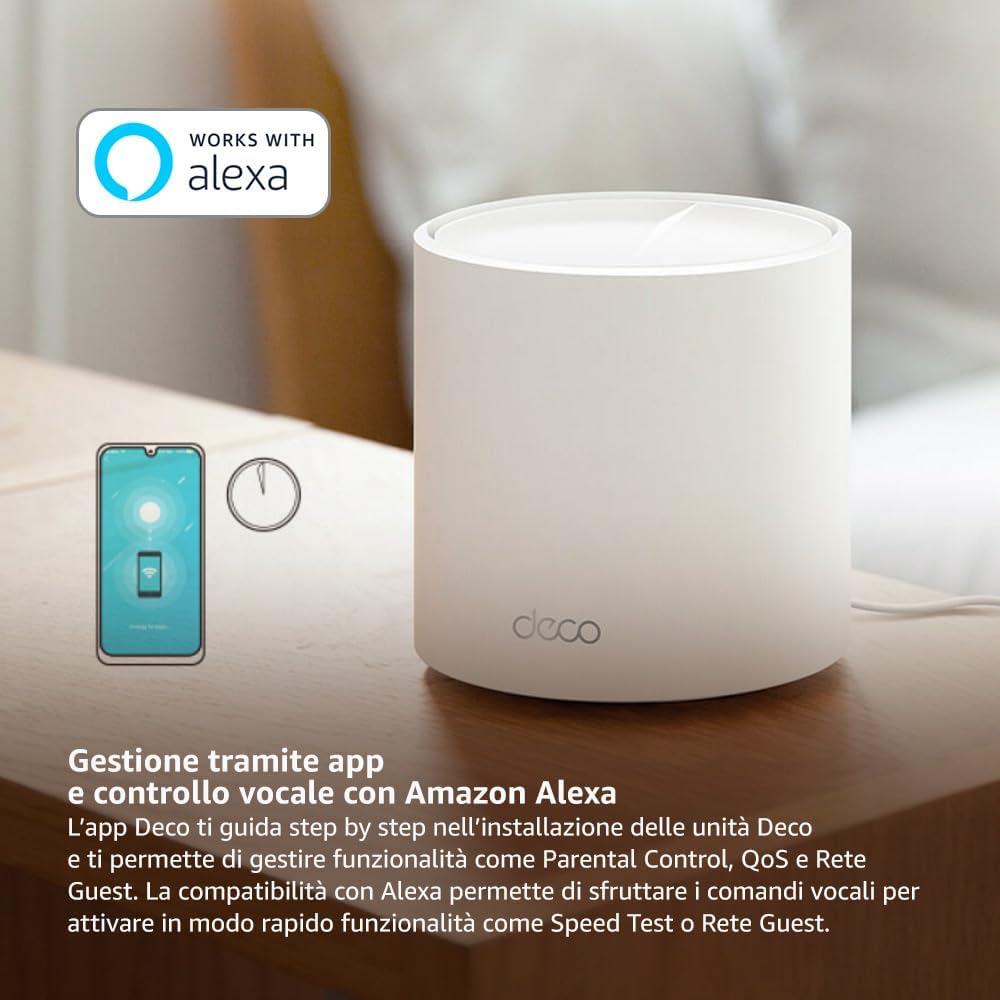
Image: A smartphone screen displaying the TP-Link Deco app, illustrating the step-by-step setup process for the mesh system.
4. دستورالعمل های عملیاتی
The Deco X1500 system is managed primarily through the TP-Link Deco app, offering various features to control and optimize your home network.
Using the Deco App:
- مدیریت شبکه: View connected devices, monitor network status, and manage Wi-Fi settings.
- کنترل والدین: حرفه ای بسازیدfiles for family members, set time limits, and block inappropriate content.
- کیفیت خدمات (QoS): Prioritize devices or activities for optimal performance.
- شبکه مهمان: یک شبکه وایفای جداگانه برای مهمانان ایجاد کنید و شبکه اصلی خود را ایمن نگه دارید.
- آنتی ویروس: Utilize built-in HomeShield features for network protection.
کنترل صوتی با آمازون الکسا:
The Deco X1500 is compatible with Amazon Alexa. Link your TP-Link Deco account to your Alexa account to use voice commands for network functions, such as:
- Enabling or disabling the Guest Network.
- Running a speed test.
- Pausing Wi-Fi for specific profiles.

تصویر: نمای عقب view of a Deco X1500 unit, showing two Gigabit LAN/WAN auto-sensing Ethernet ports and the power input.
5. تعمیر و نگهداری
Regular maintenance ensures optimal performance and longevity of your Deco X1500 system.
به روز رسانی سیستم عامل:
- The Deco app will notify you of available firmware updates. It is recommended to keep your Deco units updated to the latest firmware for improved performance, security, and new features.
- Follow the in-app instructions to perform firmware updates. Do not power off the units during an update.
تمیز کردن و قرار دادن:
- Clean the Deco units with a soft, dry cloth. Do not use liquid cleaners or aerosols.
- Place Deco units in open areas, away from obstructions like large metal objects, thick walls, or other electronic devices that may cause interference.
- Ensure adequate ventilation around each unit to prevent overheating.
6 عیب یابی
If you encounter issues with your Deco X1500 system, refer to the following common troubleshooting steps.
بدون اتصال به اینترنت:
- مودم را بررسی کنید: مطمئن شوید که مودم شما روشن است و اتصال اینترنت فعال دارد.
- اتصالات کابل: Verify that the Ethernet cable connecting the main Deco unit to the modem is securely plugged in.
- راه اندازی مجدد دستگاه ها: Power cycle your modem and all Deco units. Wait a few minutes for them to restart and re-establish connections.
- وضعیت برنامه دکو: Check the Deco app for network status and any error messages.
سیگنال ضعیف وایفای یا مناطق کور:
- محل قرارگیری واحد: Adjust the placement of your Deco units. Try to place them equidistant from each other and the main Deco, avoiding physical obstructions.
- تداخل: Move Deco units away from other electronics (microwaves, cordless phones, Bluetooth devices) that might cause wireless interference.
- واحدهای بیشتری اضافه کنید: For very large homes or those with multiple floors, consider adding more Deco units to expand coverage.
Device Cannot Connect to Wi-Fi:
- رمز عبور صحیح: مطمئن شوید که رمز وای فای صحیح را وارد کرده اید.
- سازگاری دستگاه: Verify that your device supports the Wi-Fi standards used by the Deco system (802.11ax/ac/n/a/g/b).
- راه اندازی مجدد دستگاه: دستگاهی که سعی در اتصال دارد را مجدداً راه اندازی کنید.
- Check Blacklist: Ensure the device has not been accidentally blacklisted in the Deco app.
7. مشخصات
| ویژگی | مشخصات |
|---|---|
| نام تجاری | تی پی لینک |
| نام مدل | دکو X1500 |
| ویژگی خاص | وای فای 6 |
| کلاس باند فرکانس | دو باند |
| استاندارد ارتباط بی سیم | 802.11ax |
| دستگاه های سازگار | کامپیوتر، گوشی هوشمند، تبلت |
| استفاده توصیه شده | صفحه اصلی |
| فناوری اتصال | RJ45 |
| رنگ | سفید |
| پروتکل امنیتی | WPA3 |
| Number of Ports (per unit) | 2 x Gigabit LAN/WAN (auto-sensing) |
| روش کنترل | برنامه |
| نرخ انتقال داده | ۳۰۰ مگابیت بر ثانیه |
| پهنای باند پورت LAN | 1000 مگابیت بر ثانیه |
| جلدtage | 110.0 ولت |
| Max Upstream Data Transfer Rate | ۳۰۰ مگابیت بر ثانیه |
| تعداد آنتن | داخلی |
| سازگاری خانه هوشمند | بله |
| نسل وای فای | وای فای 6 |
| پوشش (بسته ۲ عددی) | تا 520 متر مربع |
| وزن مورد | 1.8 کیلوگرم |
8. اطلاعات گارانتی
The TP-Link Deco X1500 Mesh System comes with a 3 سال گارانتی محصول. This warranty covers defects in materials and workmanship under normal use. For specific terms and conditions, please refer to the warranty card included in your package or visit the official TP-Link webسایت
9. پشتیبانی
For further assistance, technical support, or to access additional resources, please visit the official TP-Link support webسایت:
You can also find FAQs, updated manuals, and community forums on the support page.