
1. مقدمه
This manual provides essential information for the safe and efficient operation of your DROK AC 110V/220V to DC 0-12V 2A 25W Adjustable Switching Power Supply. Please read this manual thoroughly before use and retain it for future reference.
2. دستورالعمل های ایمنی
برای جلوگیری از آسیب یا جراحت به دستگاه، همیشه نکات ایمنی زیر را رعایت کنید:
- از حجم ورودی اطمینان حاصل کنیدtage switch (110V/220V) is correctly set before connecting to power. Incorrect setting can cause damage.
- Do not exceed the maximum output current (2A) or power (25W) to prevent overload.
- Connect the earth wire properly to prevent electric shock.
- Do not operate in wet or humid environments.
- دور از مواد قابل اشتعال نگهداری شود.
- Do not disassemble or modify the power supply. Refer servicing to qualified personnel.
- از تهویه مناسب برای جلوگیری از گرمای بیش از حد اطمینان حاصل کنید.
3. محصول تمام شدview
The DROK Switching Power Supply is designed to convert AC input voltage (110V or 220V) to a stable and adjustable DC output voltage ranging from 0-12V. It features built-in protection mechanisms for safe operation.
3.1 ویژگی های کلیدی
- ولتاژ خروجی DC قابل تنظیمtage (0-12V, up to 15V max).
- AC 110V/220V input voltage انتخاب
- محافظت در برابر اضافه بار
- Overvoltage حفاظت
- حفاظت از اتصال کوتاه
- Durable aluminum cover for effective heat dissipation and impact resistance.
3.2 اجزاء

The power supply unit includes input terminals for AC power, output terminals for DC power, and an adjustable potentiometer for fine-tuning the output voltage. An LED display shows the output voltage.
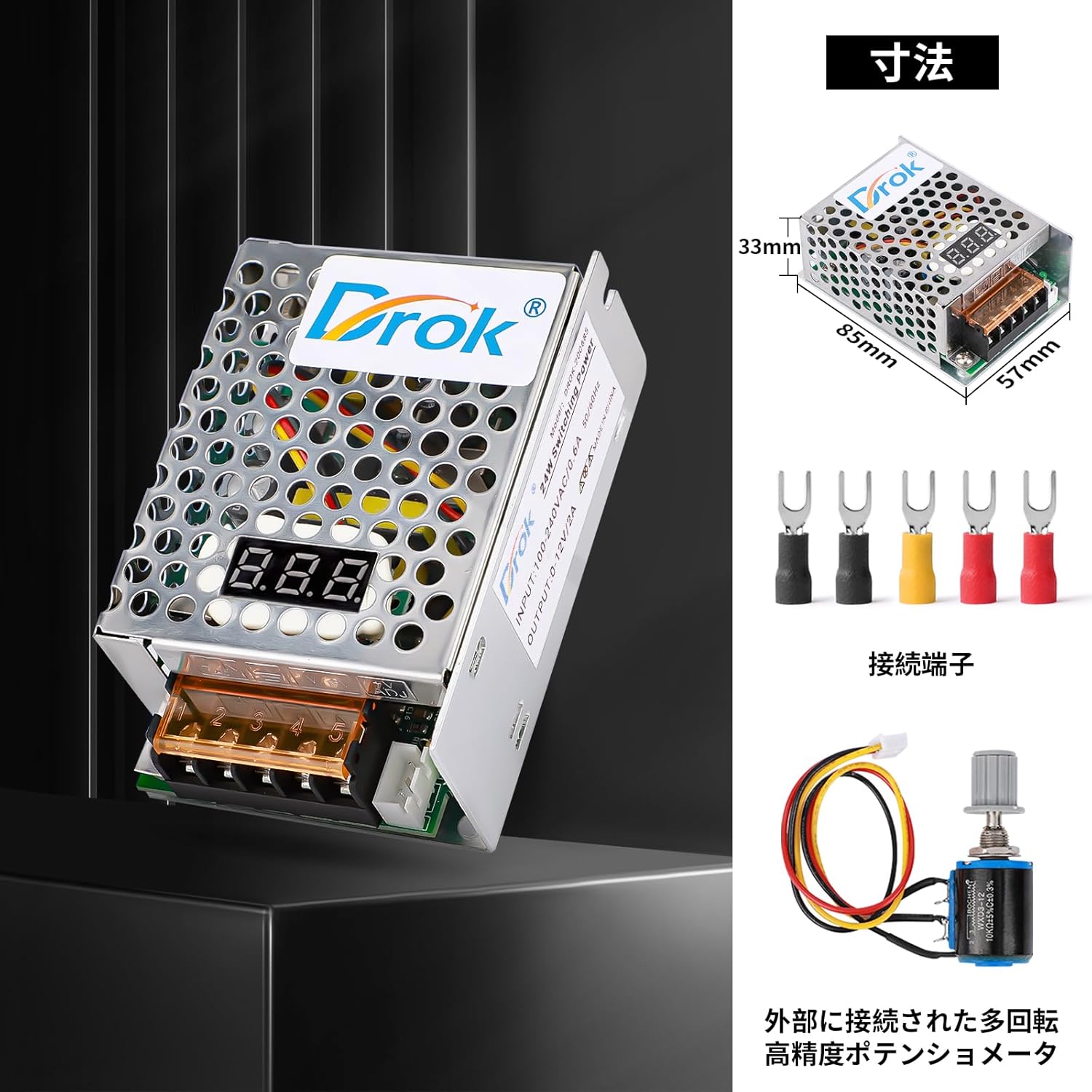
The external potentiometer allows for precise adjustment of the output voltage, offering greater control for various applications.

These integrated protection mechanisms safeguard both the power supply and connected devices from electrical faults.
4. مشخصات
| پارامتر | ارزش |
|---|---|
| حجم ورودیtage | ولتاژ AC 110V/220V ±15% (قابل تغییر) |
| خروجی جلدtage | DC 0-12V (Adjustable, 15V Max) |
| جریان خروجی | 2A |
| توان خروجی | 25 وات |
| دمای عملیاتی | -10 تا 50 درجه سانتی گراد |
| رطوبت عملیاتی | 20٪ تا 90٪ RH (غیر متراکم) |
| ابعاد | 85mm x 57mm x 33mm |
| وزن | 130 گرم |
| شماره مدل | 200685_JPN |
5. راه اندازی
برای تنظیم منبع تغذیه خود، این مراحل را دنبال کنید:
- Input Voltage سوئیچ: Before connecting any power, locate the input voltage selector switch on the unit. Ensure it is set to either 110V or 220V, matching your local mains power supply.
هشدار: Setting the switch incorrectly can cause severe damage to the power supply and connected devices.
- اتصالات سیمی: Connect your AC input wires and DC output wires to the appropriate terminals. Refer to Figure 4 for terminal identification.

شکل 4: با جزئیات view of the terminal connections. Ensure correct wiring for Live (L), Neutral (N), Earth (GND), Negative (-), Positive (+), and ADJ for voltage تعدیل - ورودی AC: Connect the Live wire to 'L' and the Neutral wire to 'N'. Connect the Earth wire to the 'GND' terminal.
- خروجی DC: Connect the positive lead of your device to '+' and the negative lead to '-'.
- ADJ Potentiometer: If using the external potentiometer for voltage adjustment, connect it to the 'ADJ' terminals as shown.
- اتصالات امن: Ensure all wire connections are tight and secure to prevent loose contacts and potential hazards.
6. دستورالعمل های عملیاتی
Once the power supply is correctly wired and the input voltage switch is set:
- روشن کردن: Connect the AC input to your mains power supply. The LED display on the unit should illuminate, showing the current output voltage.
- تنظیم حجم خروجیtage: Use the built-in or external ADJ potentiometer to adjust the DC output voltage to your desired level (0-12V). Turn clockwise to increase voltage، خلاف جهت عقربههای ساعت برای کاهش.
- خروجی مانیتور: Observe the LED display to confirm the output voltage. If connecting sensitive equipment, it is recommended to verify the voltage with a multimeter before connecting the load.
- بار اتصال: هنگامی که جلد مورد نظرtage is set, connect your DC-powered device to the output terminals. Ensure the device's current and power requirements do not exceed 2A and 25W, respectively.
- خاموش: To turn off the power supply, disconnect it from the AC mains.
6.1 کاربردهای معمولی

This power supply is versatile and can be used in various settings requiring a stable and adjustable DC power source.
7. تعمیر و نگهداری
To ensure the longevity and optimal performance of your DROK power supply:
- دستگاه را تمیز و عاری از گرد و غبار نگه دارید. برای تمیز کردن از یک پارچه نرم و خشک استفاده کنید.
- Ensure proper ventilation. Do not block the ventilation holes.
- در صورت عدم استفاده در جای خشک و خنک نگهداری شود.
- Regularly check wire connections for tightness and signs of wear.
- در معرض دمای شدید یا نور مستقیم خورشید قرار نگیرید.
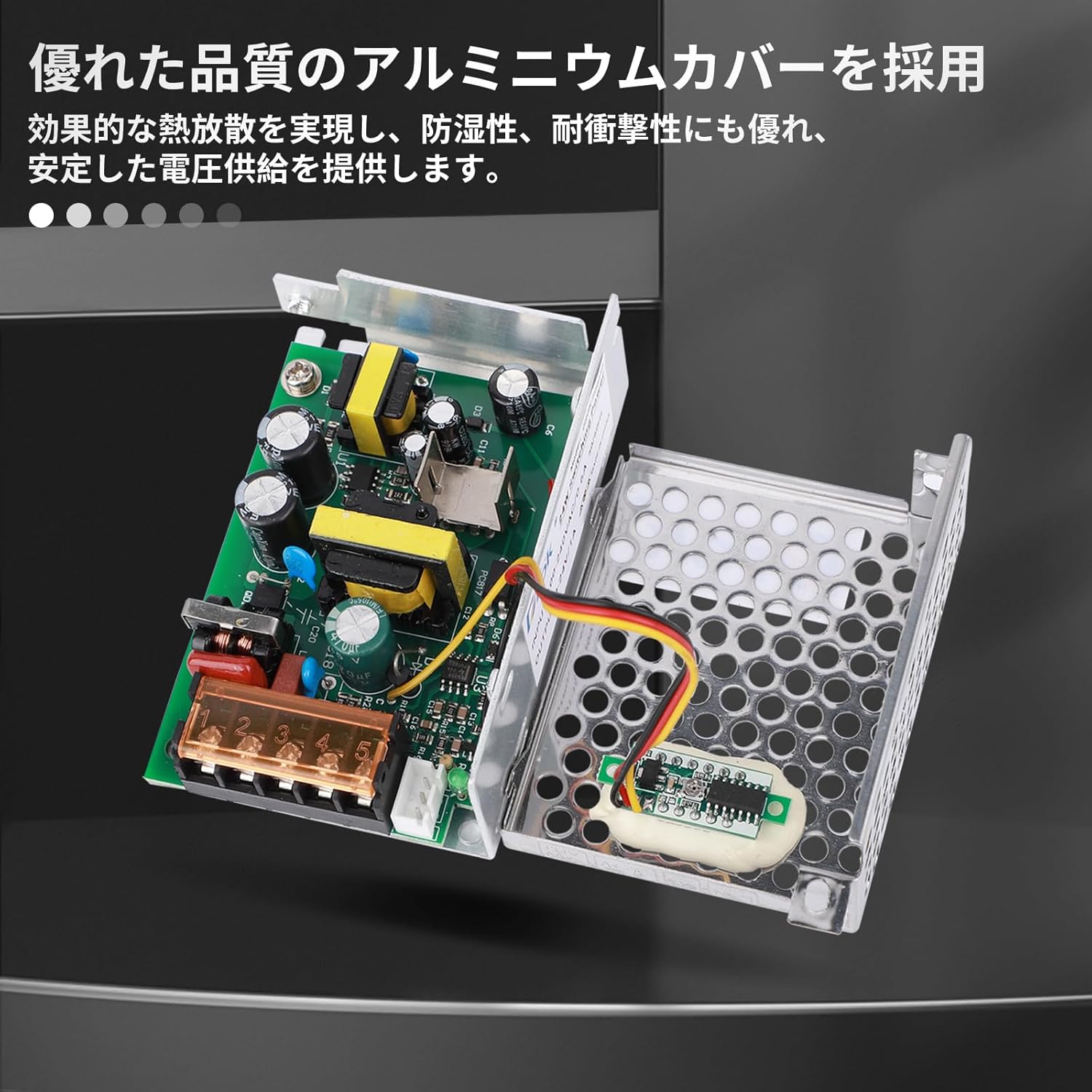
The robust aluminum casing provides protection and aids in thermal management, contributing to the device's reliability.
8 عیب یابی
اگر با منبع تغذیه خود با مشکل مواجه شدید، به مشکلات و راهحلهای رایج زیر مراجعه کنید:
| مشکل | علت احتمالی | راه حل |
|---|---|---|
| حجم خروجی نداردtage / LED display off | No AC input power, incorrect input voltage switch setting, loose connections, internal fault. | Check AC power source. Verify input voltage switch (110V/220V) is correct. Inspect all wiring for secure connections. If problem persists, contact support. |
| خروجی جلدtage unstable or fluctuating | Overload, faulty load, loose ADJ potentiometer connection, internal fault. | Reduce load to below 2A/25W. Disconnect load and test power supply independently. Check ADJ potentiometer wiring. |
| Power supply gets excessively hot | Insufficient ventilation, continuous overload, high ambient temperature. | Ensure clear airflow around the unit. Reduce load. Operate within specified temperature range. |
| Protection features (overload, short circuit) frequently activate | Load exceeding specifications, short circuit in connected device, incorrect wiring. | Verify load requirements are within 2A/25W. Check connected device for short circuits. Re-examine all wiring. |
9. گارانتی و پشتیبانی
DROK products are designed for reliability and performance. For warranty information or technical support, please contact your retailer or visit the official DROK website. Please have your model number (200685_JPN) and purchase details ready when contacting support.
For further assistance, you may refer to the product page on Amazon: صفحه محصولات آمازون