
CHUANYUE T2
CHUANYUE T2 Motorcycle Bluetooth Headset User Manual
مدل: T2
1. مقدمه
The CHUANYUE T2 Motorcycle Bluetooth Headset is designed to enhance communication and entertainment for motorcycle riders. This device features Bluetooth 5.0 technology, supporting two-rider intercom communication up to 1000 meters, music sharing, DSP and CVC noise cancellation for clear audio, FM radio, and one-click pairing. It is built with an IP67 waterproof rating and utilizes a Type-C charging port for convenience.

Image: Four CHUANYUE T2 Motorcycle Bluetooth Headsets, illustrating the product units.
۲. چه چیزهایی در جعبه است؟
Ensure all components are present before installation:
- Mainframe Equipment
- Headset Microphone Sets
- Fixed Installation Bracket
- Sticky Installation Bracket
- کابل شارژ نوع C
- راهنمای کاربر

تصویر: تمام شدview of included components and a visual guide for installing the clip and paste brackets.
3. نصب و راه اندازی
3.1. Headset Unit Installation
- آماده کردن کلاه ایمنی: Carefully remove the inner padding of your helmet to access the ear areas.
- محل قرارگیری بلندگو: Attach the headset speakers to the inside of the helmet using the provided adhesive pads. Ensure they are positioned directly over your ears for optimal audio quality. The short line speaker is for the left side, and the long line speaker is for the right side.
- محل قرارگیری میکروفون: Secure the microphone inside the helmet, positioning it close to your mouth but away from direct wind.
- مدیریت کابل: Route all cables neatly under the helmet padding to prevent discomfort and ensure they are not exposed.

Image: A motorcycle helmet with the T2 headset installed, connected to a GPS device, demonstrating integrated use.
3.2. Main Unit Mounting
Choose between the fixed clip bracket or the adhesive paste bracket:
3.2.1. Clip Bracket Installation
- Open the metal piece of the clip bracket.
- Slide the bracket onto the edge of the helmet shell, ensuring a secure fit.
- Insert the main unit into the clip bracket until it locks into place.
3.2.2. Paste Bracket Installation
- محل نصب مورد نظر روی سطح کلاه ایمنی را کاملاً تمیز کنید.
- Peel off the red protective film from the adhesive on the paste bracket.
- Firmly press the bracket onto the helmet surface for at least 30 seconds. Allow sufficient time for the adhesive to cure before use.
- Slide the main unit into the paste bracket until it clicks securely.
4. دستورالعمل های عملیاتی
4.1. روشن/خاموش
- روشن کردن: Press and hold the multi-function button for approximately 3 seconds until the indicator light illuminates.
- خاموش: Press and hold the multi-function button for approximately 3 seconds until the indicator light turns off.
4.2. Bluetooth Pairing with Mobile Device
- Ensure the T2 headset is powered off.
- Press and hold the multi-function button for approximately 5-7 seconds until the red and blue indicator lights flash alternately, indicating pairing mode.
- در تلفن همراه خود، بلوتوث را فعال کنید و دستگاههای موجود را جستجو کنید.
- Select "T2" from the list of devices to connect. Once connected, the blue indicator light will flash slowly.
4.3. Intercom Pairing (2 Riders)
- Ensure both T2 headsets are powered off.
- On both headsets, press and hold the multi-function button for approximately 5-7 seconds until the red and blue indicator lights flash alternately.
- On one of the headsets, short press the intercom button. The headsets will search for each other and automatically pair.
- Once paired, the indicator lights on both headsets will turn solid blue, indicating a successful intercom connection.
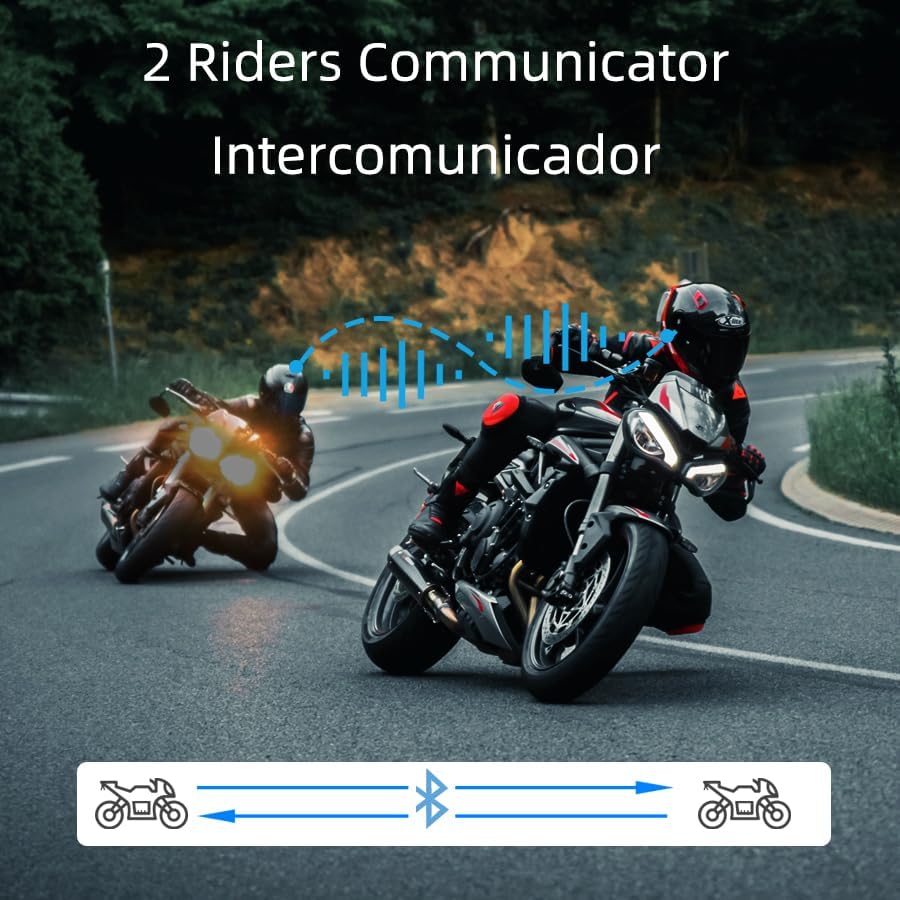
Image: Two riders on motorcycles, illustrating the two-way intercom communication feature.
۴.۴. پخش و اشتراکگذاری موسیقی
- پخش/مکث: Short press the multi-function button to play or pause music.
- آهنگ بعدی: Rotate the multi-function knob clockwise.
- آهنگ قبلی: Rotate the multi-function knob counter-clockwise.
- تنظیم صدا: دکمههای افزایش/کاهش صدا را فشار داده و نگه دارید.
- اشتراک گذاری موسیقی: (Specific instructions for music sharing between two T2 units would be here if available, but are not detailed in the provided data. Generally, this involves a specific button press on both devices after they are paired.)
4.5. تماس های تلفنی
- پاسخ به تماس: Short press the multi-function button when a call comes in.
- پایان تماس: در حین تماس، دکمه چندمنظوره را برای مدت کوتاهی فشار دهید.
- رد تماس: هنگام دریافت تماس، دکمه چند منظوره را به مدت ۲ ثانیه فشار داده و نگه دارید.
- شماره گیری صوتی (دستیار سیری/گوگل): Long press the multi-function button for 2 seconds to activate your phone's voice assistant.

Image: A helmet with the T2 headset, showing a smartphone screen with voice assistant commands, highlighting the voice control feature.
4.6. رادیو FM
- روشن/خاموش کردن رادیو اف ام: Double-click the multi-function button to activate or deactivate the FM radio.
- ایستگاه تعویض: Rotate the multi-function knob clockwise or counter-clockwise to scan for stations.
5. تعمیر و نگهداری
- تمیز کردن: استفاده از نرم، دamp cloth to clean the exterior of the headset. Avoid harsh chemicals or abrasive materials.
- مقاومت در برابر آب: The T2 headset is IP67 waterproof. While it can withstand rain and splashes, avoid submerging it in water for extended periods.
- شارژ کردن: از کابل شارژ Type-C ارائه شده استفاده کنید. قبل از اتصال کابل، مطمئن شوید که پورت شارژ خشک است.
- ذخیره سازی: هدست را در زمانی که از آن استفاده نمی کنید در جای خشک و خنک نگهداری کنید.

Image: The T2 headset shown with water splashing, highlighting its IP67 waterproof feature.
6 عیب یابی
- بدون برق: Ensure the battery is charged. Connect the headset to the charger and check the indicator light.
- جفتسازی امکانپذیر نیست: Make sure the headset is in pairing mode (red and blue lights flashing alternately). Ensure your phone's Bluetooth is on and visible. Try restarting both devices.
- قطع ارتباط اینترکام: If the intercom disconnects, try re-pairing the units. Ensure they are within the specified range.
- کیفیت ضعیف صدا: Check speaker placement inside the helmet. Ensure the microphone is not obstructed. Verify that noise cancellation features (DSP & CVC) are active.
- دستیار صوتی پاسخ نمیدهد: Ensure your phone is connected via Bluetooth and the voice assistant is enabled on your device.
7. مشخصات
| ویژگی | جزئیات |
|---|---|
| نام مدل | T2 |
| نام تجاری | CHUANYUE |
| فناوری اتصال | بلوتوث، بیسیم |
| نسخه بلوتوث | 5.0 |
| محدوده بلوتوث | 30 Meters (device to phone) |
| محدوده اینترکام | Up to 1000M (2 riders) |
| کنترل نویز | حذف نویز فعال (DSP و CVC) |
| سطح مقاومت در برابر آب | IP67 ضد آب |
| عمر باتری | 15 Hours (usage) |
| زمان شارژ | 2.5 ساعت |
| جک هدفون | نوع C |
| مواد | اکریلونیتریل بوتادین استایرن (ABS) |
| وزن مورد | 6.7 اونس |
| ابعاد محصول | 3.54 x 1.77 x 1.02 اینچ |
8. گارانتی و پشتیبانی
For warranty information, technical support, or any inquiries regarding your CHUANYUE T2 Motorcycle Bluetooth Headset, please refer to the contact details provided in the packaging or visit the official CHUANYUE webسایت رسید خرید خود را برای ادعای گارانتی نگه دارید.
Ask a question about this manual
Ask about setup, troubleshooting, compatibility, parts, safety, or missing instructions. Manuals+ will review the question and use this page’s manual context to help answer it.