
1. مقدمه و بیش ازview
The Epson PowerLite 97H is a versatile XGA conference room projector designed for clear and vibrant presentations. Utilizing 3LCD technology, it delivers bright, true-to-life images with excellent color brightness and a wide color gamut. This projector offers a native resolution of 1024x768 (XGA) and a brightness of 2,700 ANSI Lumens, making it suitable for various environments.
ویژگی های کلیدی عبارتند از:
- روشنایی: 2,700 ANSI لومنس
- رزولوشن: ۱۰۲۴x۷۶۸ (ایکسجیای)
- نسبت تصویر: 4:3
- کنتراست: 10,000:1
- فناوری نمایش: 3LCD for vibrant colors
- قابلیت اتصال: Multiple options including HDMI, USB, LAN, VGA, S-Video, Composite, and Audio inputs/outputs.
2. اطلاعات ایمنی
Please read all safety instructions before using the projector to ensure safe operation and to prevent damage to the unit. Keep this manual for future reference.
- هشدار حرارت: پروژکتور lamp and surrounding areas can become extremely hot during operation and immediately after shutdown. Avoid touching these areas.
- تهویه: Ensure adequate ventilation around the projector. Do not block ventilation openings, as this can lead to overheating and potential damage.
- Lamp جایگزینی: Always turn off the projector and allow the lamp to cool completely before attempting to replace it. Refer to the lamp replacement instructions in the Maintenance section.
- منبع تغذیه: Use only the specified power supply and cable. Do not overload power outlets.
- مایع و رطوبت: Do not expose the projector to rain, moisture, or excessive humidity. Do not place objects filled with liquids on or near the projector.
- تمیز کردن: قبل از تمیز کردن، سیم برق را جدا کنید. از یک پارچه نرم و خشک استفاده کنید. از پاک کننده های مایع یا آئروسل استفاده نکنید.
3. محتویات بسته
بررسی کنید که همه اقلام در بسته شما موجود باشد:
- Epson PowerLite 97H Projector
- کنترل از راه دور
- کابل برق
- کابل HDMI
4. راه اندازی
۳.۱ جایگاه فیزیکی
Place the projector on a stable, flat surface. Ensure there is sufficient space around the projector for proper ventilation. Avoid placing it in direct sunlight or near heat sources. The projector is designed to be portable and can be used for tabletop projection.
4.2 اتصال دستگاه ها
The PowerLite 97H offers a wide range of connectivity options. Refer to the image below for port identification.

Figure 1: Rear panel of the Epson PowerLite 97H Projector showing various input and output ports.
- USB-A: Connect USB storage devices or a document camera.
- یو اس بی-بی: Connect to a computer for USB display or control.
- شبکه محلی (RJ-45): برای کنترل و نظارت به شبکه متصل شوید.
- HDMI 1 & HDMI 2/MHL: Connect to devices with HDMI output (e.g., laptops, Blu-ray players, gaming consoles). HDMI 2 also supports MHL for compatible mobile devices.
- Computer1 (VGA) & Computer2 (VGA): Connect to computers using a VGA cable.
- Audio1 (Mini Jack) & Audio2 (Mini Jack): Connect audio from computers or other devices.
- S-Video: Connect to devices with S-Video output.
- ویدئو (RCA): Connect to devices with composite video output.
- Audio In (RCA R/L): Connect stereo audio from devices with RCA audio output.
- میک: یک میکروفون وصل کنید.
- RS-232C: برای کنترل سریال پروژکتور.
- Monitor Out (VGA): Connect an external monitor to display the projector's input signal.
- خروجی صدا (مینی جک): Connect external speakers or an audio system.
4.3 روشن شدن
- کابل برق را به ورودی AC پروژکتور و سپس به پریز برق وصل کنید.
- را فشار دهید قدرت button on the projector's control panel or the remote control. The power light will illuminate, and the projector will begin its startup sequence.
5. عملیاتی
5.1 کنترل های اساسی
The projector can be operated using the control panel on the top of the unit or the included remote control. The top panel provides essential functions.

Figure 2: Top control panel of the Epson PowerLite 97H Projector.
- دکمه پاور: پروژکتور را روشن یا خاموش می کند.
- جستجوی منبع: بین منابع ورودی موجود گردش میکند.
- منو: Opens the on-screen display (OSD) menu.
- H/V (Horizontal/Vertical Keystone): Adjusts image shape to correct trapezoidal distortion.
- Esc: از منو یا عملکرد فعلی خارج می شود.
- وارد کنید: انتخاب در منو را تأیید میکند.
- دکمه های پیکان: Navigate through menu options and adjust settings.
- دکمه های صدا: سطح خروجی صدا را تنظیم کنید.
- راهنما: Provides on-screen assistance.
- چراغ وضعیت: Indicates projector status (e.g., power on, standby, error).
- Lamp Temp Light: Indicates lamp temperature status.
۵.۲ تنظیم تصویر
To achieve a clear and properly sized image:
- حلقه کانونی: Rotate the focus ring located near the lens to sharpen the image.
- اهرم زوم: Use the zoom lever (if present, typically near the lens) to adjust the image size without moving the projector.
- تصحیح کیستون: If the image appears trapezoidal, use the H/V keystone buttons on the control panel or remote to correct the shape.

Figure 3: Front/side view showing the projector lens and ventilation.
5.3 انتخاب ورودی
را فشار دهید جستجوی منبع button on the control panel or remote control to cycle through the connected input sources (e.g., HDMI 1, Computer1, USB-A). The projector will automatically detect and display the active input.
6. تعمیر و نگهداری
نگهداری منظم، عملکرد بهینه را تضمین میکند و عمر پروژکتور شما را افزایش میدهد.
6.1 Lamp جایگزینی
پروژکتور lamp طول عمر محدودی دارد. وقتی lamp به پایان عمر خود می رسد، Lamp Temp indicator may light up, or the image brightness may decrease significantly. Always use genuine Epson replacement lamps.

شکل 4: سمت view of the projector, showing a caution label regarding hot surfaces.
WARNING: Turn off the projector and wait until the lamp has cooled down completely before attempting replacement. Failure to do so can result in severe burns or damage to the projector. Refer to the specific lamp replacement instructions provided in the full Epson service manual for your model.
۶.۳ تمیز کردن/تعویض فیلتر هوا
The air filter prevents dust from entering the projector and affecting performance. Clean the air filter regularly (e.g., every 100 hours of use) or when prompted by the projector. If the filter is damaged or excessively dirty, replace it.
- Turn off the projector and disconnect the power cable.
- Locate the air filter cover (refer to your full service manual for exact location).
- Remove the cover and carefully extract the filter.
- Use a small vacuum cleaner or soft brush to remove dust from the filter. If replacing, insert a new filter.
- پوشش فیلتر را دوباره محکم ببندید.
6.3 مراقبت عمومی
- تمیز کردن لنز: Gently wipe the lens with a soft, non-abrasive lens cleaning cloth. Do not use harsh chemicals.
- تمیز کردن بیرونی: قسمت بیرونی پروژکتور را با یک پارچه نرم و خشک پاک کنید. برای آلودگیهای سرسخت، از یک پارچه نرم و کمی مرطوب استفاده کنید.amp پارچه و مواد شوینده ملایم ، سپس خشک کنید.
- ذخیره سازی: در صورت عدم استفاده برای مدت طولانی، پروژکتور را در جای خشک و خنک، ترجیحاً در بستهبندی اصلی یا یک قاب محافظ، نگهداری کنید.
7 عیب یابی
If you encounter issues with your projector, try the following solutions:
- بدون تصویر:
- Ensure the projector is powered on and the power indicator is solid.
- Check all cable connections (HDMI, VGA, etc.) are secure at both the projector and the source device.
- را فشار دهید جستجوی منبع button to cycle through inputs.
- تأیید کنید که دستگاه منبع روشن است و سیگنالی را ارسال میکند.
- Adjust the focus and zoom.
- بدون صدا:
- Increase the projector's volume using the volume buttons.
- Check audio cable connections (if using separate audio cables).
- Ensure the audio output on your source device is enabled and turned up.
- کنترل از راه دور کار نمی کند:
- Ensure there are no obstructions between the remote and the projector's remote sensor.
- باتری های کنترل از راه دور را تعویض کنید.
- هشدار گرمای بیش از حد:
- Ensure all ventilation openings are clear and not blocked.
- فیلتر هوا را همانطور که در بخش تعمیر و نگهداری توضیح داده شده است، تمیز کنید.
- پروژکتور را در مکانی با تهویه مناسب روشن کنید.
8. مشخصات
| ویژگی | مشخصات |
|---|---|
| سازنده | اپسون |
| مدل | PowerLite 97H |
| نوع نمایشگر | 3LCD |
| وضوح بومی | 1024 x 768 (XGA) |
| روشنایی | 2700 ANSI لومنس |
| نسبت کنتراست | 10000:1 |
| نسبت تصویر | 4:3 |
| فناوری اتصال | HDMI, USB, LAN, VGA, S-Video, Composite |
| ورودی های صوتی | Mini Jack x 2, RCA (L/R), Mic |
| خروجی صدا | مینی جک |
| پورت کنترل | RS-232C |
| موارد استفاده توصیه شده | تجارت |
| ویژگی خاص | قابل حمل |
| وزن مورد | 6 پوند |
9. اطلاعات گارانتی
For specific warranty details regarding your Epson PowerLite 97H projector, please refer to the warranty card included with your product or contact the seller/manufacturer directly. Warranty terms typically cover manufacturing defects for a specified period from the date of purchase.
10. پشتیبانی
For technical support, service, or additional assistance with your Epson PowerLite 97H projector, please use the contact information below:
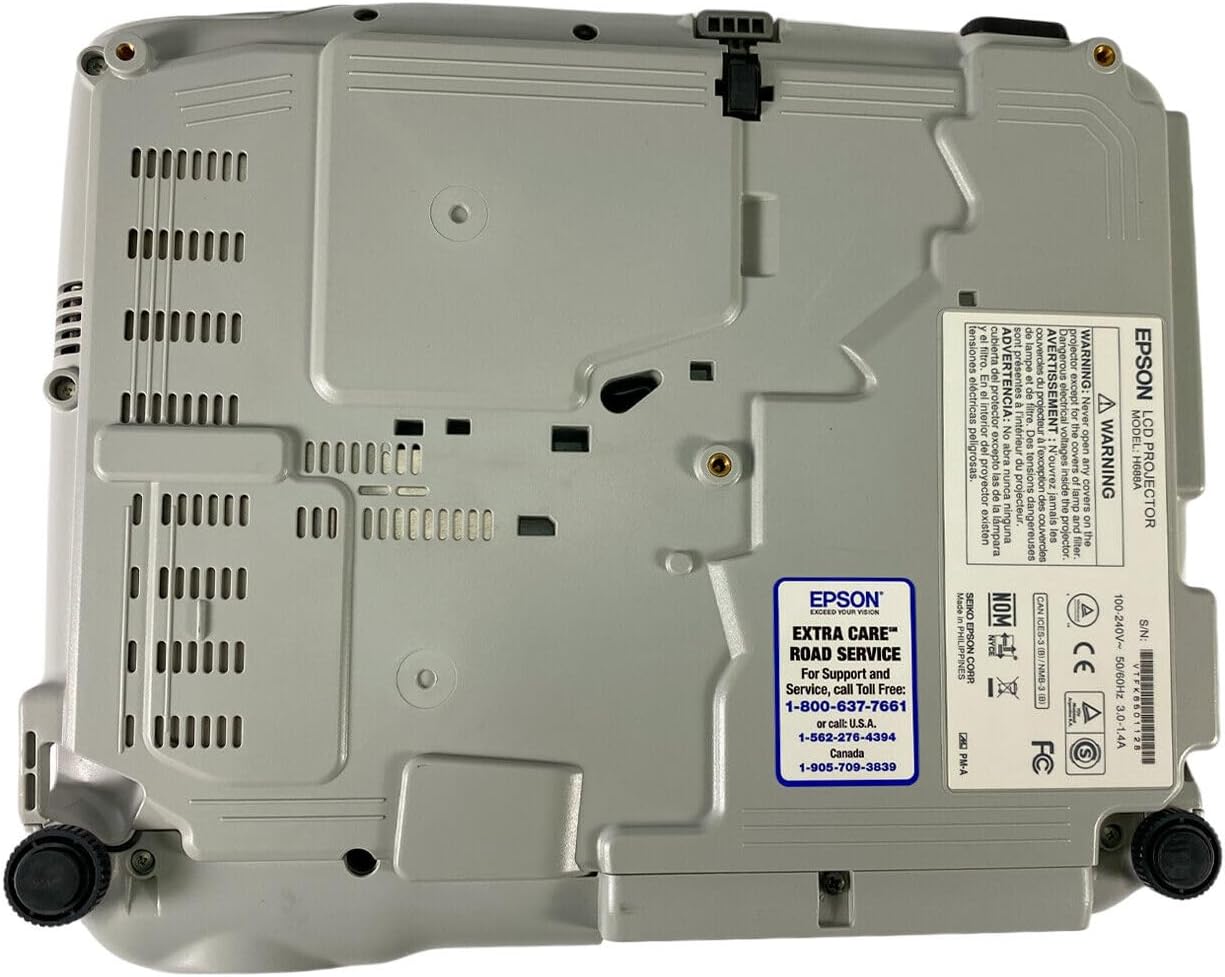
Figure 5: Bottom panel of the projector showing support contact details.
Epson Extra Care Road Service
- For support and service, call:
- ایالات متحده آمریکا: 1-800-637-7661
- ایالات متحده آمریکا: 1-866-276-4394
- کانادا: 1-905-709-3839