
Marantz STEREO70S
Marantz STEREO 70s AV Receiver User Manual
Model: STEREO70S
مقدمه
The Marantz STEREO 70s AV Receiver is designed to provide an immersive audio-visual experience with advanced features for home entertainment. This receiver offers 8K video quality, exceptional sound, and versatile connectivity options, including built-in streaming capabilities. Its compact design allows for flexible placement in various home environments.
This manual provides detailed instructions for setting up, operating, maintaining, and troubleshooting your Marantz STEREO 70s AV Receiver to ensure optimal performance and longevity.
محتویات بسته
Before beginning setup, please verify that all items listed below are included in your package:
- Marantz STEREO 70s AV Receiver
- Remote Control + 2 AAA Batteries
- آنتن AM / FM
- Audyssey Microphone + Stand
- برچسب های سیم
- راهنمای شروع سریع
راه اندازی
1. تعیین سطح
The STEREO 70s is meticulously engineered in a compact chassis, making it suitable for various spaces. Ensure adequate ventilation around the unit to prevent overheating. Place the receiver on a stable, flat surface, away from direct sunlight, heat sources, and excessive moisture.
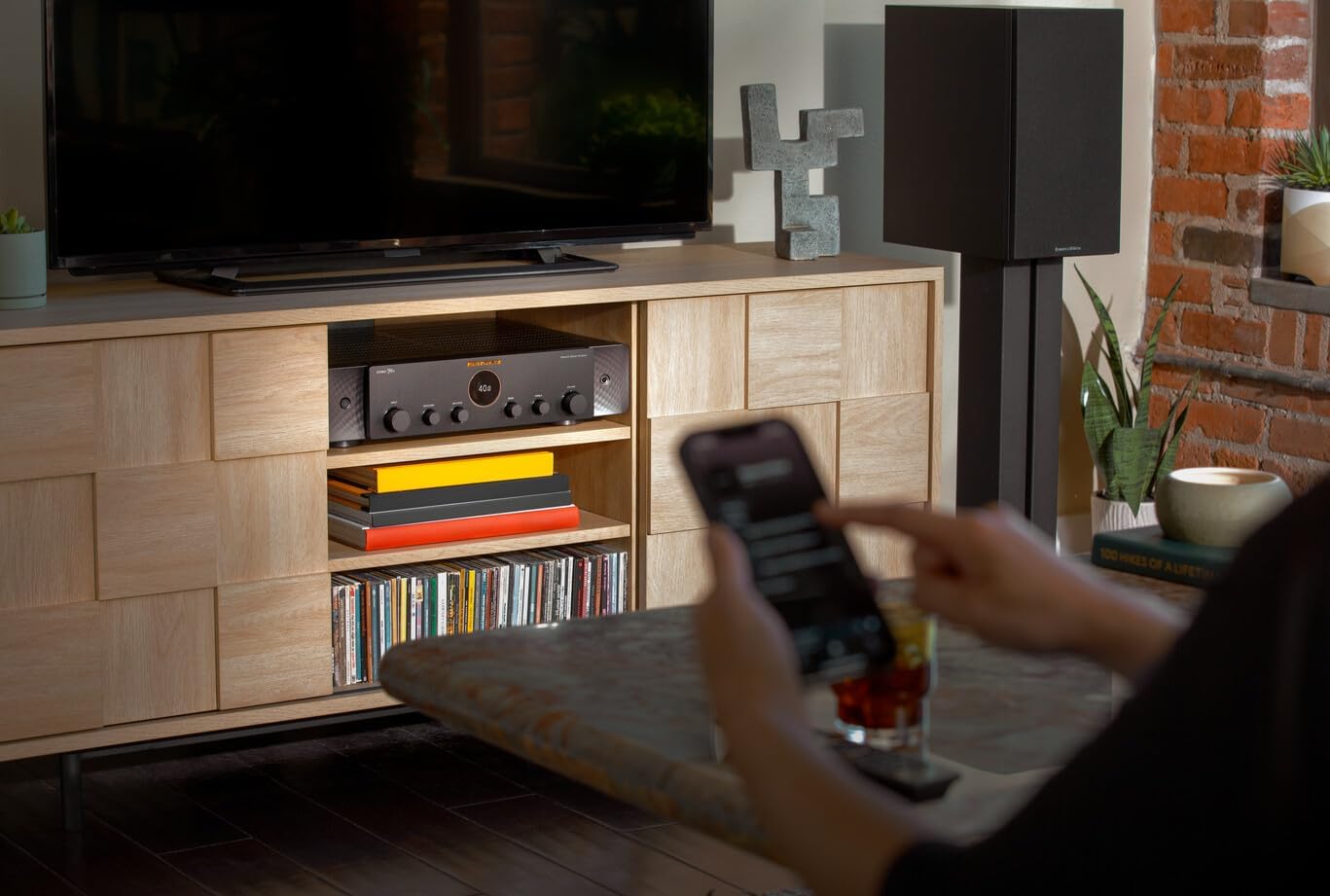
Figure 1: Marantz STEREO 70s receiver integrated into a home entertainment setup, demonstrating its compact size.

Figure 2: The slim design of the STEREO 70s allows it to fit elegantly into small spaces and furniture.
۲. اتصال بلندگوها
The STEREO 70s features 75 watts per channel through its discrete Class A/B Amplification, designed for a 2-channel stereo setup. Connect your passive speakers to the speaker terminals on the rear panel. Ensure correct polarity (+ to + and – to –) for each speaker.
- Connect the right speaker to the R terminals.
- Connect the left speaker to the L terminals.
- For optimal bass performance, connect one or two subwoofers to the dedicated subwoofer outputs.

Figure 3: Rear panel connections, including speaker outputs and dual subwoofer outputs.
۳. اتصال منابع ویدیویی (HDMI)
The STEREO 70s is equipped with the latest HDMI technology, supporting 8K video quality. It features six HDMI inputs (including three 8K compatible) and one HDMI ARC output. Connect your streaming systems, game consoles, and smart TV apps via HDMI for enhanced control and high-resolution audio and video.
- Connect your TV's HDMI ARC/eARC port to the receiver's HDMI OUT (ARC) port.
- Connect your video sources (Blu-ray player, game console, streaming device) to any of the HDMI IN ports.

Figure 4: Expanded HDMI connectivity on the rear panel, showing multiple HDMI inputs and an HDMI ARC output.
4. اتصال منابع صوتی
The receiver offers various audio input options:
- ورودی فونو (MM): Connect your turntable to the PHONO (MM) input for vinyl playback.
- ورودی های صوتی آنالوگ: Use RCA cables to connect other analog audio devices (CD player, tape deck) to the CD, AUX1, or AUX2 inputs.
- ورودیهای صدای دیجیتال: Connect devices with optical or coaxial digital outputs to the OPTICAL or COAXIAL inputs.
5. اتصال به شبکه
The STEREO 70s features built-in HEOS streaming for access to services like Spotify, AirPlay 2, and more. It supports both wired and wireless network connections.
- اتصال سیمی: یک کابل اترنت را از روتر خود به پورت NETWORK روی گیرنده وصل کنید.
- اتصال بی سیم: Attach the included Wi-Fi antennas to the rear panel. Follow the on-screen instructions or use the HEOS app for Wi-Fi setup.
دستورالعمل های عملیاتی
۶.۱ کنترلهای پایه
The receiver can be operated using the front panel controls or the included remote control.

Figure 5: Front panel controls of the Marantz STEREO 70s.
- دکمه پاور: دستگاه را روشن یا خاموش می کند.
- انتخاب ورودی: منبع ورودی صدا/تصویر مورد نظر را انتخاب میکند.
- کلید تنظیم صدا: سطح صدای اصلی را تنظیم میکند.
- دکمههای بیس/تریبل: Adjusts the bass and treble levels for fine-tuning sound.
- دستگیره تعادل: Adjusts the left/right speaker balance.
The remote control provides comprehensive control over all receiver functions, including input selection, volume, sound modes, and HEOS streaming controls.
2. Two-Channel Home Theater Experience
The STEREO 70s is designed to deliver a powerful two-channel home theater experience. By connecting two speakers and up to two subwoofers, it creates immersive audio for both movies and music without the need for a complex multi-channel surround sound setup.

Figure 6: The STEREO 70s creating a two-channel home theater and music listening experience.
3. HEOS Streaming
The built-in HEOS streaming functionality allows you to access various online music services, internet radio, and music stored on your local network. Download the HEOS app on your smartphone or tablet for full control over multi-room audio and streaming features.
- Spotify Connect: Stream music directly from the Spotify app.
- پخش هوایی 2: پخش صدا از دستگاههای اپل.
- بلوتوث: دستگاه بلوتوثدار خود را برای پخش بیسیم صدا جفت کنید.
- Multi-Zone Capability: Extend music throughout your home, sync rooms, or enjoy independent playback in different zones.
۴.۲ تنظیمات صدا
Utilize the Bass, Treble, and Balance controls on the front panel or remote to customize your listening experience. For advanced sound optimization, use the included Audyssey microphone and follow the on-screen setup guide to calibrate your speakers to your room's acoustics.
تعمیر و نگهداری
Proper maintenance ensures the longevity and optimal performance of your Marantz STEREO 70s AV Receiver.
- تمیز کردن:
- قبل از تمیز کردن، سیم برق را جدا کنید.
- برای پاک کردن سطوح خارجی از یک پارچه نرم و خشک استفاده کنید.
- از پاککنندههای ساینده، واکسها یا حلالها استفاده نکنید.
- Regularly dust the ventilation openings to prevent dust buildup.
- به روز رسانی سیستم عامل:
Marantz may release firmware updates to improve performance or add new features. Connect your receiver to the internet and check for updates periodically through the system settings menu or the HEOS app.
عیب یابی
If you encounter issues with your Marantz STEREO 70s, refer to the following common troubleshooting steps. For more complex problems, consult the official Marantz support webسایت یا با خدمات مشتری تماس بگیرید.
بدون قدرت
- مطمئن شوید که سیم برق به طور ایمن به گیرنده و یک پریز برق سالم وصل شده است.
- با وصل کردن دستگاه دیگری به پریز برق، بررسی کنید که آیا پریز برق فعال است یا خیر.
بدون صدا
- بررسی کنید که منبع ورودی صحیح روی گیرنده انتخاب شده باشد.
- اتصالات بلندگو را از نظر قطبیت مناسب و تناسب محکم بررسی کنید.
- مطمئن شوید که صدا روی حداقل یا بیصدا تنظیم نشده باشد.
- Confirm that your speakers are functioning correctly.
بدون ویدئو
- Ensure HDMI cables are securely connected to both the receiver and the TV/source device.
- Verify that the TV is set to the correct HDMI input.
- Check the HDMI cable for damage; try a different cable if necessary.
مشکلات اتصال شبکه
- Ensure your router is powered on and functioning.
- For wired connections, check the Ethernet cable.
- For wireless connections, ensure Wi-Fi antennas are properly attached and the receiver is within range of your Wi-Fi network.
- روتر و گیرنده خود را مجدداً راه اندازی کنید.
مشخصات
| ویژگی | جزئیات |
|---|---|
| ابعاد محصول | 15.2 x 17.4 x 4.3 اینچ |
| وزن مورد | 24 پوند |
| شماره مدل | STEREO70S |
| توان خروجی | ۸۵ وات در هر کانال (۶ کانال) |
| Ampنوع لیفیکاسیون | کلاس A/B |
| ورودی های HDMI | 6 (3 x 8K compatible) |
| خروجی های HDMI | 1 (ARC/eARC compatible) |
| فناوری اتصال | بلوتوث، وای فای، اترنت |
| خدمات جریانی | HEOS Built-in (Spotify Connect, AirPlay 2, etc.) |
| حالت خروجی صدا | استریو (۲.۰ کانال) |
| ویژگی های خاص | 8K Video Pass-through, Multi-Room Audio, Phono Input (MM) |
گارانتی و پشتیبانی
For detailed warranty information, please refer to the warranty card included with your product or visit the official Marantz webشرایط و ضوابط گارانتی ممکن است بسته به منطقه و فروشگاه متفاوت باشد.
If you require technical assistance or have questions regarding your Marantz STEREO 70s AV Receiver, please contact Marantz customer support or visit their official support page for FAQs, software updates, and service information.
منابع آنلاین: Marantz Official Support Webسایت
Ask a question about this manual
Ask about setup, troubleshooting, compatibility, parts, safety, or missing instructions. Manuals+ will review the question and use this page’s manual context to help answer it.