
مقدمه
This manual provides detailed instructions for the EKSA H1 Plus Bluetooth Trucker Headset. Please read thoroughly to ensure proper setup, operation, and maintenance of your device. This headset is designed for clear communication in various environments, featuring advanced noise-cancelling technology and versatile connectivity options.
محتویات بسته
- H1 Plus Headset
- کیس محافظ
- Replacement Ear Pad (Mesh breathable)
- کابل شارژ نوع C
- USB Dongle (PC Adapter)
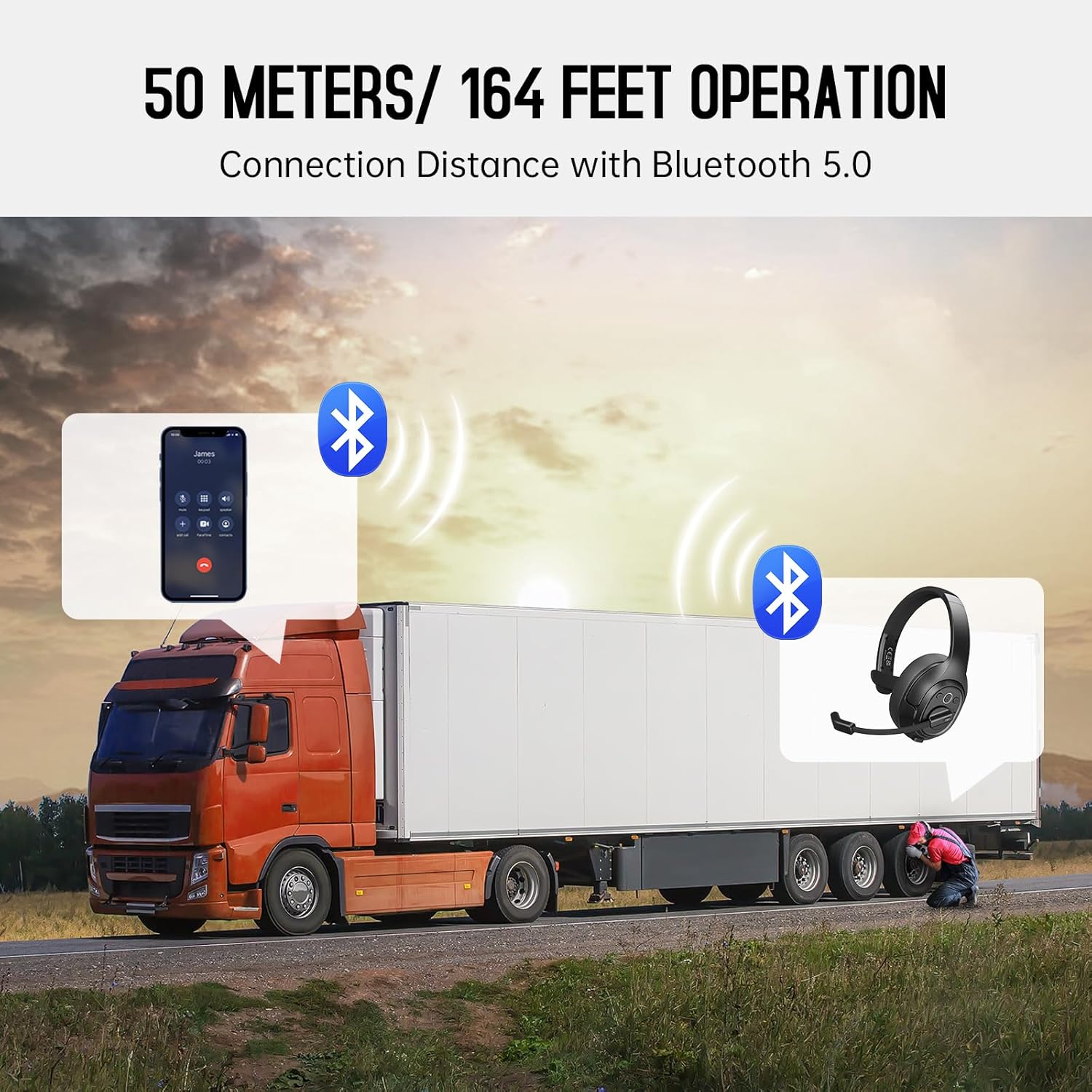
Image: The EKSA H1 Plus headset, USB dongle, and charging cable as typically found in the product packaging.
راه اندازی
1. شارژ هدست
Before first use, fully charge the headset. Connect the provided Type-C charging cable to the headset's charging port and the other end to a USB power source. The charging indicator will show the charging status. A full charge takes approximately 1.5 hours.

Image: Visual representation of the headset's battery life and charging duration.
2. روشن/خاموش کردن
Press and hold the Multi-Function Button (MFB) for 3 seconds to power on or off the headset. A voice prompt will indicate the status.
3. Bluetooth Pairing (for Mobile Devices)
- از خاموش بودن هدست اطمینان حاصل کنید.
- Press and hold the MFB for 5-7 seconds until the LED indicator flashes blue and red alternately, indicating pairing mode.
- On your mobile device, enable Bluetooth and search for "EKSA-H1PLUS".
- Select "EKSA-H1PLUS" to connect. The LED will turn solid blue once connected.
4. Connecting with USB Dongle (for PC/Mac without Bluetooth)
- دانگل USB را به یک پورت USB موجود در رایانه خود وصل کنید.
- هدست را روشن کنید. هدست به طور خودکار سعی میکند به دانگل متصل شود.
- The LED on the dongle and headset will turn solid blue when connected.
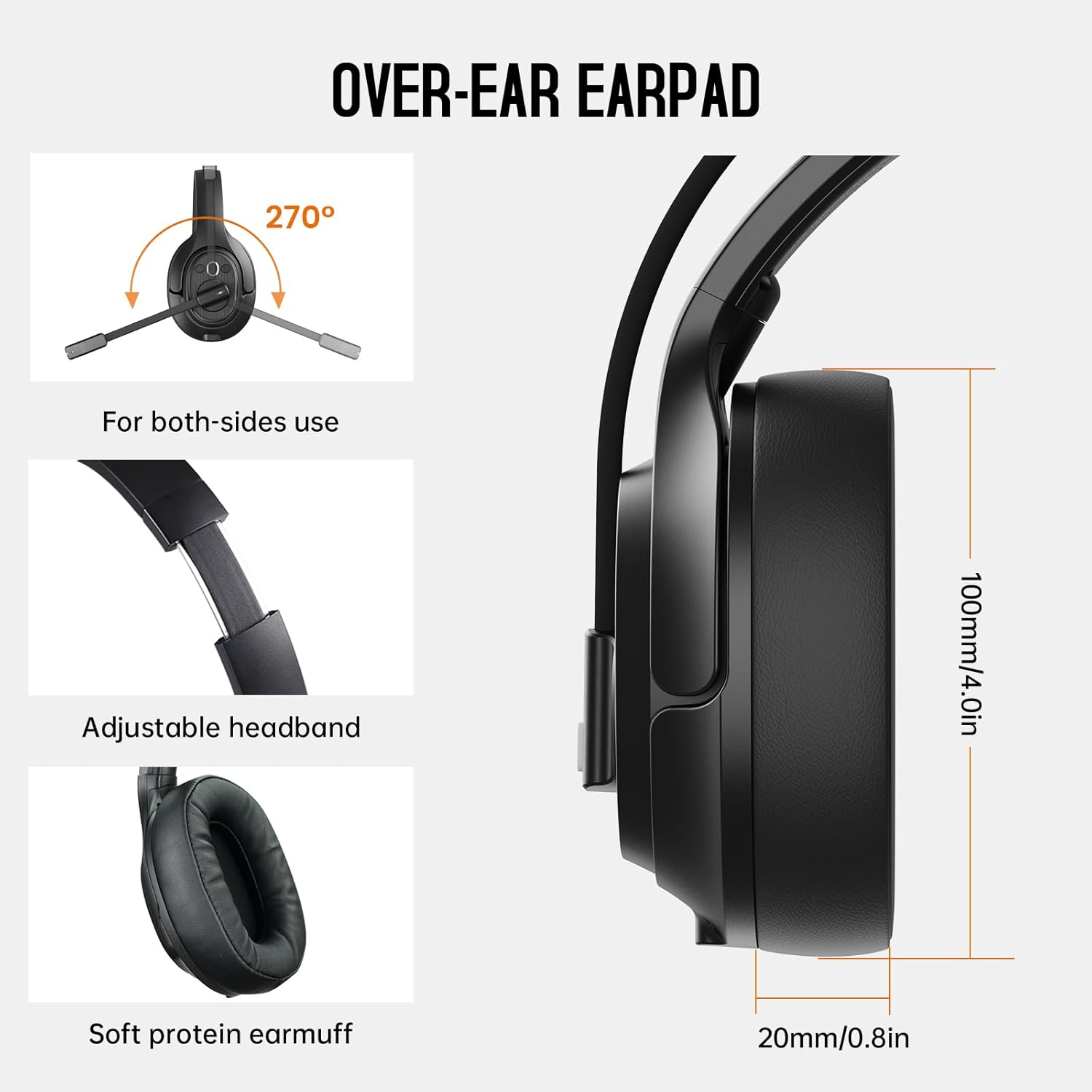
Image: The headset demonstrating simultaneous connection to a phone via Bluetooth and a laptop via USB dongle.
دستورالعمل های عملیاتی
۲. کنترلهاview
این هدست دارای کنترلهای بصری است که روی گوشی قرار گرفتهاند:
- دکمه چند منظوره (MFB): روشن/خاموش کردن، پخش/مکث موسیقی، پاسخ/قطع تماس
- افزایش صدا (+): افزایش حجم.
- کاهش حجم (-): کاهش حجم
- دکمه قطع صدا: در حین تماس، میکروفون را بی صدا/لغو کنید.
- AI Assistant Button: دستیار صوتی دستگاه خود را فعال کنید.

تصویر: نمای نزدیک view of the headset's control buttons and ports.
2. برقراری و دریافت تماس
- پاسخ/پایان تماس: MFB را کوتاه فشار دهید.
- رد تماس: MFB را به مدت 2 ثانیه فشار داده و نگه دارید.
- شماره گیری مجدد آخرین شماره: MFB را دوبار فشار دهید.
- بیصدا/باصدا کردن میکروفون: Short press the dedicated mute button on the microphone arm.
3. Microphone and Wearing Adjustments
The headset is designed for comfort and versatility:
- هدبند قابل تنظیم: هدبند را بکشید یا جمع کنید تا راحت روی سرتان قرار بگیرد.
- Rotatable Microphone: The microphone arm can rotate 270 degrees, allowing it to be worn on either the left or right ear. Position the microphone close to your mouth for optimal voice pickup.
- Comfortable Earcups: The over-ear design with soft ear pads ensures comfort during extended use.

Image: Features illustrating the ergonomic design of the headset, including adjustable headband and rotatable microphone.
4. Environmental Noise Cancelling (ENC) Microphone
The AI-Powered ENC microphone filters out up to 99.8% of ambient noise, ensuring your voice is transmitted clearly even in noisy environments like call centers, construction sites, or trucks.

Image: A visual explanation of the ENC microphone's function, demonstrating noise reduction.
۴. اتصال چند دستگاهی
The headset supports simultaneous connection to two different devices, such as a smartphone and a computer, allowing seamless switching between calls and other audio sources.

Image: Illustration of the headset's ability to connect to two devices concurrently.
6. Extended Wireless Range
Utilizing Bluetooth 5.0 technology, the headset offers a stable wireless connection up to 30 meters (99 feet). In unobstructed environments, the range can extend up to 50 meters (164 feet).

Image: Visualizing the headset's long-range wireless capabilities in an outdoor setting.
تعمیر و نگهداری
- تمیز کردن: برای تمیز کردن هدست از یک پارچه نرم و خشک استفاده کنید. از استفاده از مواد شیمیایی قوی یا مواد ساینده خودداری کنید.
- تعویض پد گوش: The headset comes with a replacement mesh breathable ear pad. To replace, gently twist and pull off the existing ear pad, then align and press the new ear pad into place.
- ذخیره سازی: Store the headset in its protective case when not in use to prevent damage.

Image: Demonstrating the detachable ear pads and the two types included for different comfort levels.
عیب یابی
| مشکل | راه حل |
|---|---|
| هدست روشن نمیشود. | Ensure the headset is fully charged. Press and hold the MFB for 3 seconds. |
| جفتسازی از طریق بلوتوث امکانپذیر نیست. | Ensure the headset is in pairing mode (flashing blue/red LED). Turn off and on Bluetooth on your device. Move closer to the device. |
| صدا ندارد یا کیفیت صدا پایین است. | Check volume levels on both the headset and connected device. Ensure the headset is selected as the audio output device. Re-pair the headset. |
| میکروفون کار نمی کند | Ensure the microphone is not muted. Check microphone settings on your connected device. Adjust microphone position. |
| دانگل USB وصل نمیشود. | Ensure the dongle is fully inserted. Try a different USB port. Restart your computer. |
مشخصات
| ویژگی | جزئیات |
|---|---|
| نام مدل | EKSA-H1PLUS |
| فناوری اتصال | بیسیم (بلوتوث ۵.۳) |
| نسخه بلوتوث | 5.0 |
| محدوده بلوتوث | 30 Meters (99 feet), up to 50 Meters (164 feet) unobstructed |
| میکروفون | حذف نویز محیطی (ENC) با هوش مصنوعی |
| عمر باتری (زمان مکالمه) | تا 30 ساعت |
| عمر باتری (زمان پخش موسیقی) | تا 57 ساعت |
| زمان شارژ | تقریبا 1.5 ساعت |
| شکل گوشی | بالای گوش |
| نوع کنترل | Volume Control, Mute, AI Assistant |
| وزن | ۰.۳۷ پوند (تقریباً ۱۶۸ گرم) |
ویدیوهای رسمی محصول
EKSA H1 Plus Wireless Bluetooth Headset Overview
ویدئو: یک مقام رسمی در حال عبورview of the EKSA H1 Plus Wireless Bluetooth Headset, highlighting its key features and design.
EKSA H1Plus Bluetooth Trucker Headset Features
Video: A detailed look at the features and benefits of the EKSA H1Plus Bluetooth Trucker Headset.
گارانتی و پشتیبانی
EKSA products are designed for durability and performance. For warranty information and customer support, please refer to the official EKSA website or contact their customer service directly. Optional protection plans are available for extended coverage.
برای کمک بیشتر، به آدرس زیر مراجعه کنید: www.eksa.net