
1. مقدمه
Thank you for choosing the JIGATONEDA Wireless Doorbell. This self-powered doorbell system offers convenience and reliability with no batteries required for the push button. It features a long wireless range, multiple chime options, adjustable volume levels, and a durable, weatherproof design. This manual provides detailed instructions for setup, operation, maintenance, and troubleshooting to ensure optimal performance of your doorbell system.

Figure 1.1: JIGATONEDA Wireless Doorbell System (Button and Receiver)
2. اجزای محصول
The JIGATONEDA Wireless Doorbell package includes the following components:
- 1 × Doorbell Button (Transmitter)
- 1 × Doorbell Chime (Receiver)
- 1 × Backplate for Doorbell Button
- 1 × Waterproof Cover for Doorbell Button
- 2 × Adhesive Tapes for mounting
- ۲ × پیچ برای نصب
- 2 × Anchors for screws
- 1 × دفترچه راهنمای کاربر

Figure 2.1: Included Components and Overview of Installation Methods
۱. راهاندازی و نصب
The JIGATONEDA Wireless Doorbell offers two primary installation methods: adhesive mounting and screw mounting. The push button is self-powered, requiring no batteries.
3.1. Doorbell Button (Transmitter) Installation
The doorbell button is designed to be self-powered, generating electricity when pressed. It is also weatherproof for outdoor use.

Figure 3.1: Self-Powered Push Button Mechanism
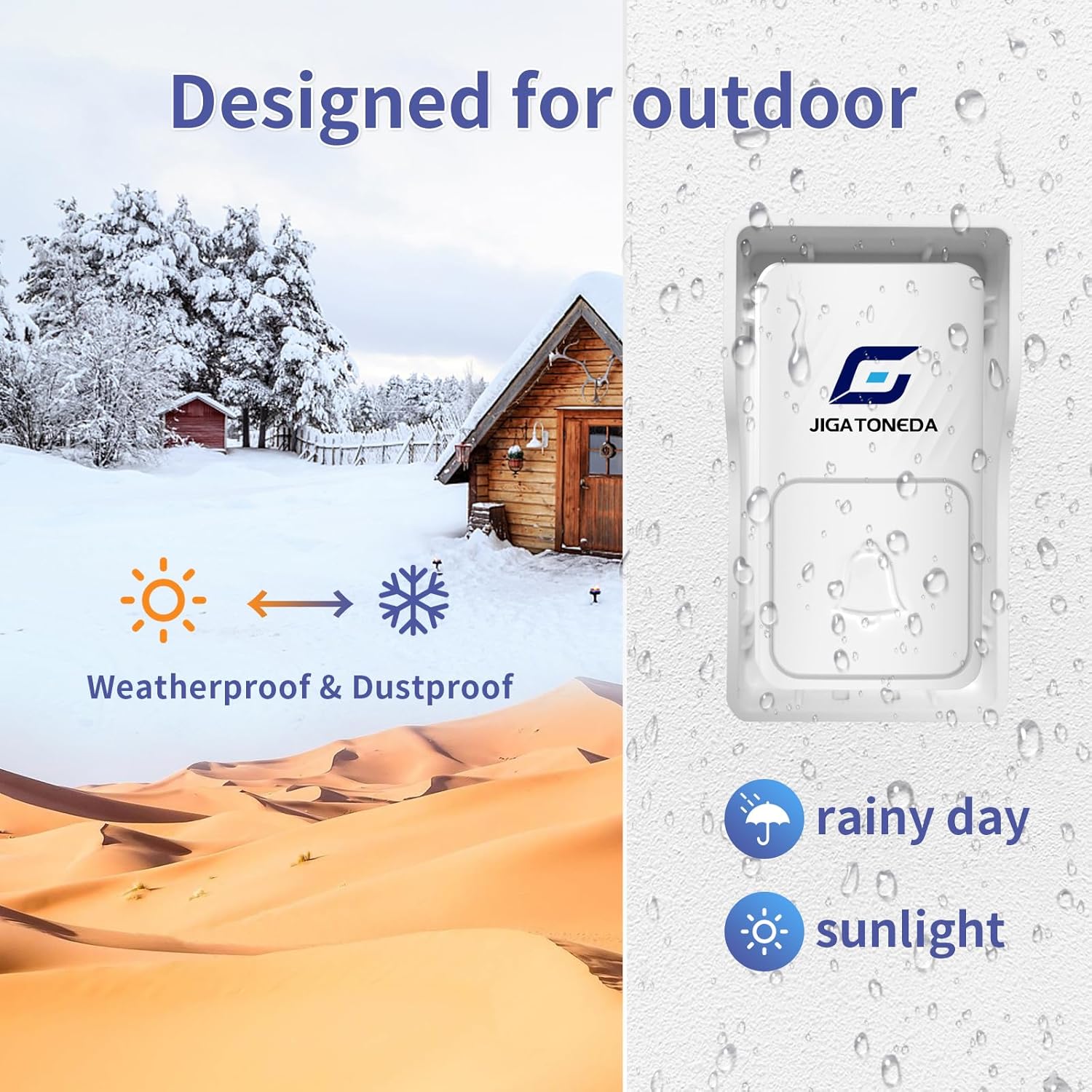
Figure 3.2: Weatherproof Design for Outdoor Environments
نصب چسب:
- سطح مورد نظر برای نصب را کاملاً تمیز کنید تا خشک و عاری از گرد و غبار یا چربی باشد.
- Attach the backplate to the doorbell button.
- Peel off the protective film from one side of the adhesive tape and apply it firmly to the back of the backplate.
- Peel off the protective film from the other side of the adhesive tape.
- Press the doorbell button firmly onto the cleaned surface for at least 30 seconds.
نصب پیچ:
- سطح مورد نظر برای نصب را تمیز کنید.
- Attach the backplate to the doorbell button.
- Mark the positions for drilling holes using the backplate as a template.
- Drill two holes at the marked positions. Insert the provided anchors if installing into drywall or masonry.
- صفحه پشتی را با استفاده از پیچ های ارائه شده روی دیوار محکم کنید.
- Snap the doorbell button onto the secured backplate.
3.2. Doorbell Chime (Receiver) Installation
The doorbell chime is a plug-in unit. Simply plug the receiver into any standard electrical outlet within range of the doorbell button. Ensure the outlet is easily accessible and not obstructed.

Figure 3.3: Compact Size of Receiver, designed not to block adjacent outlets.
The system has an ultra-long wireless range of up to 1000ft (300m) in open areas, allowing flexible placement of the receiver within your home or property.
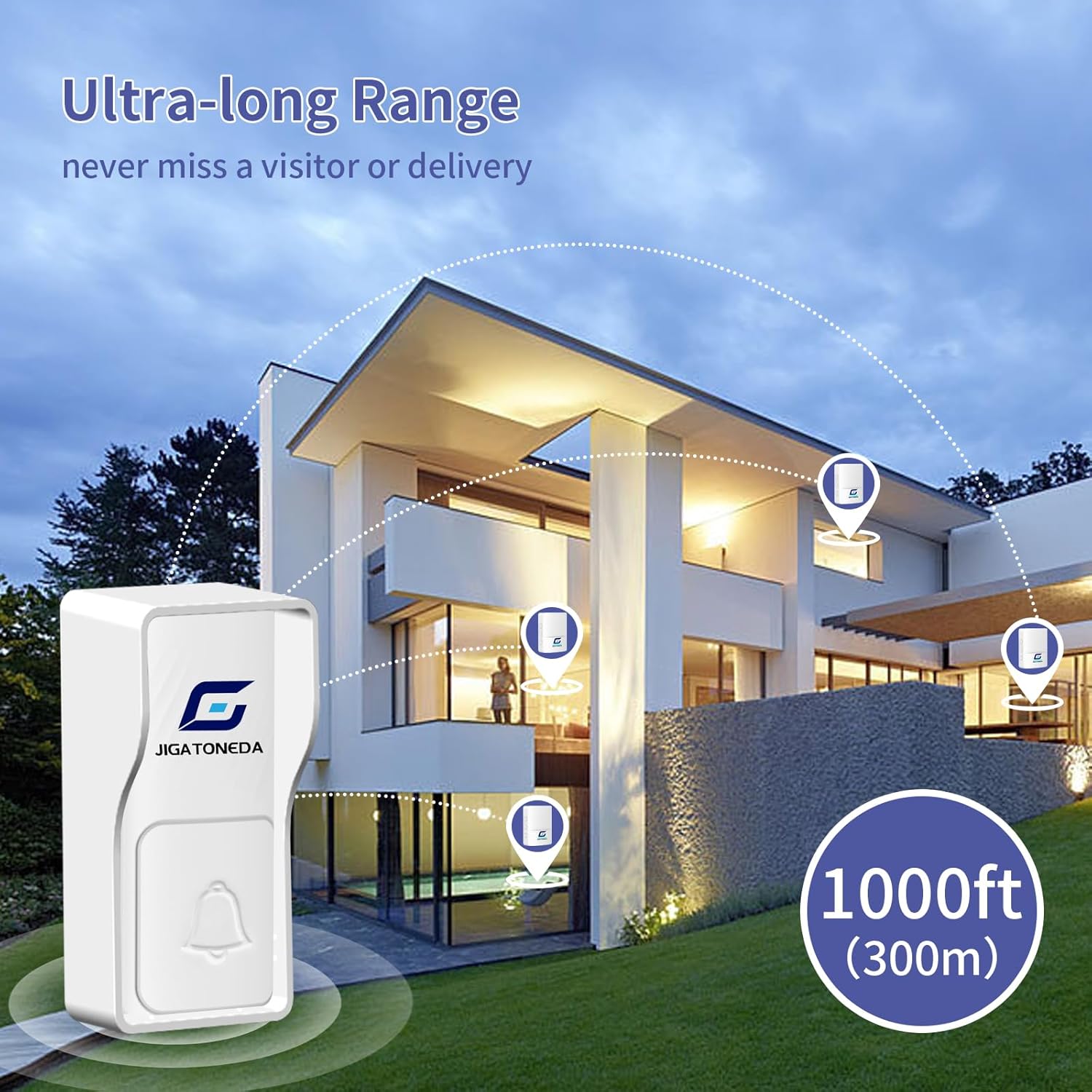
Figure 3.4: Illustrates the 1000ft (300m) wireless range for the doorbell system.
4. دستورالعمل های عملیاتی
Once installed, your JIGATONEDA Wireless Doorbell is ready for use. The receiver unit has buttons for melody selection, volume control, and mode selection.

شکل 4.1: سمت view of the receiver showing Melody Selection, Volume Control, Mode, and LED Indicator buttons.
۱. انتخاب ملودی
The doorbell chime offers 50 unique melodies. To change the melody:
- را فشار دهید انتخاب ملودی button (top button on the side of the receiver) repeatedly to cycle through the available tunes.
- The receiver will play each melody as you press the button. Stop pressing when you hear your desired melody.

Figure 4.2: The doorbell offers 50 unique melodies and 4 volume levels.
4.2. کنترل صدا
There are 4 adjustable volume levels, ranging from 0dB (mute) to 110dB. To adjust the volume:
- را فشار دهید کنترل صدا button (middle button on the side of the receiver) repeatedly to cycle through the volume levels.
- The volume will increase or decrease with each press.
4.3. Mute Mode and Working Modes
The doorbell receiver supports different working modes, including a mute mode where only the LED flashes.
- را فشار دهید حالت button (bottom button on the side of the receiver) repeatedly to select different working modes:
- حالت 1: LED light flashing only (Mute Mode).
- حالت 2: Sound only.
- حالت 3: LED light flashing and sound.

Figure 4.3: Visual representation of Mute Mode (0dB) and Max Volume Mode (110dB).

Figure 4.4: Instructions for pressing the Mode button to select different working modes.
4.4. List of Melodies
The following table lists the 50 available melodies:

Figure 4.5: Comprehensive list of the 50 available melodies.
5. Pairing Additional Units
The JIGATONEDA Wireless Doorbell system allows for pairing multiple doorbell buttons to one receiver, or multiple receivers to one doorbell button, providing flexibility for larger homes or properties.
۲. فرآیند جفتسازی
To pair an additional doorbell button with an existing receiver, or an additional receiver with an existing button:
- Plug in the receiver unit you wish to pair.
- On the receiver, long-press the bottom button (Mode button) for 5 seconds until a blue light comes on, indicating it is in pairing mode.
- While the receiver's blue light is on, immediately press the doorbell button (transmitter) you wish to pair. The receiver should chime, confirming successful pairing.
- If pairing multiple buttons to one receiver, repeat steps 2 and 3 for each additional button.
- If pairing multiple receivers to one button, repeat steps 2 and 3 for each additional receiver. Alternatively, all receivers can be put into pairing mode simultaneously, and then the button can be pressed once to pair with all activated receivers.

Figure 5.1: The doorbell system is suitable for various locations including homes, offices, and warehouses.

شکل 5.2: مثالample of multiple doorbell placements around a home.
6. تعمیر و نگهداری
To ensure the longevity and optimal performance of your JIGATONEDA Wireless Doorbell, follow these simple maintenance guidelines:
- تمیز کردن: Wipe the doorbell button and receiver with a soft, damp پارچه. از استفاده از مواد شیمیایی قوی یا پاککنندههای ساینده خودداری کنید، زیرا این مواد میتوانند به سطح آسیب برسانند.
- حفاظت از آب و هوا: While the doorbell button is designed to be weatherproof, regularly check the waterproof cover for any signs of damage or wear, especially if exposed to extreme weather conditions (heavy rain, snow, direct sunlight). Ensure it is securely in place.
- قرار دادن: Periodically check that the doorbell button is still securely mounted and has not become loose due to environmental factors.
7 عیب یابی
If you encounter any issues with your JIGATONEDA Wireless Doorbell, please refer to the following troubleshooting steps:
| مشکل | علت احتمالی | راه حل |
|---|---|---|
| زنگ در به صدا در نمیآید | گیرنده از برق کشیده شده یا به برق متصل نیستtage. | مطمئن شوید که گیرنده به طور ایمن به پریز برق سالم وصل شده است. |
| Receiver is in mute mode. | را فشار دهید کنترل صدا button to increase volume or the حالت button to change out of LED-only mode. | |
| Doorbell button and receiver are not paired. | Refer to Section 5.1 for pairing instructions. | |
| برد بی سیم کوتاه | Obstructions (thick walls, metal objects) between button and receiver. | Relocate receiver or button to minimize obstructions. Avoid placing near large metal structures. |
| تداخل امواج از سایر دستگاههای بیسیم | Move the doorbell system away from other electronic devices that may cause interference. | |
| Button feels stiff or unresponsive | Debris or dirt accumulated around the button. | Clean the button area and ensure the waterproof cover is properly seated. |
If the problem persists after trying these solutions, please contact JIGATONEDA customer service for further assistance.
8. مشخصات
Key technical specifications for the JIGATONEDA Wireless Doorbell:
| ویژگی | مشخصات |
|---|---|
| شماره مدل | زنگ در |
| Dimensions (Button) | ۴.۷۴ × ۲.۶۴ × ۱.۴۹ اینچ (تقریباً ۱۲۰.۴ × ۶۷.۰ × ۳۷.۸ میلیمتر) |
| ابعاد (رسیور) | ۴.۷۴ × ۲.۶۴ × ۱.۴۹ اینچ (تقریباً ۱۲۰.۴ × ۶۷.۰ × ۳۷.۸ میلیمتر) |
| وزن مورد | 6.9 اونس |
| رنگ | سفید |
| مواد | ABS |
| محدوده بی سیم | تا ارتفاع ۱۳۱۲ فوت (۴۰۰ متر) در مناطق باز |
| صدای زنگ | 50 ملودی قابل انتخاب |
| سطوح حجم | 4 adjustable levels (0dB to 110dB) |
| Power Source (Button) | Self-powered (no batteries required) |
| منبع تغذیه (گیرنده) | دوشاخه (برق AC) |
| رتبهبندی ضد آب (دکمه) | Weatherproof with protective cover |
9. ضمانت و پشتیبانی
JIGATONEDA is committed to providing high-quality products and excellent customer service.
9.1. اطلاعات گارانتی
این محصول به همراه یک 3 سال گارانتی از تاریخ خرید. این ضمانتنامه نقصهای ناشی از تولید و نقص در استفاده عادی را پوشش میدهد. خسارت ناشی از سوء استفاده، حوادث، تغییرات غیرمجاز یا نصب نادرست را پوشش نمیدهد.
9.2. پشتیبانی مشتری
If you have any questions, concerns, or require assistance with your JIGATONEDA Wireless Doorbell, please do not hesitate to contact our customer service team. We are available to help you resolve any issues and ensure your satisfaction.
For support, please reach out through the platform where you purchased the product or visit the official JIGATONEDA store online. Our team aims to provide 24-hour customer service.

Figure 9.1: Information on warranty and how to contact customer service.