
1. مقدمه
This manual provides detailed instructions for the installation, operation, and maintenance of your Rosewill CMG5 1000W Modular Power Supply. Please read this manual thoroughly before installation and retain it for future reference.
The Rosewill CMG5 1000W is a fully modular 80 PLUS Gold certified power supply designed for personal computers. It is compatible with ATX 3.0 & 3.1 standards and features a native 600W PCIe 5.0 / Gen 5 12+4 Pin 12V-2x6 cable, supporting modern high-performance graphics cards.
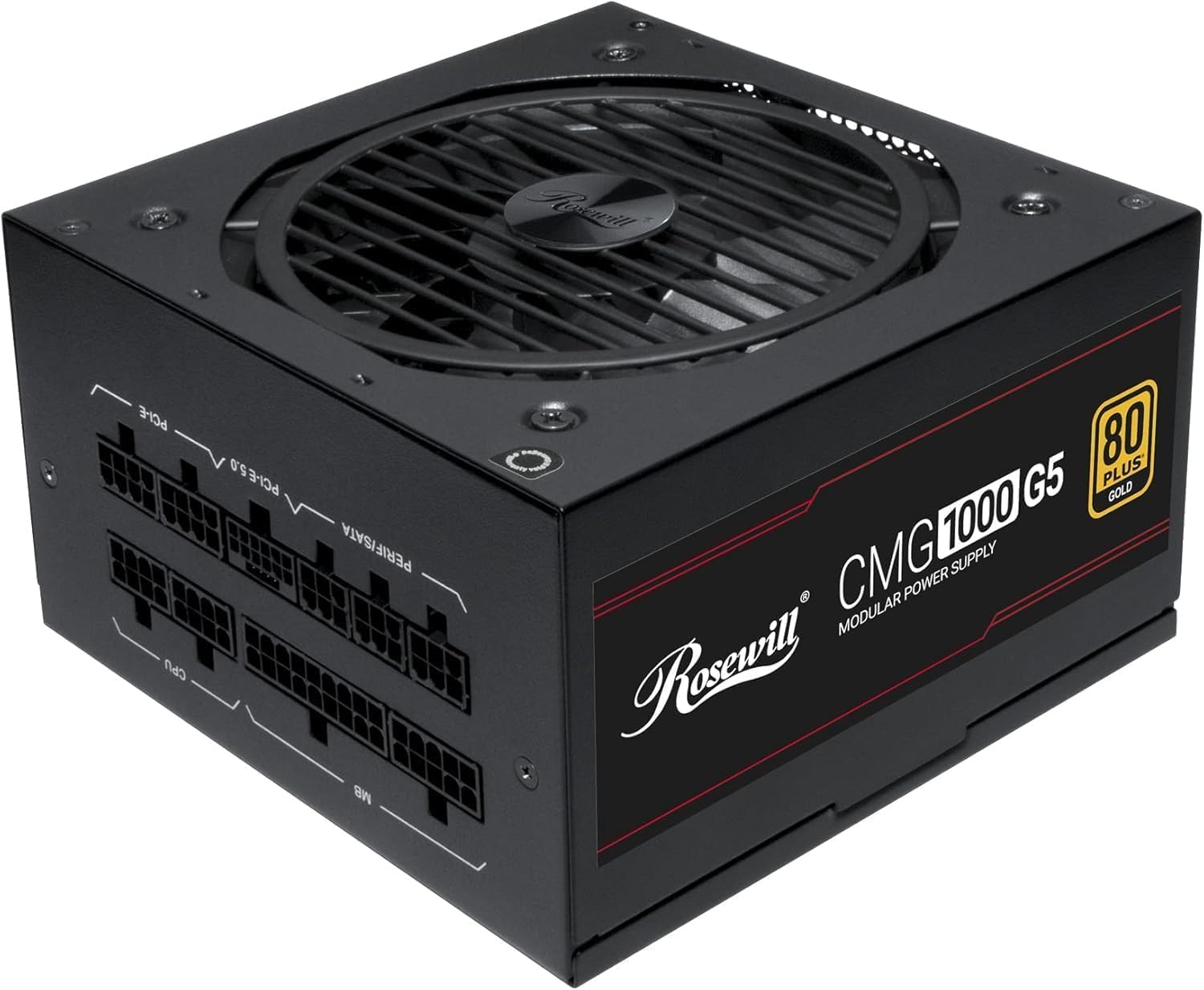
تصویر: جلو view of the Rosewill CMG5 1000W Modular Power Supply, showing the fan grille and branding.
2. اطلاعات ایمنی
WARNING: Improper installation or use can lead to serious injury or equipment damage. Always follow these safety guidelines:
- Ensure the power supply is disconnected from the AC power outlet before installation or handling.
- منبع تغذیه را باز نکنید. ولتاژ بالاtagقطعات داخلی وجود دارند و هیچ قطعهای وجود ندارد که توسط کاربر قابل تعمیر باشد.
- Install the power supply in a well-ventilated area. Do not block any ventilation openings.
- Use only the modular cables provided with this power supply. Using incompatible cables can damage the PSU and connected components.
- Ensure all cable connections are secure and fully seated to prevent electrical shorts or overheating.
- از قرار دادن منبع تغذیه در معرض رطوبت یا دمای شدید خودداری کنید.
- If the power supply emits smoke, unusual odors, or loud noises, immediately disconnect it from the AC power and contact support.
3. محتویات بسته
بررسی کنید که همه اقلام در بسته شما موجود باشد:
- Rosewill CMG5 1000W Modular Power Supply Unit
- سیم برق AC
- Modular Cable Set (see below for details)
- پیچ های نصب
- راهنمای کاربر (این سند)

Image: Rear panel of the Rosewill CMG5 1000W Power Supply showing the modular cable connection ports labeled for MB, CPU, PERIF/SATA, PCI-E 5.0, and PCI-E.
مجموعه کابل ماژولار:

Image: Diagram illustrating the types and lengths of modular cables included with the Rosewill CMG5 1000W Power Supply, including 24-pin Motherboard, 12+4-pin PCIe 5.0, 4+4-pin CPU, 6+2-pin PCIe, SATA, and 4-pin Molex connectors.
- 1x 24-pin Motherboard Cable (600mm)
- 1x 12+4-pin PCIe 5.0 Cable (600mm)
- 2x 4+4-pin CPU Cables (700mm each)
- 4x 6+2-pin PCIe Cables (500mm each, with two connectors per cable)
- 2x SATA Cables (500mm, with four SATA connectors per cable)
- 1x 4-pin Molex Cable (500mm, with four Molex connectors)
4. راه اندازی و نصب
Follow these steps to install your Rosewill CMG5 1000W Power Supply:
- سیستم خود را آماده کنید:
- کامپیوتر خود را خاموش کنید و سیم برق متناوب (AC) را از پریز برق جدا کنید.
- کیس کامپیوتر خود را باز کنید
- اگر منبع تغذیه موجود را تعویض میکنید، تمام کابلها را از PSU قدیمی جدا کرده و آن را از کیس جدا کنید.
- Install the Power Supply:
- Carefully place the new Rosewill CMG5 1000W PSU into the power supply bay of your computer case.
- Secure the PSU to the case using the provided mounting screws. Ensure the fan is facing the correct direction for optimal airflow (typically facing down if there's a bottom vent, or up if not).
- کابلهای ماژولار را وصل کنید:
- Identify the necessary cables for your components (Motherboard, CPU, PCIe, SATA, Molex). Refer to the "Package Contents" section for cable types.
- Connect the required modular cables to the corresponding ports on the power supply unit. Ensure they click firmly into place.
- Connect the other end of each cable to your motherboard, CPU, graphics card(s), storage drives, and other peripherals. Pay close attention to the orientation of each connector.
- For PCIe 5.0 graphics cards, use the dedicated 12+4-pin PCIe 5.0 cable. Ensure it is fully inserted into both the PSU and the graphics card.
- بررسی های نهایی:
- Double-check all cable connections to ensure they are secure. Loose connections can cause system instability or damage.
- Organize cables to improve airflow within the case.
- قاب کامپیوتر خود را ببندید.
- روشن کردن:
- سیم برق AC را به منبع تغذیه و سپس به پریز برق وصل کنید.
- Flip the main power switch on the back of the PSU to the "ON" position.
- کامپیوتر خود را روشن کنید.

تصویر: عقب view of the Rosewill CMG5 1000W Power Supply, showing the AC power input, main power switch, and an "ECO" mode switch.
5. دستورالعمل های عملیاتی
The Rosewill CMG5 1000W Power Supply is designed for reliable and efficient operation.
Eco Silent Mode:
- The power supply features an "ECO" mode switch located on the rear panel.
- When the ECO mode is ON, the 120mm Fluid Dynamic Bearing (FDB) fan will operate in a semi-fanless mode. The fan will remain off under low to moderate loads, providing silent operation. It will automatically spin up when the load increases to maintain optimal temperatures.
- When the ECO mode is خاموش, the fan will operate continuously, adjusting its speed based on the internal temperature and load.
- Choose the mode that best suits your preference for noise levels and cooling performance.
Power Excursion Capabilities:
This power supply is designed to handle power excursions up to 235% and GPU power excursions up to 300%, ensuring stable power delivery during peak demands from high-performance components.
6. تعمیر و نگهداری
نگهداری مناسب، طول عمر و عملکرد بهینه منبع تغذیه شما را تضمین میکند.
- تمیز کردن: Periodically clean the exterior of the power supply and its fan grille to prevent dust buildup. Use compressed air to gently clear dust from the fan blades and internal components. Ensure the PSU is powered off and unplugged before cleaning.
- مدیریت کابل: Ensure cables are not obstructing airflow within your computer case. Re-route or tie cables as needed to maintain good ventilation.
- شرایط محیطی: Operate the power supply in a clean, dry environment with adequate ventilation. Avoid extreme temperatures and humidity.
7 عیب یابی
اگر با منبع تغذیه خود با مشکل مواجه شدید، به مشکلات و راهحلهای رایج زیر مراجعه کنید:
| مشکل | علت احتمالی | راه حل |
|---|---|---|
| کامپیوتر روشن نمیشود. |
|
|
| System crashes or restarts randomly. |
|
|
| صداهای غیرمعمول از منبع تغذیه (PSU). |
|
|
| Cables appear melted or discolored. |
|
|
8. مشخصات
| ویژگی | جزئیات |
|---|---|
| نام مدل | CMG1000G5 |
| نام تجاری | روزویل |
| وات خروجیtage | 1000 وات |
| فاکتور فرم | ATX |
| روش خنک کننده | هوا (فن FDB 120 میلیمتری) |
| ابعاد مورد (L x W x H) | 11.4 x 9 x 4.6 اینچ (289.56 x 228.6 x 116.84 میلیمتر) |
| وزن مورد | 6.3 پوند (2.86 کیلوگرم) |
| طراحی منبع تغذیه | ماژولار کامل |
| صدور گواهینامه کارایی | 80 پلاس طلا |
| حجم ورودیtage | 100-240 ولت AC |
| فرکانس ورودی | 50-60 هرتز |
| اتصال دهنده ها | ATX, PCIe (including 12V-2x6 for PCIe 5.0) |
| استاندارد ATX | سازگار با ATX 3.0 و 3.1 |
| خازن ها | خازن های الکترولیتی 100% ژاپنی |
| حفاظت ها | OCP, OPP, OTP, OVP, SCP, UCP (Over Current, Over Power, Over Temperature, Over Voltage, Short Circuit, Under Current Protection) |

تصویر: کنار view of the Rosewill CMG5 1000W Power Supply, displaying the electrical specifications label including AC input, DC output voltages, and total output power.
9. گارانتی و پشتیبانی
اطلاعات گارانتی:
The Rosewill CMG5 1000W Power Supply comes with a ۱ سال گارانتی سازندهاین ضمانتنامه شامل نقص در مواد و ساخت در شرایط استفاده عادی میشود. لطفاً فاکتور خرید خود را برای موارد گارانتی نگه دارید.
For detailed warranty terms and conditions, please refer to the official Rosewill webسایت یا با خدمات مشتریان آنها تماس بگیرید.
پشتیبانی مشتری:
If you have any questions, require technical assistance, or need to initiate a warranty claim, please contact Rosewill customer support:
- Webسایت: Visit the official Rosewill webسایتی برای منابع پشتیبانی، سوالات متداول و اطلاعات تماس.
- ایمیل/تلفن: Refer to the Rosewill webسایتی برای جدیدترین اطلاعات تماس.
When contacting support, please have your product model (CMG1000G5) and proof of purchase readily available.