
1. محصول تمام شدview
The Samsung Galaxy Tab S9 is a powerful and versatile Android tablet designed for both productivity and entertainment. Featuring a durable design, a vibrant AMOLED screen, and advanced AI capabilities, it's built to enhance your daily digital experience.
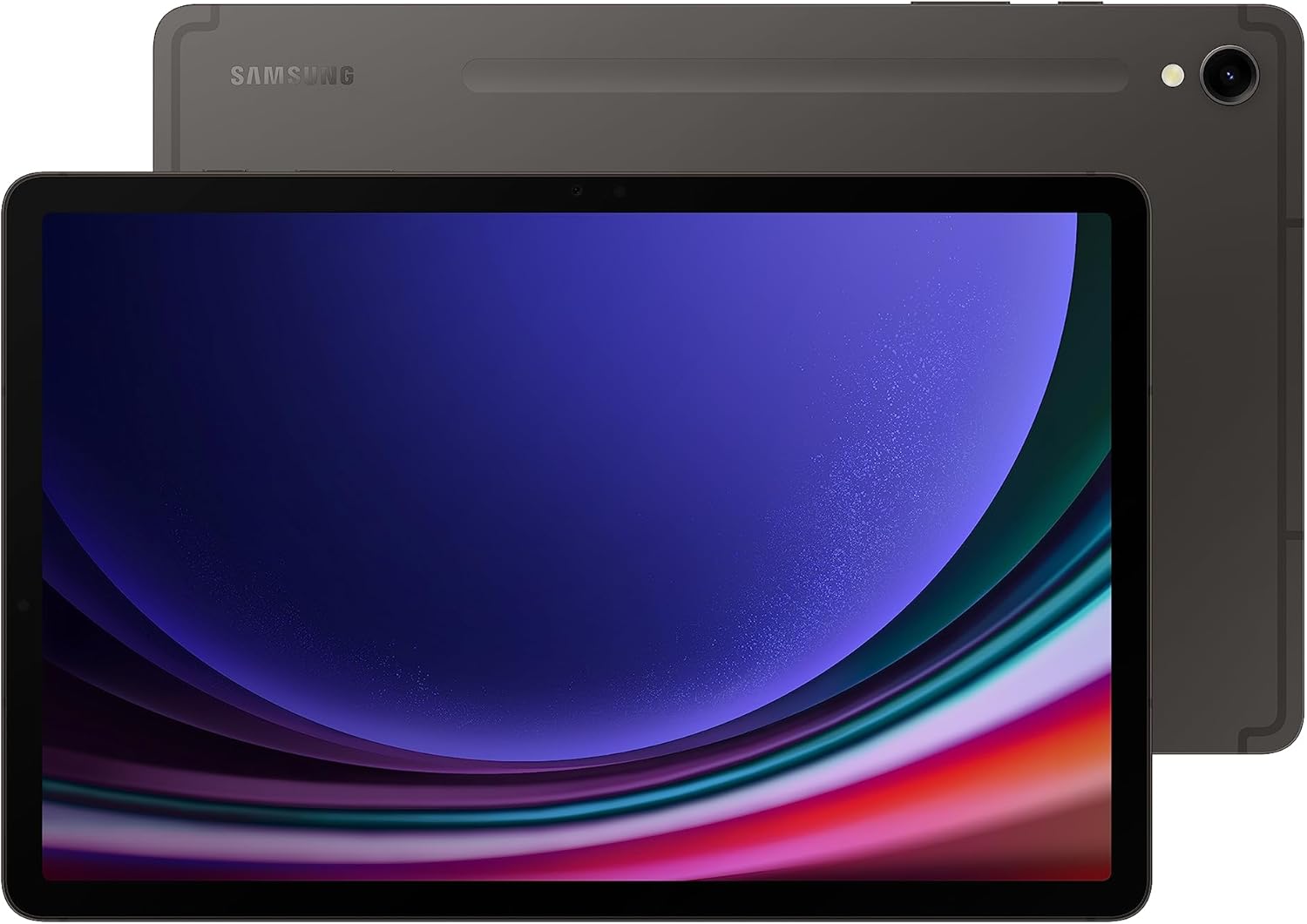
شکل ۳.۱: جلو و عقب view of the Samsung Galaxy Tab S9.
2. راه اندازی
۲.۲ محتویات جعبه
- Galaxy Tab S9+ (Tablet)
- قلم اس
- پین تخلیه
- کابل داده (USB-C)

Figure 2: Included items in the Galaxy Tab S9 packaging.
2.2 Initial Power-On and S Pen Setup
- Press and hold the Power button located on the side of the tablet until the Samsung Galaxy logo appears.
- Follow the on-screen prompts to select your language, connect to a Wi-Fi network, and sign in to your Google and Samsung accounts.
- The included S Pen can be attached magnetically to the back of the tablet for charging and storage. Ensure it is properly seated to pair and charge.
3. دستورالعمل های عملیاتی
۴.۱ نمایشگر و تجربه بصری
The Galaxy Tab S9 features an 11-inch Dynamic AMOLED 2X screen with a resolution of 2560 x 1600 pixels. The Vision Booster technology automatically adjusts brightness and contrast for optimal viewدر شرایط نوری مختلف

Figure 3: Display dimensions of the Samsung Galaxy Tab S9.
۳.۲ عملکرد و چندوظیفگی
Equipped with a superfast Snapdragon 8 Gen 2 processor, the tablet delivers powerful performance for all your tasks, from demanding games to creative projects. It supports seamless multitasking and smooth operation.
DeX Mode
Transform your tablet into a PC-like experience with DeX Mode. This feature allows you to multitask with multiple windows and folders, work from a taskbar, and easily drag and drop files. A compatible keyboard cover (sold separately) can further enhance this experience.

Figure 4: Galaxy Tab S9 in DeX Mode with an optional keyboard cover.
۳.۶ ویژگیهای هوش مصنوعی گلکسی
The Galaxy Tab S9 integrates advanced AI features to streamline your workflow and creativity:
- دایره برای جستجو: جستجو برای anything on your screen by simply circling it, without switching apps.
- دستیار رونوشت: Automatically transcribe and summarize recorded lectures and meetings.
- کمک یادداشت: Format your notes into clear summaries and organize them instantly.
- دستیار عکس: Effortlessly edit and enhance your photos, including relocating objects.

شکل 5: تمام شده استview of Galaxy AI capabilities on the Tab S9.
۳.۴ دوربین و صدا
The tablet features a high-resolution front camera with Auto-Focus for clear video calls. Quad speakers with Dolby Atmos surround sound provide rich and immersive audio.
4. تعمیر و نگهداری
۴.۵ دوام و محافظت
The Galaxy Tab S9 is built with an Armor Aluminum frame, providing protection against bumps. It also boasts an IP68 rating, making it resistant to dust and water. For optimal protection, consider using a protective case.

Figure 6: The durable Armor Aluminum back of the tablet.
4.2 مراقبت از باتری
To maximize battery lifespan, avoid extreme temperatures and prolonged exposure to direct sunlight. Utilize Super Fast Charging for quick power-ups when needed.
5 عیب یابی
۶.۱ مسائل عمومی
- دستگاه پاسخگو نیست: If the tablet becomes unresponsive, press and hold the Power button and Volume Down button simultaneously for about 7 seconds to force restart.
- از کار افتادن برنامه: حافظه پنهان و دادههای برنامه مشکلساز را در تنظیمات > برنامهها پاک کنید. اگر مشکل همچنان ادامه داشت، برنامه را دوباره نصب کنید.
- عملکرد آهسته: Close unused apps, clear device cache, and ensure sufficient storage space. Consider performing a factory reset as a last resort (back up your data first).
۶.۱ مشکلات اتصال
- مشکلات اتصال وای فای: روتر وایفای و تبلت خود را مجدداً راهاندازی کنید. در تنظیمات تبلت، شبکه را فراموش کنید و دوباره متصل شوید.
- مشکلات جفت شدن بلوتوث: مطمئن شوید که هر دو دستگاه در حالت جفت شدن و در محدوده اتصال هستند. بلوتوث را در هر دو دستگاه مجدداً راهاندازی کنید.
6. مشخصات
| ویژگی | جزئیات |
|---|---|
| نام تجاری | سامسونگ |
| نام مدل | S9 |
| شماره مدل مورد | SM-X710NZAAXAR |
| سیستم عامل | اندروید 13 |
| اندازه صفحه نمایش ایستاده | 11 اینچ |
| وضوح صفحه نمایش | 2560 x 1600 پیکسل |
| حداکثر وضوح صفحه نمایش | 2560 x 1600 پیکسل |
| پردازنده | 3.36 GHz (Qualcomm Snapdragon 8 Gen 2) |
| ظرفیت ذخیره سازی حافظه | 128 گیگابایت |
| نوع بی سیم | 802.11ax (Wi-Fi 7 compatible) |
| میانگین عمر باتری (به ساعت) | 18 ساعت |
| وزن مورد | 1.65 پوند |
| ابعاد محصول | 0.83 x 7.26 x 10.78 اینچ |
| رنگ | گرافیت |
| عقب Webوضوح دوربین | 12 مگاپیکسل |
| منبع تغذیه | شارژ باتری |
| اسلات کارت SD | در دسترس نیست |
| جک هدفون | در دسترس نیست |
7. گارانتی و پشتیبانی
The Samsung Galaxy Tab S9 comes with a standard manufacturer's warranty. For specific warranty details, terms, and conditions, please refer to the documentation included with your product or visit the official Samsung support webسایت
For additional protection plans, such as Samsung Care+, please check the product listing or Samsung's official channels.
For further assistance, troubleshooting, or to access support resources, please visit the فروشگاه سامسونگ در آمازون یا پشتیبانی رسمی سامسونگ webسایت